Skip to content
ShowU
Sofia Patel
Author

Sofia Patel

Mobile & App Guides Contributor

Sofia Patel is a ShowU editorial profile for practical Electronics guides. Coverage areas include Android, iPhone, backups, storage management, messaging apps. Guides published under this profile follow ShowU editorial standards and are reviewed when the task involves material safety or account-security risk.

AndroidiPhonebackupsstorage managementmessaging apps
112 published stories

Latest from Sofia Patel

Fields of Mistria Mining Guide: Reach Mines, Collect Ore
Fields of Mistria

Fields of Mistria Mining Guide: Reach Mines, Collect Ore

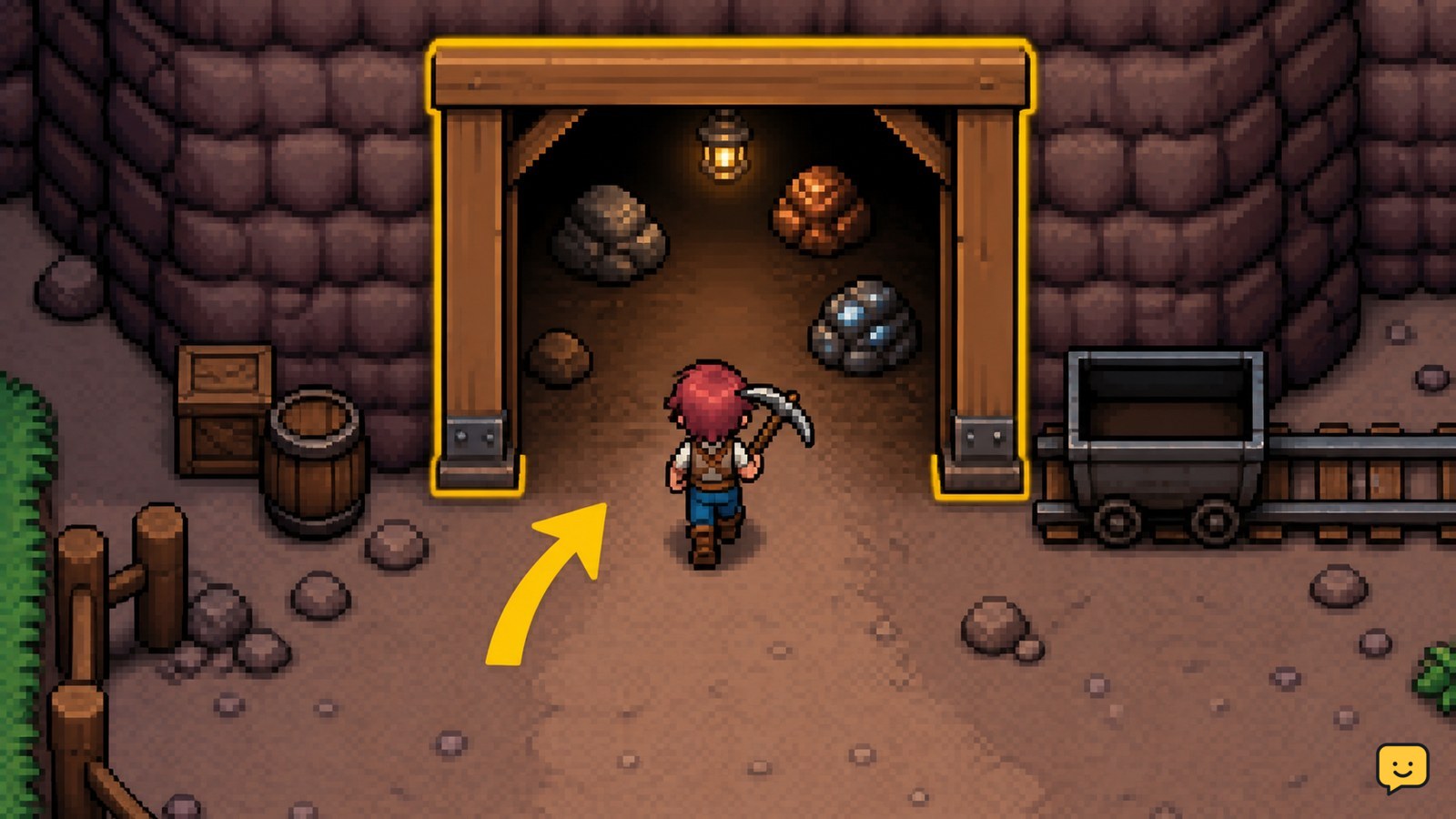
In Fields of Mistria, raise your town to Stone Town Rank to open mine access. A letter or related event should direct you to the newly available entrance. Bring your pickaxe, enter, break visible ore rocks first, collect every dropped item, and leave before your inventory fills or enemies make the route unsafe.
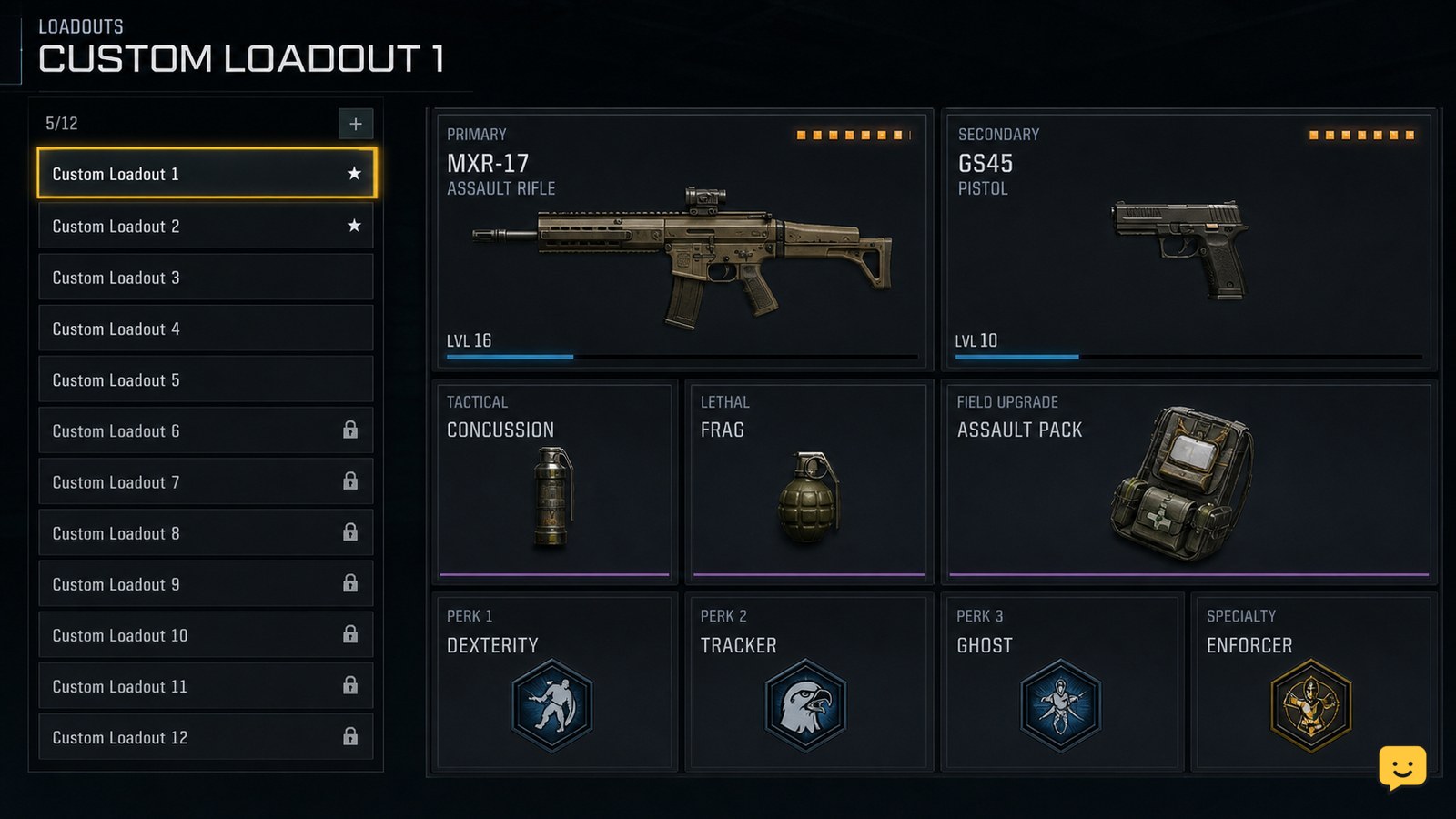
Black Ops 7 How to Customize a Multiplayer Class
Call of Duty: Black Ops 7 Guides

Black Ops 7 How to Customize a Multiplayer Class

Open Black Ops 7 Multiplayer, select Loadouts, choose the class slot you want to change, and edit the weapons, attachments, equipment, Field Upgrade, and Scorestreak selections shown there. Back out only after the changes save, then verify the class in the pre-match loadout screen. If a slot is locked or missing, use another available class and stop before replacing a setup you still need.

Fields of Mistria House Decorating Guide: Room Design
Fields of Mistria

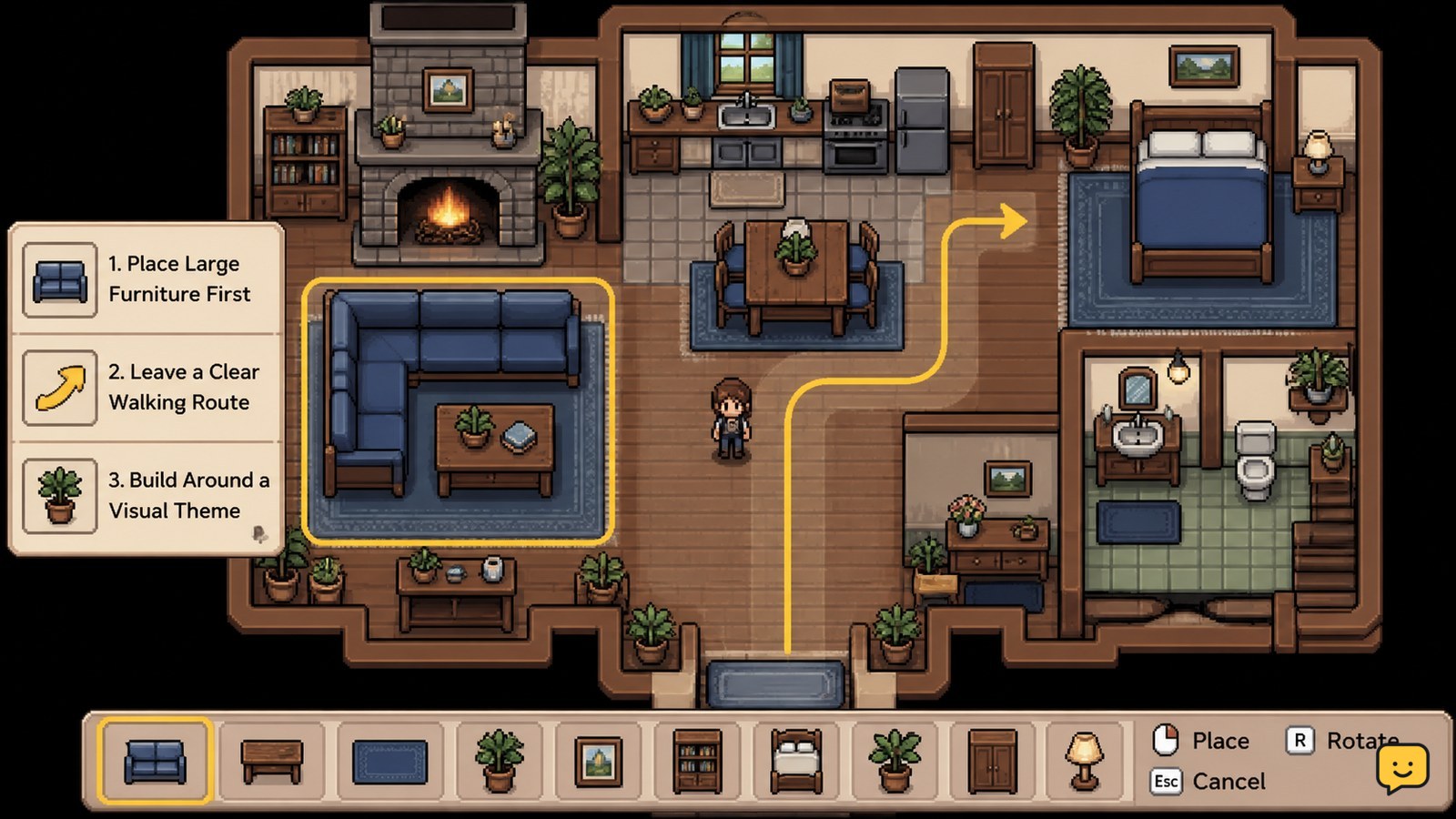
Fields of Mistria House Decorating Guide: Room Design

Fields of Mistria house decorating works best when you place large furniture first, reserve a clear walking route, and build each room around one use or color family. Mix matching furniture sets for cohesion, then add small decorations last. If an item will not place, clear the tile, exit placement mode, and retry before crafting more.

Phone Microphone Not Working During Calls: Fixes
Mobile Devices

Phone Microphone Not Working During Calls: Fixes

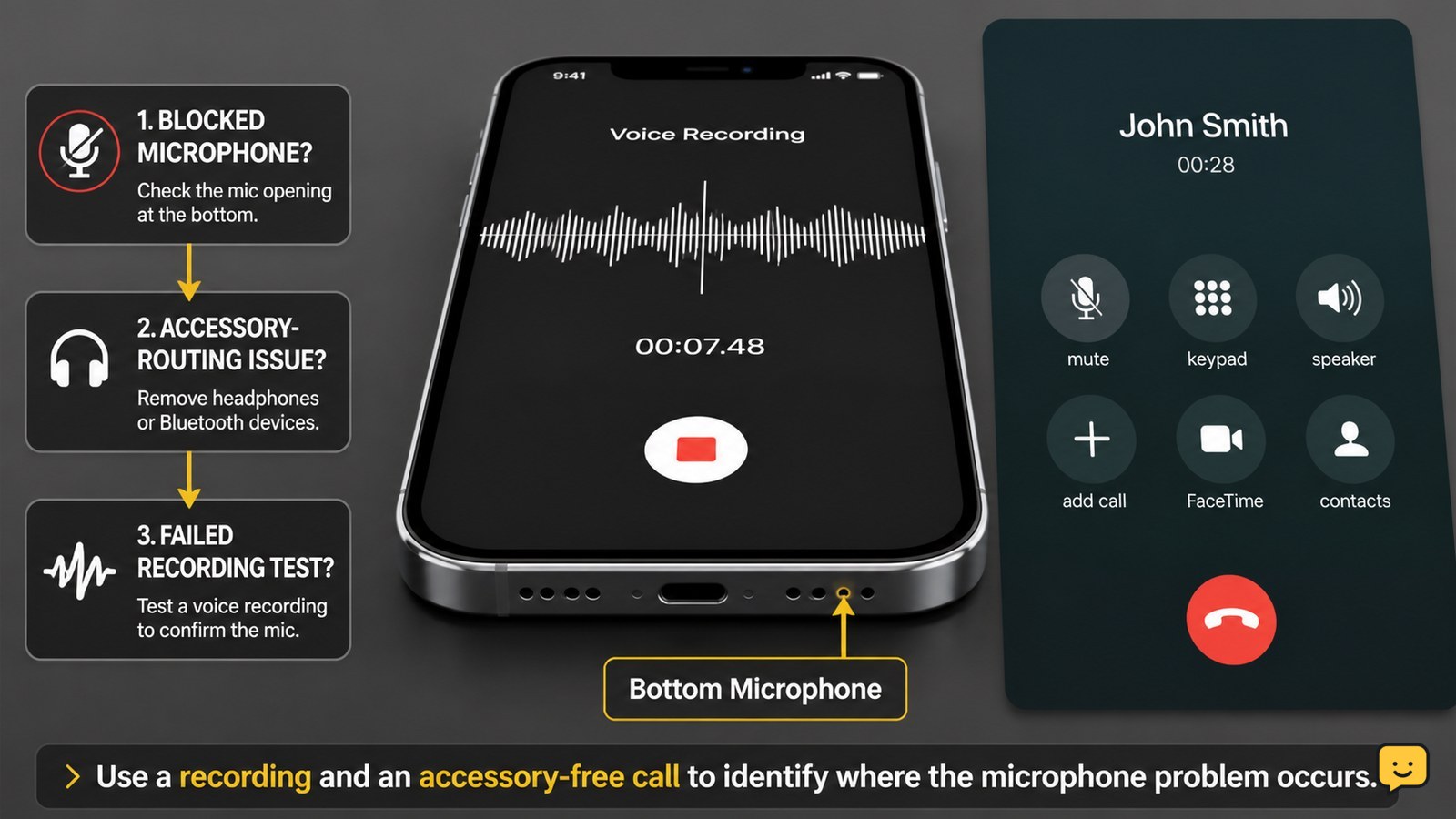
If your phone microphone is not working during calls, first turn off call mute, disconnect Bluetooth, remove any case or film covering the microphone, and gently clear the mic opening. Restart the phone, check microphone permission for the affected app, then record a voice memo. If recordings also have no sound, stop after basic cleaning and arrange service.

How to Use Armor Plates in Black Ops 7
Call of Duty: Black Ops 7 Guides

How to Use Armor Plates in Black Ops 7

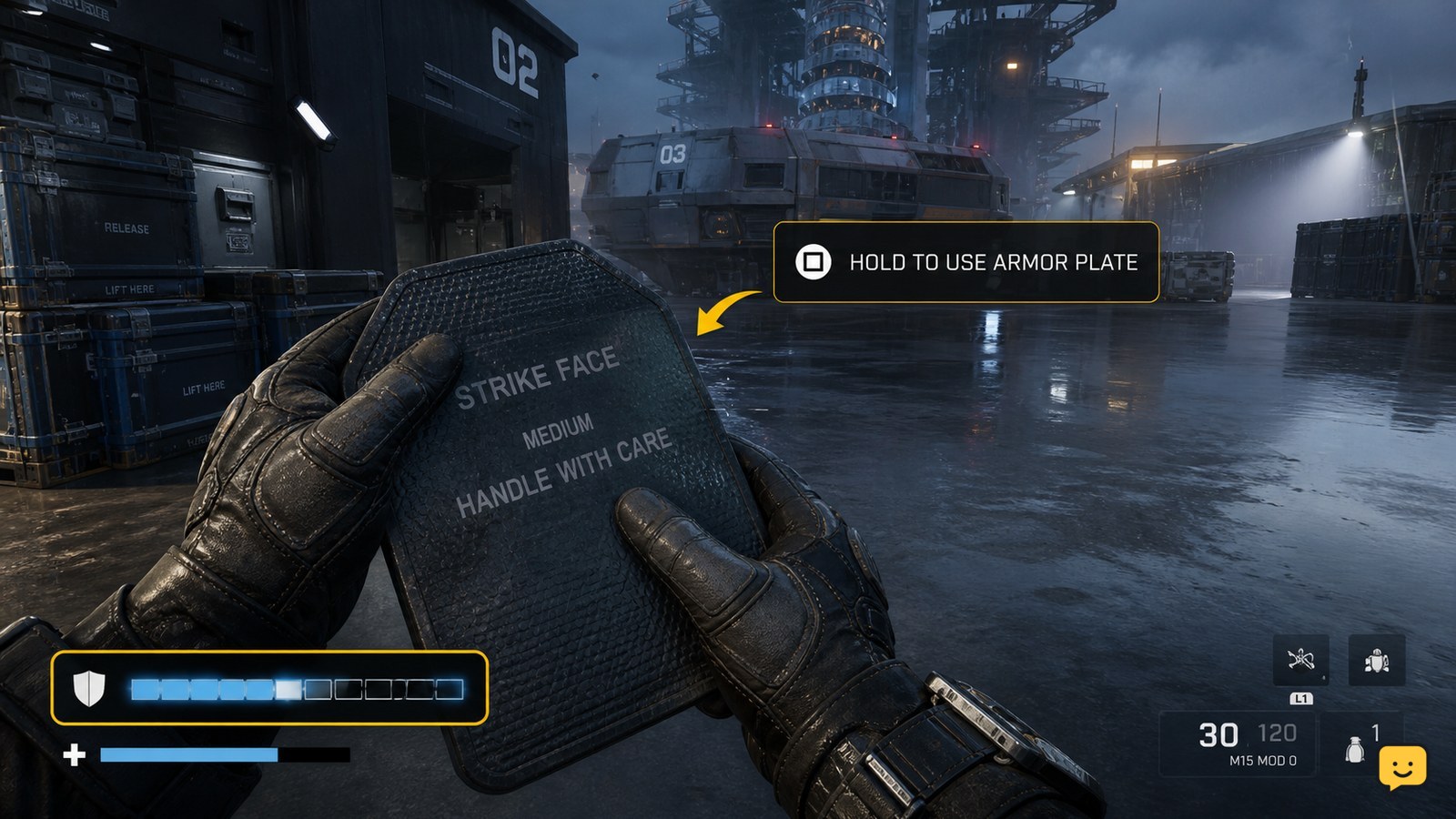
In Black Ops 7, use armor plates from the on-screen armor-plate prompt while your armor is damaged. Move behind cover, activate the displayed plate control, and wait for the armor bar to refill. In Zombies, open Settings > Controller or Keyboard & Mouse > Combat and adjust Armor Plate Behavior if you want to apply plates one at a time.

Fields of Mistria Storage Chest Guide: Craft and Organize
Fields of Mistria

Fields of Mistria Storage Chest Guide: Craft and Organize

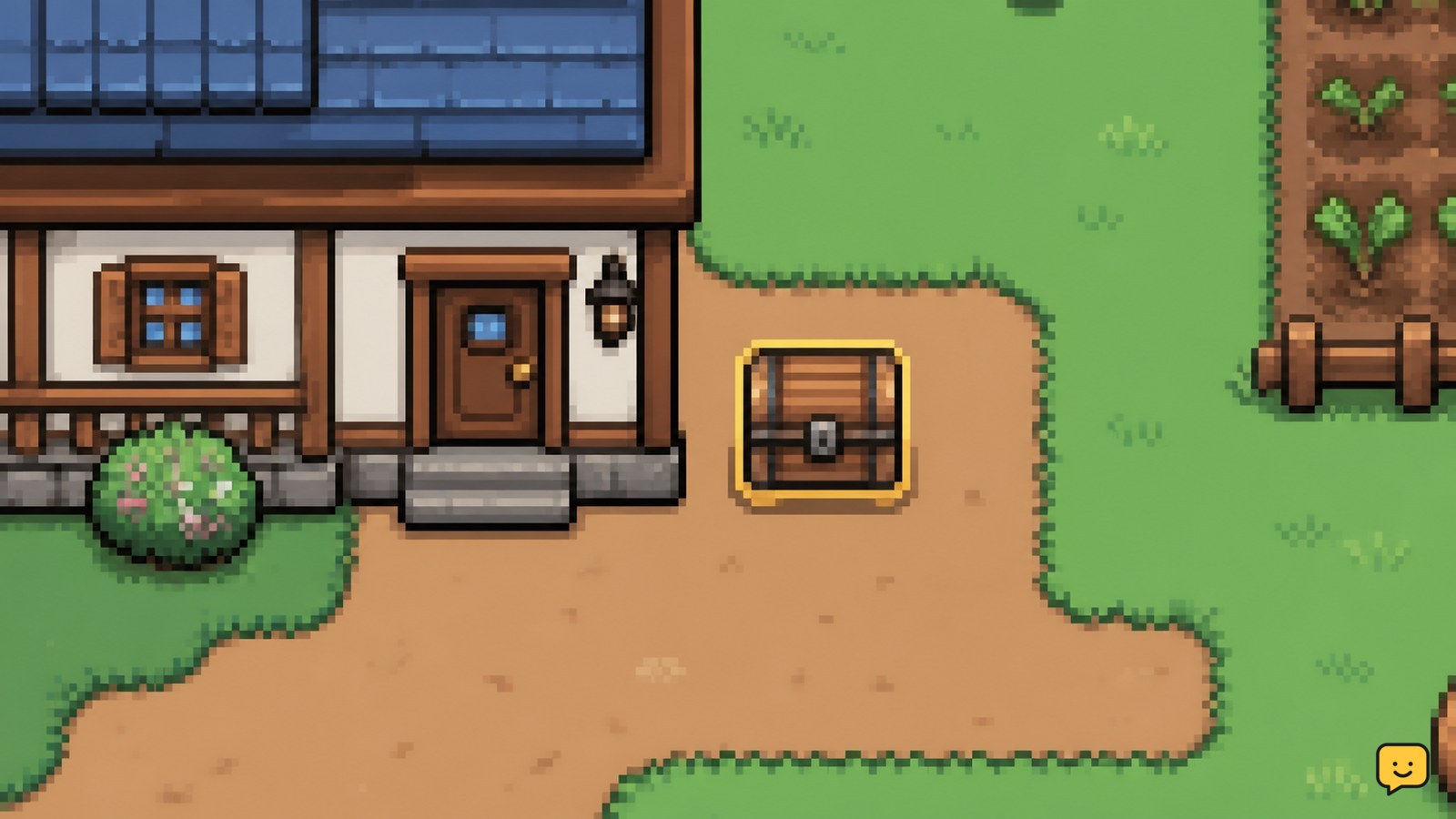
In Fields of Mistria, open the crafting menu and make a Basic Wood Chest with 30 Wood. Place it on a valid farm tile, interact with it to confirm access, then assign chests by use: seeds, raw materials, food, tools, and collectibles. Keep uncertain items in a temporary chest until their purpose is confirmed.

Black Ops 7: Change Minimap and HUD Settings
Call of Duty: Black Ops 7 Guides

Black Ops 7: Change Minimap and HUD Settings

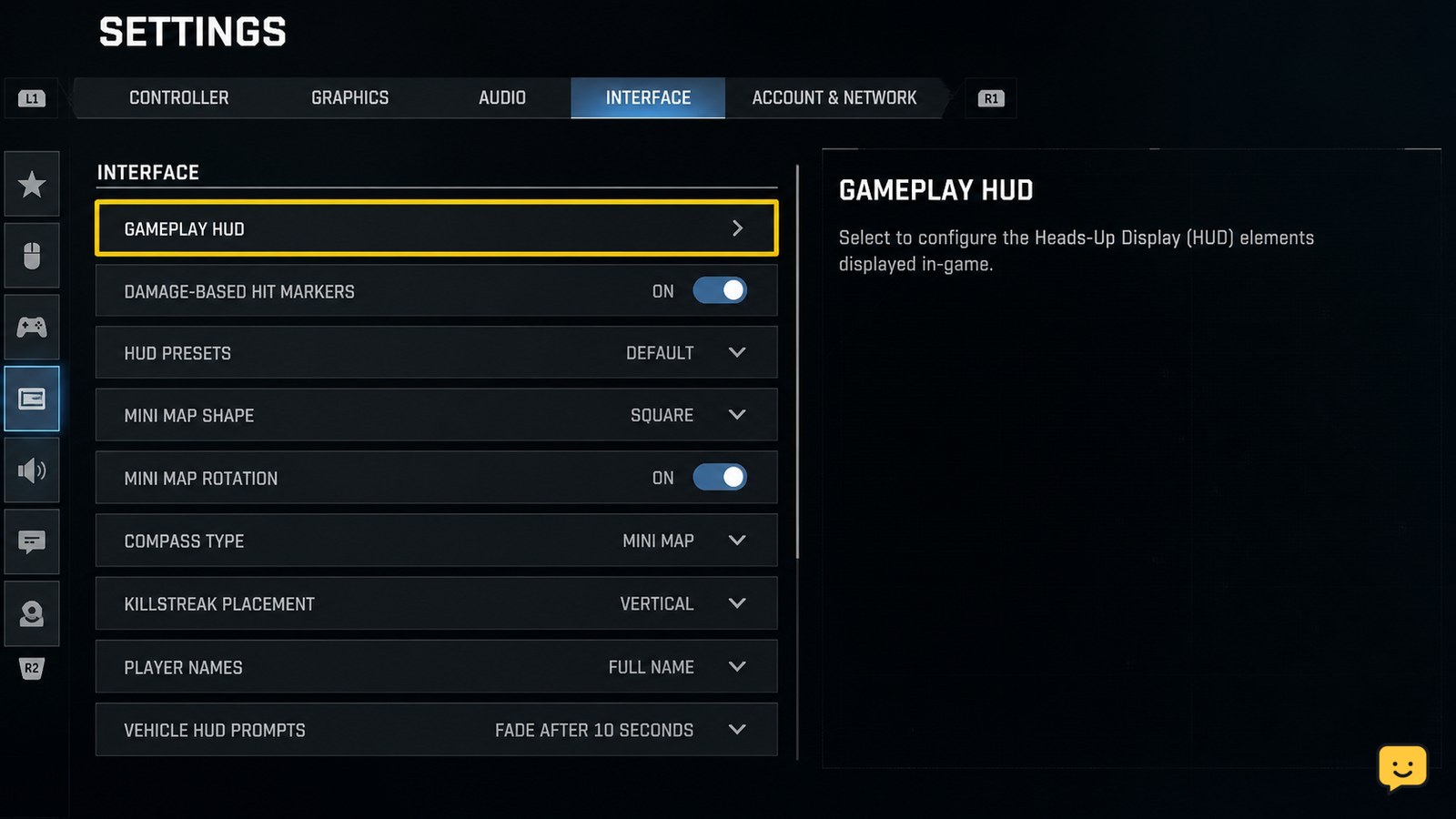
To change the minimap and HUD in Black Ops 7, open Settings, choose Interface, then open Gameplay HUD. Adjust the available HUD layout, minimap position, and HUD scale options, apply the changes, and enter a match to verify them. Menu names or available controls can vary by platform, mode, or current game build.

Fields of Mistria Homestead Upgrades Guide
Fields of Mistria

Fields of Mistria Homestead Upgrades Guide

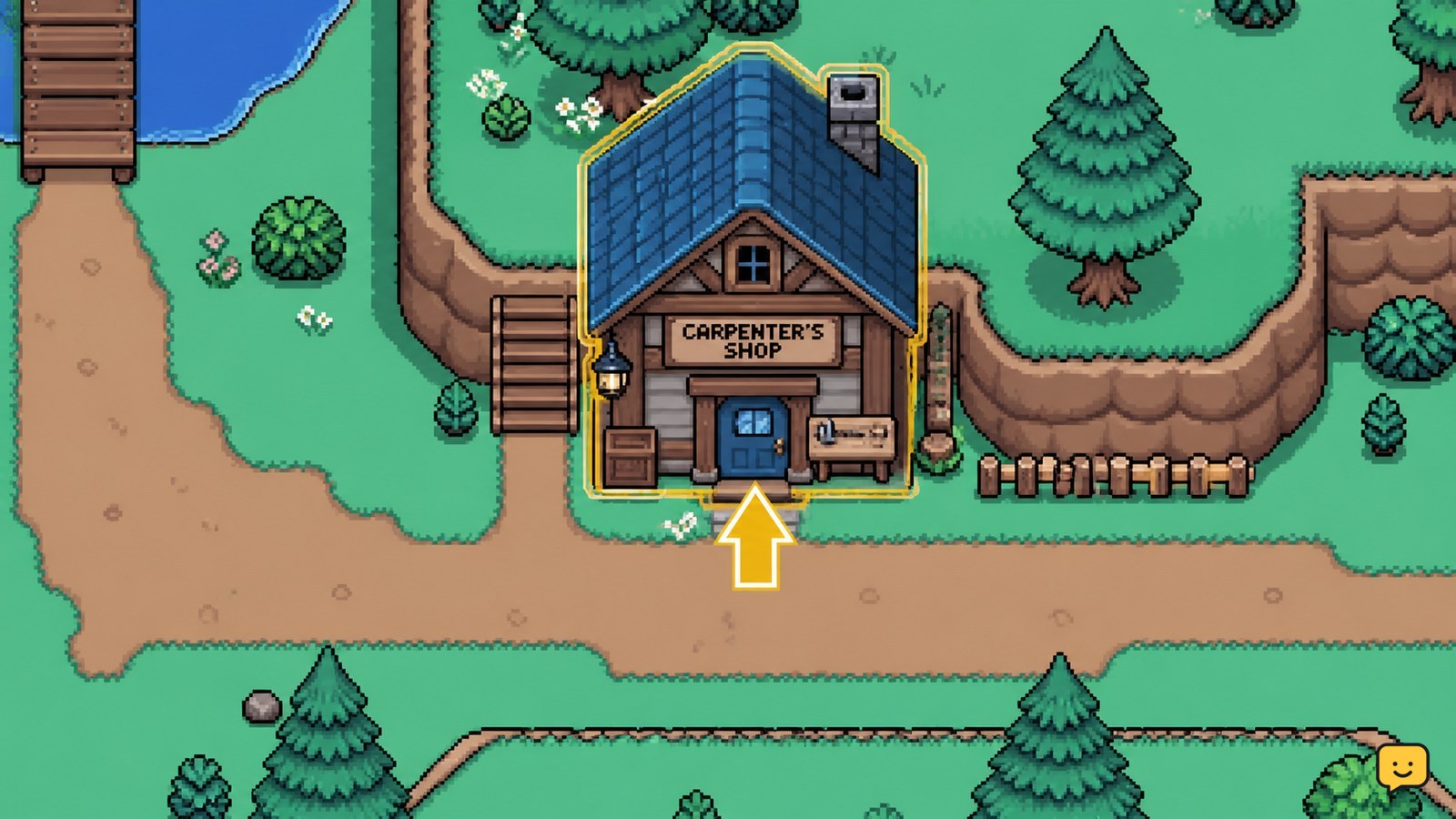
Homestead upgrades are ordered through the Carpenter's Shop on the Eastern Road. Select the project shown in the shop, provide the exact Tesserae and materials listed in your current game menu, and check your farm afterward for the changed house or structure. Stop before paying if the requirement panel differs from older published guides.

How to Change Field Upgrades in Black Ops 7
Call of Duty: Black Ops 7 Guides

How to Change Field Upgrades in Black Ops 7

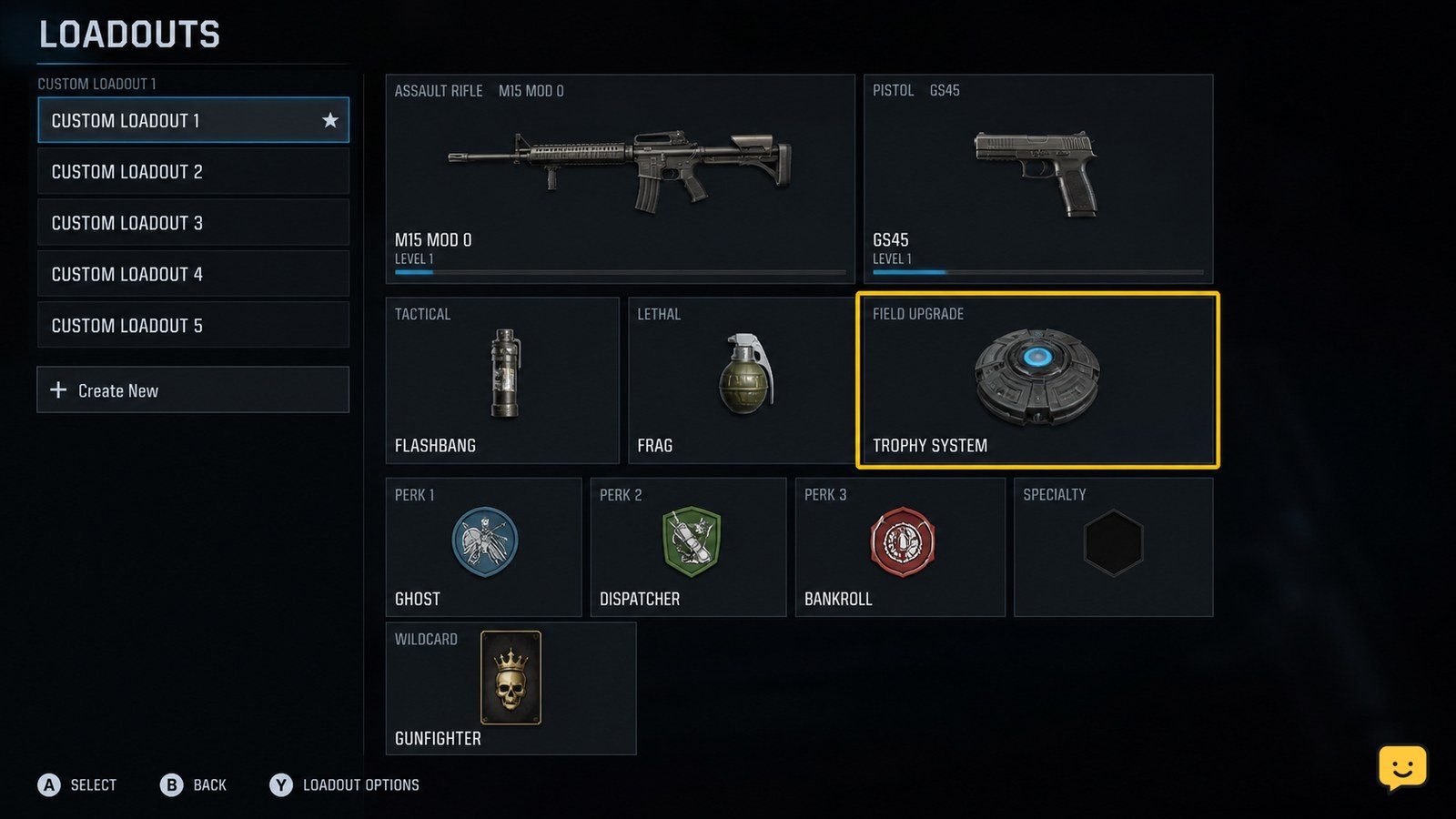
Open Black Ops 7’s Loadouts menu, select the class you plan to use, highlight its Field Upgrade slot, and choose a different upgrade. Confirm the class is saved before entering a match. In Zombies, the available loadout window can be limited to the opening round, so stop and return to the lobby if the slot is no longer editable.

Fields of Mistria Request Board Guide: Town Requests
Fields of Mistria

Fields of Mistria Request Board Guide: Town Requests

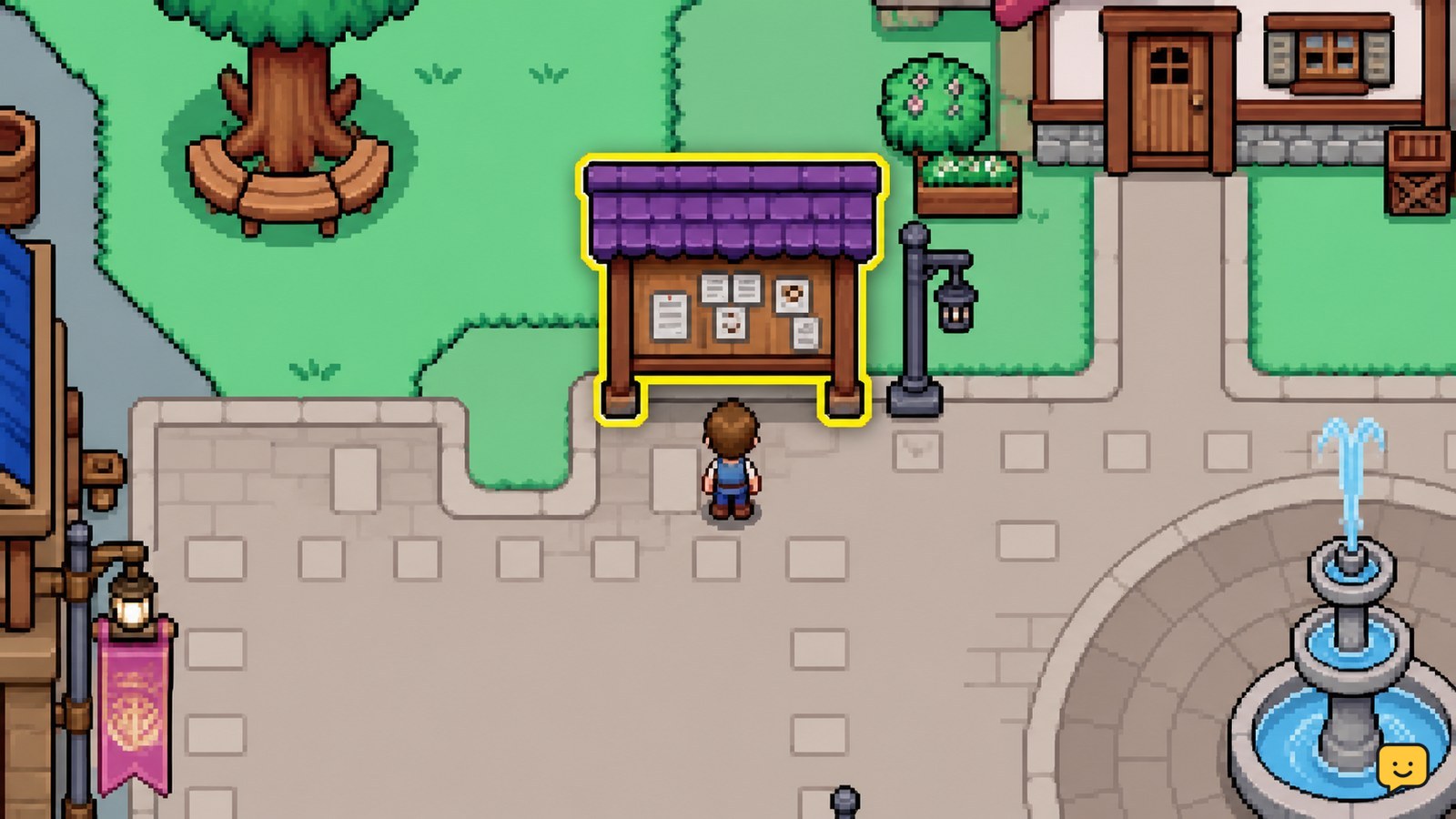
Open the Request Board in Mistria, read each request's item and reward before accepting it, then choose tasks that match your current inventory or route. Group gathering, farming, fishing, bug-catching, and delivery errands by area. Return to the board or use the displayed turn-in action, then confirm the request disappears and the reward is credited.