Skip to content
ShowU
Sofia Patel
Author

Sofia Patel

Mobile & App Guides Contributor

Sofia Patel is a ShowU editorial profile for practical Electronics guides. Coverage areas include Android, iPhone, backups, storage management, messaging apps. Guides published under this profile follow ShowU editorial standards and are reviewed when the task involves material safety or account-security risk.

AndroidiPhonebackupsstorage managementmessaging apps
112 published stories

Latest from Sofia Patel

Fields of Mistria Romance Guide: Build Relationships
Fields of Mistria

Fields of Mistria Romance Guide: Build Relationships

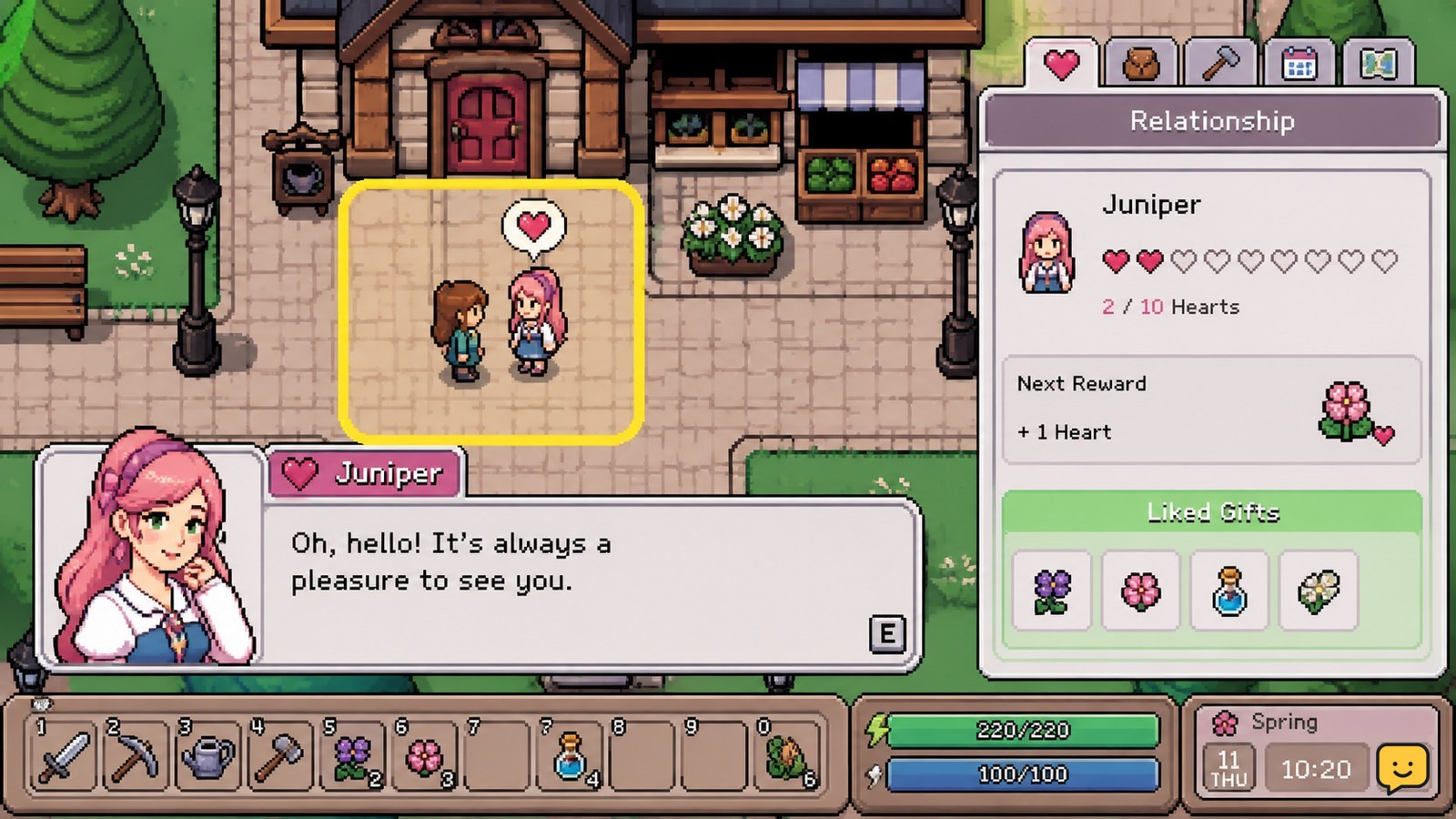
To increase friendship in Fields of Mistria, talk to villagers regularly and give gifts they appreciate while checking the Heart Gauge for progress and event prompts. Romance only applies to characters marked as romance candidates. Raise the relationship until dating becomes available, then continue building hearts before pursuing engagement or marriage. Exact thresholds can depend on your current game build.
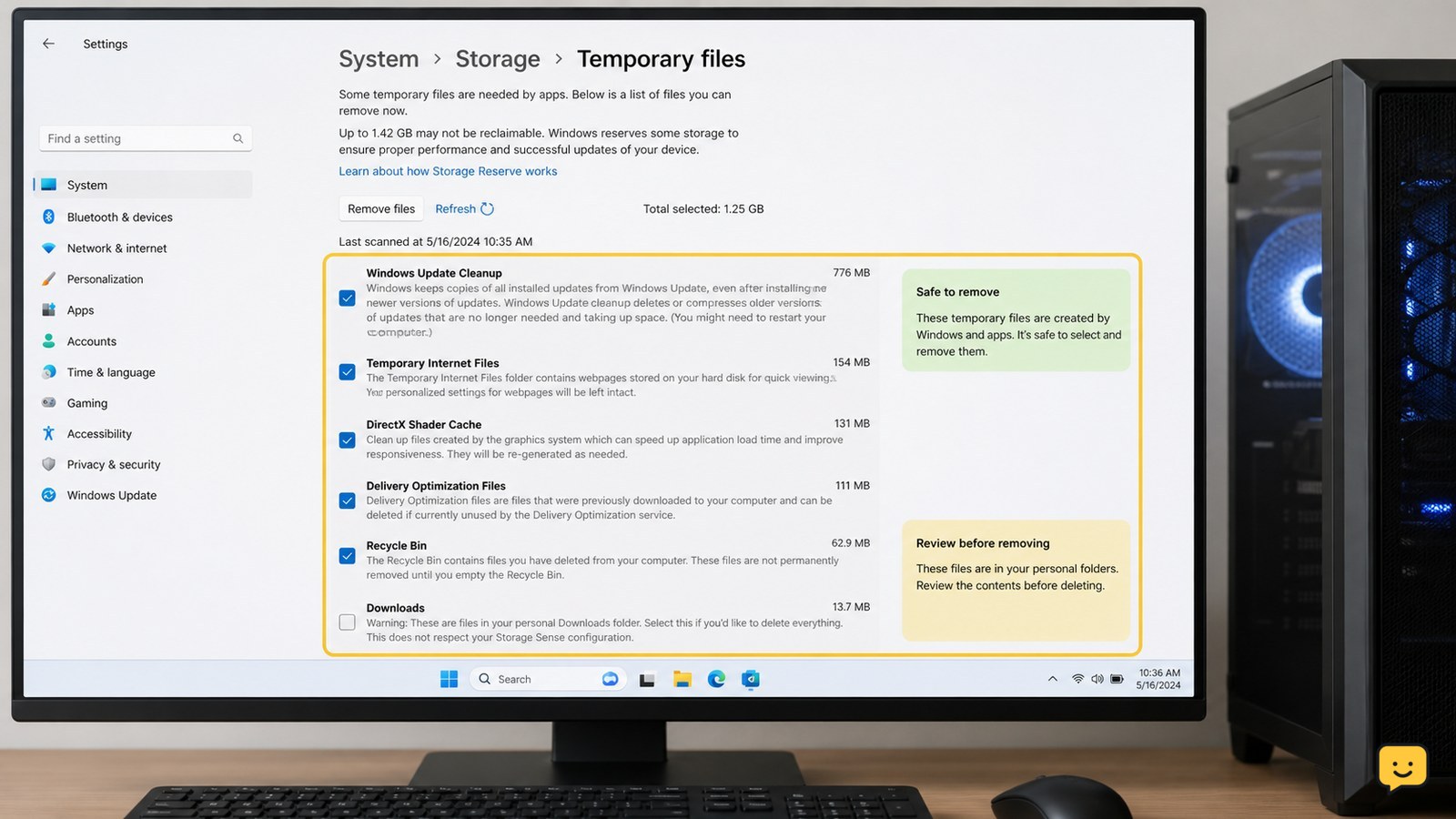
How to Clear Temporary Files on a Windows PC Safely
Computers & Internet

How to Clear Temporary Files on a Windows PC Safely

Use Windows Settings first: open System > Storage > Temporary files, review the categories, leave Downloads unchecked unless you have checked its contents, then select Remove files. For additional cleanup, run Disk Cleanup and clear your user Temp folder. Close open apps first, skip files Windows says are in use, and verify available space afterward.

Black Ops 7 Zombies How Do I Use GobbleGums?
Call of Duty: Black Ops 7 Guides

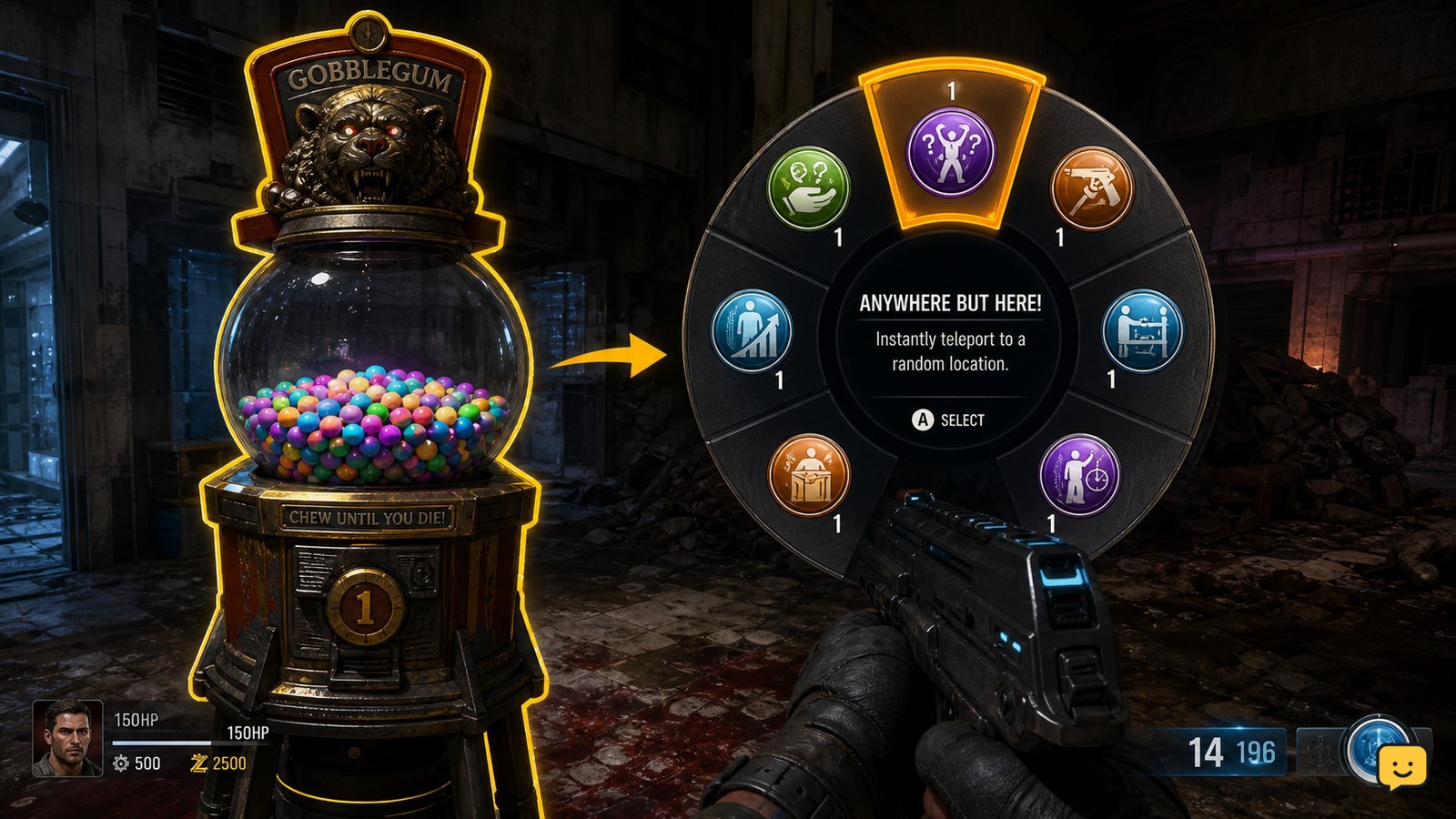
Black Ops 7 Zombies How Do I Use GobbleGums?

In Black Ops 7 Zombies, interact with a GobbleGum machine first, then press Right on the D-pad to open the GobbleGum wheel. Use Up or Down to highlight the GobbleGum you want and press A to activate it. The gum must be available in your current pack, and remapped controls or PC keybinds can change these inputs.

Phone Overheating While Charging: How to Stop It
Mobile Devices

Phone Overheating While Charging: How to Stop It

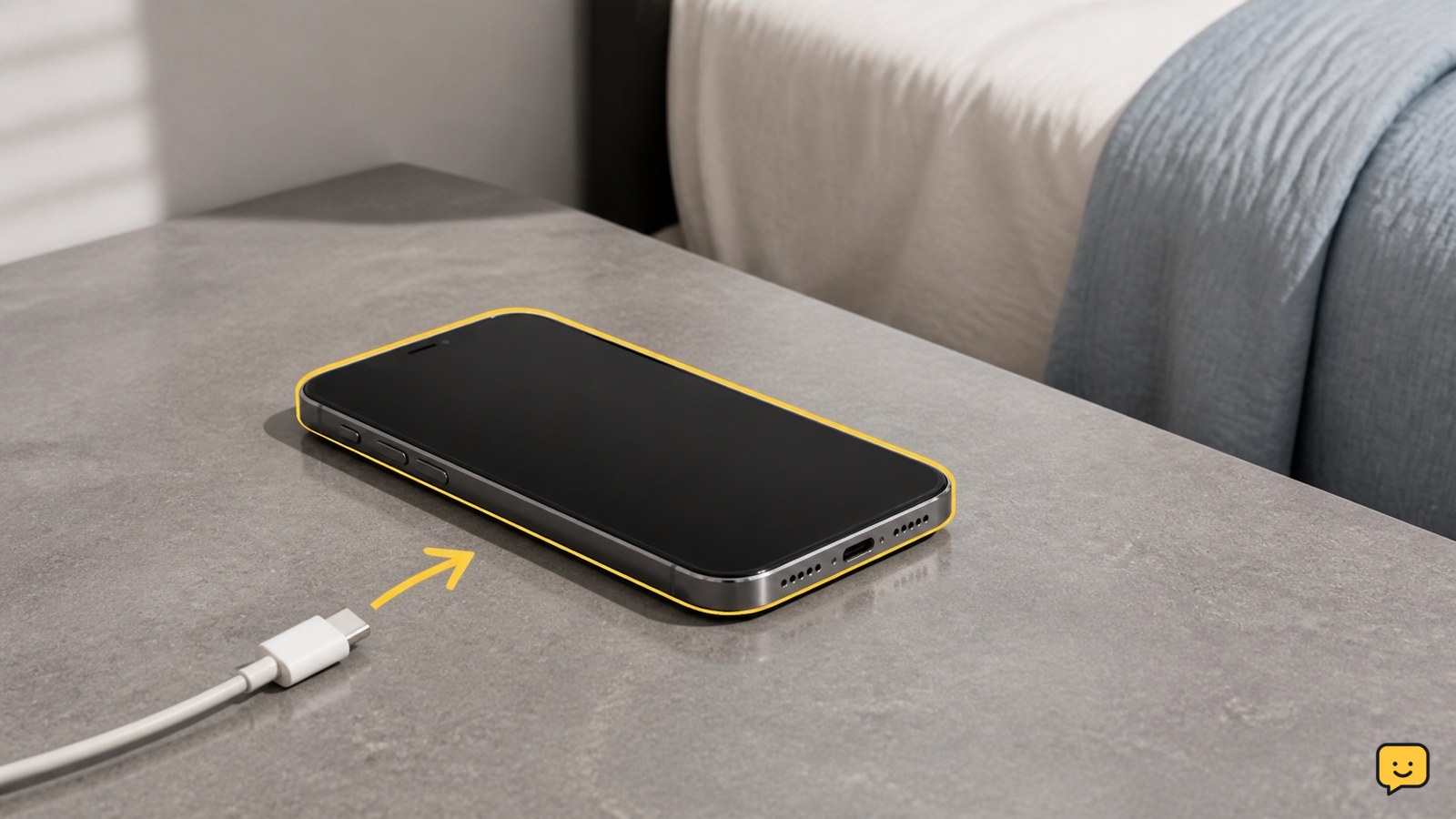
To stop a phone overheating while charging, unplug it immediately if it feels excessively hot, remove the case, and place it on a cool, hard surface with open airflow. Do not charge it on a bed, under clothing, or in direct heat. After it cools, try a compatible certified charger and cable. Stop using it and arrange service if overheating returns or the battery looks swollen.

Call of Duty Black Ops 7: How to Apply Weapon Blueprints
Call of Duty: Black Ops 7 Guides

Call of Duty Black Ops 7: How to Apply Weapon Blueprints

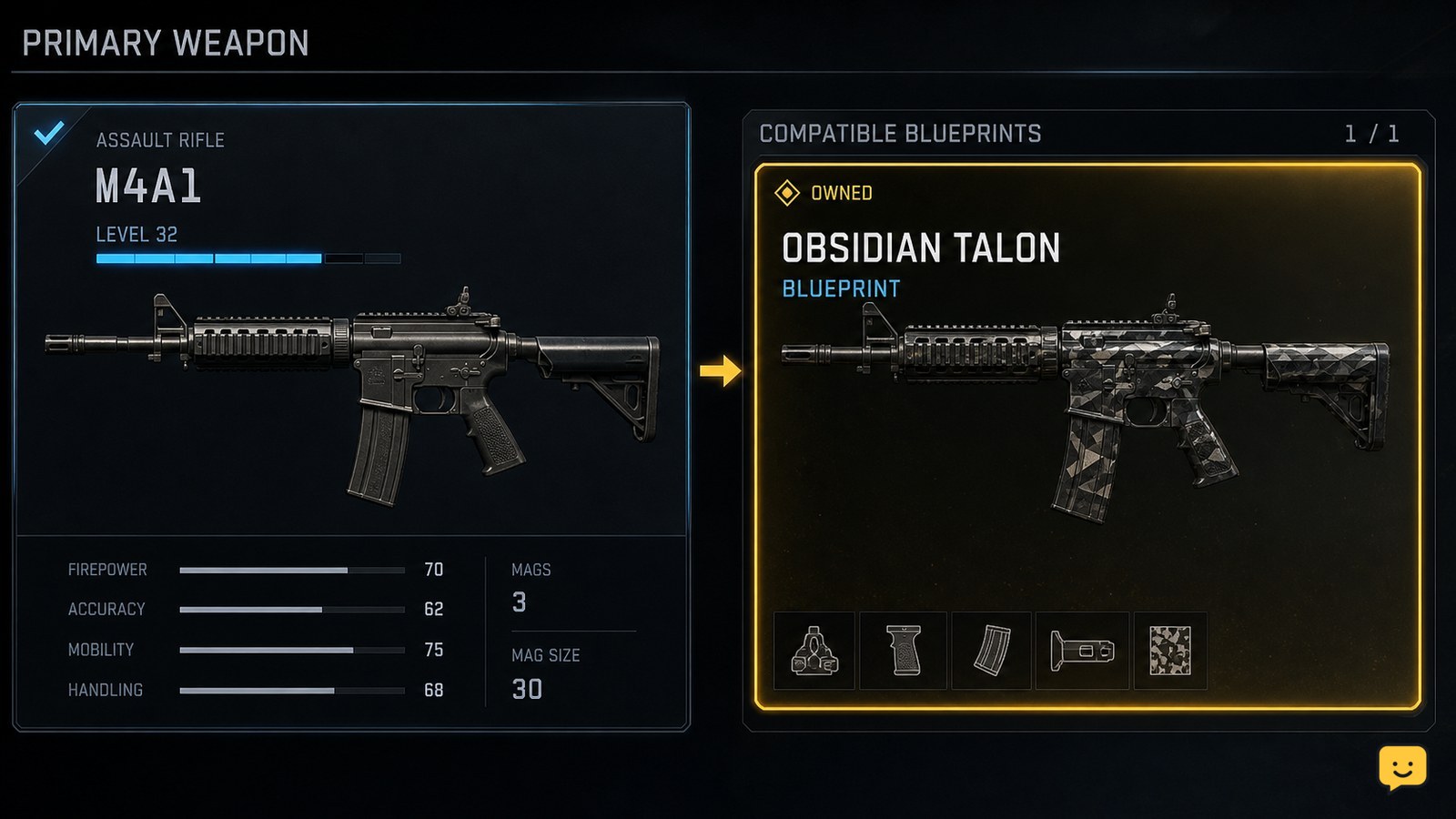
Open the mode’s Loadouts screen, select the weapon slot, then choose the same base weapon named by your owned blueprint. On that weapon’s selection or build screen, switch from the standard weapon to its available blueprint variant and equip it. Confirm the blueprint name or appearance appears on the loadout. Stop if the blueprint is for another weapon family.

Phone Storage Full: Find What Takes Space
Mobile Devices

Phone Storage Full: Find What Takes Space

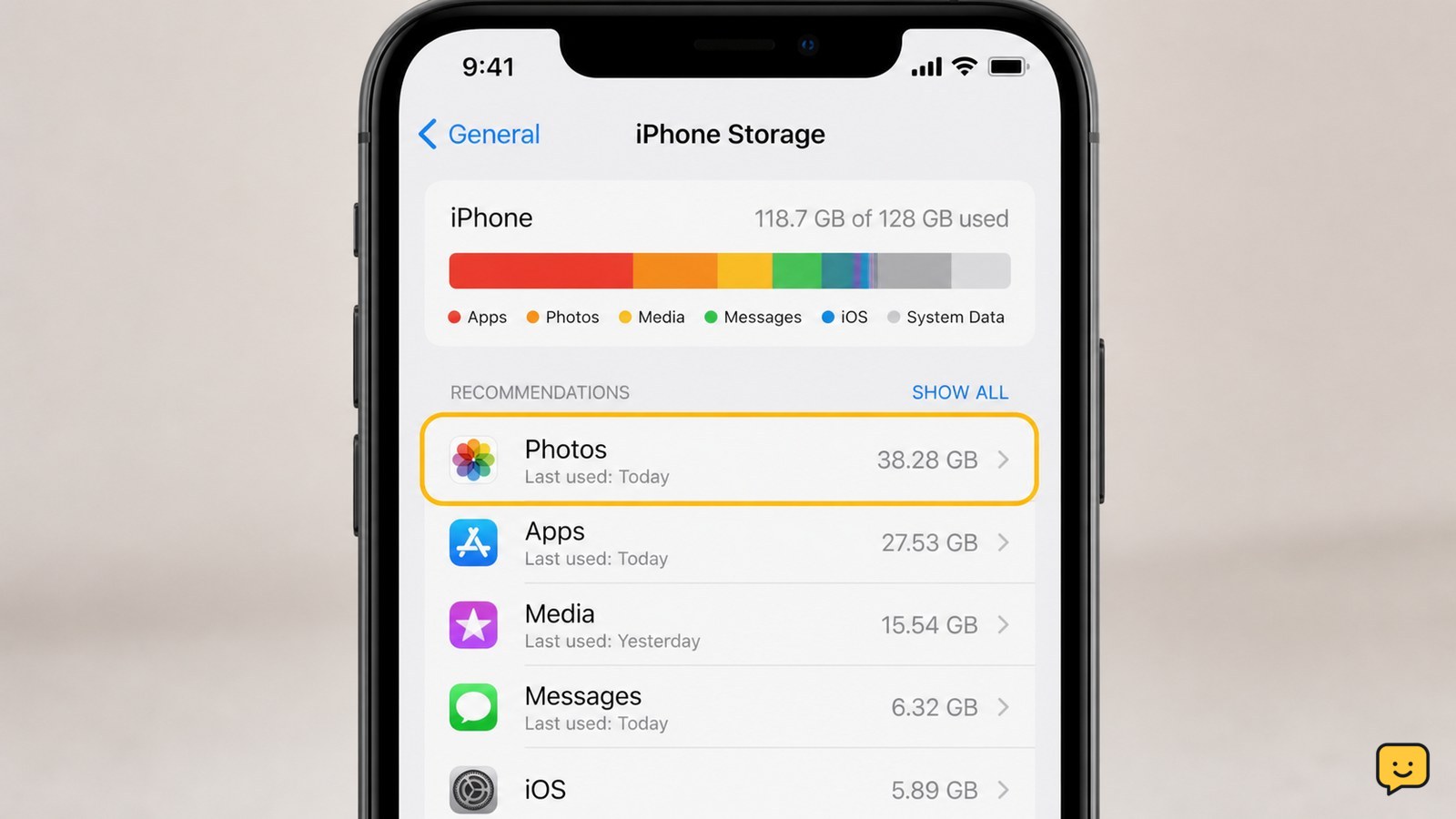
Open your phone’s storage settings and sort the breakdown by category or size. On Android, use Settings > Storage; on iPhone, use Settings > General > iPhone Storage. Check apps, photos and videos, downloads, messages, and recently deleted items. Back up anything important before deleting it, then reopen storage settings to confirm the available space increased.

How to Pack-a-Punch Weapons in Black Ops 7 Zombies
Call of Duty: Black Ops 7 Guides

How to Pack-a-Punch Weapons in Black Ops 7 Zombies

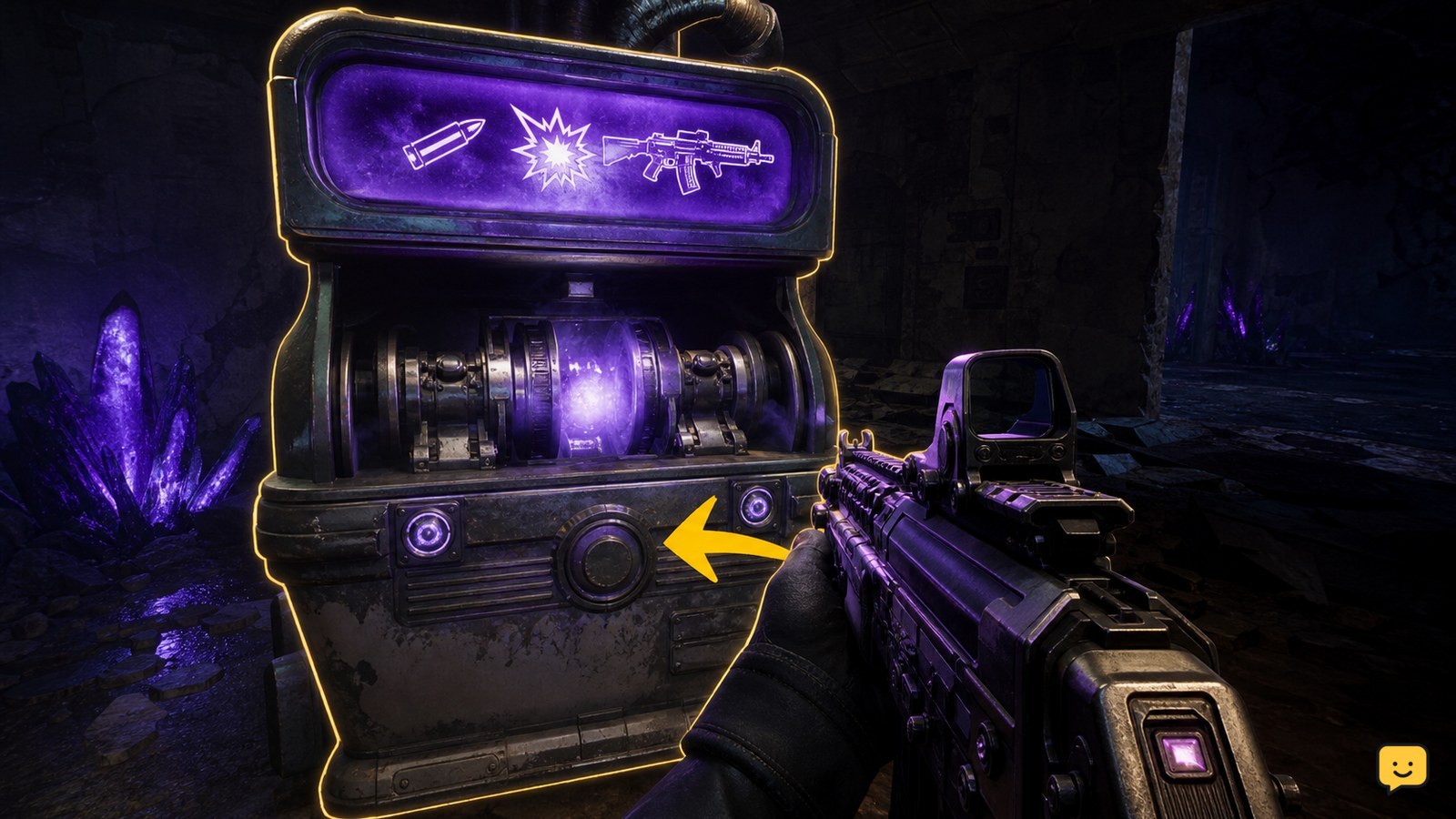
To Pack-a-Punch a weapon in Black Ops 7 Zombies, first open the map route to its Pack-a-Punch machine and complete any required power or objective step. At the active machine, approach with the weapon equipped, check the on-screen Essence cost, confirm the purchase, and fire or inspect the weapon to verify the upgrade. Machine locations and access steps can differ by map.

Fields of Mistria Crafting Guide: Make Useful Items
Fields of Mistria

Fields of Mistria Crafting Guide: Make Useful Items

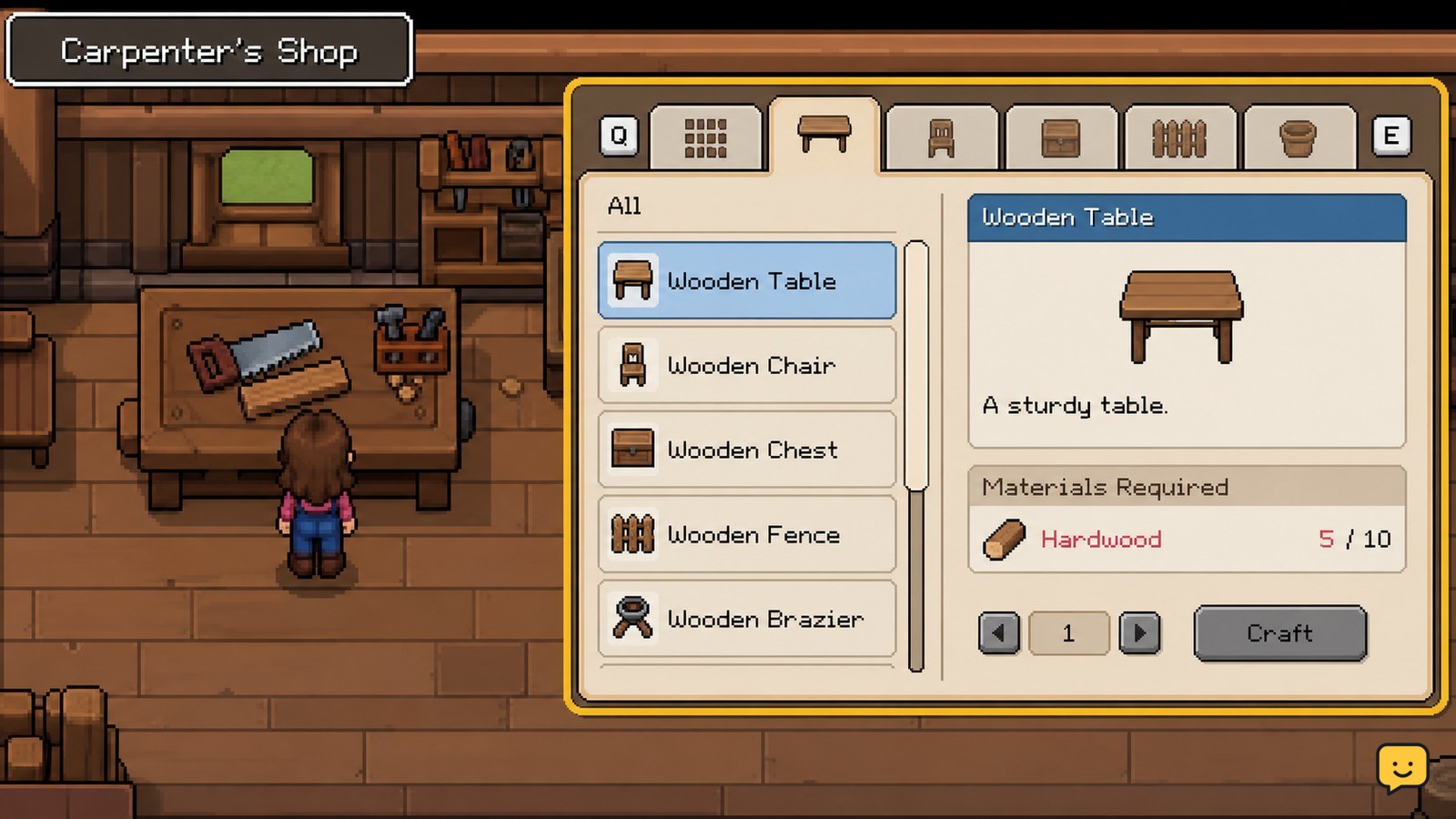
In Fields of Mistria, access item recipes through the crafting bench at the Carpenter’s Shop or through available crafting stations in town. Gather the exact materials shown in the recipe, craft the item, then place farm equipment on a valid tile. Start with practical items such as fences and crafting stations, and verify the finished object appears before leaving the menu.

Black Ops 7: How to Change Operators in Lobby
Call of Duty: Black Ops 7 Guides

Black Ops 7: How to Change Operators in Lobby

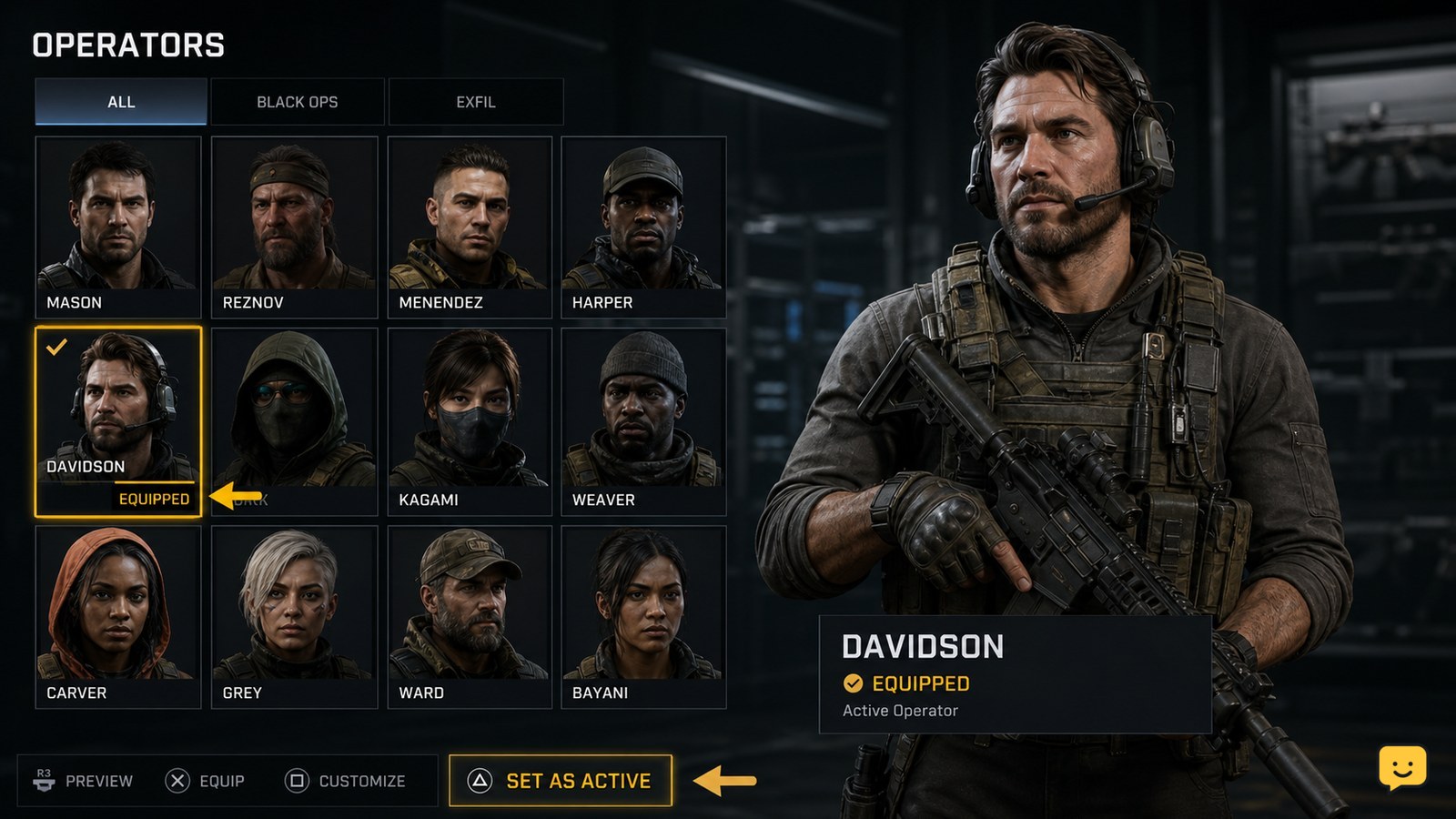
To change operators in Black Ops 7, return to the main lobby, open the Operators menu, select an available operator, and use the on-screen equip command. Open that operator’s customization option if you only want a different skin. Verify the equipped checkmark or updated lobby character before entering matchmaking.

Fields of Mistria Bug Catching Guide: Collections
Fields of Mistria

Fields of Mistria Bug Catching Guide: Collections

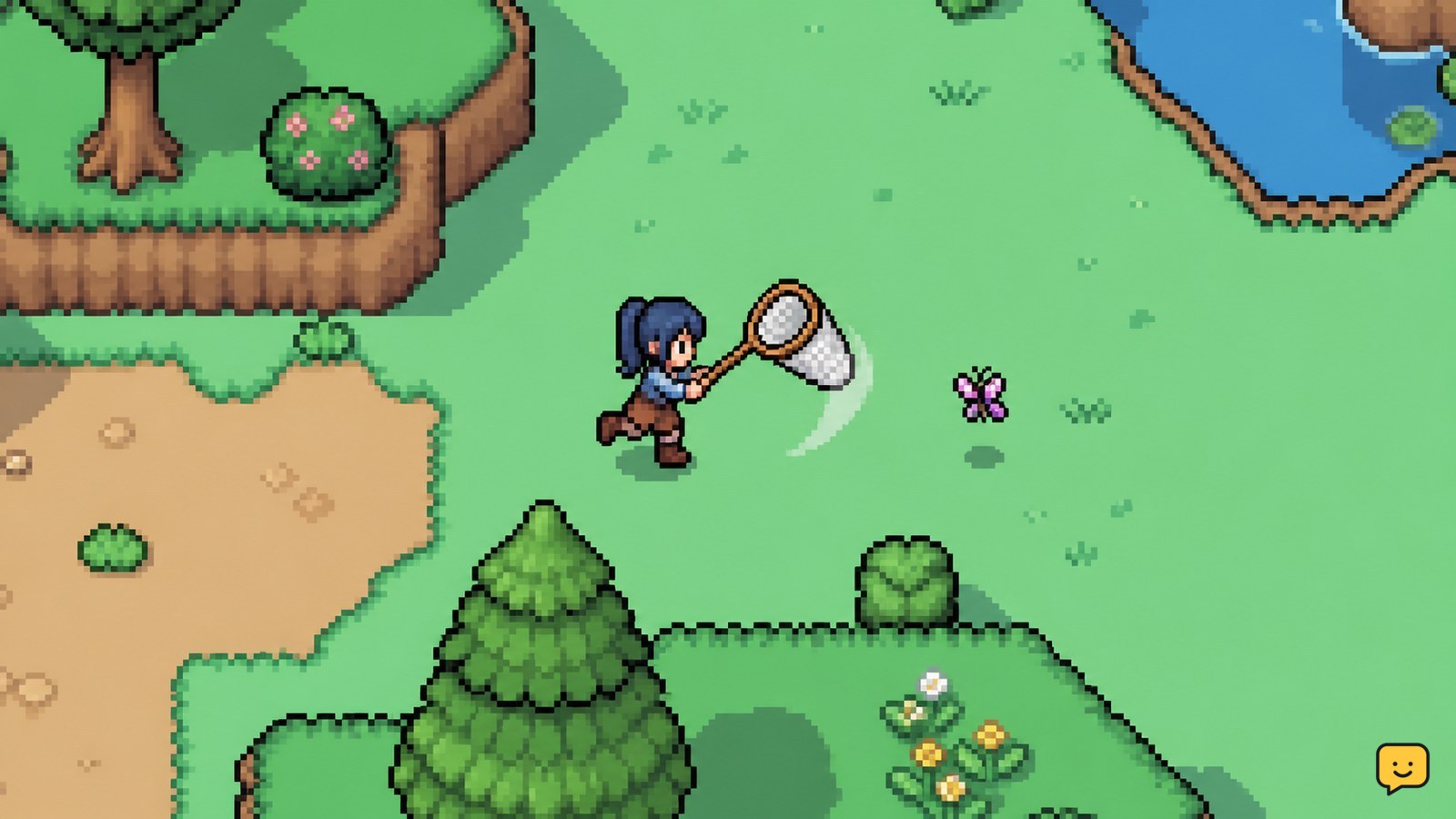
Equip the Bug Net, search visible insects around town and the surrounding areas, and approach each target before using the catch control. For collection progress, record every new species and use a current bug list to check its location, season, and time requirements. If an insect does not appear, leave and re-enter the area or return during another valid time or season rather than relying on a temporary event.