How to Check Whether an Email Link Is a Phishing Scam: Safe Inspection
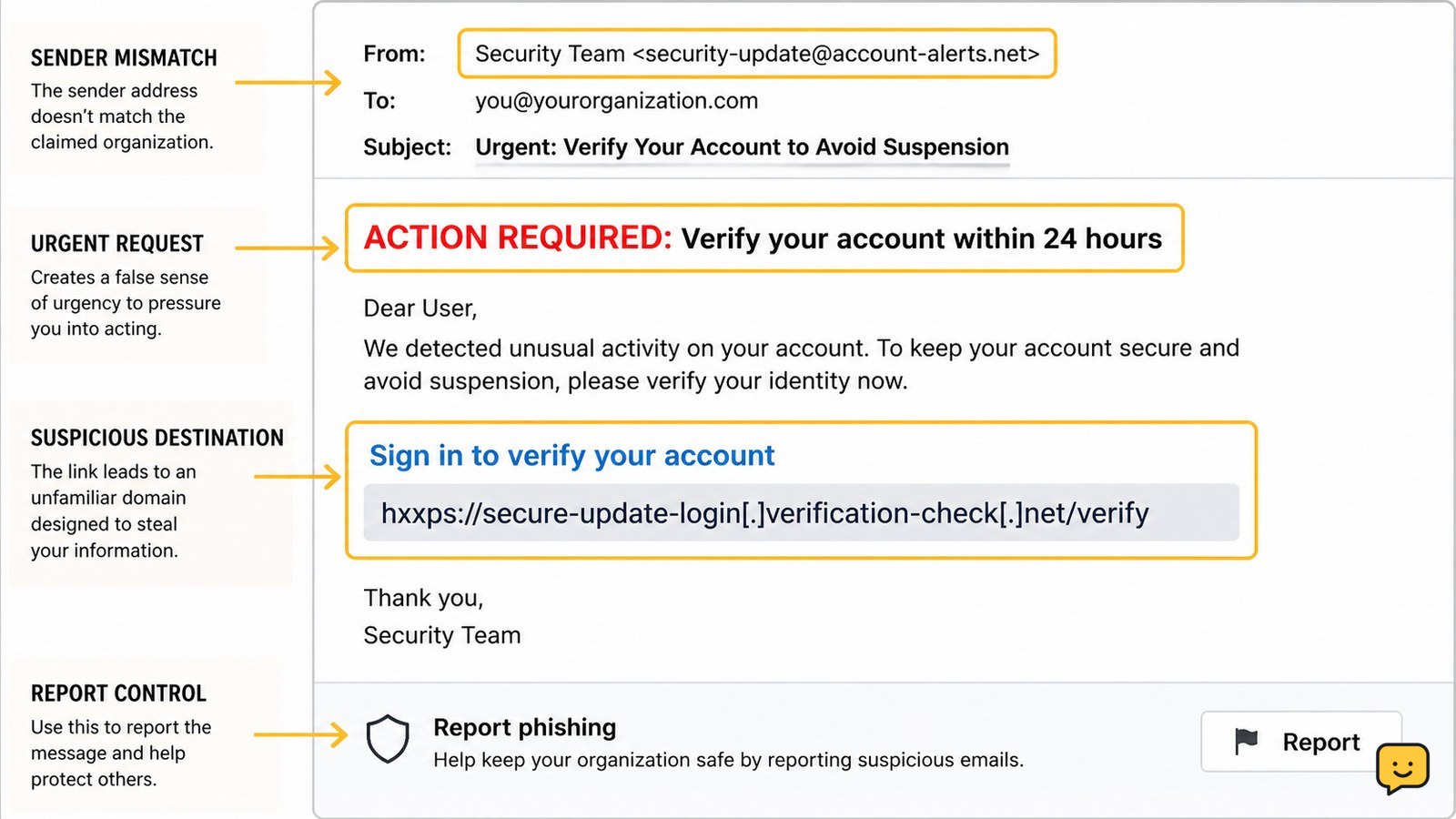
Learn how to inspect an email link without opening it, verify the real domain, use safe scanners, spot redirects, and report phishing safely before clicking.
Improve online privacy and account safety with practical guides for phishing, scams, suspicious sessions, compromised devices, privacy settings and unauthorized access.
Learn how to inspect an email link without opening it, verify the real domain, use safe scanners, spot redirects, and report phishing safely before clicking.
Learn how to review Google Account security events, Gmail sign-in history, dates, times, and IP details, then respond safely to activity you do not recognize.
Report a fake social media account impersonating you, preserve evidence, protect your real account, and verify the platform has removed or restricted it.
Remove an unfamiliar device from your Apple Account, verify whether access ended, then change your password and review two-factor authentication settings.
Remove malicious browser notifications by revoking site permission, blocking future requests, scanning for malware, and checking alerts safely on Chrome, Edge.
Review unfamiliar apps linked to your Google Account, revoke access safely, verify removal, and secure your account without assuming a breach.
Review Instagram login sessions, sign out unfamiliar devices, change your password, enable two-factor authentication, and check for signs of account misuse.
Learn how to check email forwarding rules, forwarding addresses, filters, sign-in activity, and security settings for unauthorized mailbox access.
The strongest signs you have been hacked are unknown sign-ins, changed passwords or recovery details, messages you did not send, unfamiliar account access, and unauthorized purchases. Use a clean device, secure your main email, review active sessions, recover affected accounts, replace reused passwords, and contact your bank immediately if money is at risk.