Skip to content
ShowU
Sofia Patel
Author

Sofia Patel

Mobile & App Guides Contributor

Sofia Patel is a ShowU editorial profile for practical Electronics guides. Coverage areas include Android, iPhone, backups, storage management, messaging apps. Guides published under this profile follow ShowU editorial standards and are reviewed when the task involves material safety or account-security risk.

AndroidiPhonebackupsstorage managementmessaging apps
112 published stories

Latest from Sofia Patel

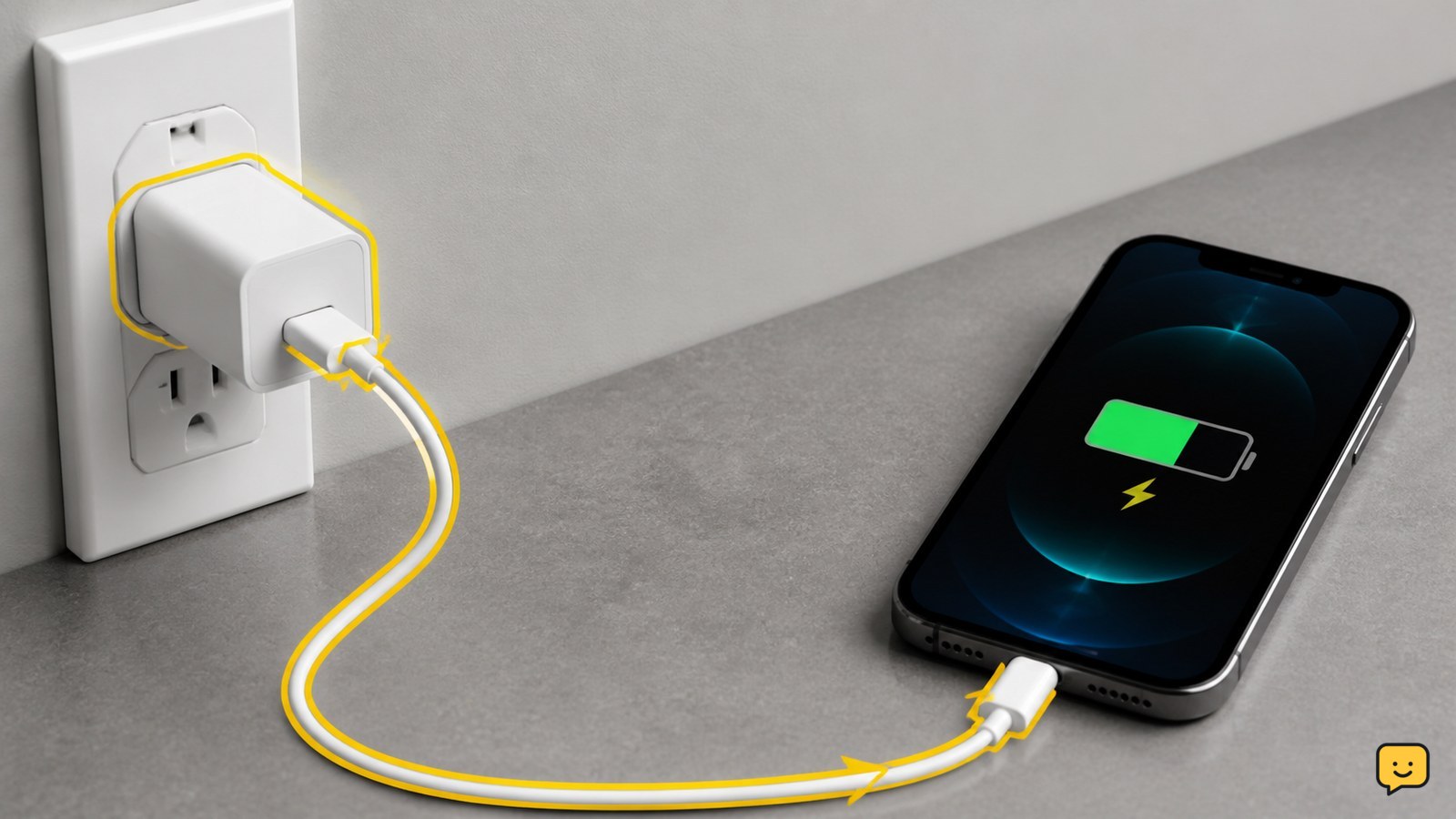
Smartphone connected to a wall charger with a visible charging indicator
Mobile Devices

Why Won’t My Phone Charge: Check the Basics

Your phone usually won’t charge because power is not reaching it through the outlet, adapter, cable, or port. Test each part with a known-good combination, remove a case that prevents a firm connection, inspect the port for lint or moisture, and restart the phone. Stop using it if it is hot, swollen, wet, or physically damaged.
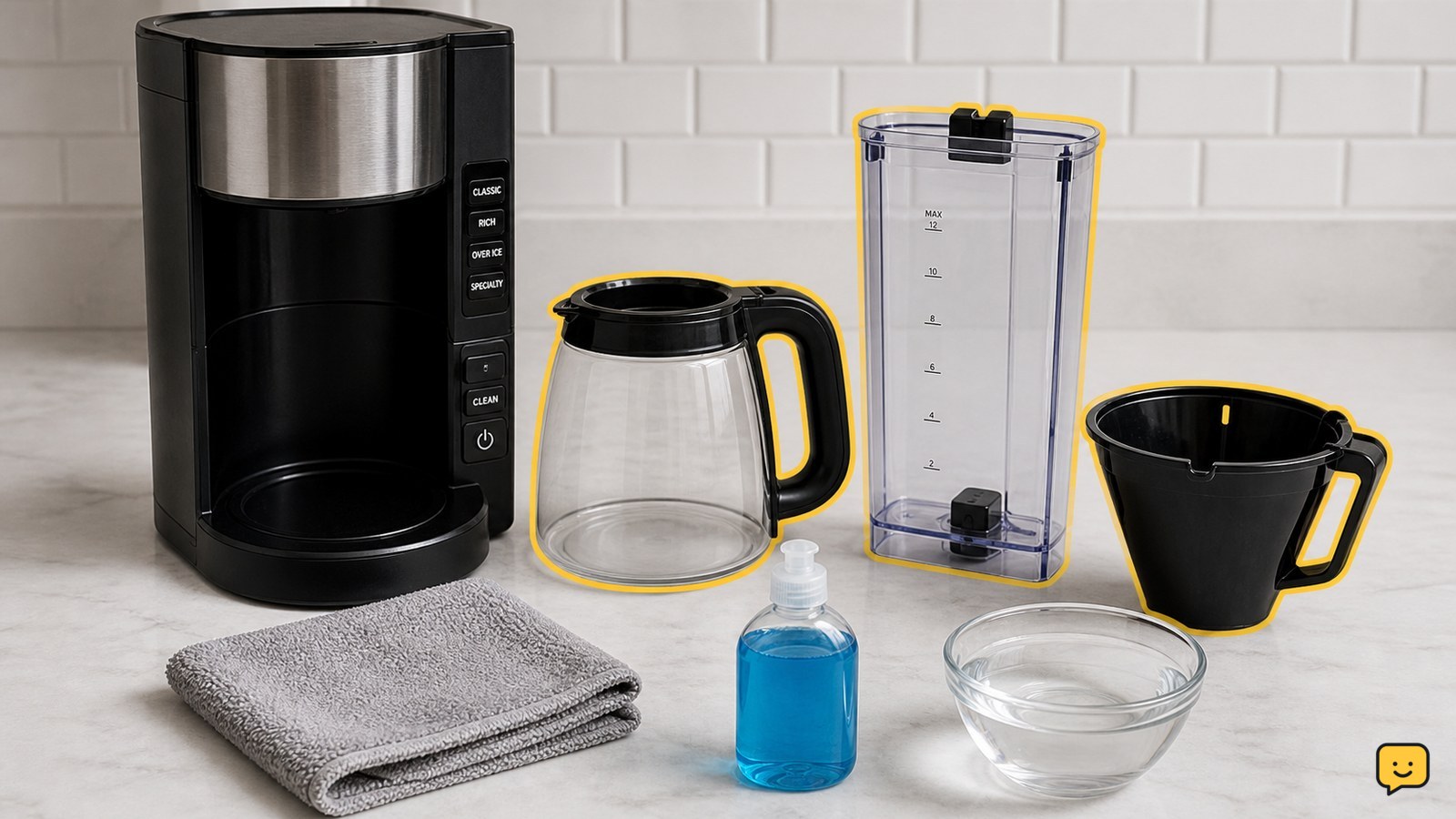
Ninja coffee maker arranged with its removable parts and cleaning supplies
Cooking Basics

How to Clean Ninja Coffee Maker: Descale Safely

To clean a Ninja coffee maker, unplug and empty it, remove and wash the removable water reservoir, carafe, brew basket, and filter holder, then wipe the machine. Run the built-in Clean or descale cycle using only the cleaner and fill level specified for your model. Finish with fresh-water rinse cycles until no cleaner smell remains.

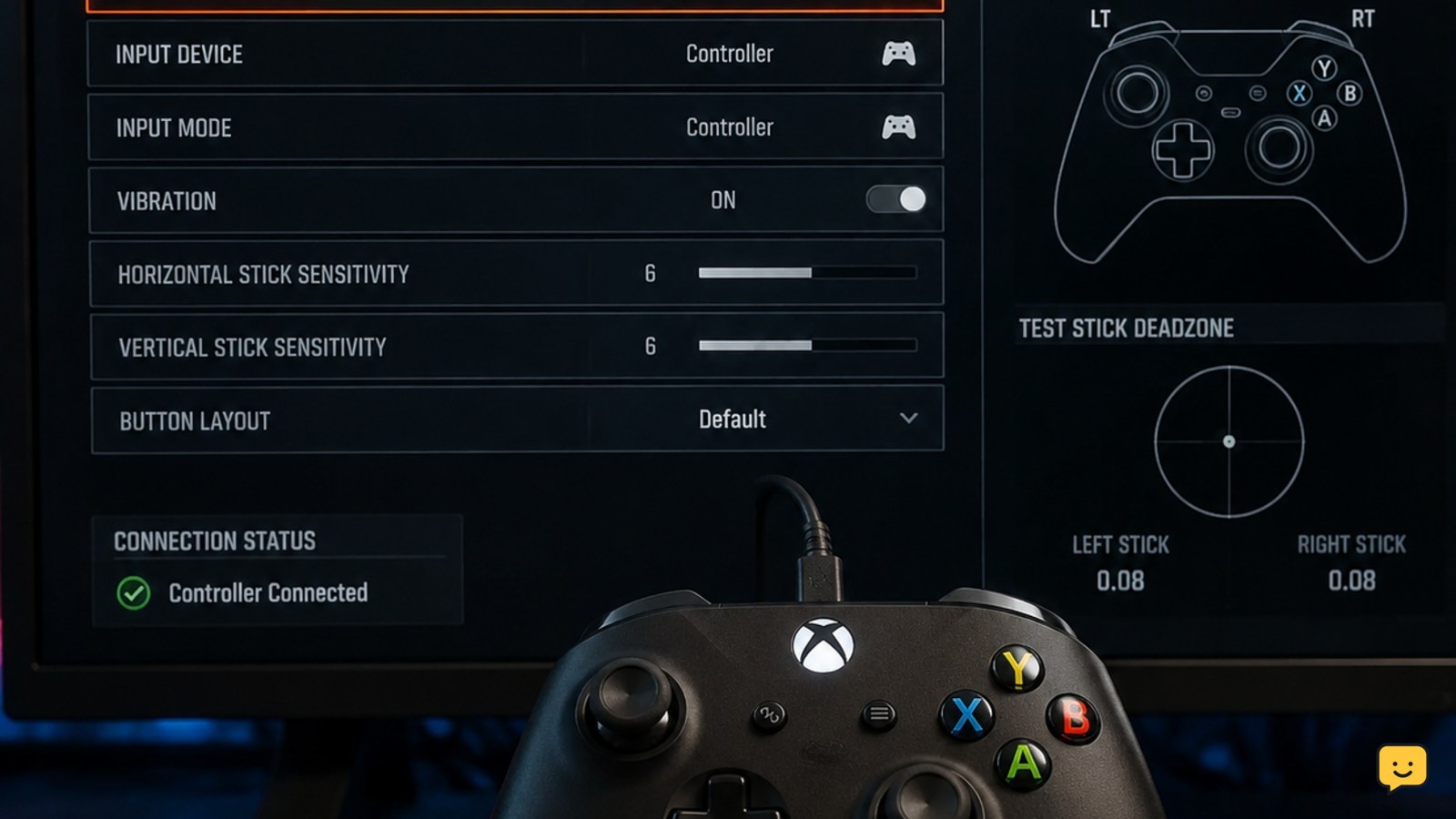
Controller troubleshooting screen for Call of Duty Black Ops 7
Call of Duty: Black Ops 7 Guides

Why Is My Controller Not Working in Black Ops 7?

If your controller is not working in Call of Duty: Black Ops 7, first confirm that the platform detects it, reconnect it before launching the game, and test it in another application. On PC, close competing remapping or overlay software and check the game’s input or aiming device setting. Then reset controller bindings and verify one button in a private match.

How to Make Coffee Without a Coffee Maker
Drinks

How to Make Coffee Without a Coffee Maker

To make coffee without a coffee maker, heat about 5 ounces of water per cup until steaming or just boiling. Remove it from the heat, stir in 1 tablespoon of ground coffee per cup, and steep for about 4 minutes. Pour slowly into a cup through a fine-mesh strainer, clean cloth, or paper filter. Stop if the pot, strainer, or handle is unsafe to use while hot.

What Does Airplane Mode Do? Wireless Controls
Mobile Devices

What Does Airplane Mode Do? Wireless Controls

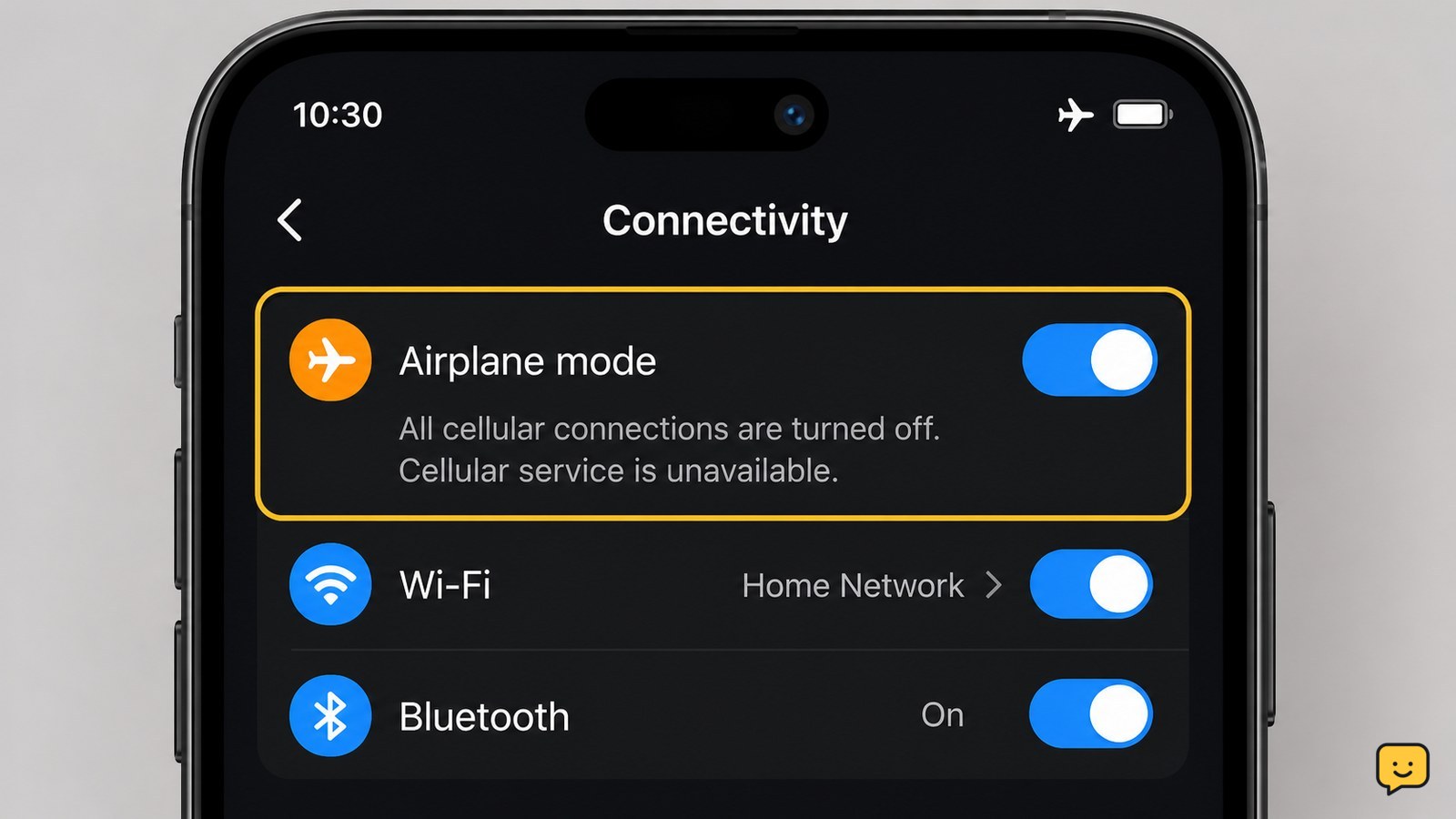
Airplane mode disables a phone’s cellular radio, so ordinary cellular calls, texts, and mobile data stop. The phone itself stays on, and downloaded content can still work. On many current phones, you can turn Wi-Fi or Bluetooth back on separately, but airplane mode does not guarantee every wireless feature is off on every model.

How to Get Dry Erase Marker Out of Clothes: Safely
Clothing Care

How to Get Dry Erase Marker Out of Clothes: Safely

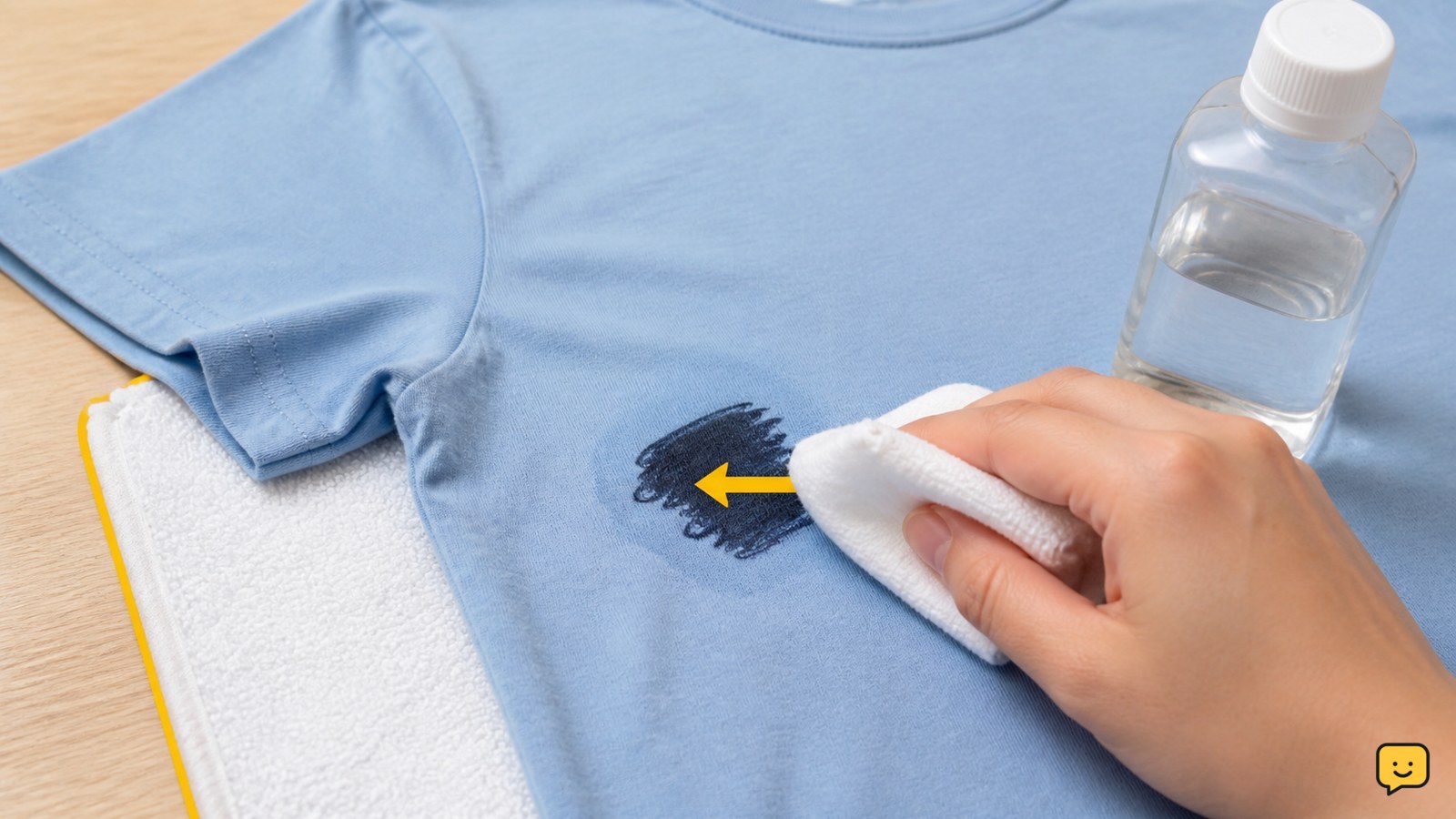
To get dry erase marker out of clothes, place a clean towel behind the stain and dab the front with a small amount of rubbing alcohol. Work from the outside inward, replacing the towel as ink transfers. Rinse with cold water, wash according to the care label, and air-dry. Do not use a dryer until the stain has disappeared.

Dragon Sword Awakening How to Use In-Game Chat
DragonSword: Awakening

Dragon Sword Awakening How to Use In-Game Chat

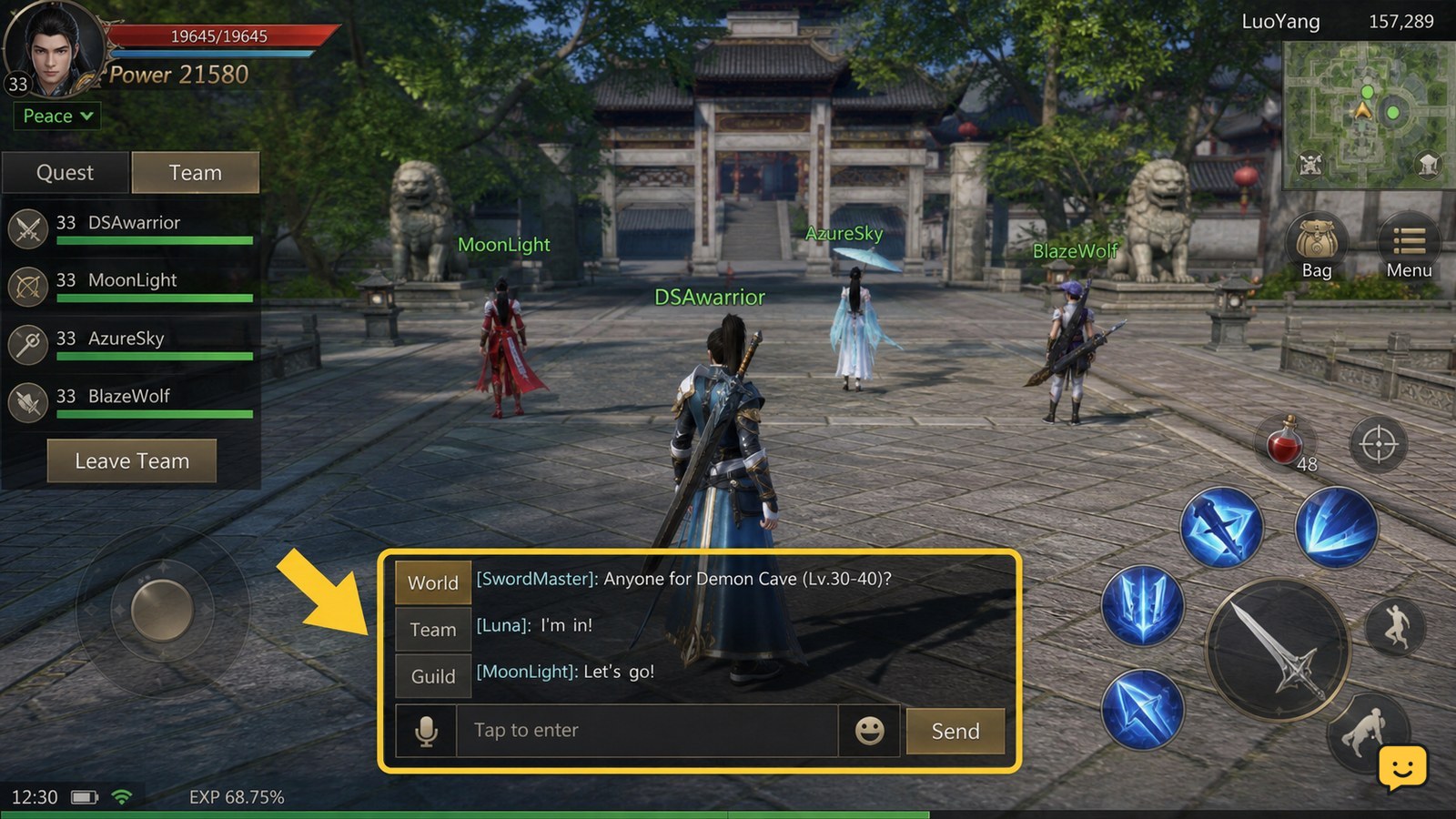
Dragon Sword Awakening does not have a reliably documented universal chat key in the available current sources. In a multiplayer session, open the chat control shown on your screen or check the game’s control settings, choose a channel if one is offered, type your message, and send it. If no chat control appears, verify that you joined a supported multiplayer session before changing unrelated settings.

How Can I Tell If My Phone Is Unlocked?
Mobile Devices

How Can I Tell If My Phone Is Unlocked?

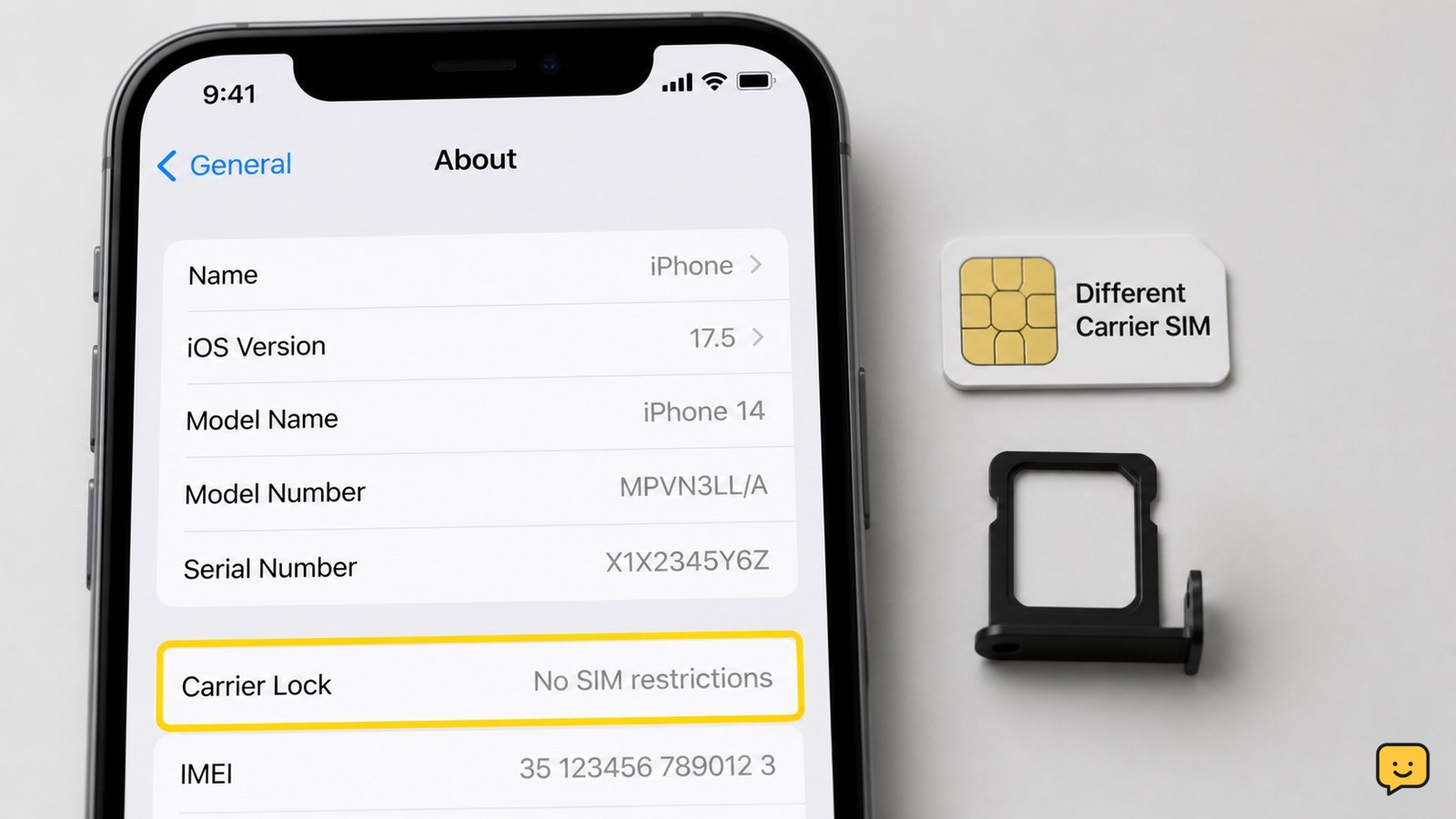
The quickest reliable check is to insert a working SIM from a different carrier. If the phone connects to that carrier and can make a call, it is unlocked. On an iPhone, also check Settings > General > About > Carrier Lock. Android menus vary, so use a SIM test or ask the carrier to check the IMEI.

Dragon Sword Awakening How to Use the Quest Log
DragonSword: Awakening

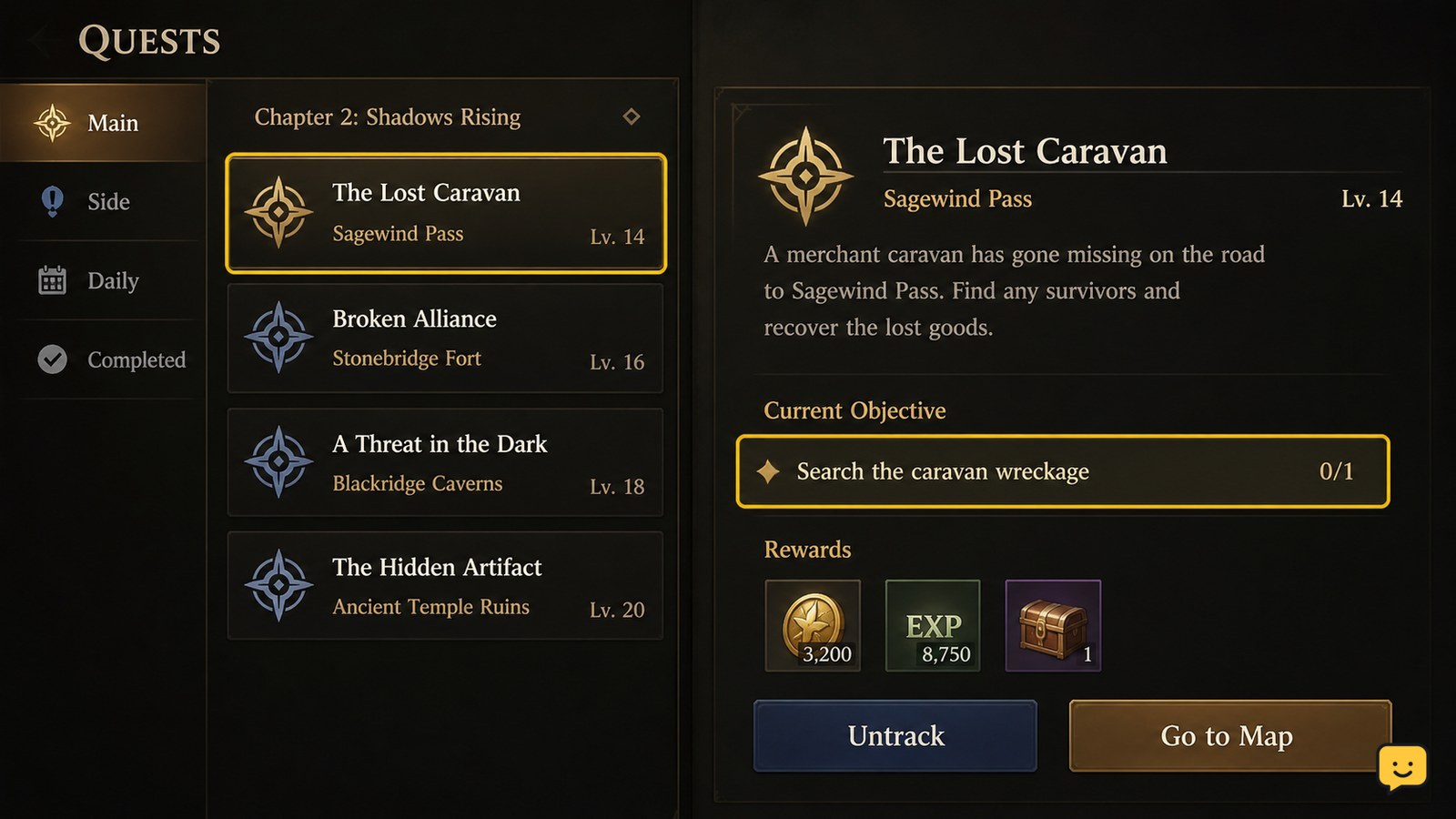
Dragon Sword Awakening How to Use the Quest Log

Open Dragon Sword Awakening’s quest log, select the quest you want to follow, and read its current objective before moving. The selected entry should show the next progression step or tracking information. If nothing changes, select the quest again and check the objective in the world; some quests require manually starting them or locating their NPC rather than following an automatic marker.

Dragon Sword Awakening How to Unlock New Skills
DragonSword: Awakening

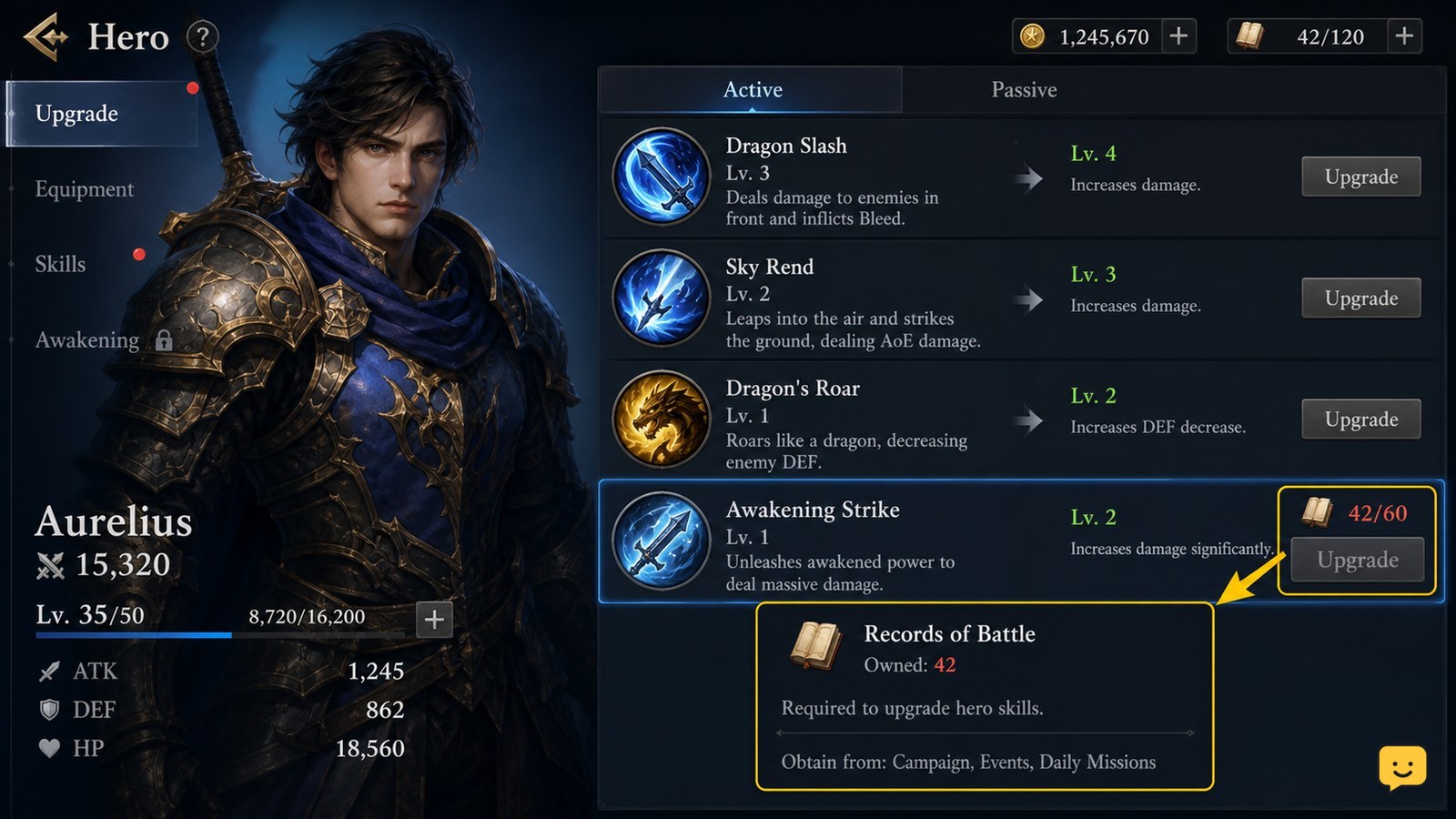
Dragon Sword Awakening How to Unlock New Skills

In Dragon Sword Awakening, skill progression becomes available at Level 20 through Hunts. Complete Hunts to earn Records of Battle, then open the hero upgrade or skill screen and inspect each skill’s requirement before confirming an upgrade. Master skills and grimoires are separate progression terms, so do not spend resources until the selected skill shows an active cost and unlock result.