
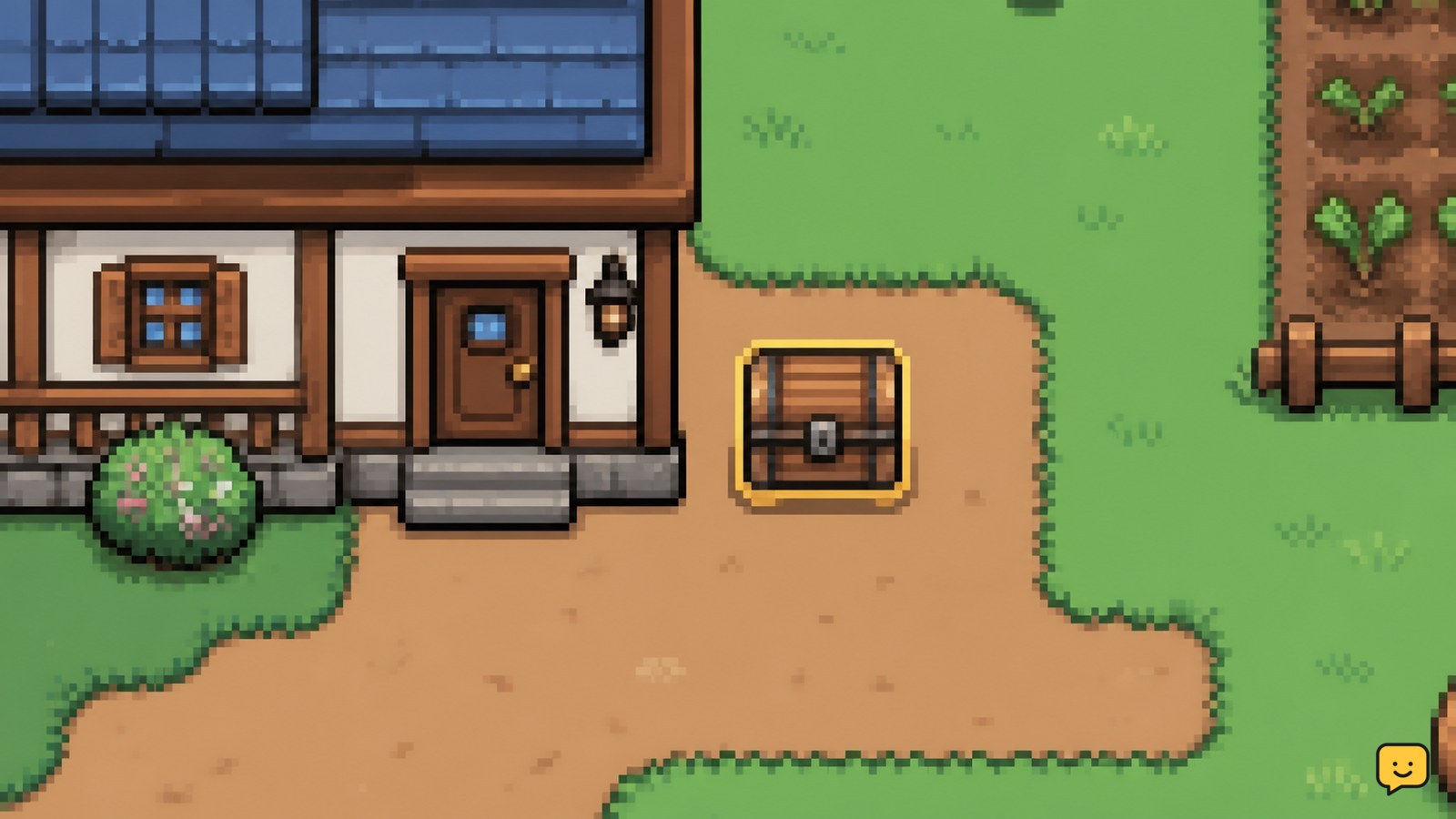
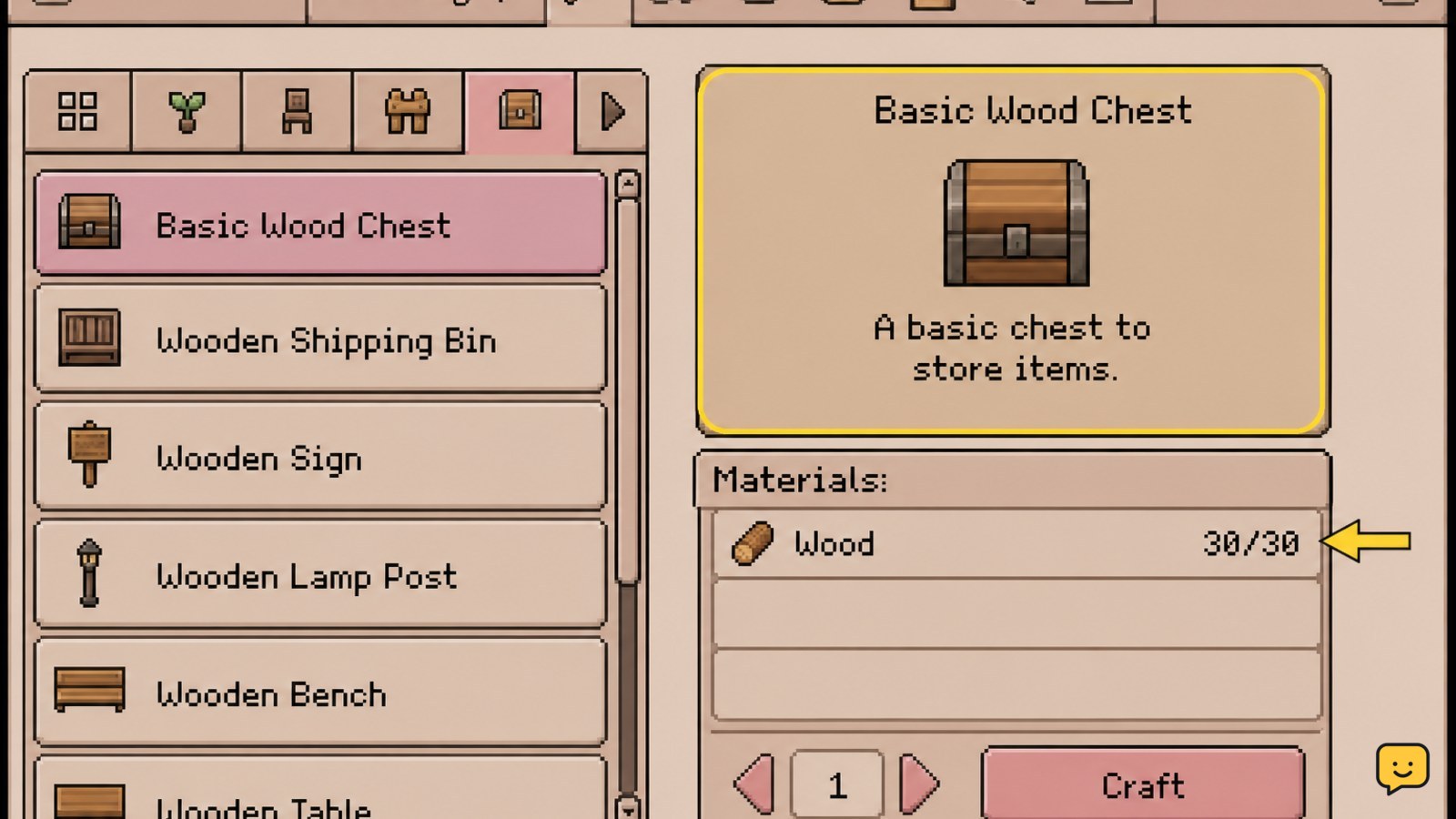
In Fields of Mistria, open the crafting menu and make a Basic Wood Chest with 30 Wood. Place it on a valid farm tile, interact with it to confirm access, then assign chests by use: seeds, raw materials, food, tools, and collectibles. Keep uncertain items in a temporary chest until their purpose is confirmed.
Browse more Fields of Mistria guides
Check the recipe and gather 30 Wood
Fields of Mistria’s Basic Wood Chest requires 30 Wood, so gather that amount before opening the crafting menu. TheGamer identifies 30 Wood as the material requirement for the basic chest and notes that the worn axe is available for collecting early Wood.
- Cut trees, branches, or other available wooden resources with your axe.
- Open the crafting menu used by your current game version.
- Find the Basic Wood Chest recipe and confirm that the displayed material count reaches 30 Wood.
Verify the result: the recipe should show the chest as craftable rather than greyed out. If the recipe is missing or the material requirement differs, stop and follow the current in-game recipe instead of relying on an older guide.
Craft the Basic Wood Chest from the crafting menu
Fields of Mistria creates the storage chest from the Basic Wood Chest recipe once the required Wood is available. Select the recipe and use the on-screen craft command shown for your platform.
- Highlight Basic Wood Chest in the crafting menu.
- Confirm the 30-Wood cost before crafting.
- Craft one chest, then close the menu and check your backpack for the new furniture item.
Verify the result: the chest should appear as an item you can select for placement, and your Wood total should decrease by the recipe cost. If the chest is not in your backpack, reopen the inventory before crafting another one so you do not spend materials twice while diagnosing the problem.
Place the chest on a clear farm tile
Fields of Mistria lets you use a crafted chest as farm storage, but the placement preview must show a valid tile before you confirm it. Choose a location that leaves room for walking and repeated access.
- Select the Basic Wood Chest from your backpack or furniture placement controls.
- Move the placement preview to a clear farm tile near the route you use most often.
- Confirm placement only when the game accepts the location.
Good locations include the side of the farmhouse, a path between fields, or an area near crafting-related activity. Avoid placing chests where crops, furniture, gates, or narrow paths make the interaction point difficult to reach.
Verify the result: walk up to the placed chest and use the current interaction prompt. The storage interface should open, allowing items to be moved between the chest and your backpack.
Choose chest categories that match daily tasks
A durable Fields of Mistria storage system works best when each chest has one clear purpose instead of holding every item together. A community organization discussion on Reddit specifically suggests keeping a dedicated seed chest; the categories below extend that idea without treating it as a required rule.
- Seeds and planting items: keep seasonal seeds together so planting days require less searching.
- Raw materials: store Wood, stone, ore, fibers, and other crafting inputs here.
- Food and cooking: group ingredients and prepared dishes separately from materials.
- Forageables and catches: use a chest for forage, fish, bugs, and other items waiting for a request, collection, gift, or sale decision.
- Tools and furniture: keep spare tools, decorations, and unused placement items away from consumables.
Use a temporary “sort later” chest when an item has several possible purposes. Move it to a permanent category only after checking whether you need it for cooking, a request, collection progress, gifts, or upgrades.
Verify transfers and recover from storage failures
Fields of Mistria storage is working when the item disappears from the backpack, appears in the chest contents, and remains there after you close and reopen the storage interface.
- Place one low-risk item into the chest rather than transferring your entire inventory.
- Close the chest interface, interact with the chest again, and confirm the test item remains inside.
- Move the item back to your backpack if the chest is being tested, or leave it there if the category is correct.
If the chest will not open, stand directly beside it and try the interaction prompt again. If that fails, check whether another object or piece of furniture is blocking access, then reposition the chest on a clearer tile. If placement itself fails, cancel the preview, select the chest again, and try an unobstructed farm location.
If an item seems missing, stop moving more items and check the chest, backpack, temporary storage, and any nearby containers one at a time. Do not sell or discard replacements until the original item is accounted for.
Frequently asked questions
How much Wood does a Basic Wood Chest need in Fields of Mistria?
A Basic Wood Chest needs 30 Wood according to TheGamer’s Fields of Mistria crafting guide. Confirm the amount shown in your current crafting menu before selecting the recipe, because an in-game recipe display should take priority if it differs.
Can I place a storage chest inside my house?
Use the placement rules shown by your current game version. This guide confirms farm placement, but the supplied evidence does not establish every valid indoor location. If the placement preview is invalid, cancel it and use a clear farm tile rather than forcing the placement.
What should I store in my first chest?
Seeds are a practical first category because they are easy to retrieve during planting. A second useful category is raw materials such as Wood, stone, ore, and fibers. Keep uncertain items in a temporary chest until you know whether they are needed for cooking, requests, collections, gifts, or upgrades.
Why will my storage chest not open?
Stand directly beside the chest and use the interaction prompt again. If it still does not open, inspect the surrounding tiles for furniture, crops, or another obstruction and move the chest to a clearer location. Test the replacement location with one ordinary item before reorganizing everything.
How should I organize several chests?
Give each chest one purpose and keep the most frequently used categories closest to your normal route. A simple setup is seeds, raw materials, food and cooking, forage and catches, then tools and furniture. Add a temporary sorting chest when a category is not yet clear.


