Skip to content
ShowU

Electronics

Fix everyday electronics with clear guides for phones, computers, Wi-Fi, TVs and smart devices. Browse practical troubleshooting, setup and performance help for the devices you use.

Why Does My Mac Screen Have Lines? Causes
Computers & Internet

Why Does My Mac Screen Have Lines? Causes

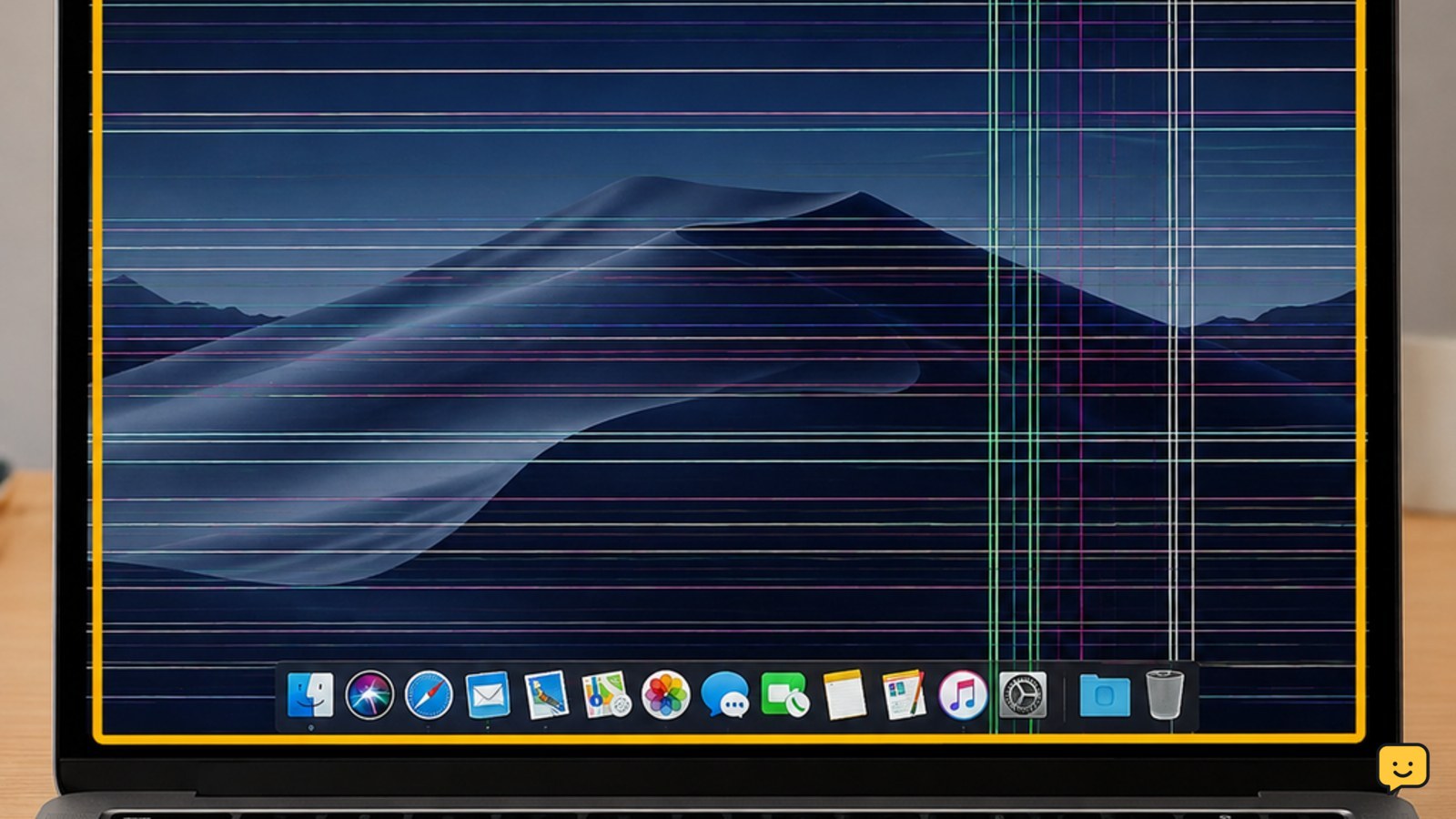
Lines on a Mac screen usually indicate a display connection, LCD panel, graphics hardware, or software problem. If the lines appear before login, change when you move the lid, or remain in every app, hardware is more likely. If they appear only in one app or vanish after a restart, check software first. Stop using the Mac if the screen is cracked, hot, wet, or rapidly worsening.
Fix Install Error - 0x80070306 on Windows
Computers & Internet

Fix Install Error – 0x80070306 on Windows

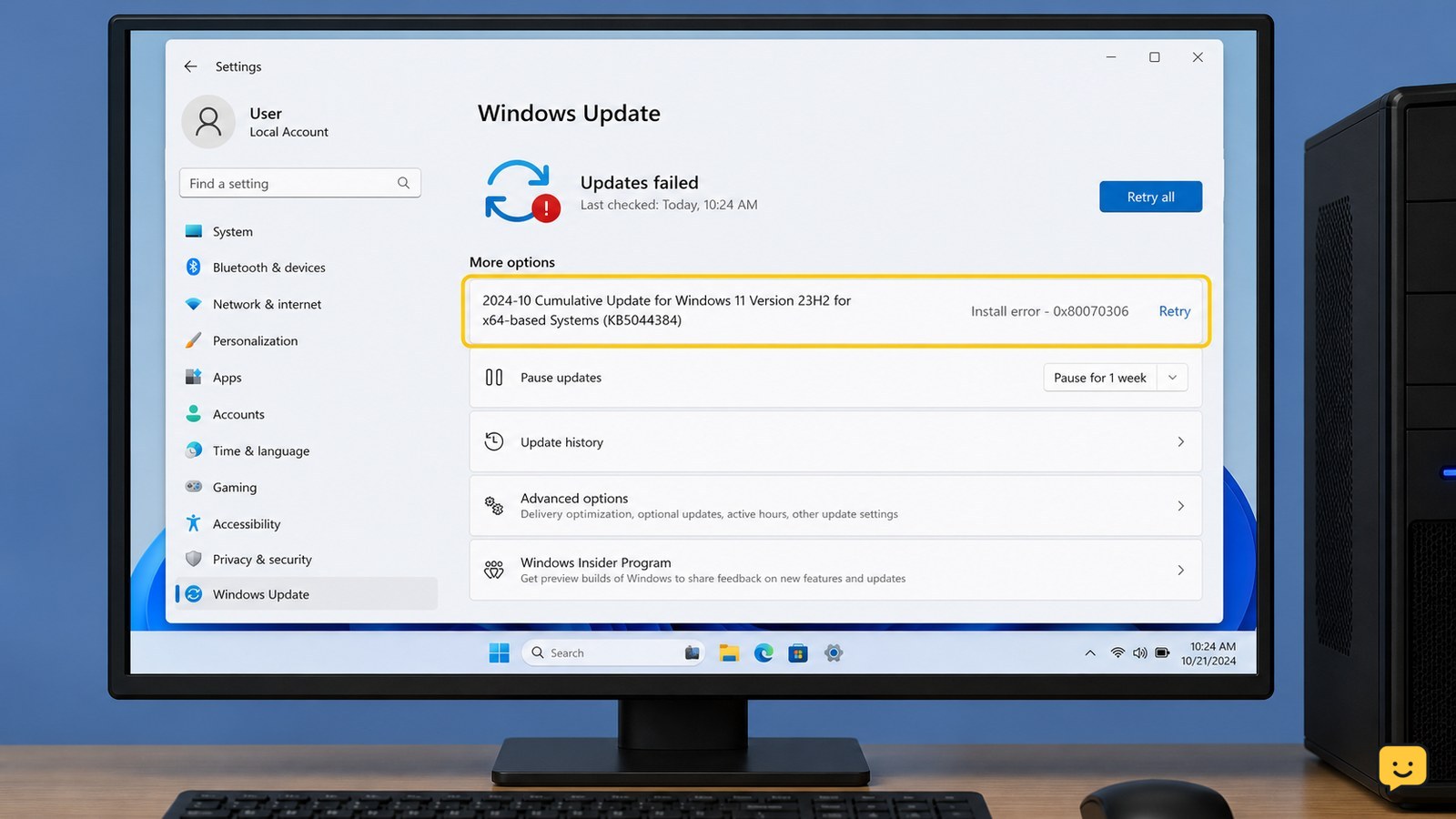
Install error 0x80070306 is commonly reported when Windows Update cannot complete a particular update. Restart Windows, run the Windows Update troubleshooter, and retry the update. If it still fails and your Windows 11 build shows it, use Settings > System > Recovery > Fix problems using Windows Update > Reinstall now. Stop before deleting system folders or using unofficial repair downloads.

How to Use When2Meet: Find a Group Time
Computers & Internet

How to Use When2Meet: Find a Group Time

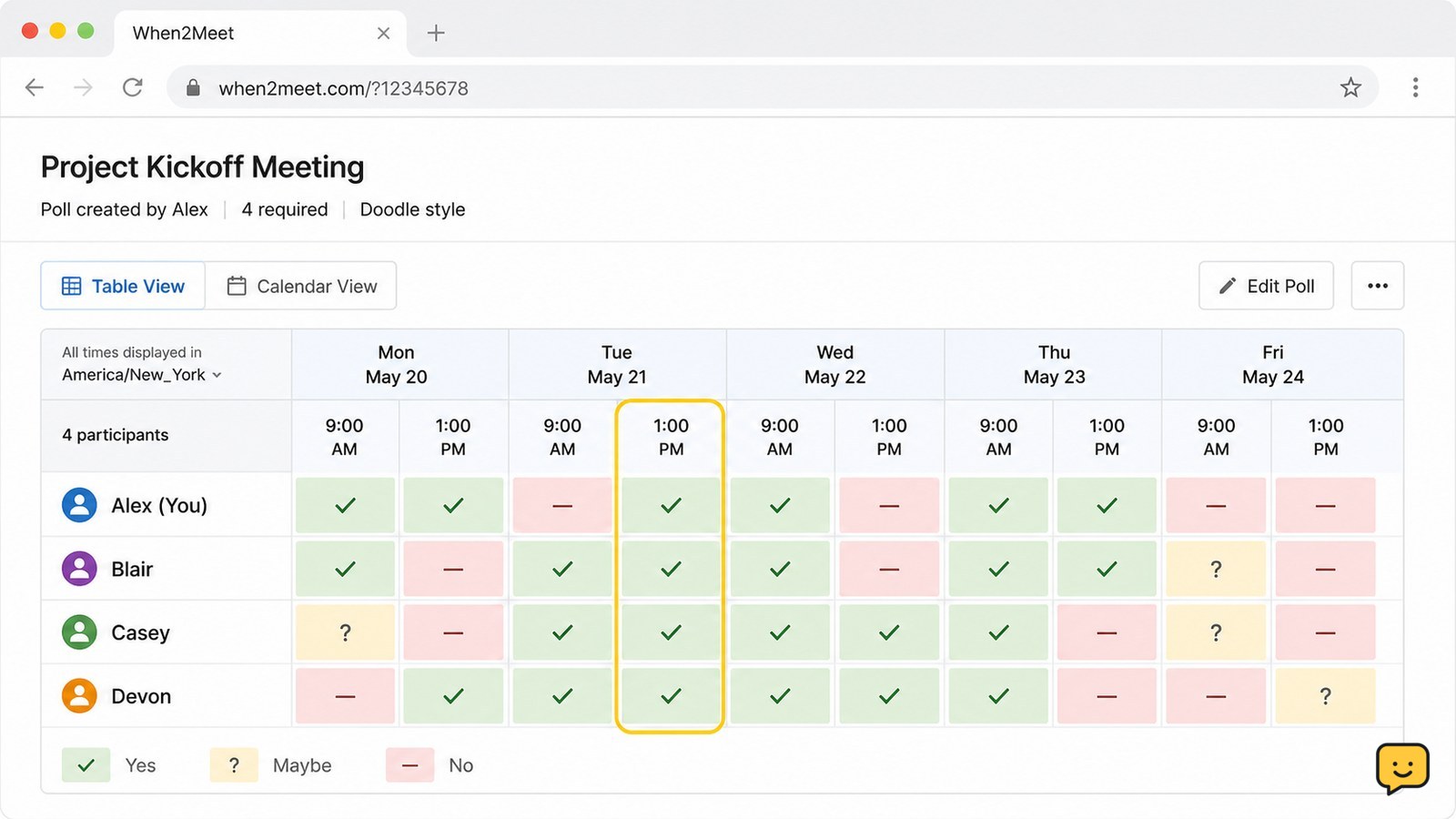
Open When2Meet in a current browser, create an event, choose the dates and time range, then share the generated link. Each participant opens that link and marks when they are available. The organizer compares the colored availability grid, selects a time with the strongest overlap, and confirms it through the group’s usual messaging or calendar system.

What Does Airplane Mode Do? Wireless Controls
Mobile Devices

What Does Airplane Mode Do? Wireless Controls

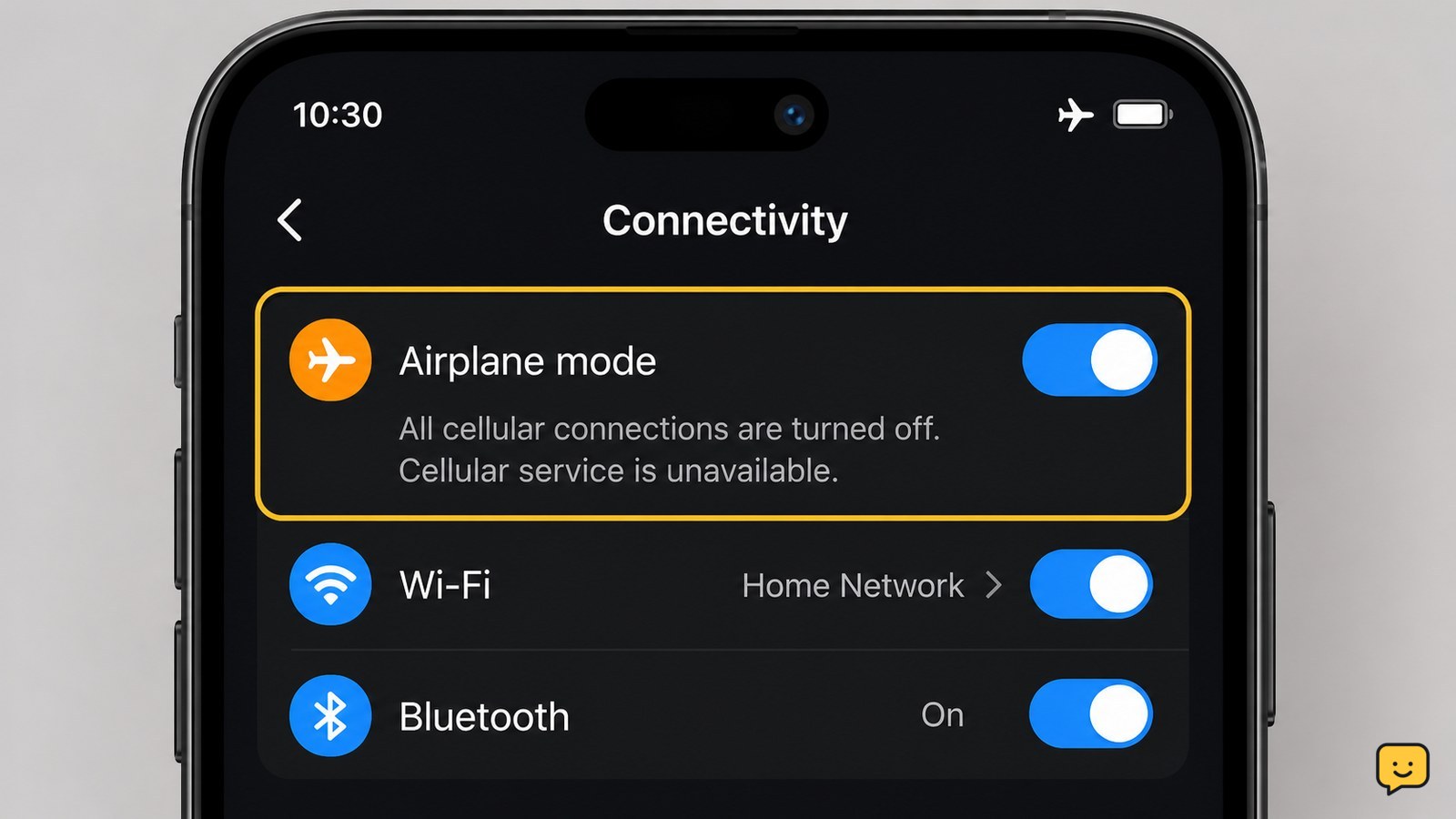
Airplane mode disables a phone’s cellular radio, so ordinary cellular calls, texts, and mobile data stop. The phone itself stays on, and downloaded content can still work. On many current phones, you can turn Wi-Fi or Bluetooth back on separately, but airplane mode does not guarantee every wireless feature is off on every model.

Error Code 0x800700c1: Fix Windows Apps
Computers & Internet

Error Code 0x800700c1: Fix Windows Apps

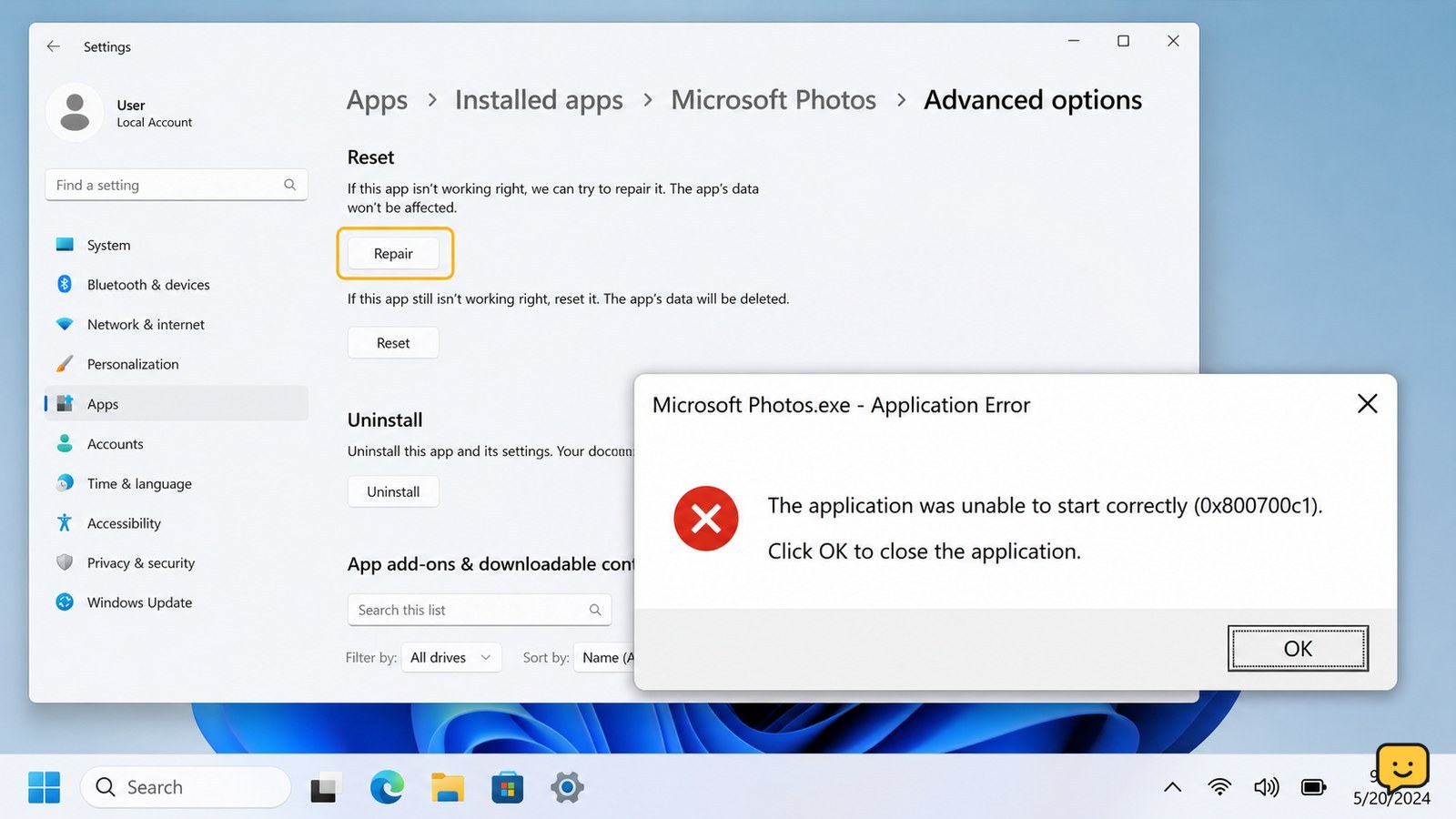
Error code 0x800700c1 usually means Windows cannot load a valid executable or DLL, often because an app or system file is damaged. For an Xbox, Game Pass, or Microsoft Store app, try Repair or Verify and Repair first, install pending updates, then run DISM and SFC. If only one app fails, reinstall it; if many programs fail, stop before deleting system files.

How to Get a Printer Back Online: Wi-Fi
Computers & Internet

How to Get a Printer Back Online: Wi-Fi

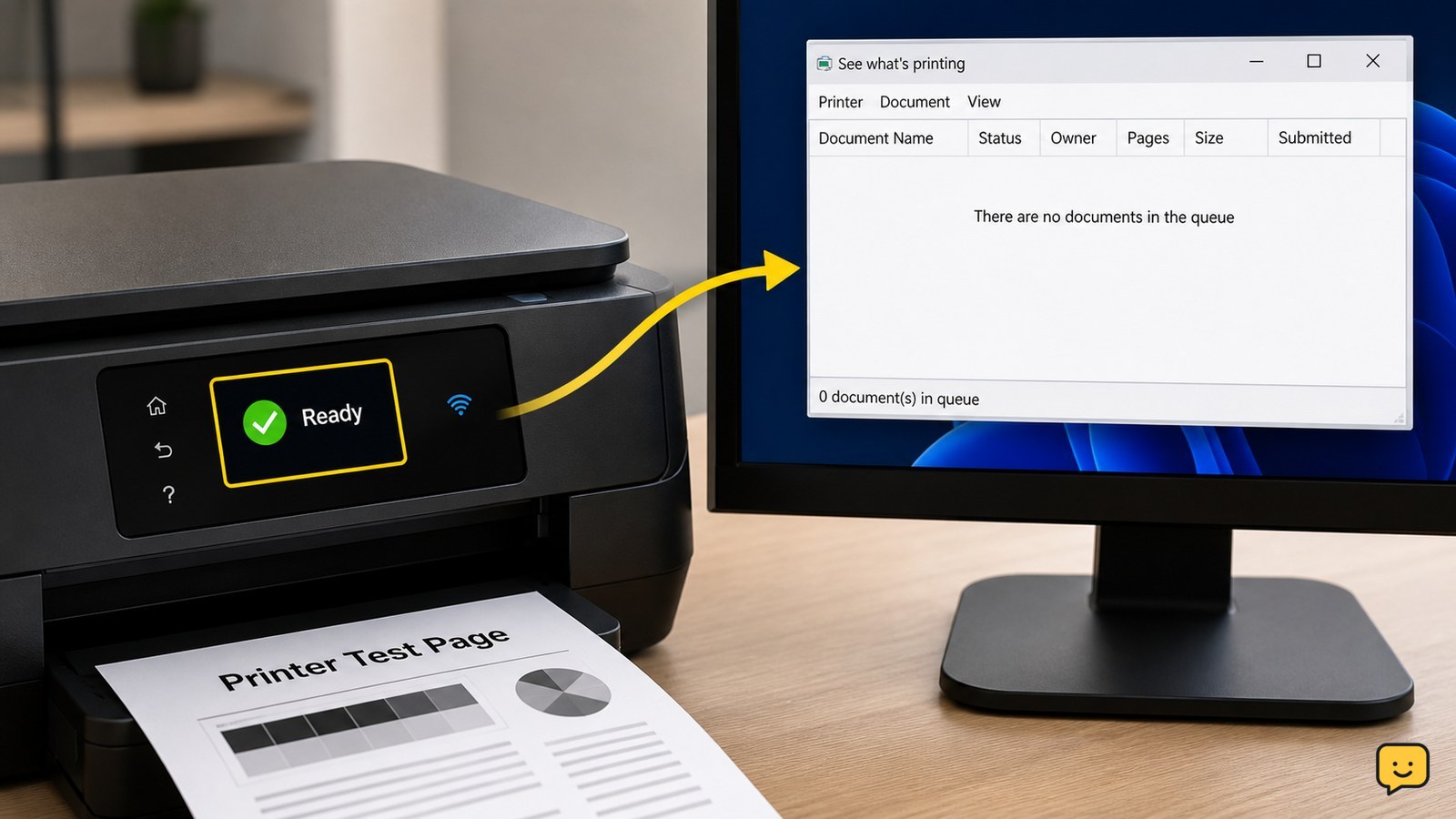
To get a printer back online, turn it off and on, confirm paper and ink or toner, and check its Wi-Fi or USB connection. Restart the router and computer if the printer is wireless. On Windows, open the printer queue and turn off “Use Printer Offline,” then clear paused jobs. Print a test page; if it still shows offline, reconnect or remove and add the printer again.

How Can I Tell If My Phone Is Unlocked?
Mobile Devices

How Can I Tell If My Phone Is Unlocked?

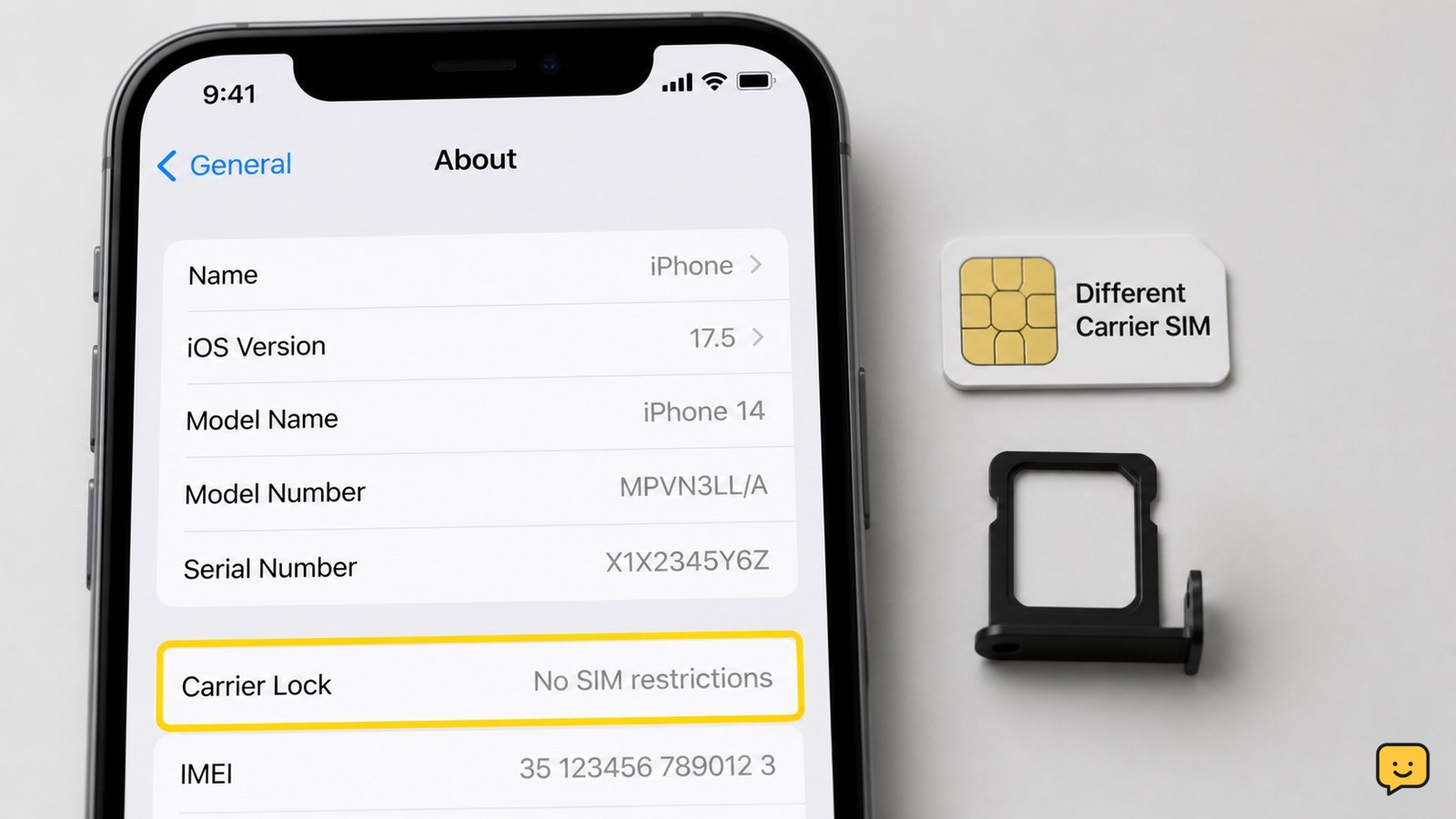
The quickest reliable check is to insert a working SIM from a different carrier. If the phone connects to that carrier and can make a call, it is unlocked. On an iPhone, also check Settings > General > About > Carrier Lock. Android menus vary, so use a SIM test or ask the carrier to check the IMEI.

How Do I Cut and Paste on Chromebook?
Computers & Internet

How Do I Cut and Paste on Chromebook?

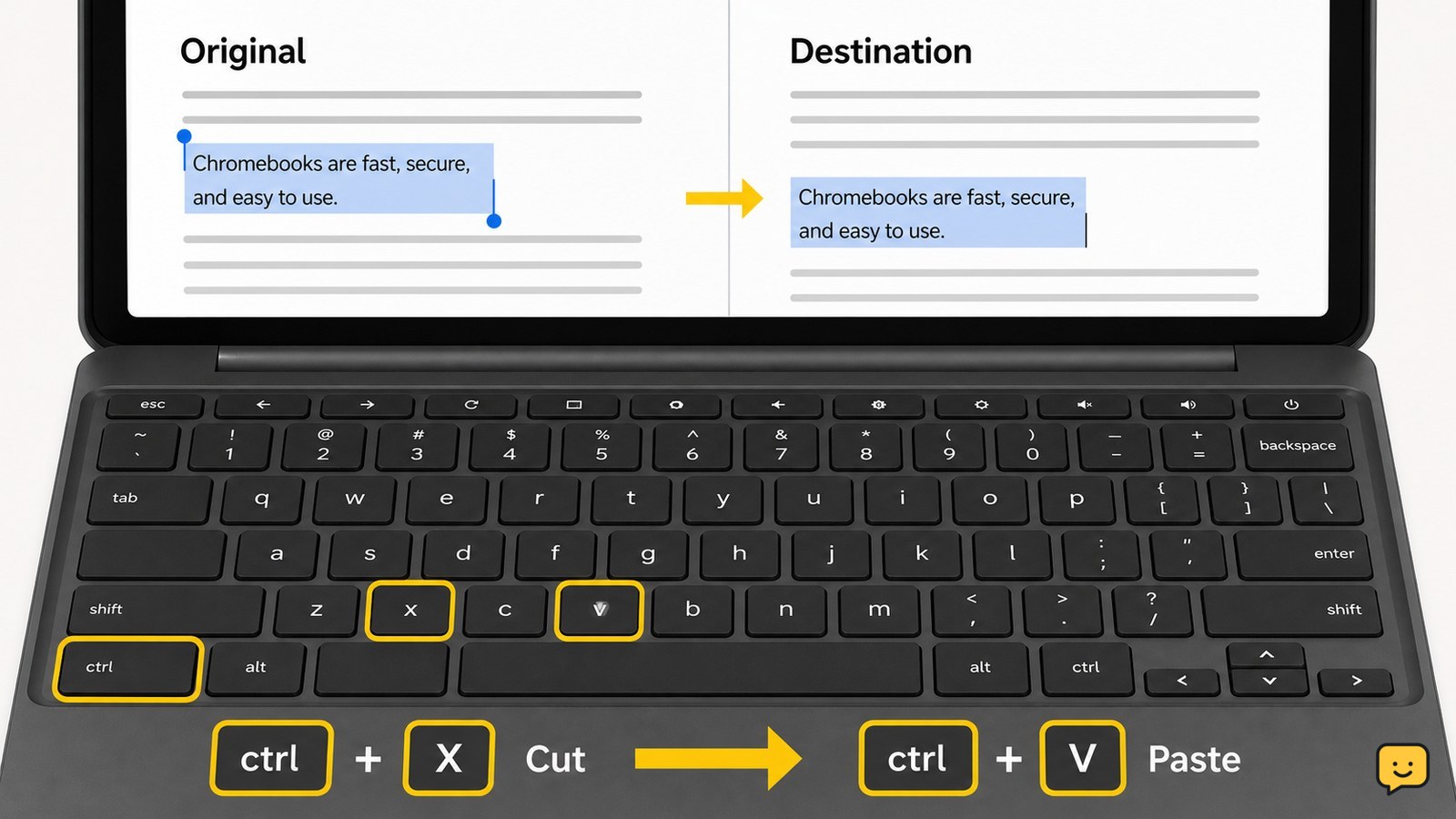
To cut and paste on a Chromebook, select the text or item, press Ctrl+X to cut it, click where you want it to go, then press Ctrl+V to paste it. The selected content should disappear from its original location and appear at the new one. If shortcuts do not work, right-click the selection and choose Cut, then use Paste.

Laptop LCD Lines: Check the Panel or Cable
Computers & Internet

Laptop LCD Lines: Check the Panel or Cable

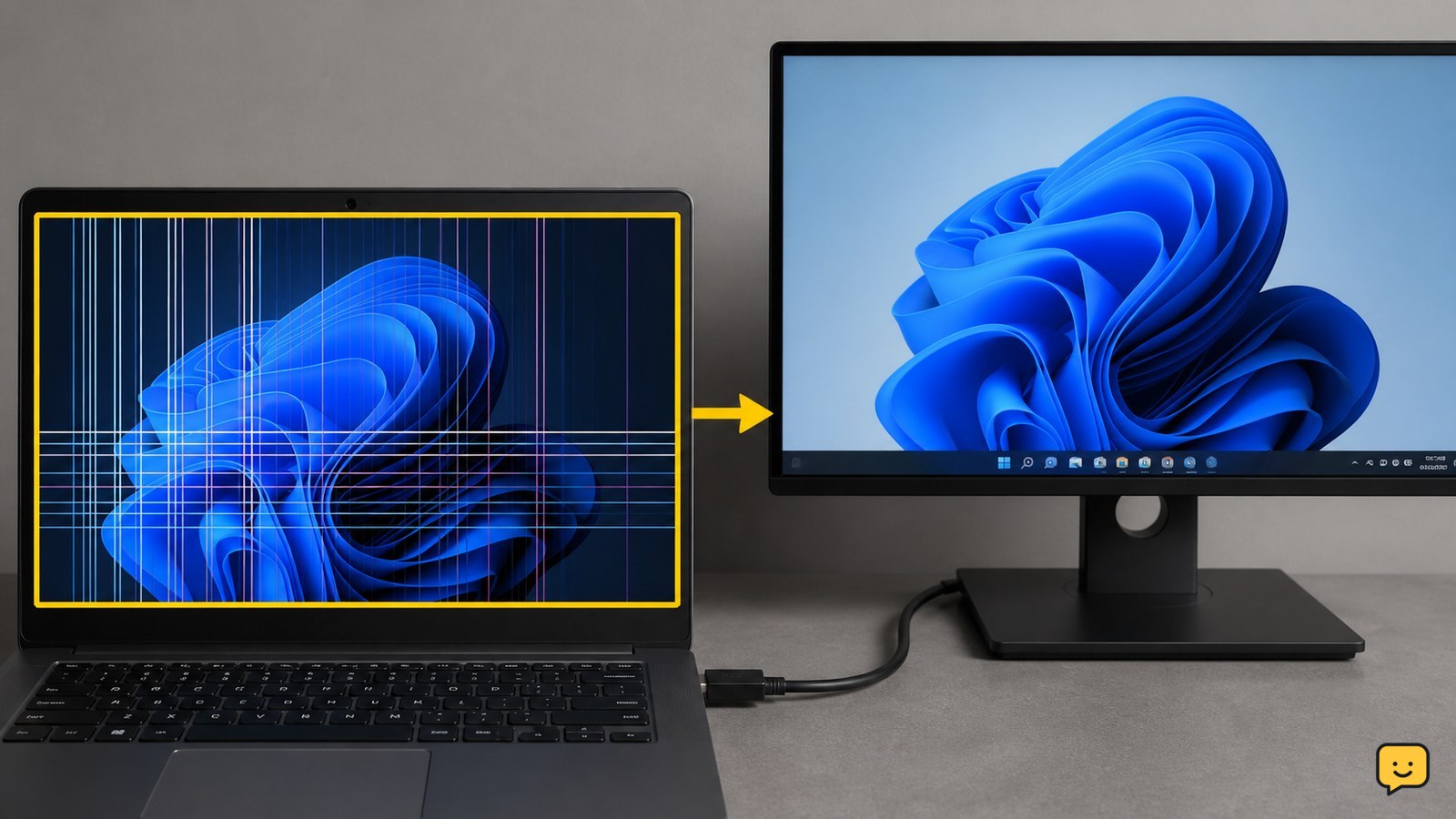
Laptop LCD lines are usually a hardware problem, especially when they appear on the startup logo or change as the lid moves. Restart the laptop, compare the built-in screen with an external monitor, and check whether the lines respond to lid movement. If the lines remain, do not press the panel; arrange a cable or screen inspection.

How to Fix Printer Streaks: Clean the Print Head
Home Electronics

How to Fix Printer Streaks: Clean the Print Head

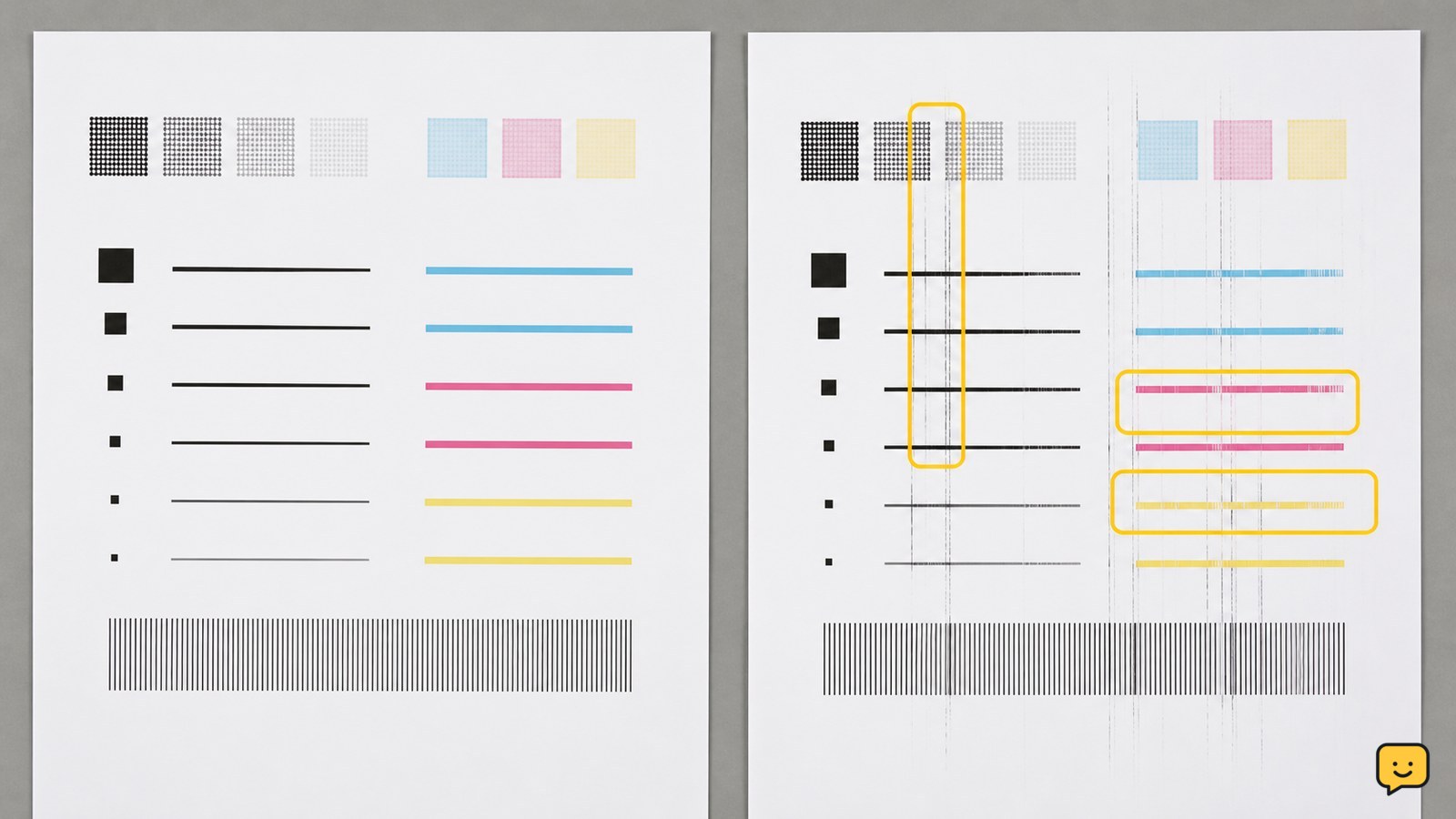
To fix printer streaks, check the ink or toner level, run the printer’s built-in cleaning cycle, and print a nozzle-check or test page. If streaks remain, replace a low cartridge and use the correct paper and higher print-quality setting. Stop repeated cleaning if the page does not improve, because the printer may need a cartridge, drum, or service replacement.