Skip to content
ShowU

Electronics

Fix everyday electronics with clear guides for phones, computers, Wi-Fi, TVs and smart devices. Browse practical troubleshooting, setup and performance help for the devices you use.

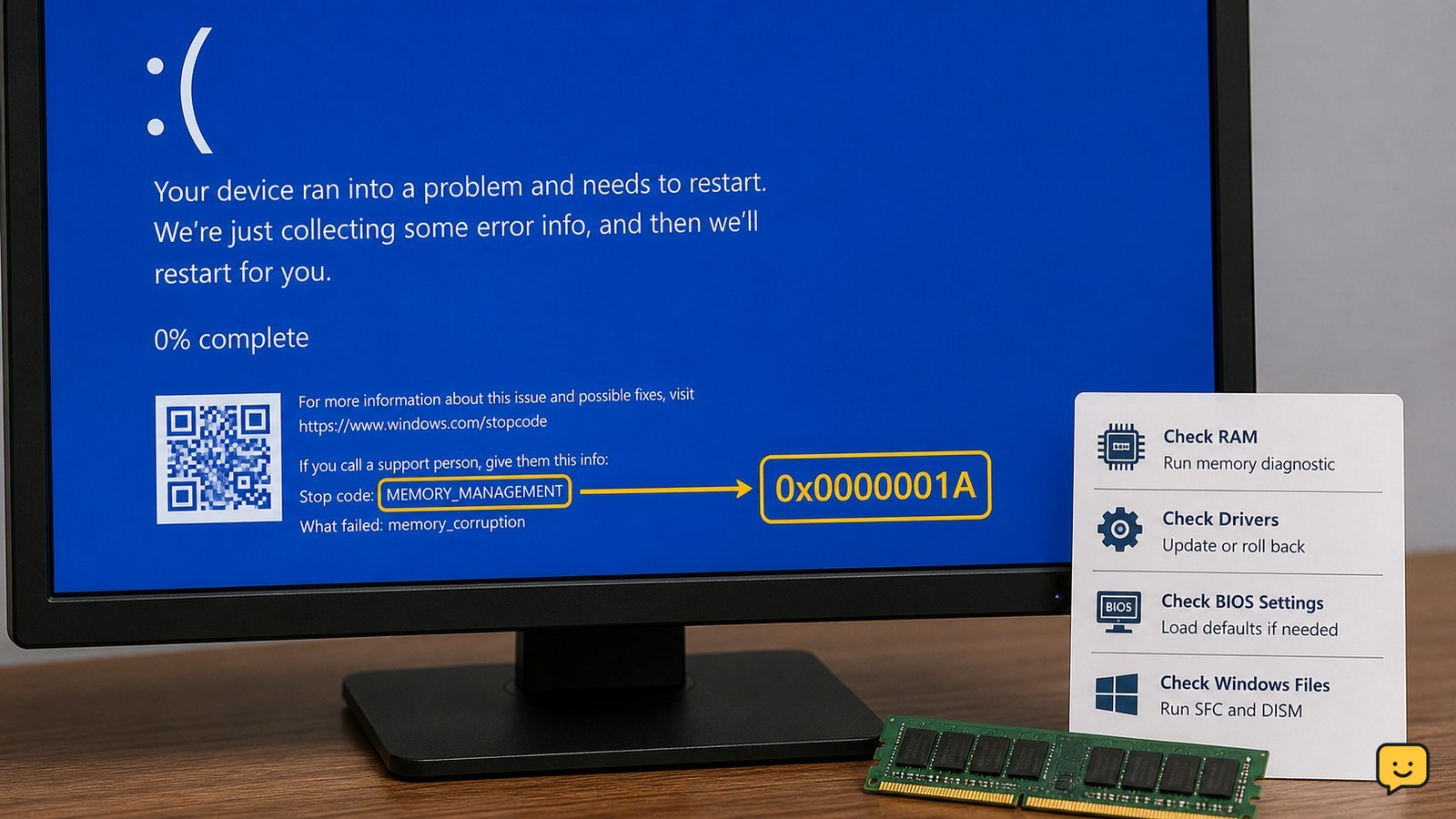
Windows computer showing the MEMORY_MANAGEMENT 0x1A blue screen
Computers & Internet

Fix Memory Management 0x1A: Test RAM

Windows MEMORY_MANAGEMENT 0x1A usually points to faulty or unstable RAM, a memory-related driver, damaged system files, or BIOS overclocking. Save important files first, run Windows Memory Diagnostic, return BIOS settings to default, update or roll back recent drivers, and repair Windows files. If the memory test reports errors or crashes continue, stop using the PC for critical work and arrange hardware service.

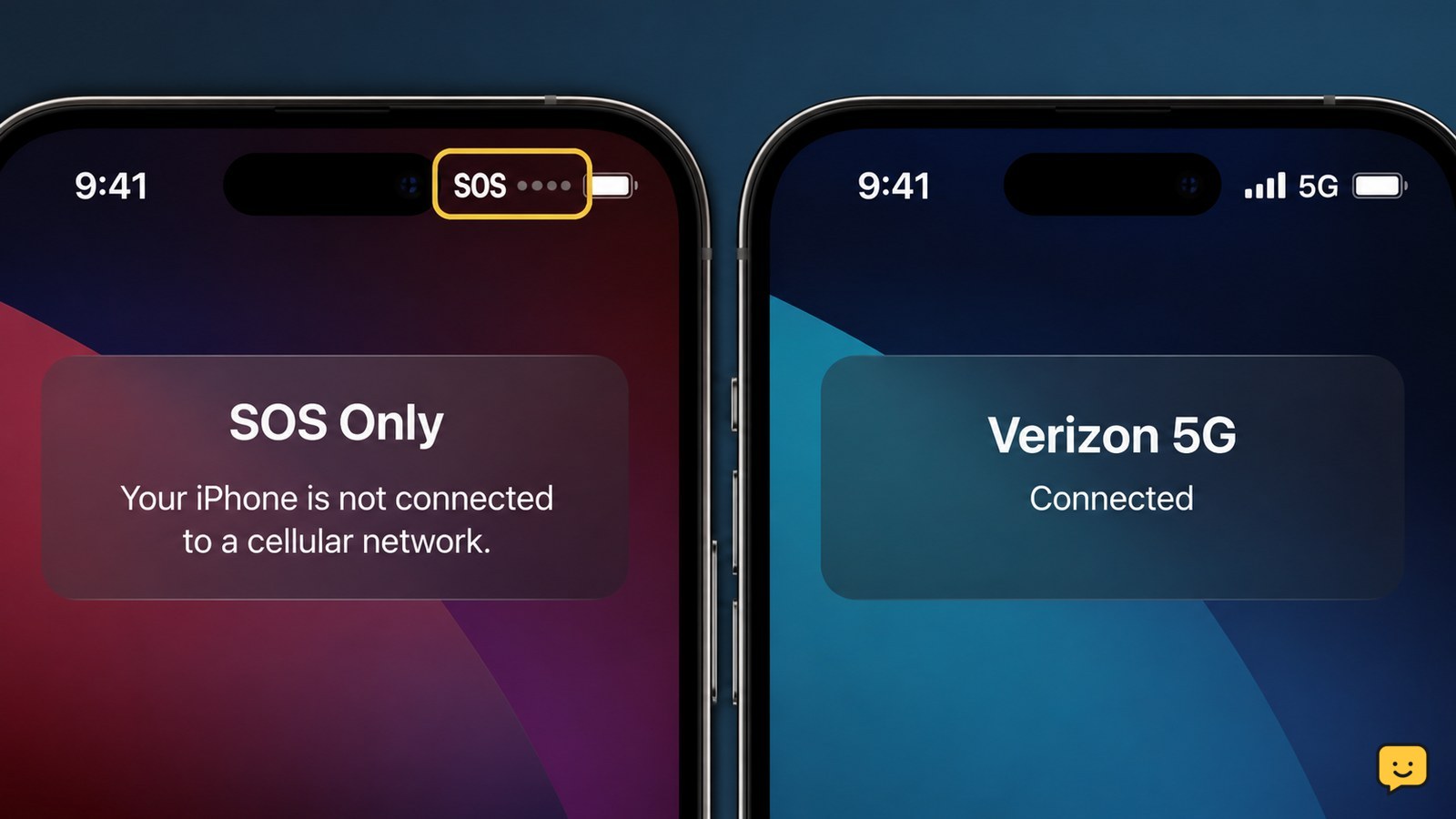
Phone status bar showing SOS instead of normal carrier signal
Mobile Devices

Why Is My Phone on SOS? Restore Service

Your phone is on SOS because it cannot connect to your carrier’s regular mobile network. It may still support emergency calls, but normal calls, texts and mobile data can fail. The usual causes are weak coverage, a carrier outage, Airplane Mode, a disabled SIM or eSIM, account restrictions, or a network-selection problem.

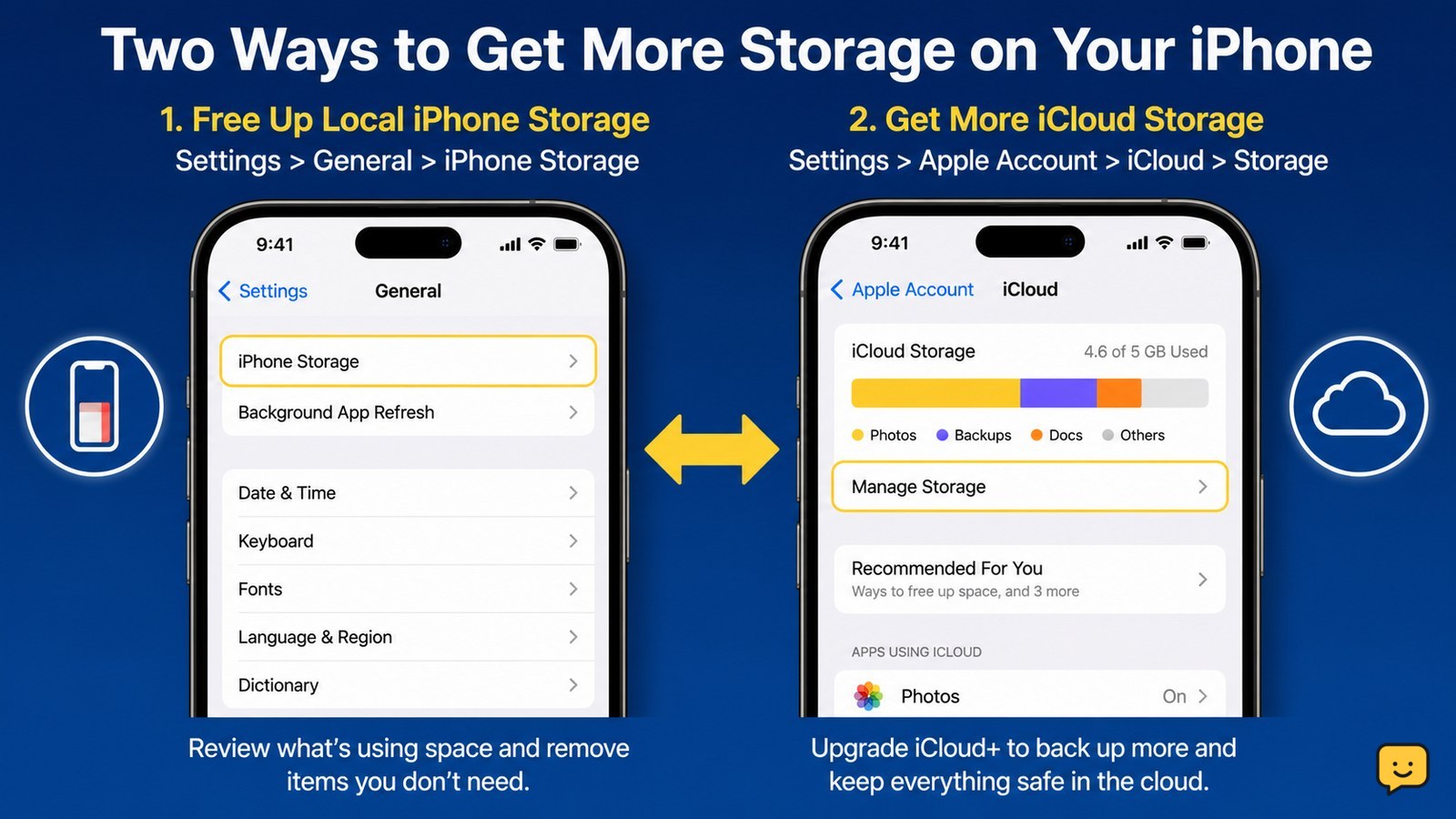
iPhone storage settings beside a separate iCloud storage upgrade path
Mobile Devices

How to Get More Storage on an iPhone

You can get more usable space on an iPhone by checking Settings > General > iPhone Storage, then deleting or offloading large apps, removing downloaded media, and clearing unwanted photos and videos. For extra cloud capacity, use Settings > [your name] > iCloud > Storage > Change Storage Plan or Get More Storage. iCloud storage does not add built-in iPhone capacity.

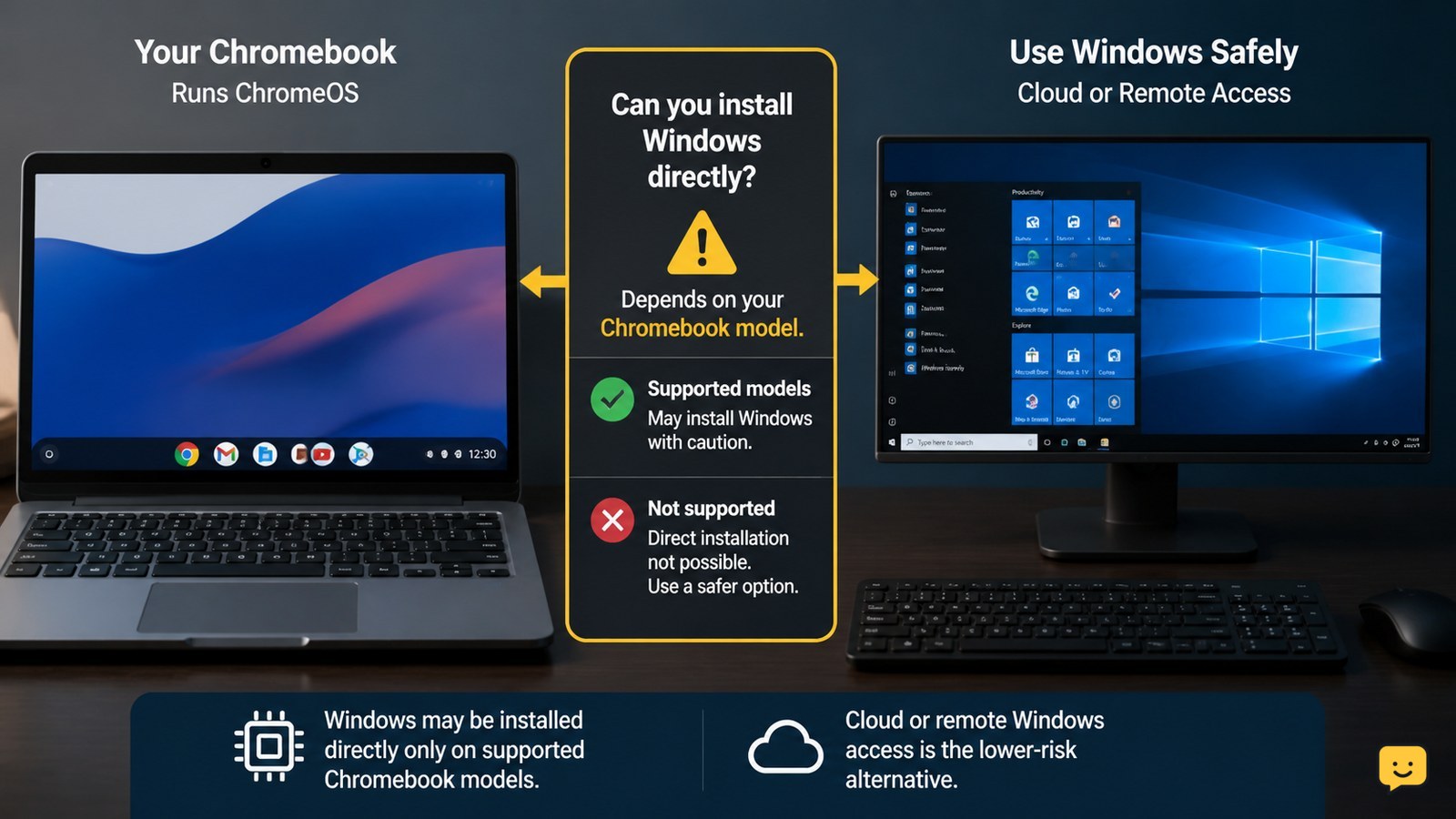
Chromebook beside a Windows desktop access screen with a compatibility warning symbol
Computers & Internet

How to Get Windows on Chromebook: Safe Options

You can get Windows on a Chromebook in two ways: install it directly only when your exact model has compatible firmware and drivers, or access Windows through a cloud or remote computer without modifying the Chromebook. Direct installation can erase local data, break hardware features, and leave the device unsupported, so stop if your model is not listed in a current compatibility guide.

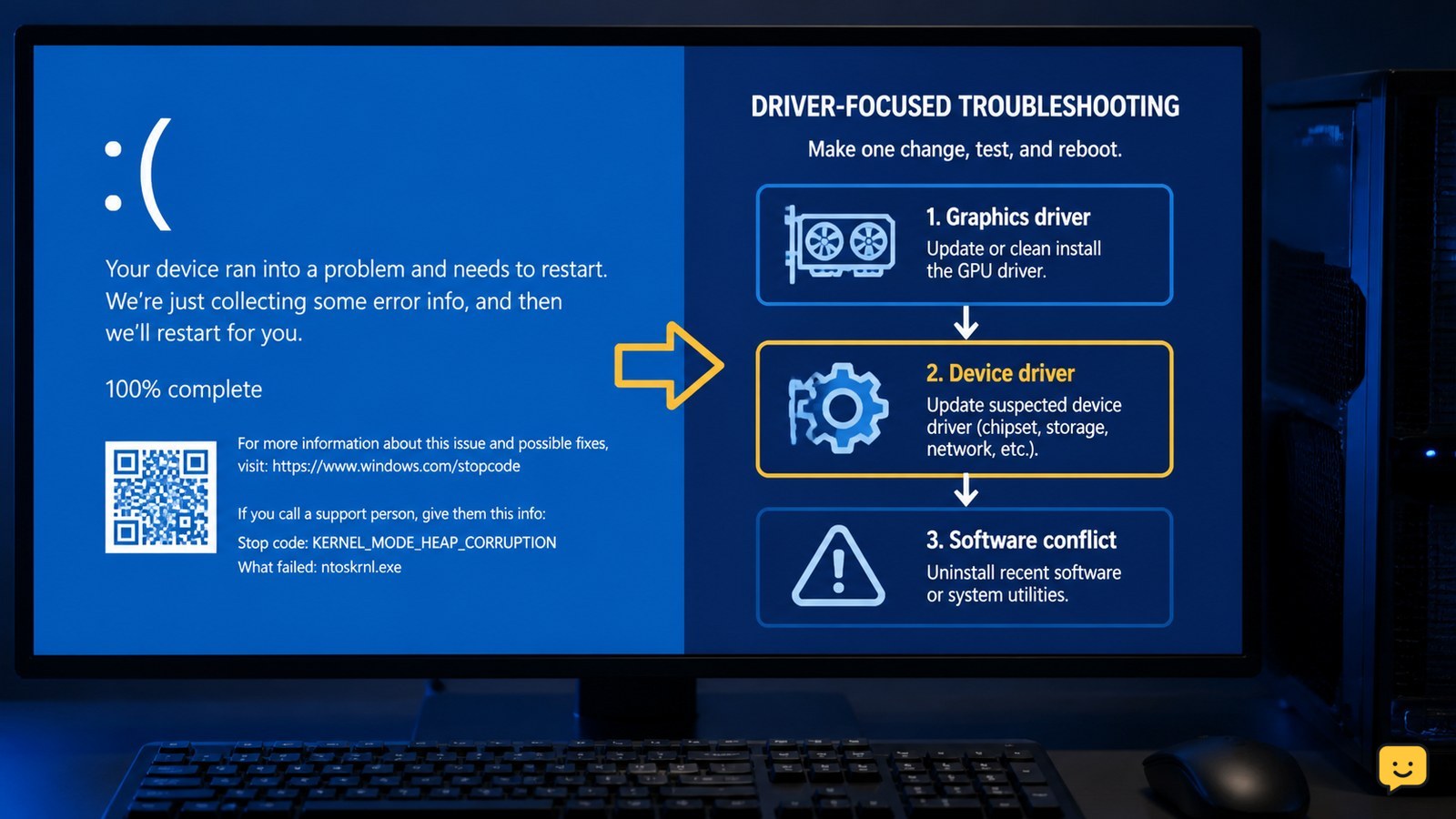
Windows blue screen showing a kernel mode heap corruption stop-code troubleshooting scenario
Computers & Internet

Fix Kernel Mode Heap Corruption: Windows BSOD

Kernel mode heap corruption is a Windows blue-screen error usually investigated through graphics and other device drivers or software conflicts. Start by recording the stop code, then update or cleanly reinstall the graphics driver, update other device drivers, and remove recently added conflicting software. Restart and test after each change; persistent crashes require repair or hardware support, not endless driver changes.

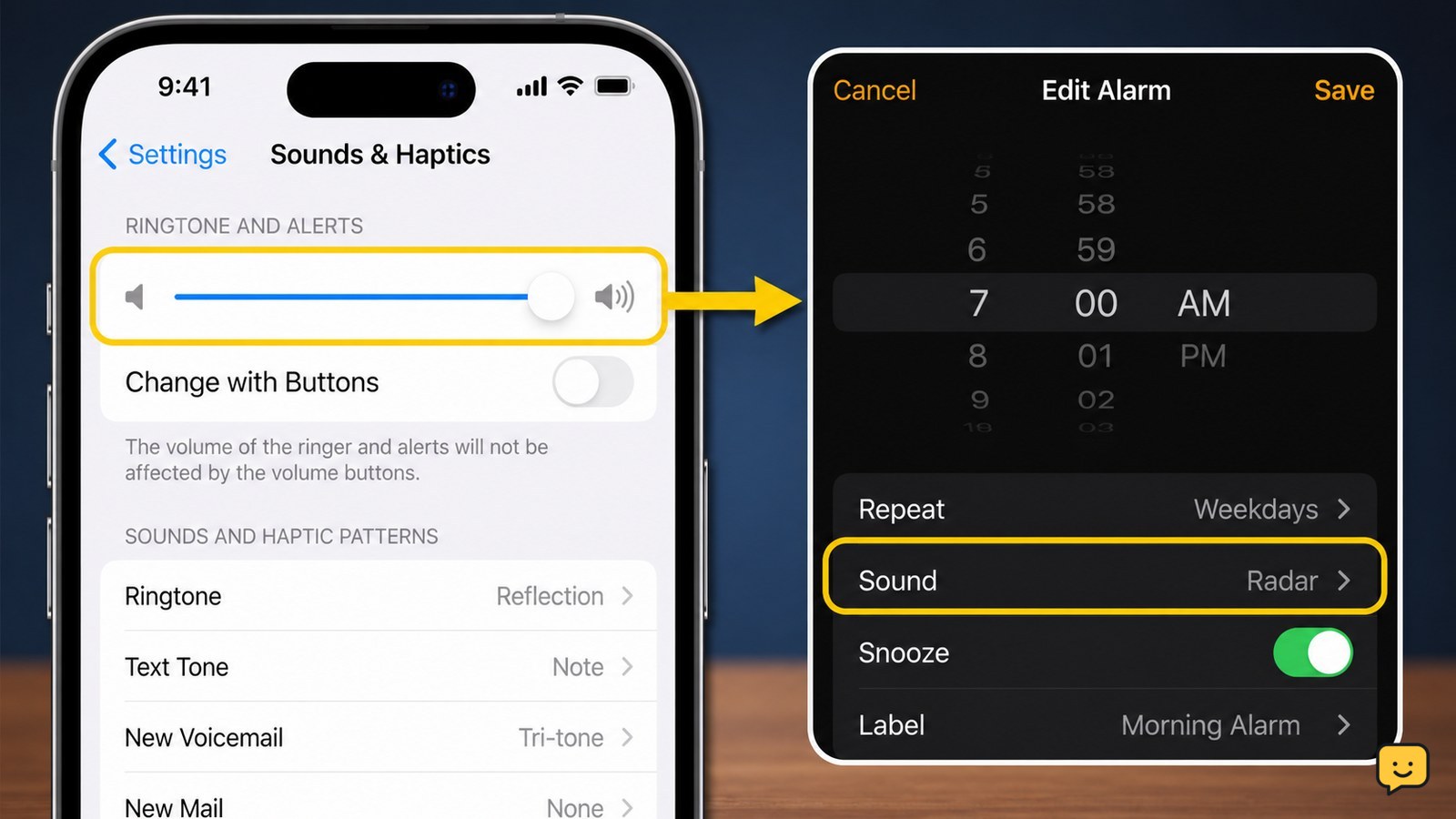
iPhone Clock alarm beside the Sounds and Haptics alert-volume control
Mobile Devices

Why Is My Alarm So Quiet on iPhone?

Your iPhone alarm is usually quiet because the Ringtone and Alerts volume is low, not because the media volume is low. Open Settings > Sounds & Haptics, raise Ringtone and Alerts, and turn off Change with Buttons so the side buttons cannot reduce it accidentally. Then check that the alarm sound is not set to None.

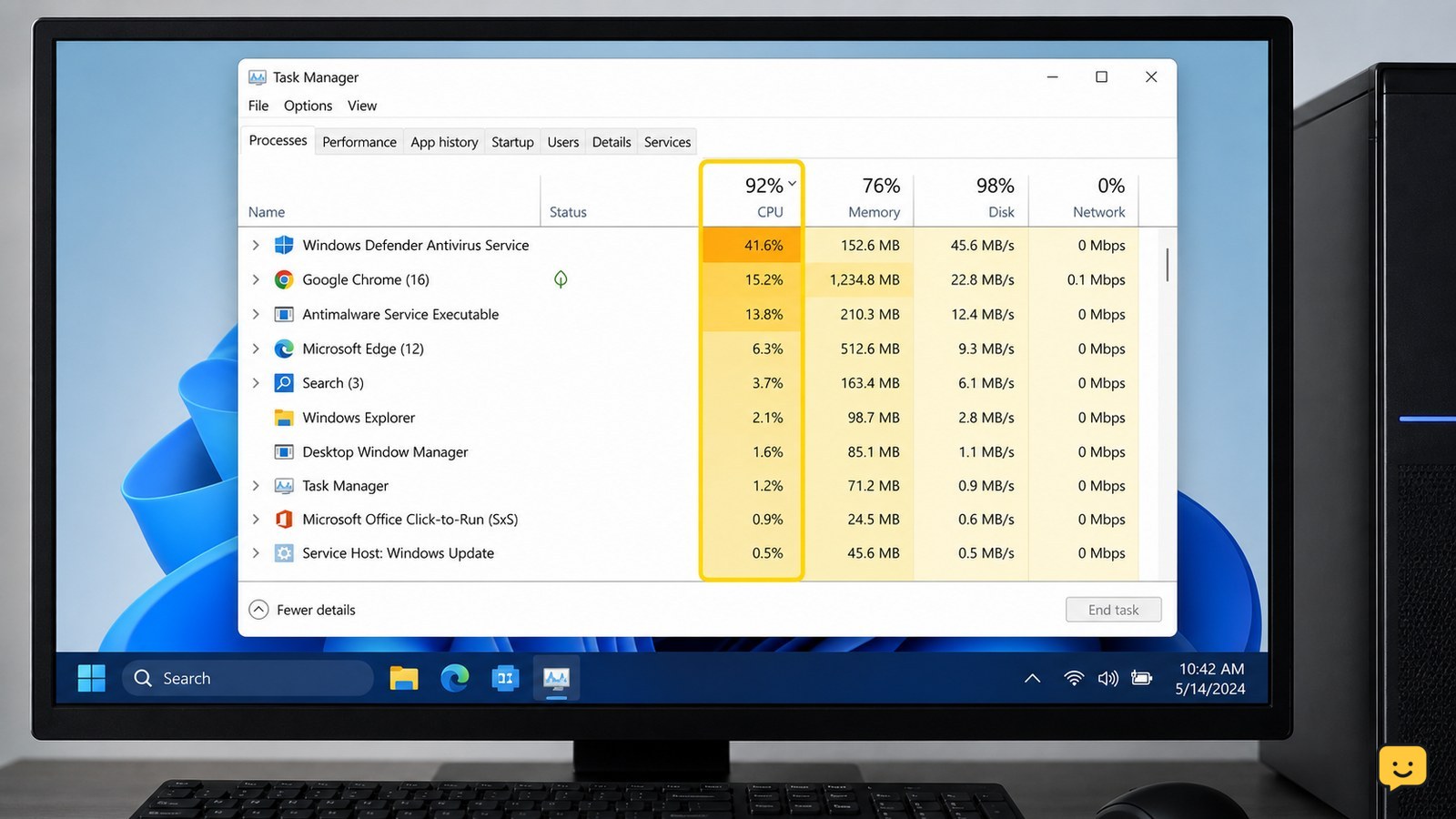
Windows Task Manager showing CPU, memory, and disk usage while diagnosing a slow computer
Computers & Internet

Why Is My Computer So Slow? Find the Cause

Your computer is usually slow because the CPU, RAM, or storage drive is overloaded—or because an update, background app, malware, nearly full drive, overheating, or aging hardware is involved. First compare the slowdown across several apps, then use Task Manager to identify the resource at or near 100%. The highest sustained resource points to the next fix.

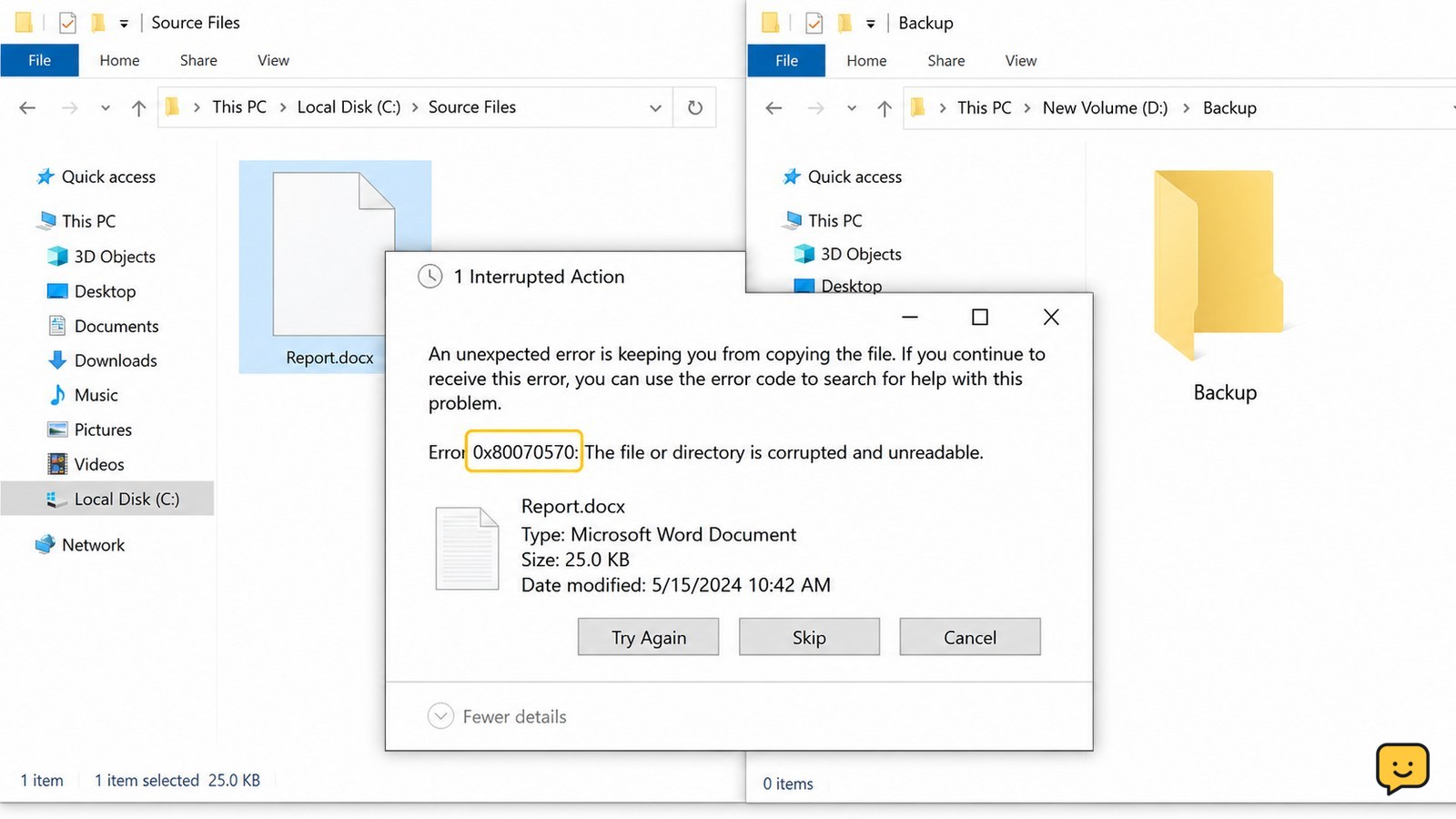
Windows File Explorer shows an unexpected error while copying a file, with the source and destination folders visible
Computers & Internet

An Unexpected Error Is Keeping You From Copying: Fix

When Windows says an unexpected error is keeping you from copying the file, record the error code first, then test a small file, check free space and the file path, and try a shorter destination such as C:\Temp. If only one file fails, suspect that file or its archive. If many files fail or the drive disconnects, stop repeated attempts and protect the data before repair.

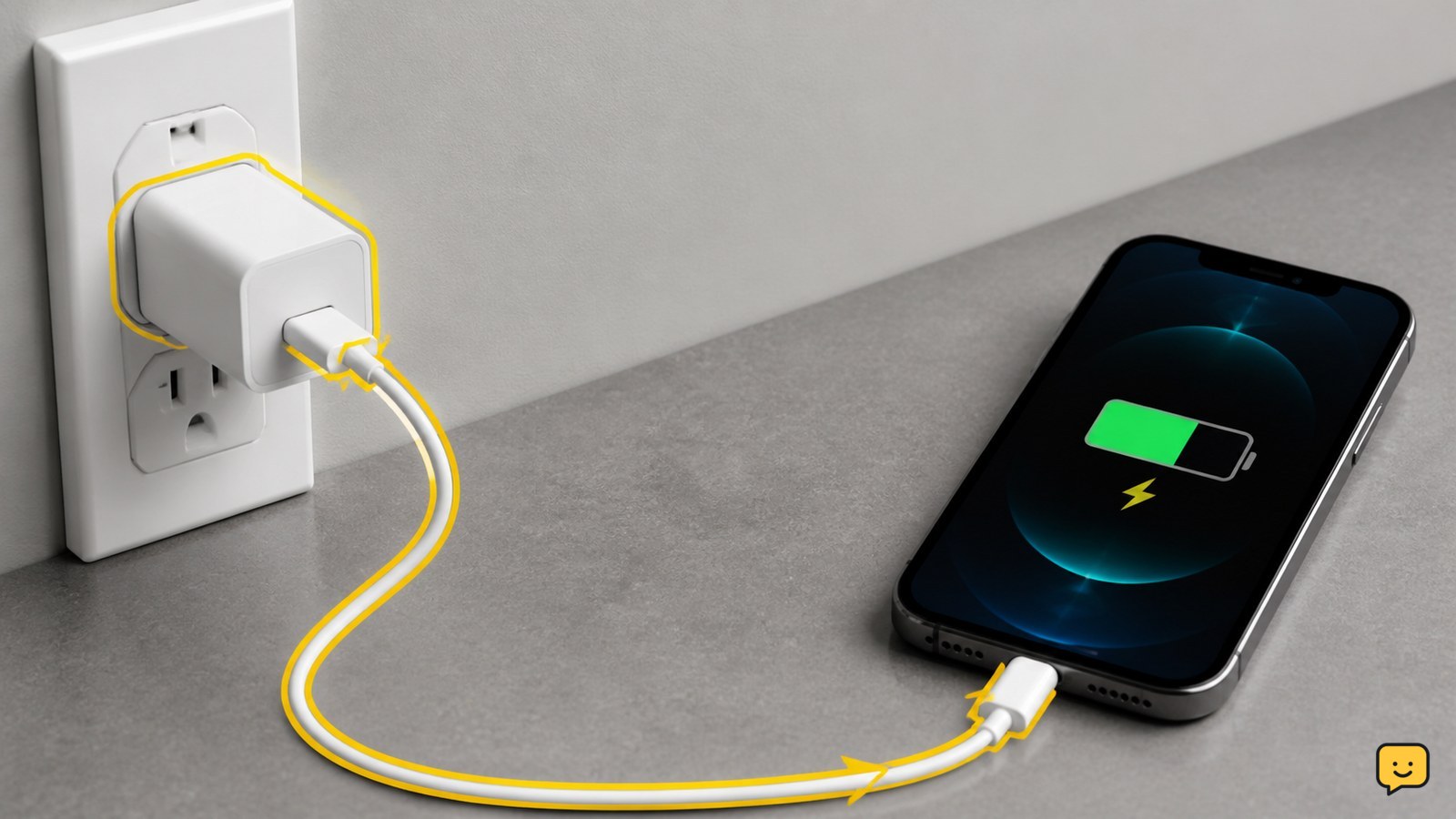
Smartphone connected to a wall charger with a visible charging indicator
Mobile Devices

Why Won’t My Phone Charge: Check the Basics

Your phone usually won’t charge because power is not reaching it through the outlet, adapter, cable, or port. Test each part with a known-good combination, remove a case that prevents a firm connection, inspect the port for lint or moisture, and restart the phone. Stop using it if it is hot, swollen, wet, or physically damaged.