Skip to content
ShowU

Electronics

Fix everyday electronics with clear guides for phones, computers, Wi-Fi, TVs and smart devices. Browse practical troubleshooting, setup and performance help for the devices you use.

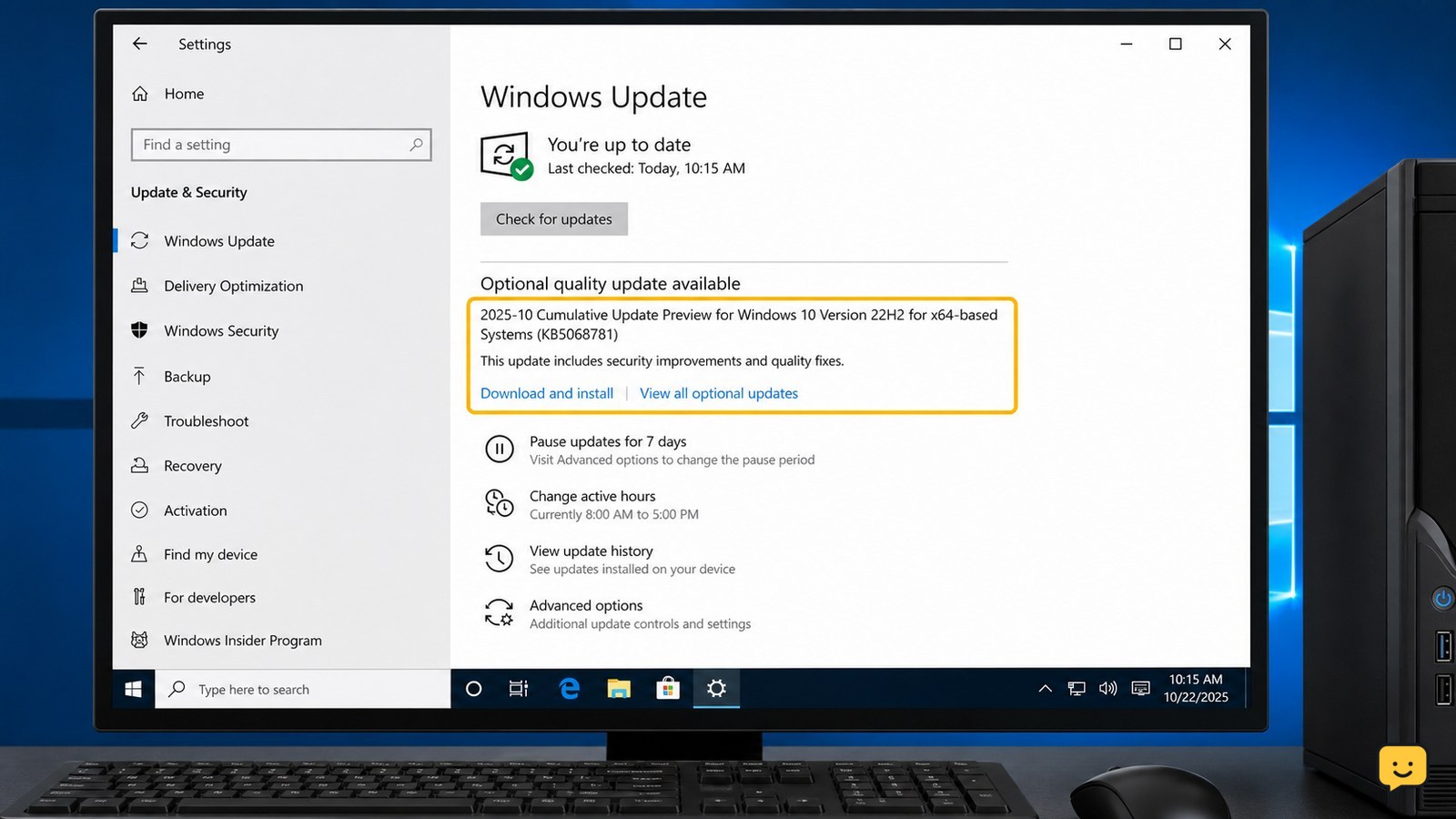
Windows 10 Windows Update page showing KB5068781 available for download and installation
Computers & Internet

KB5068781: Install the Windows 10 ESU Update

KB5068781 is the November 11, 2025 security update for eligible Windows 10 22H2 devices enrolled in Extended Security Updates. Install the required ESU preparation package first, then open Settings > Update & Security > Windows Update and select Check for updates. After restarting, verify that the OS build is 19045.6575 or 19044.6575.
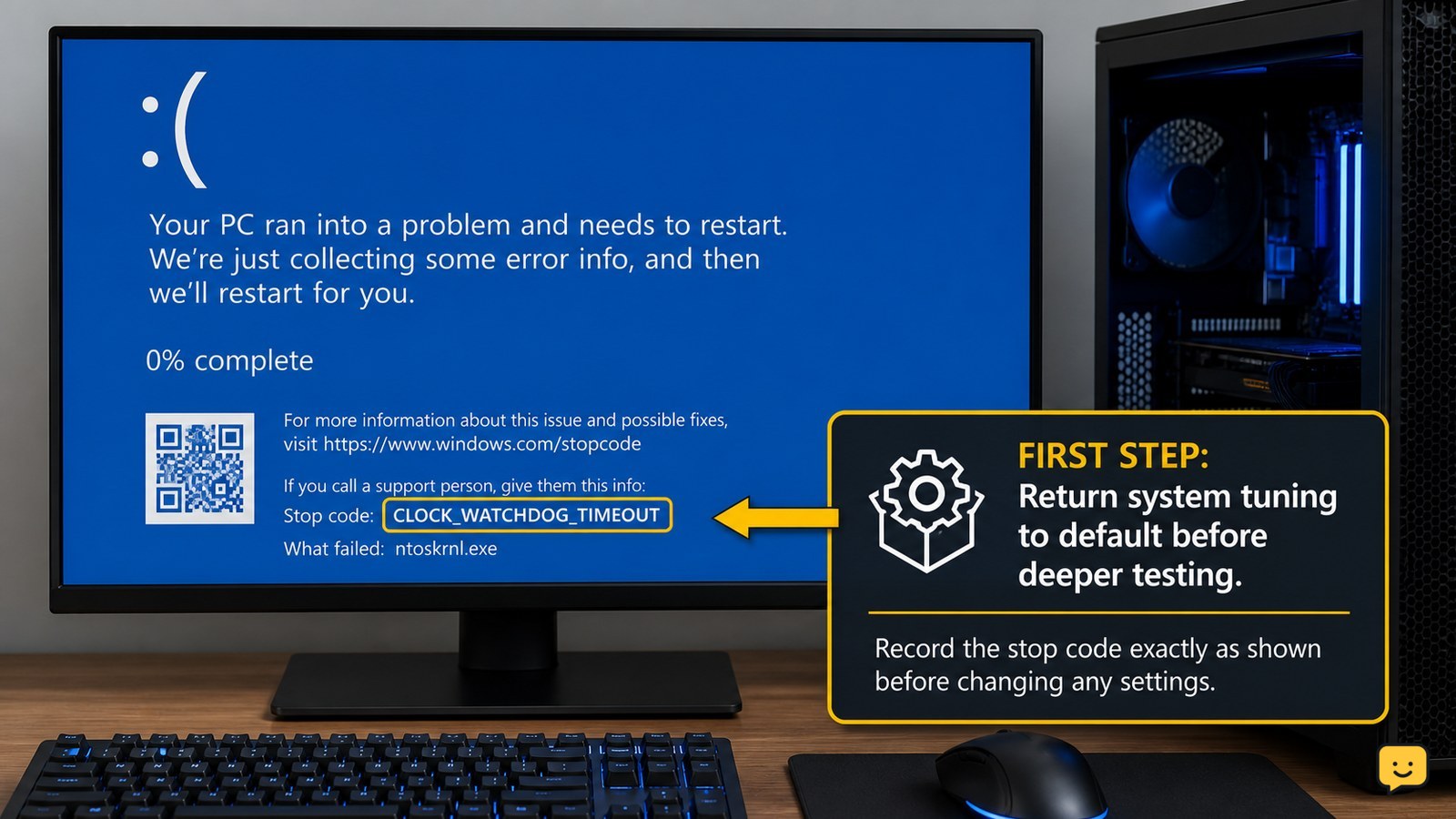
Windows blue screen displaying CLOCK_WATCHDOG_TIMEOUT and stop code 0x101
Computers & Internet

How to Fix Clock Watchdog Timeout on Windows

CLOCK_WATCHDOG_TIMEOUT is a Windows blue-screen stop error that commonly indicates a processor core did not respond in time. Start by removing CPU, RAM, or firmware overclocking, then install Windows, BIOS/UEFI, chipset, and driver updates. If the error continues at default settings—or the PC overheats, freezes repeatedly, or cannot boot—stop intensive use and arrange hardware service.

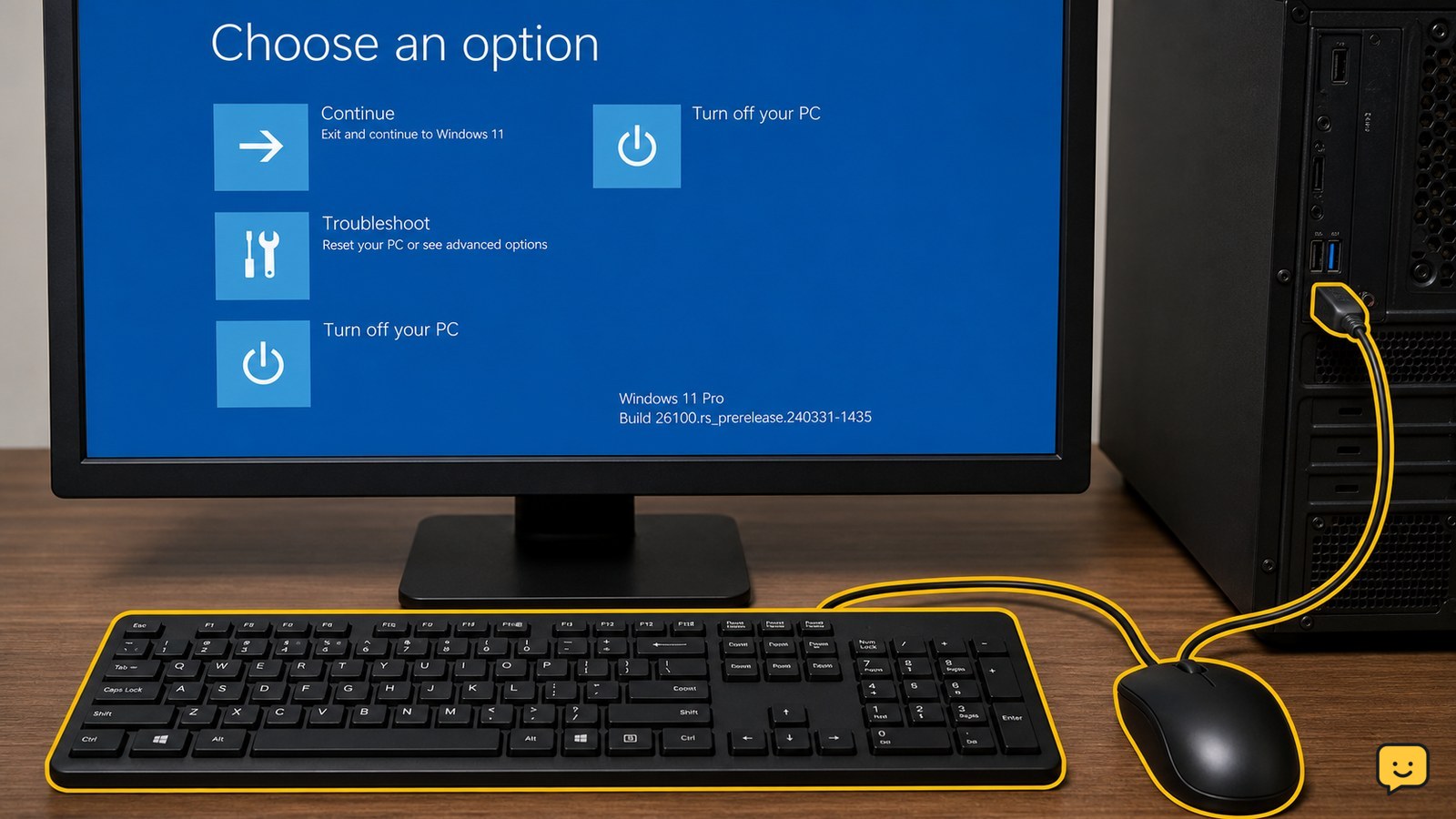
Windows Recovery Environment screen with a wired USB keyboard and mouse connected to a Windows 11 PC
Computers & Internet

KB5070773: Fix Windows Recovery USB Issues

KB5070773 is an out-of-band Windows update for Windows 11 systems affected by a Windows Recovery Environment problem in which USB mice and keyboards may stop working. Check Windows Update for the package, install it, restart the PC, and confirm the update appears in update history. Test WinRE only after saving work and securing any required BitLocker recovery key.

Linux terminal showing safe directory inspection followed by an rmdir command
Computers & Internet

How to Remove a Directory in Linux: Safe Commands

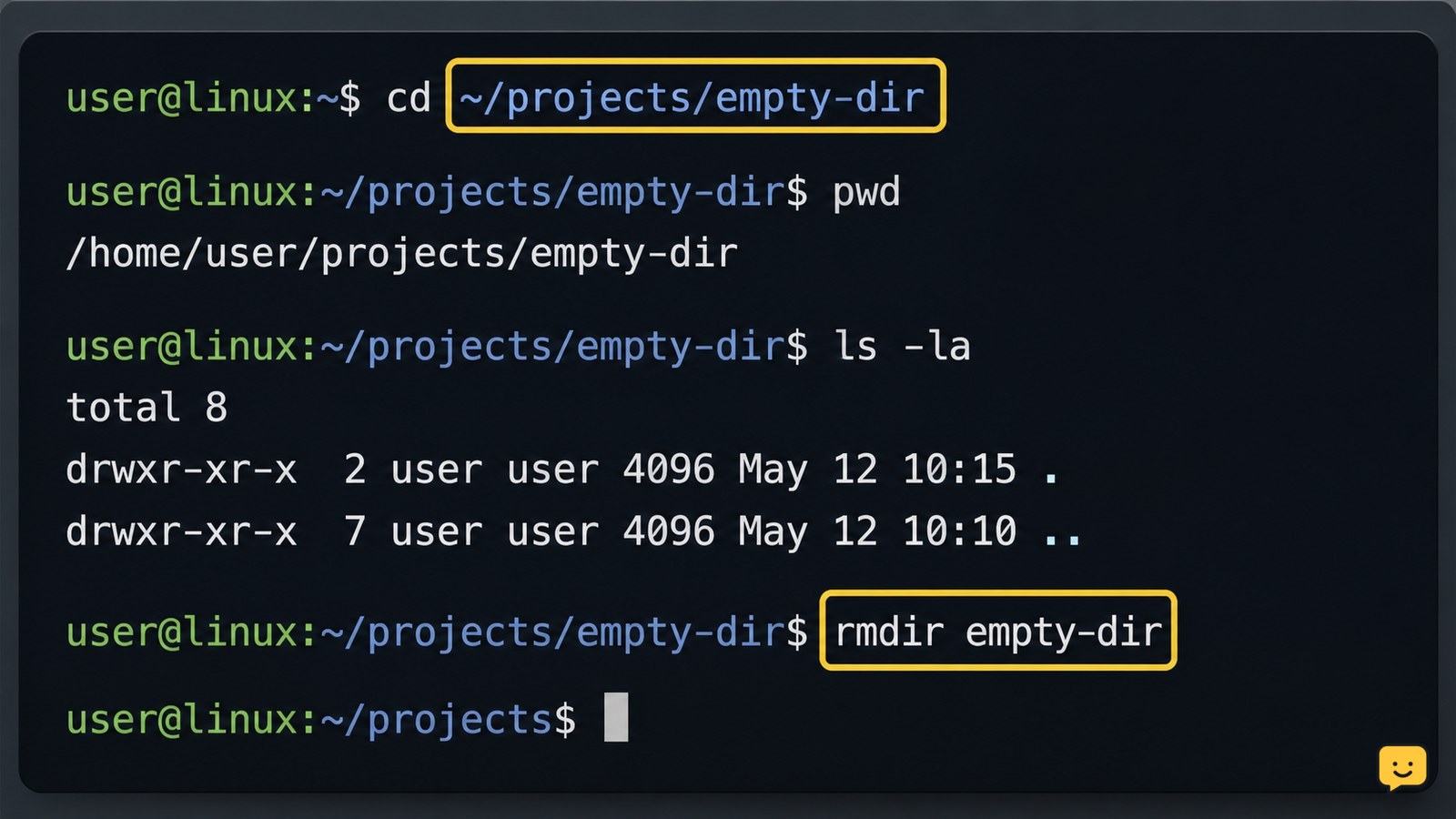
Use rmdir directory-name to remove an empty directory. If it contains files or subdirectories, inspect the path first, then use rm -r directory-name; add -i for confirmation prompts with rm -ri directory-name. Never run a recursive removal command against an uncertain path or a system directory.

Laptop browser showing a connection error beside phone tests on Wi-Fi and mobile data
Computers & Internet

Fix This Site Can’t Be Reached: Connection Checks

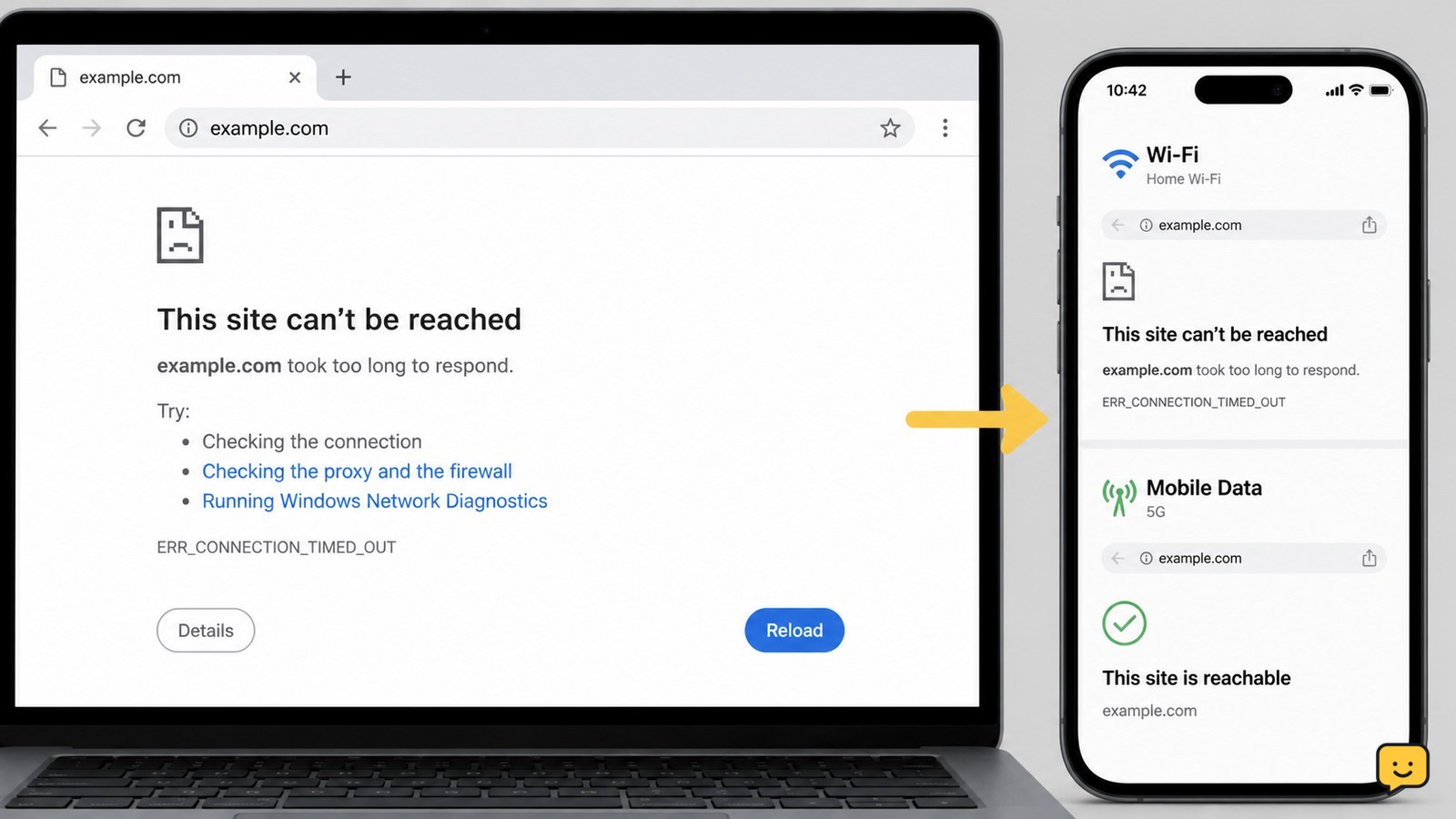
“This Site Can’t Be Reached” means Chrome could not establish a connection to the address you entered. First test another reliable site and try the affected address on mobile data. If only one site fails everywhere, wait or contact its owner. If many sites fail only on your device, restart the connection and check browser or DNS settings.

Dell laptop showing a hard drive not detected message during startup
Computers & Internet

Fix Dell Hard Disk Not Detected: BIOS Checks

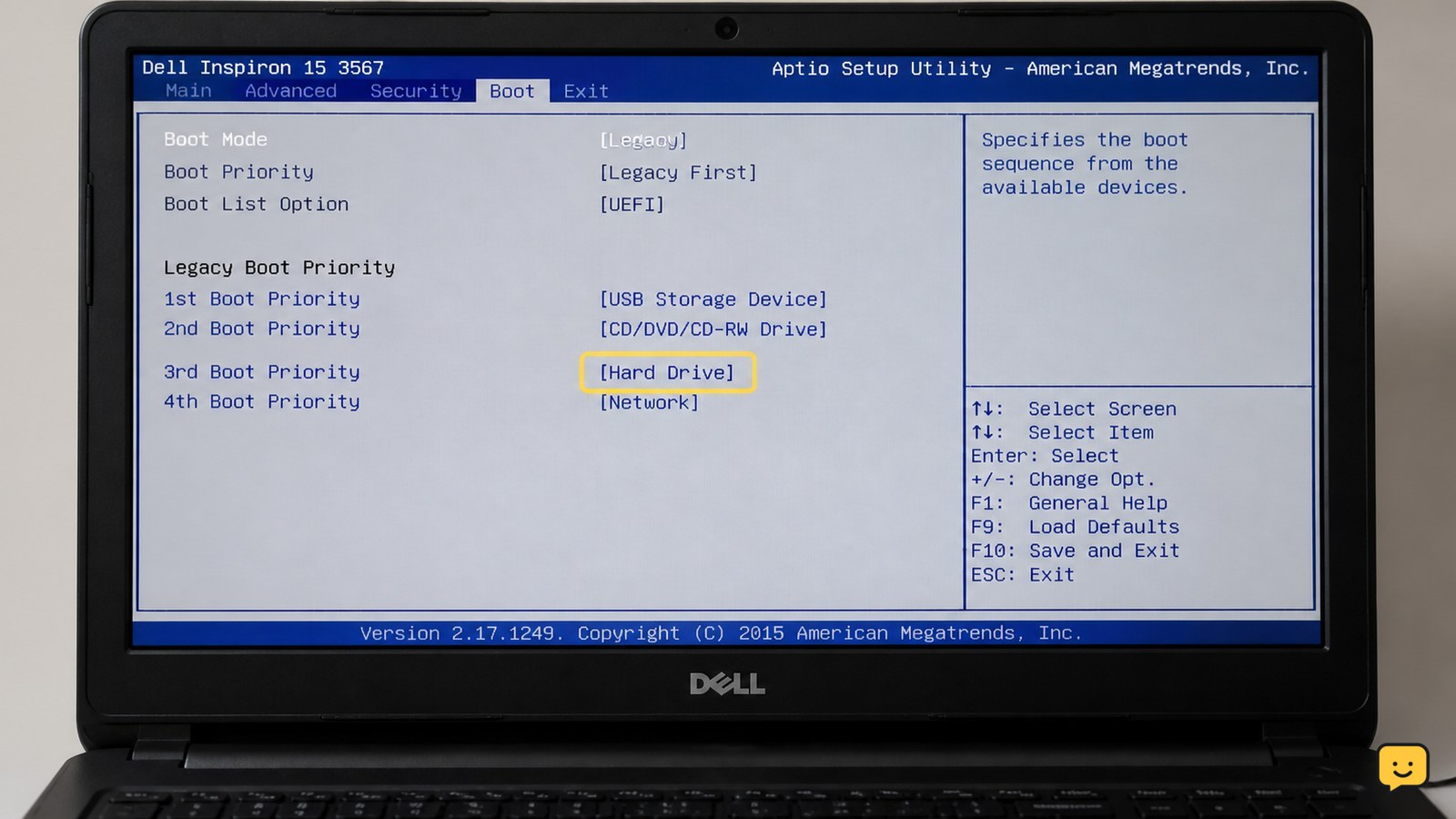
First determine whether the drive is missing in Dell BIOS, F12 hardware diagnostics, or only Windows. Disconnect external devices, perform a full power reset, then run Dell diagnostics with F12. If diagnostics cannot see the drive, protect your data and arrange repair or replacement. If BIOS sees it but Windows does not, check storage settings and Disk Management without formatting.

iPhone displaying Phone, Messages, and FaceTime contact checks with an inconclusive status indicator
Mobile Devices

How to Tell If You’re Blocked on iPhone

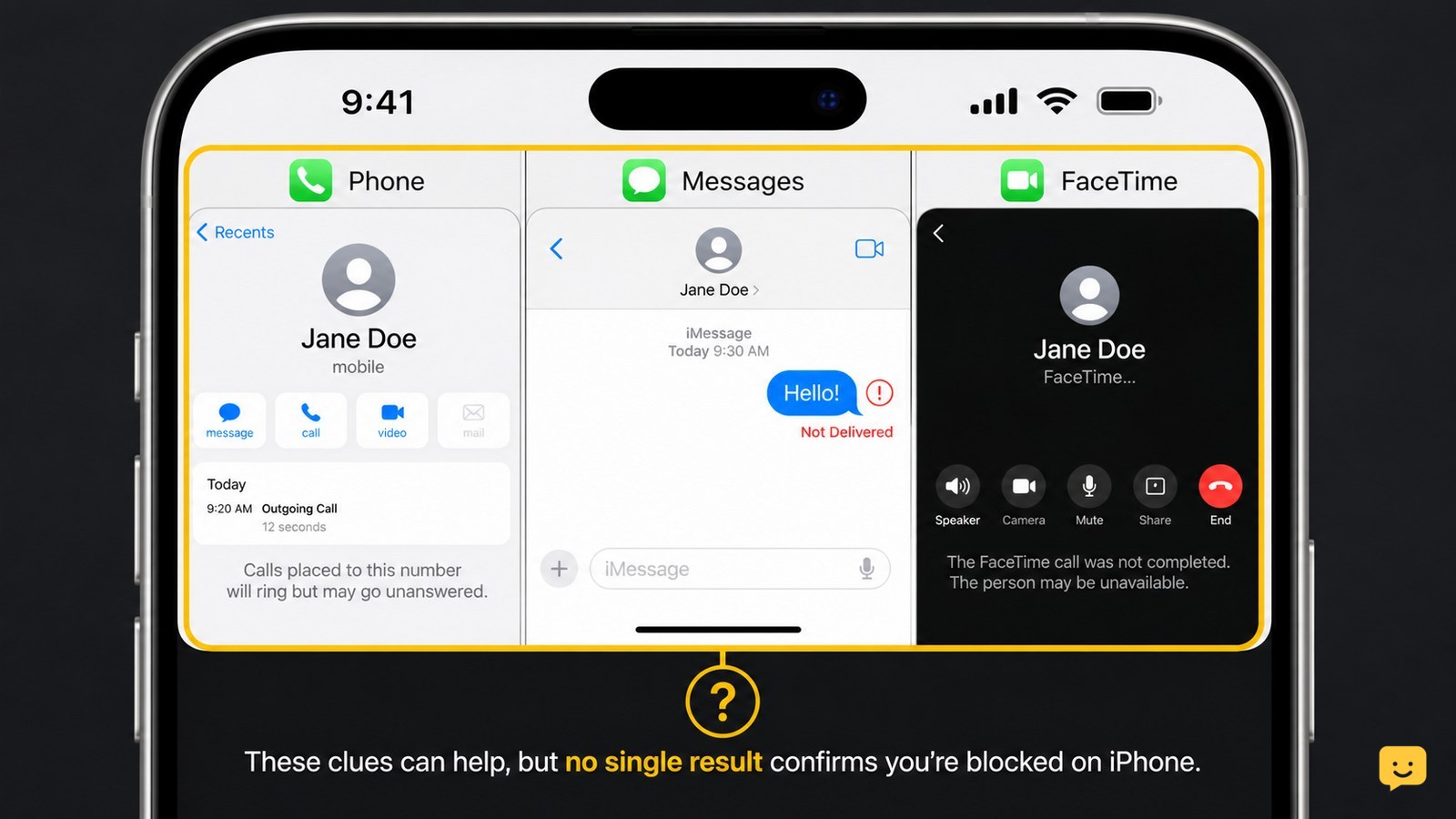
You cannot confirm an iPhone block from one sign. Calls that go straight to voicemail, iMessages that stop showing Delivered, and FaceTime calls that fail can suggest a block, but the same results can come from a dead phone, poor service, or changed settings. Compare several checks and respect the person’s privacy.

Desktop security alert showing an IDP.Generic file detection with quarantine selected
Computers & Internet

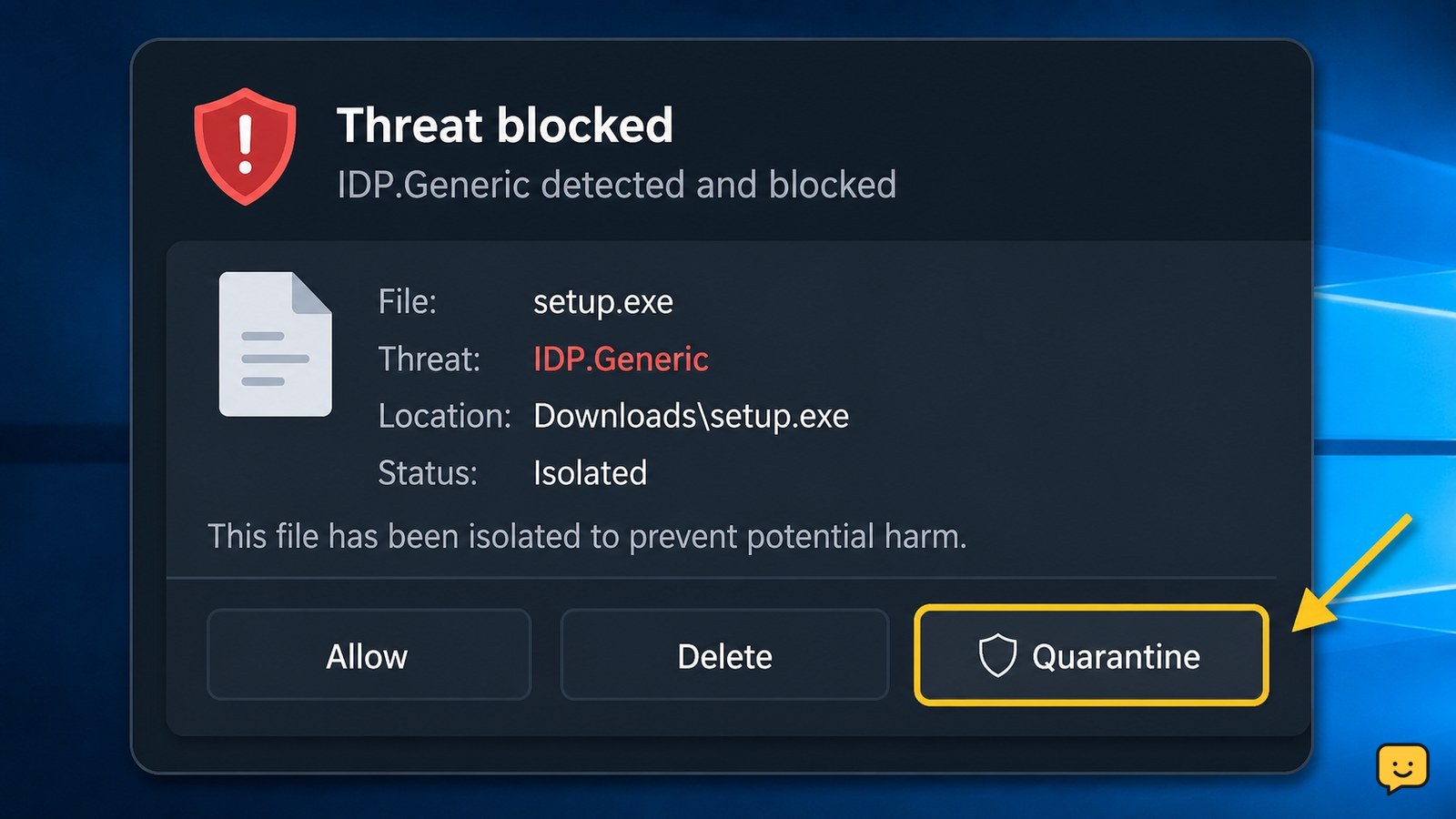
IDP.Generic: What the Warning Means and What to Do

IDP.Generic is a broad antivirus detection label for a file that appears to behave like known malware. Do not open the flagged file or disable protection. Quarantine it, update the antivirus app, run another scan, and obtain a clean copy only from the official publisher. If the warning returns or the file was opened, stop using it and seek security support.

Windows computer showing KERNEL_DATA_INPAGE_ERROR beside a storage drive and RAM module
Computers & Internet

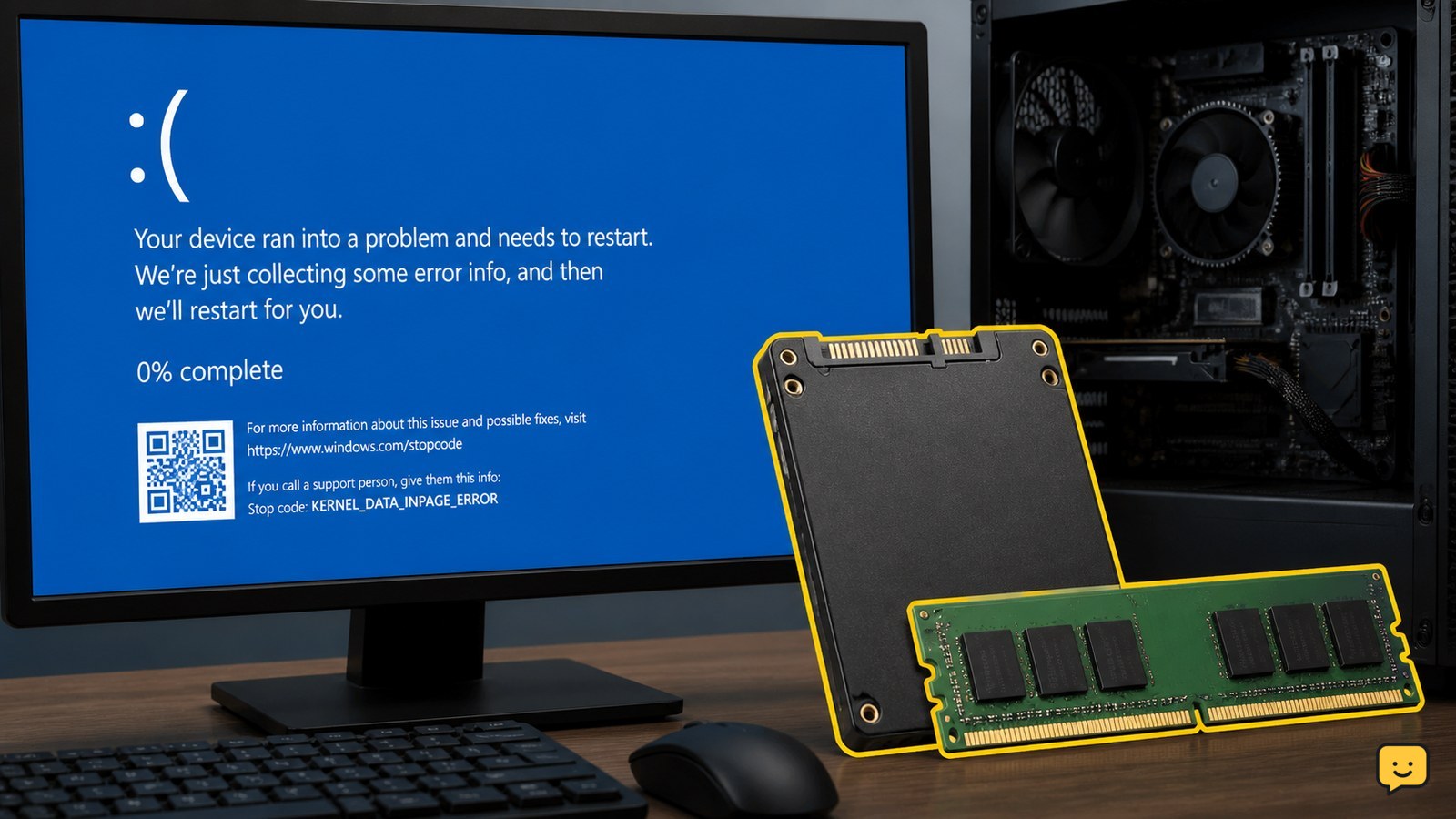
Kernel Data Inpage Error: Fix Windows BSOD

KERNEL_DATA_INPAGE_ERROR is a Windows blue-screen failure while Windows is reading data from storage or memory. First back up important files if the PC still starts. Then disconnect nonessential USB devices, install Windows updates, check free space and malware, test the drive, and run Windows Memory Diagnostic. Repeated crashes or a failing drive require professional repair or replacement.

iPhone Messages conversation showing Send Later and a pending scheduled message
Mobile Devices

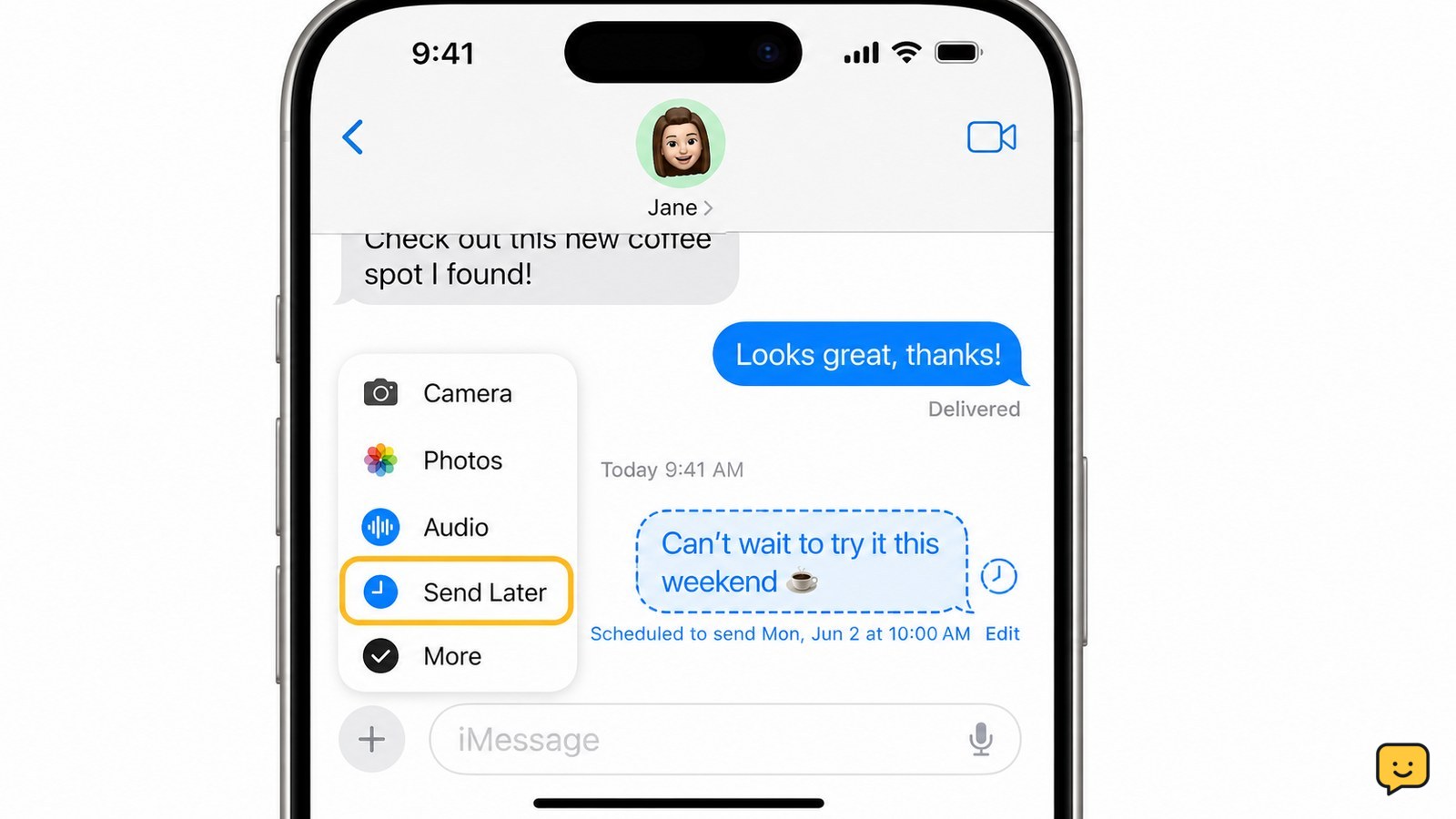
Can You Schedule a Text on iPhone? Yes

Yes. Open the Messages app, choose an iMessage conversation, tap the plus button, select Send Later, choose a date and time, write your message, and tap Send. Apple says iPhone can schedule a message up to 14 days into the future. The scheduled message remains visible in the conversation until it sends.