
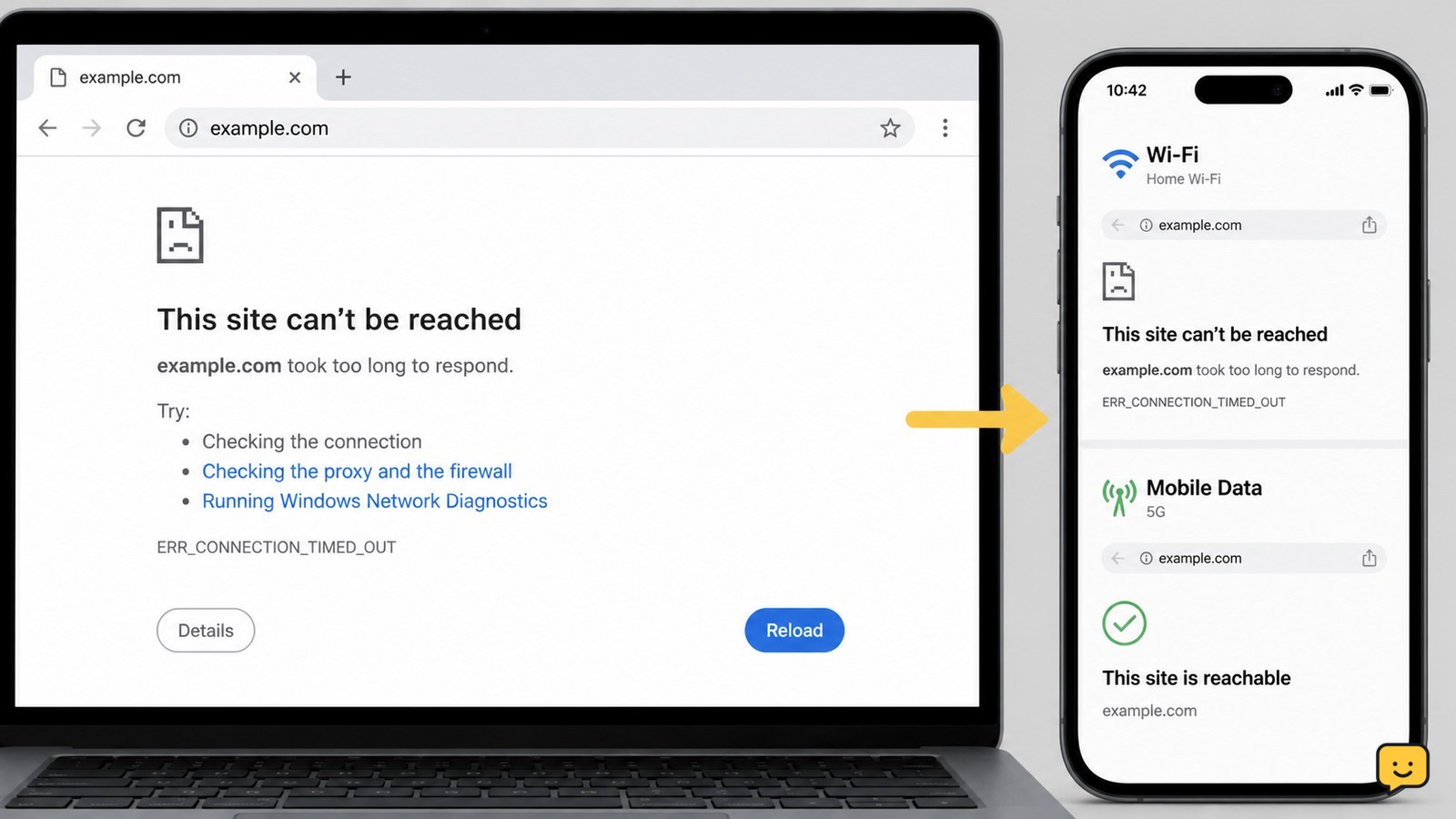
“This Site Can’t Be Reached” means Chrome could not establish a connection to the address you entered. First test another reliable site and try the affected address on mobile data. If only one site fails everywhere, wait or contact its owner. If many sites fail only on your device, restart the connection and check browser or DNS settings.
For more help with this topic, use the Computers Internet guides.
Check whether the problem is one website or your connection
The fastest diagnosis is to compare the affected website with other websites and another network. Open two established sites you normally use, then open the failing address in a private or Incognito window. Next, turn off Wi-Fi on your phone and try the same address using mobile data.
- If other sites open but this one fails on both Wi-Fi and mobile data, the website may be offline, moved, or misconfigured.
- If the site opens on mobile data but not home Wi-Fi, focus on your router, internet service, or DNS settings.
- If no websites open on the computer but another device on the same Wi-Fi works, focus on the computer’s browser and network settings.
- If the address works in an Incognito window, an extension, saved site data, or a browser setting is a likely cause.
Success looks like a clear pattern: one site failing everywhere points away from your device, while several sites failing on one device points toward a local connection problem.