Skip to content
ShowU

Mobile Devices

Solve common phone and tablet problems with practical mobile device guides. Find help for charging, battery, storage, apps, updates, calls, connectivity and everyday settings.

Phone status bar showing SOS instead of normal carrier signal
Mobile Devices

Why Is My Phone on SOS? Restore Service

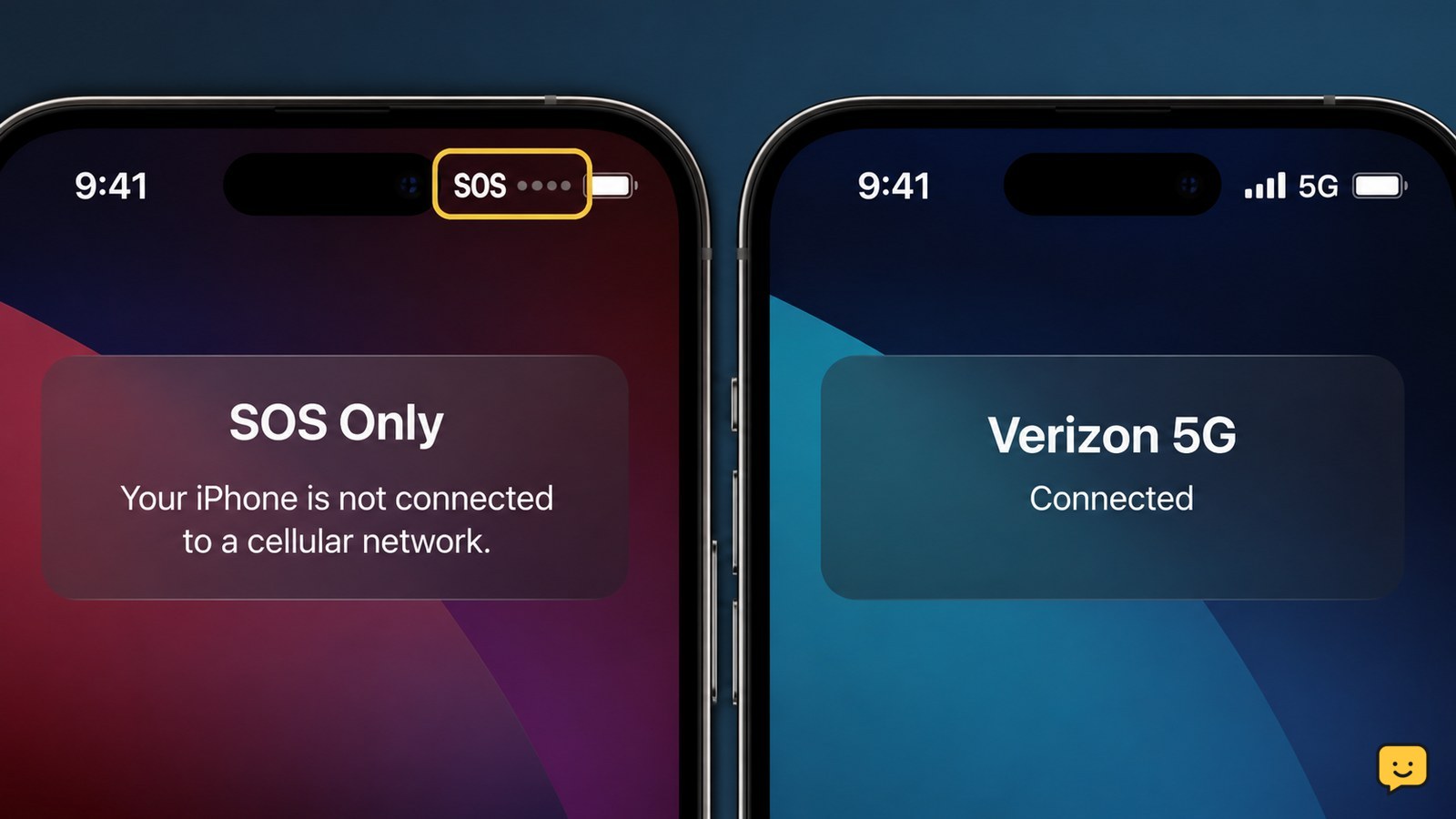
Your phone is on SOS because it cannot connect to your carrier’s regular mobile network. It may still support emergency calls, but normal calls, texts and mobile data can fail. The usual causes are weak coverage, a carrier outage, Airplane Mode, a disabled SIM or eSIM, account restrictions, or a network-selection problem.
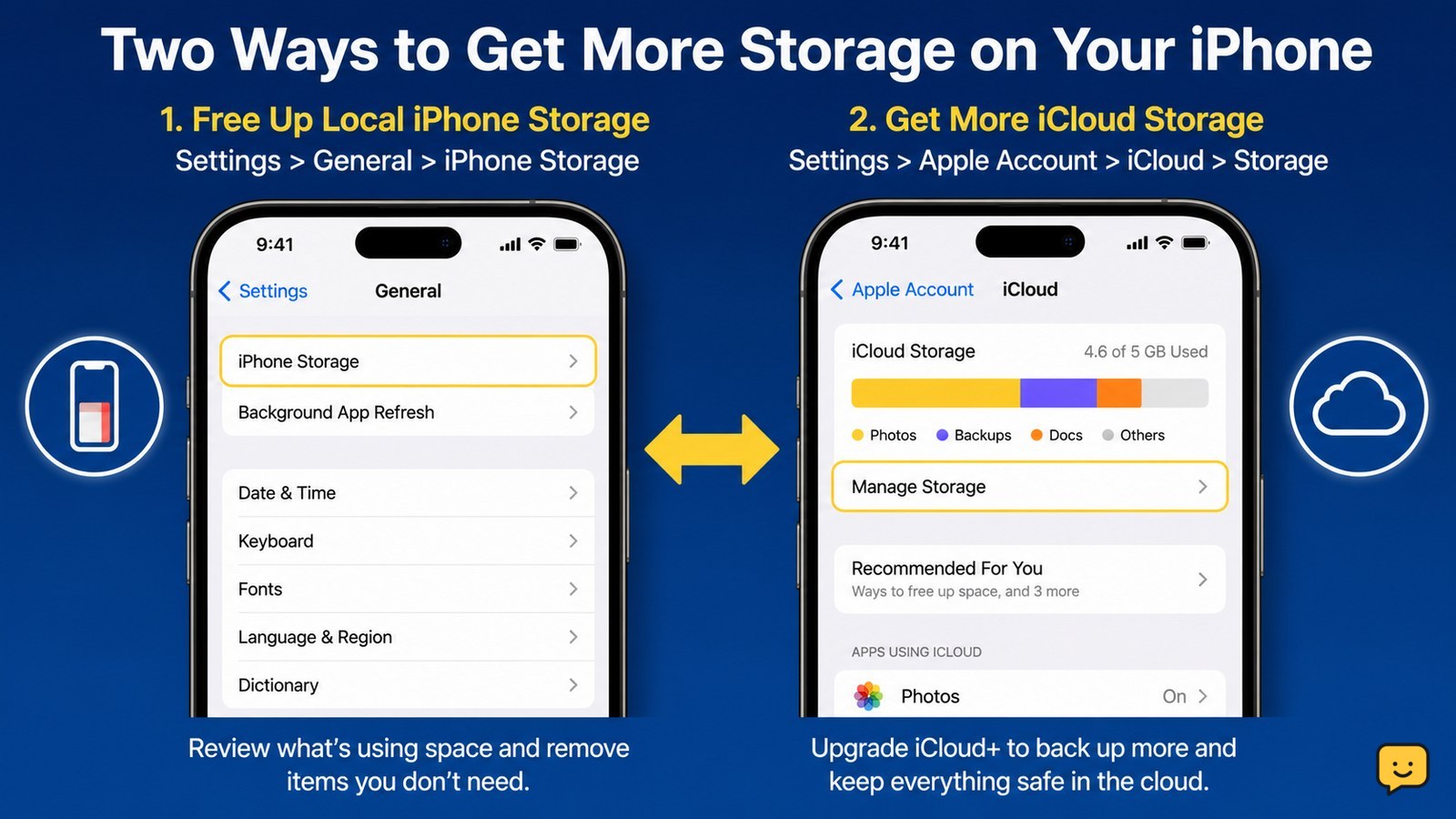
iPhone storage settings beside a separate iCloud storage upgrade path
Mobile Devices

How to Get More Storage on an iPhone

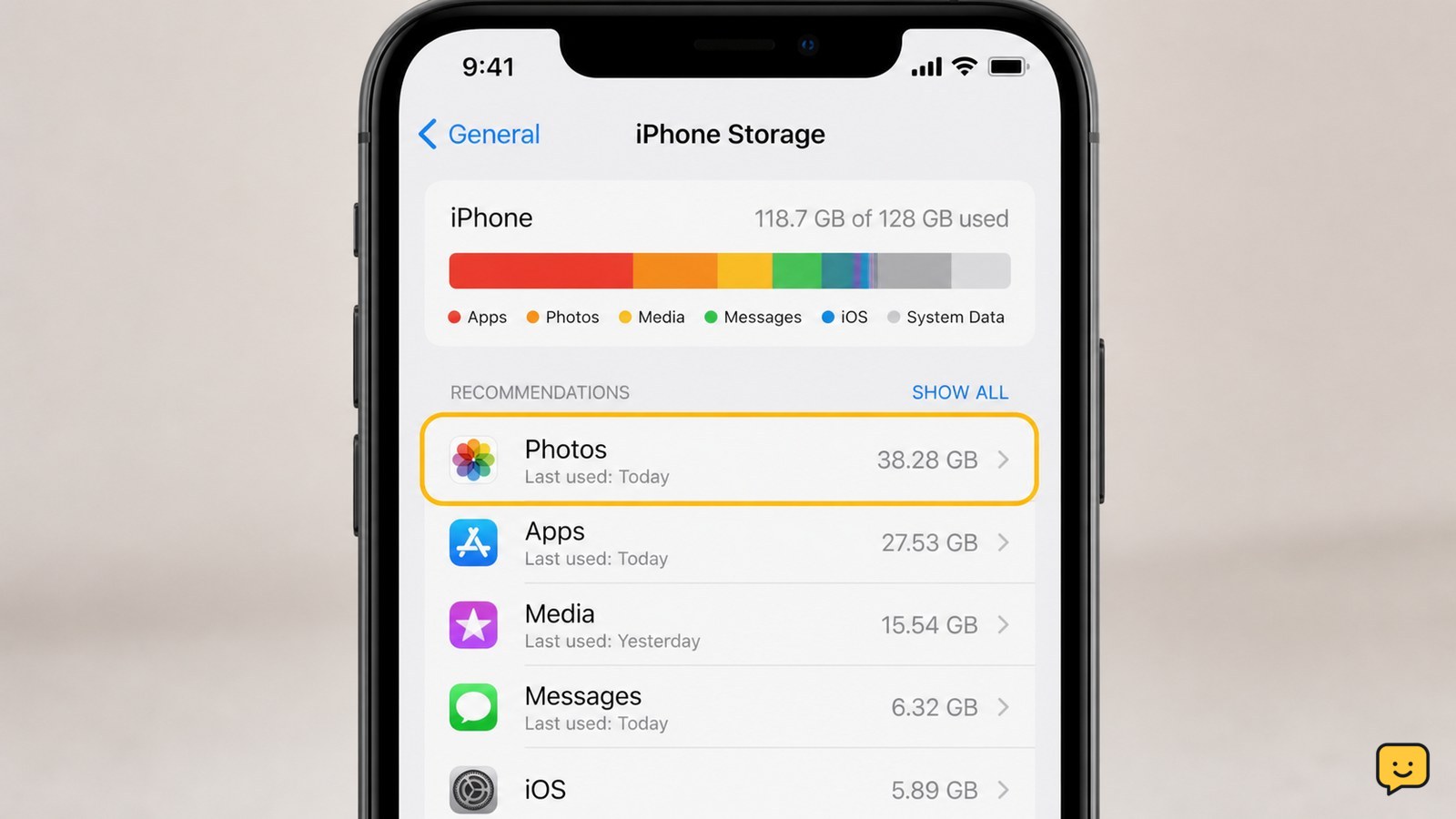
You can get more usable space on an iPhone by checking Settings > General > iPhone Storage, then deleting or offloading large apps, removing downloaded media, and clearing unwanted photos and videos. For extra cloud capacity, use Settings > [your name] > iCloud > Storage > Change Storage Plan or Get More Storage. iCloud storage does not add built-in iPhone capacity.

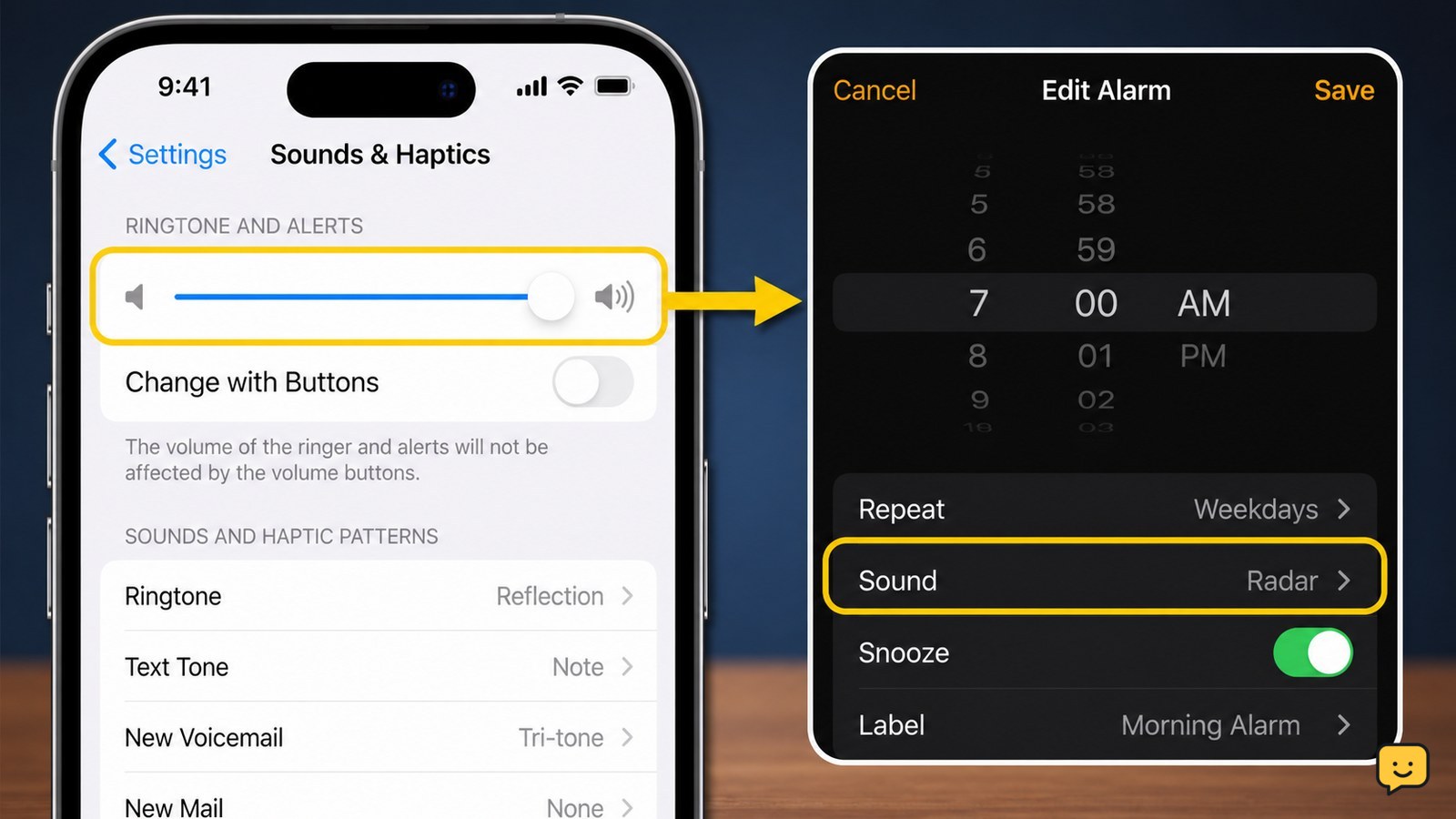
iPhone Clock alarm beside the Sounds and Haptics alert-volume control
Mobile Devices

Why Is My Alarm So Quiet on iPhone?

Your iPhone alarm is usually quiet because the Ringtone and Alerts volume is low, not because the media volume is low. Open Settings > Sounds & Haptics, raise Ringtone and Alerts, and turn off Change with Buttons so the side buttons cannot reduce it accidentally. Then check that the alarm sound is not set to None.

Smartphone connected to a wall charger with a visible charging indicator
Mobile Devices

Why Won’t My Phone Charge: Check the Basics

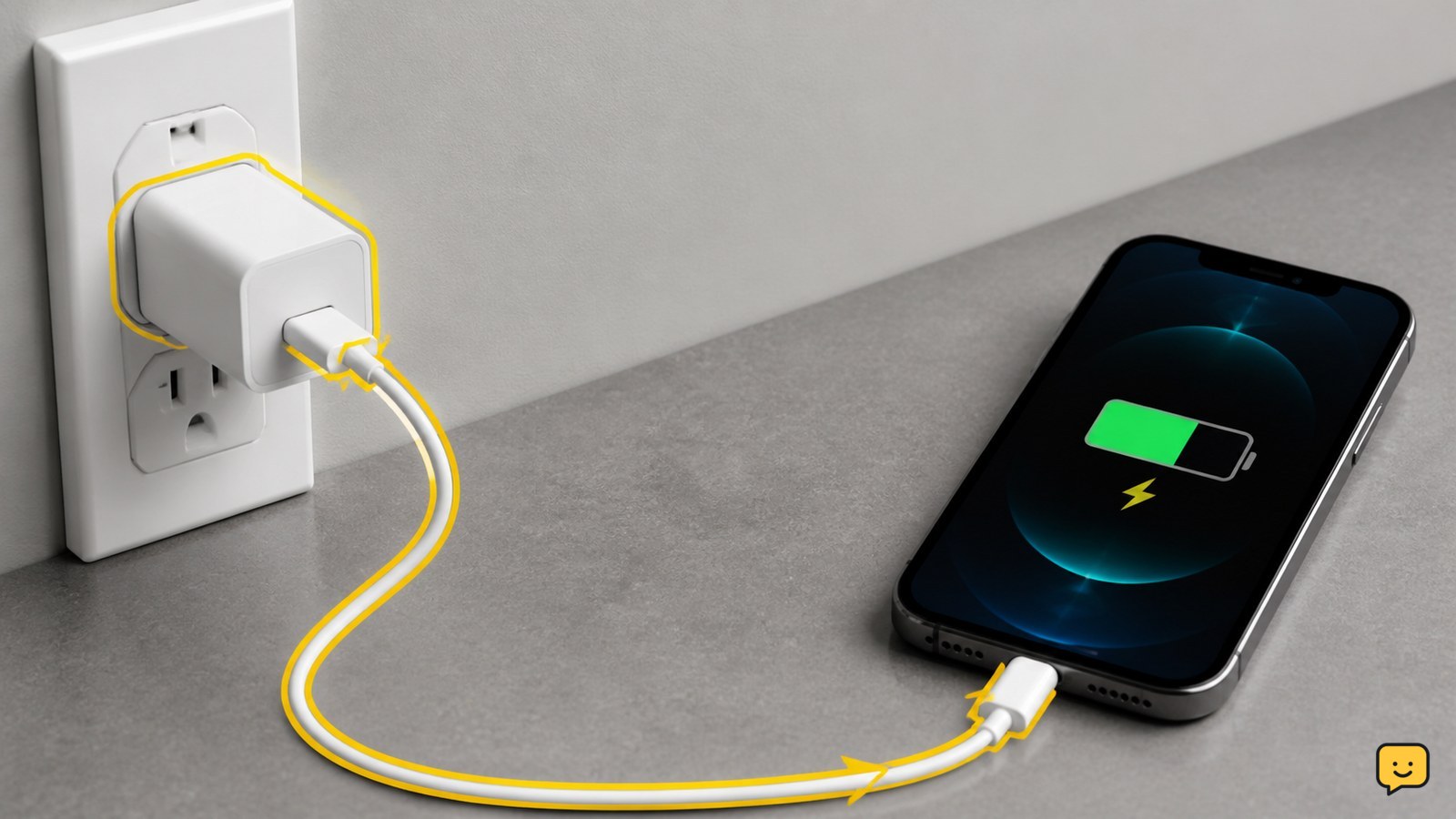
Your phone usually won’t charge because power is not reaching it through the outlet, adapter, cable, or port. Test each part with a known-good combination, remove a case that prevents a firm connection, inspect the port for lint or moisture, and restart the phone. Stop using it if it is hot, swollen, wet, or physically damaged.

What Does Airplane Mode Do? Wireless Controls
Mobile Devices

What Does Airplane Mode Do? Wireless Controls

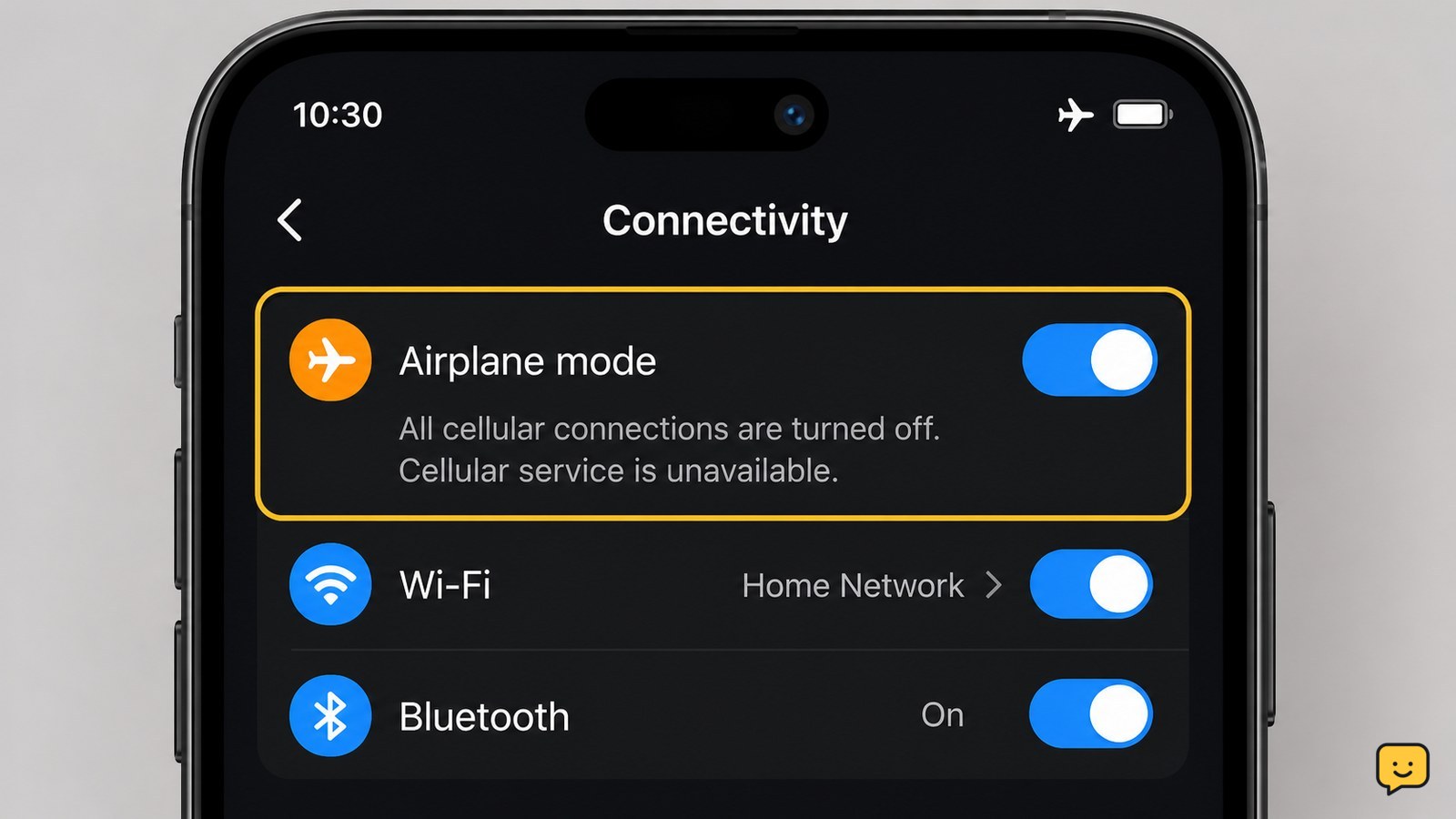
Airplane mode disables a phone’s cellular radio, so ordinary cellular calls, texts, and mobile data stop. The phone itself stays on, and downloaded content can still work. On many current phones, you can turn Wi-Fi or Bluetooth back on separately, but airplane mode does not guarantee every wireless feature is off on every model.

How Can I Tell If My Phone Is Unlocked?
Mobile Devices

How Can I Tell If My Phone Is Unlocked?

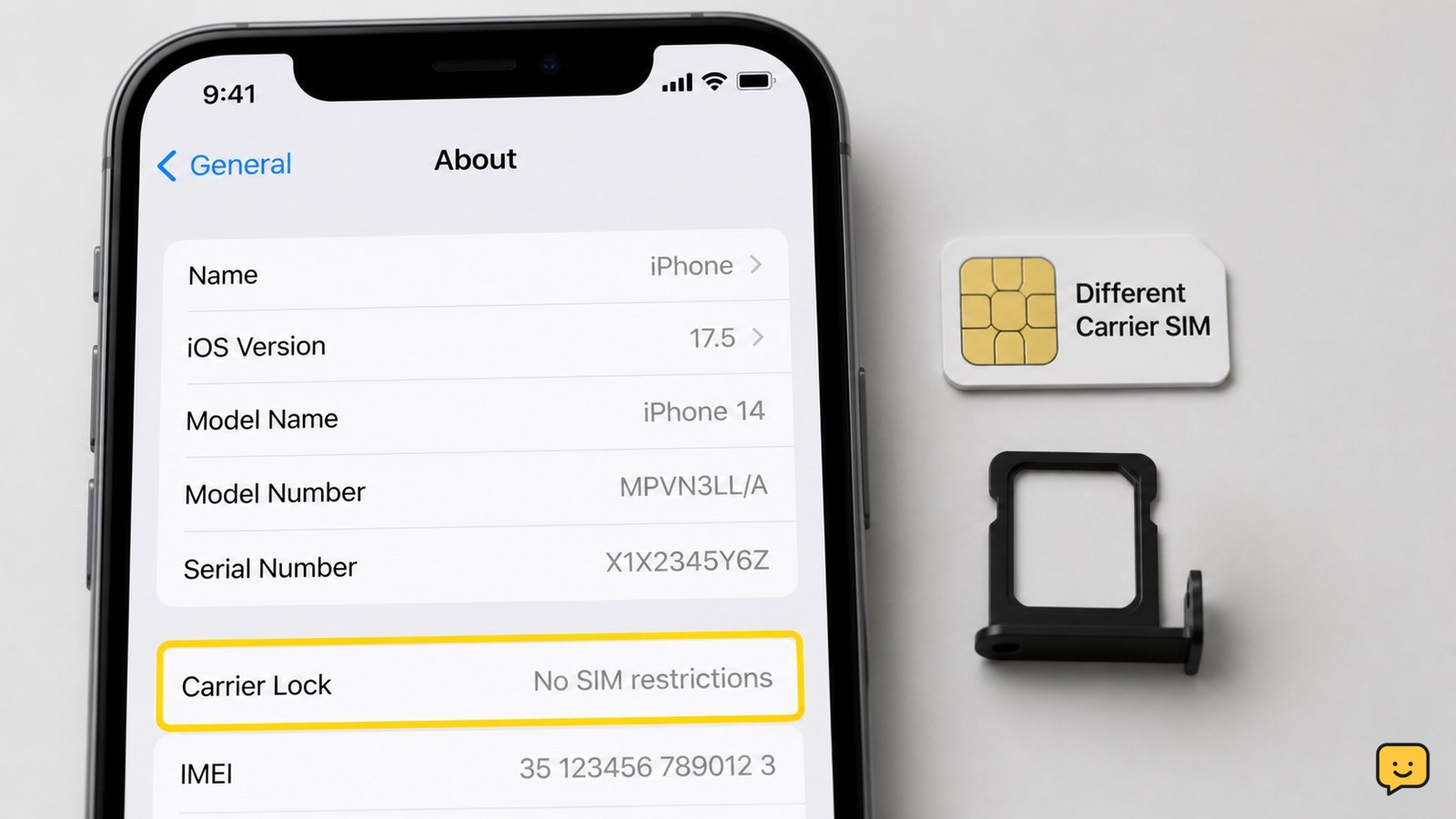
The quickest reliable check is to insert a working SIM from a different carrier. If the phone connects to that carrier and can make a call, it is unlocked. On an iPhone, also check Settings > General > About > Carrier Lock. Android menus vary, so use a SIM test or ask the carrier to check the IMEI.

Phone Overheating While Charging: How to Stop It
Mobile Devices

Phone Overheating While Charging: How to Stop It

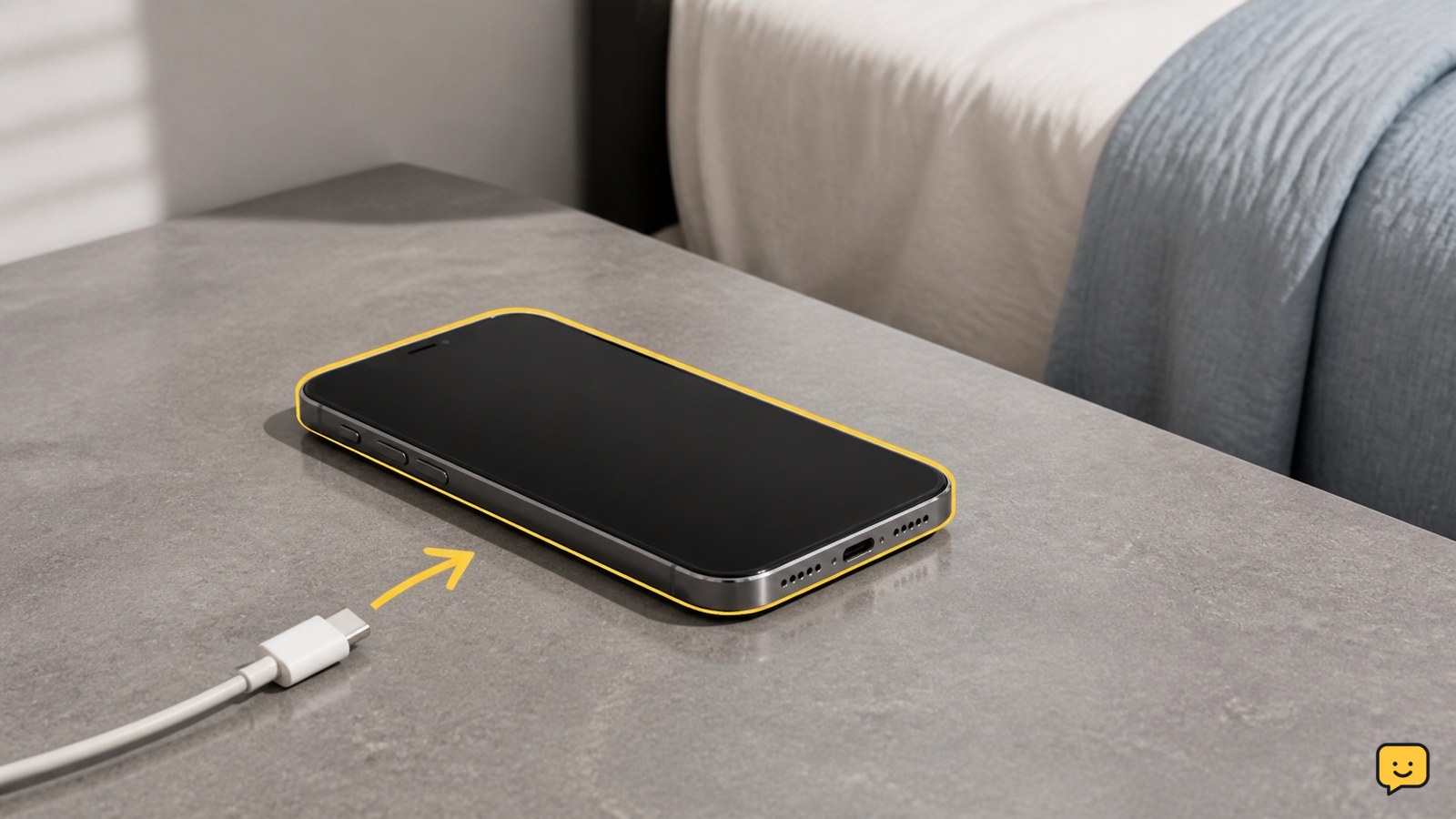
To stop a phone overheating while charging, unplug it immediately if it feels excessively hot, remove the case, and place it on a cool, hard surface with open airflow. Do not charge it on a bed, under clothing, or in direct heat. After it cools, try a compatible certified charger and cable. Stop using it and arrange service if overheating returns or the battery looks swollen.

Phone Storage Full: Find What Takes Space
Mobile Devices

Phone Storage Full: Find What Takes Space

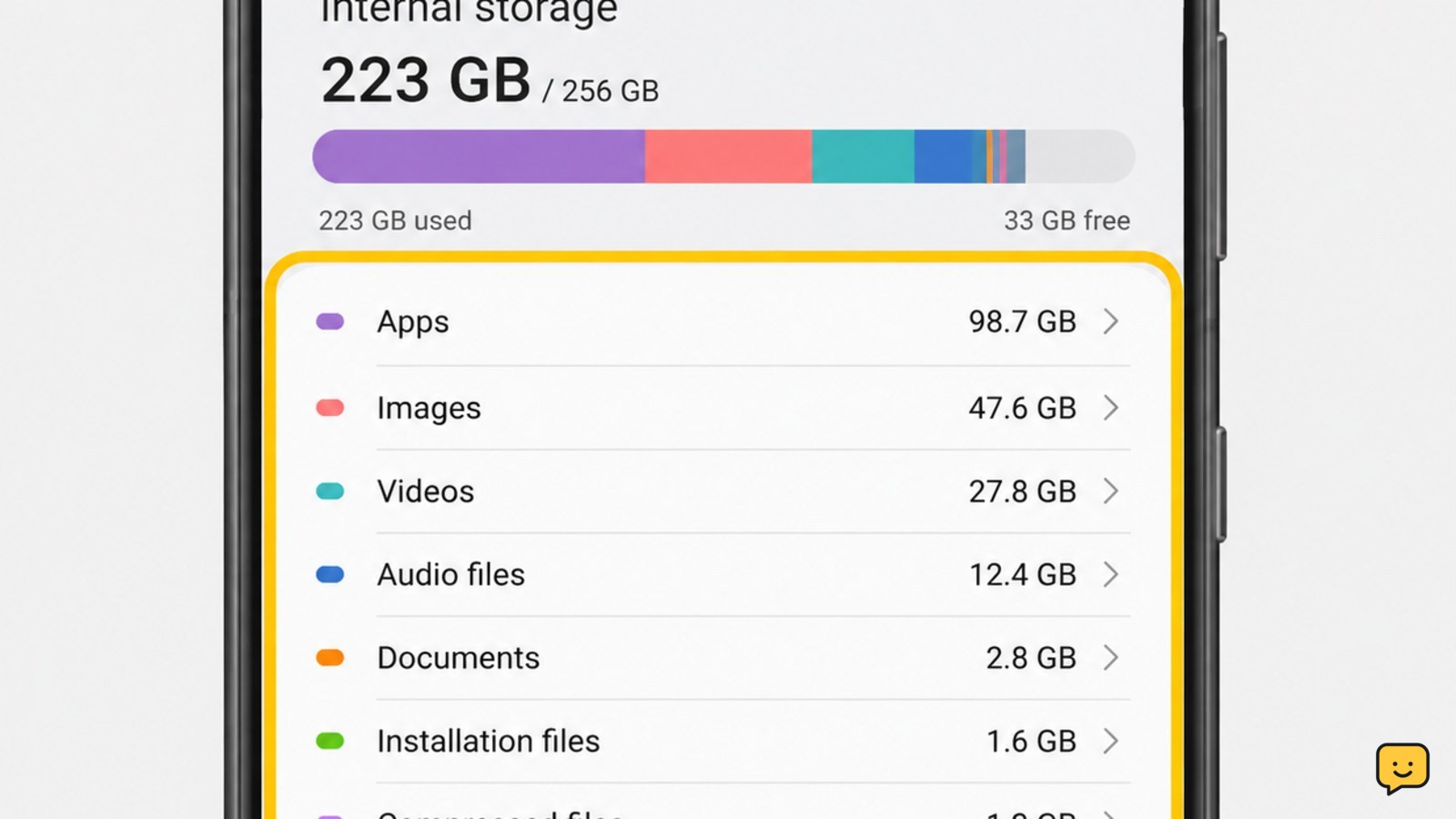
Open your phone’s storage settings and sort the breakdown by category or size. On Android, use Settings > Storage; on iPhone, use Settings > General > iPhone Storage. Check apps, photos and videos, downloads, messages, and recently deleted items. Back up anything important before deleting it, then reopen storage settings to confirm the available space increased.

Phone Microphone Not Working During Calls: Fixes
Mobile Devices

Phone Microphone Not Working During Calls: Fixes

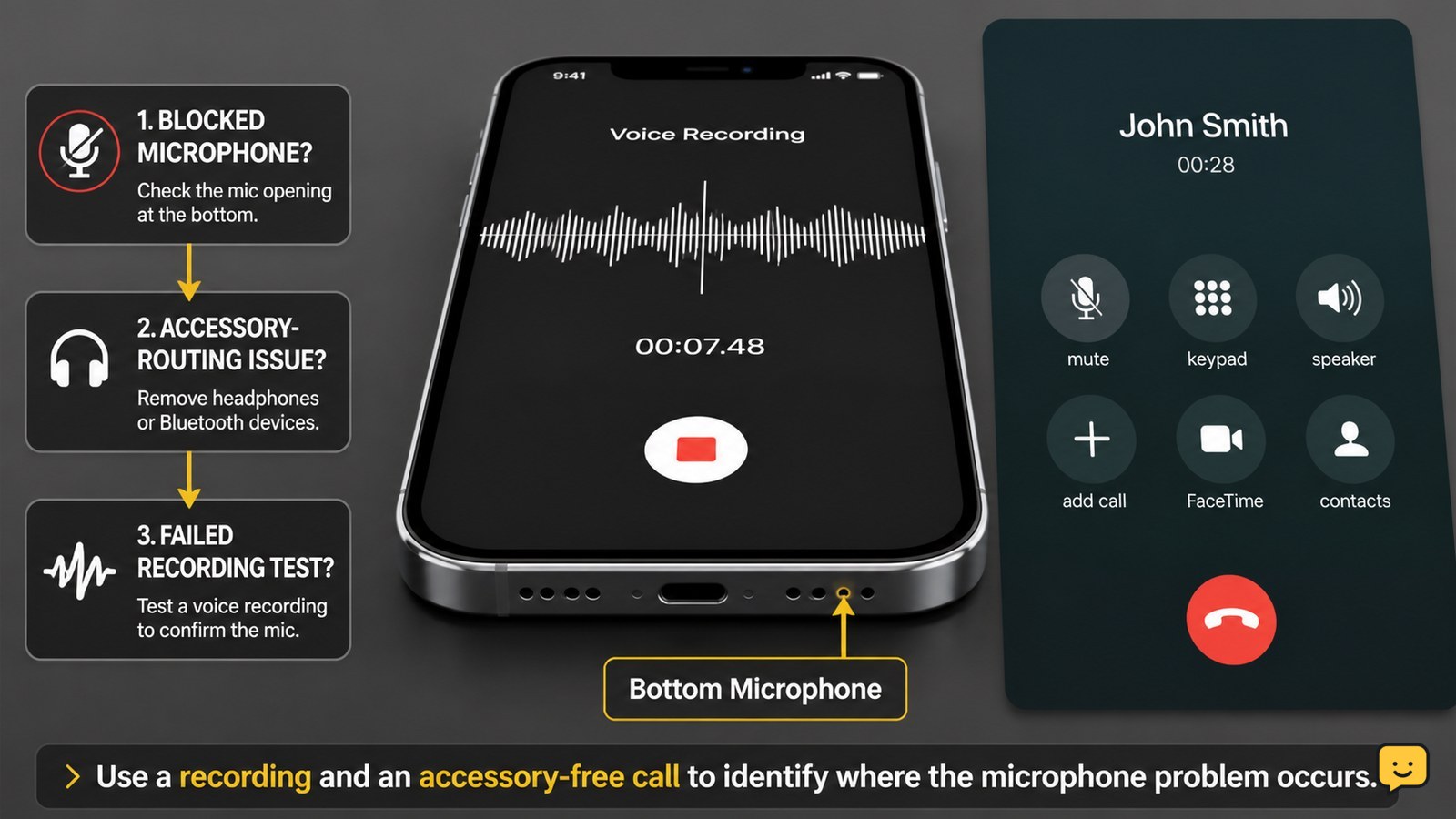
If your phone microphone is not working during calls, first turn off call mute, disconnect Bluetooth, remove any case or film covering the microphone, and gently clear the mic opening. Restart the phone, check microphone permission for the affected app, then record a voice memo. If recordings also have no sound, stop after basic cleaning and arrange service.