Skip to content
ShowU
Ethan Brooks
Author

Ethan Brooks

Device Troubleshooting Contributor

Ethan Brooks is a ShowU editorial profile for practical Electronics guides. Coverage areas include Windows and macOS basics, printers, Bluetooth, device connectivity. Guides published under this profile follow ShowU editorial standards and are reviewed when the task involves material safety or account-security risk.

Windows and macOS basicsprintersBluetoothdevice connectivity
75 published stories

Latest from Ethan Brooks

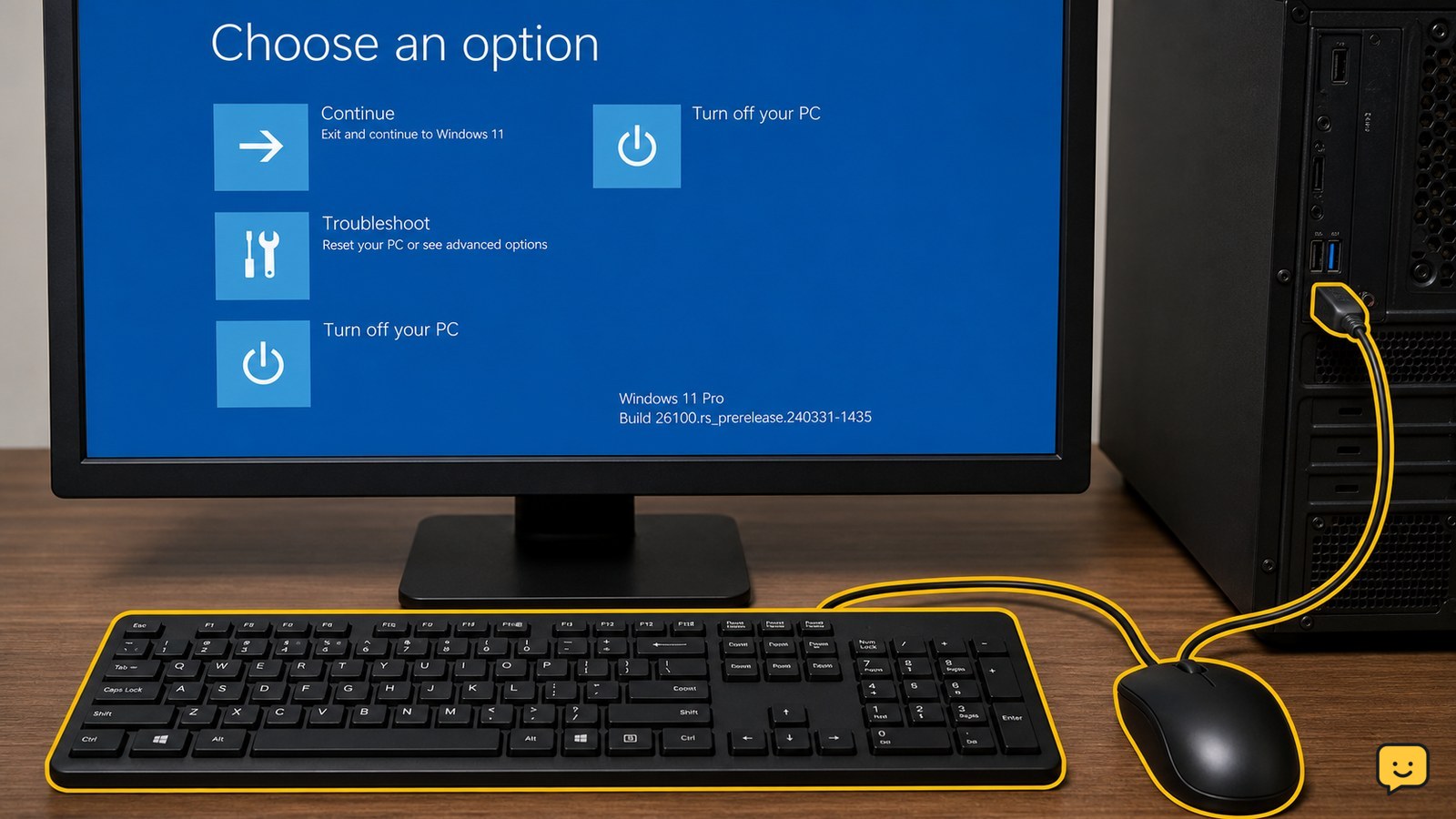
Windows Recovery Environment screen with a wired USB keyboard and mouse connected to a Windows 11 PC
Computers & Internet

KB5070773: Fix Windows Recovery USB Issues

KB5070773 is an out-of-band Windows update for Windows 11 systems affected by a Windows Recovery Environment problem in which USB mice and keyboards may stop working. Check Windows Update for the package, install it, restart the PC, and confirm the update appears in update history. Test WinRE only after saving work and securing any required BitLocker recovery key.
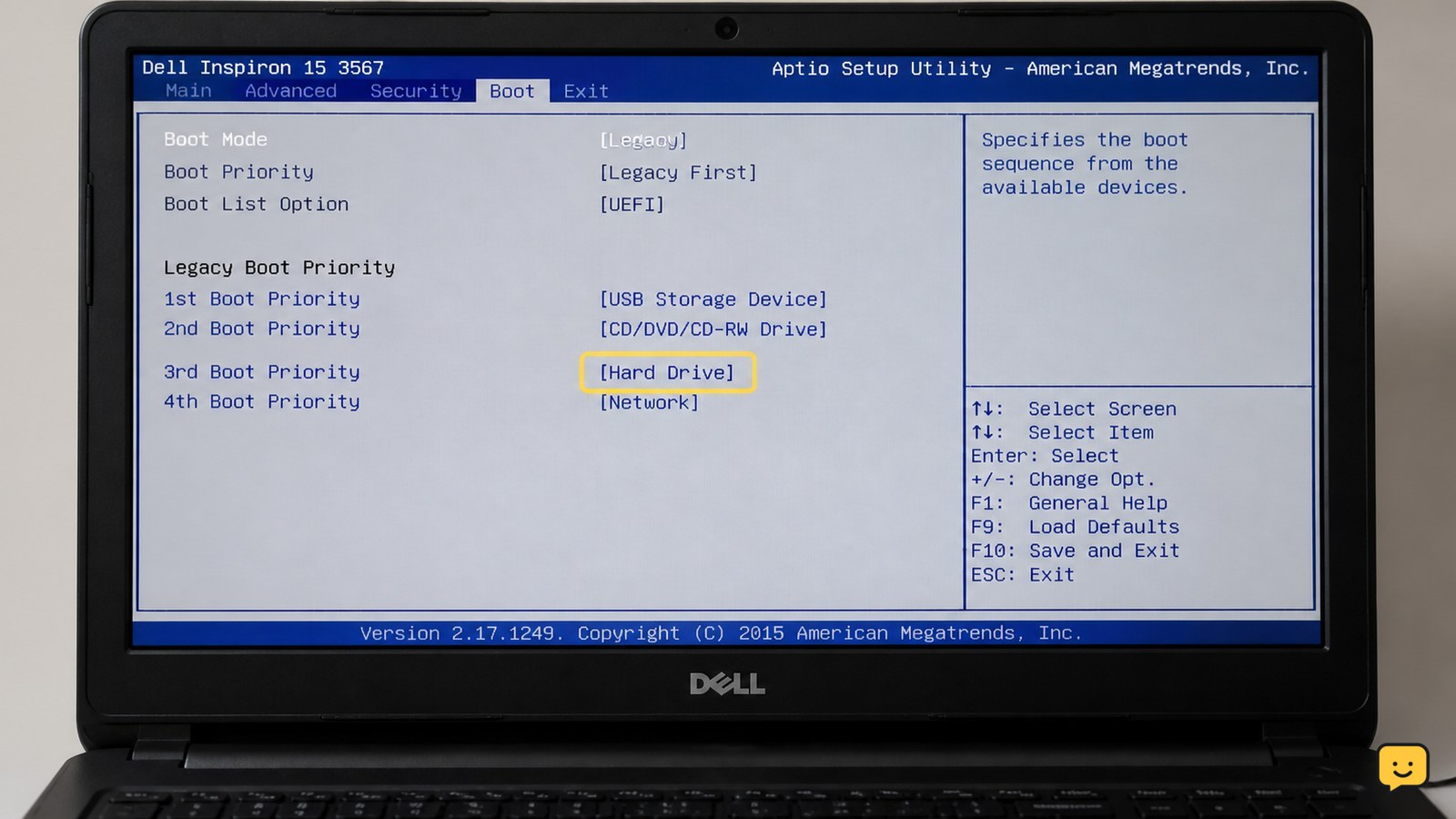
Dell laptop showing a hard drive not detected message during startup
Computers & Internet

Fix Dell Hard Disk Not Detected: BIOS Checks

First determine whether the drive is missing in Dell BIOS, F12 hardware diagnostics, or only Windows. Disconnect external devices, perform a full power reset, then run Dell diagnostics with F12. If diagnostics cannot see the drive, protect your data and arrange repair or replacement. If BIOS sees it but Windows does not, check storage settings and Disk Management without formatting.

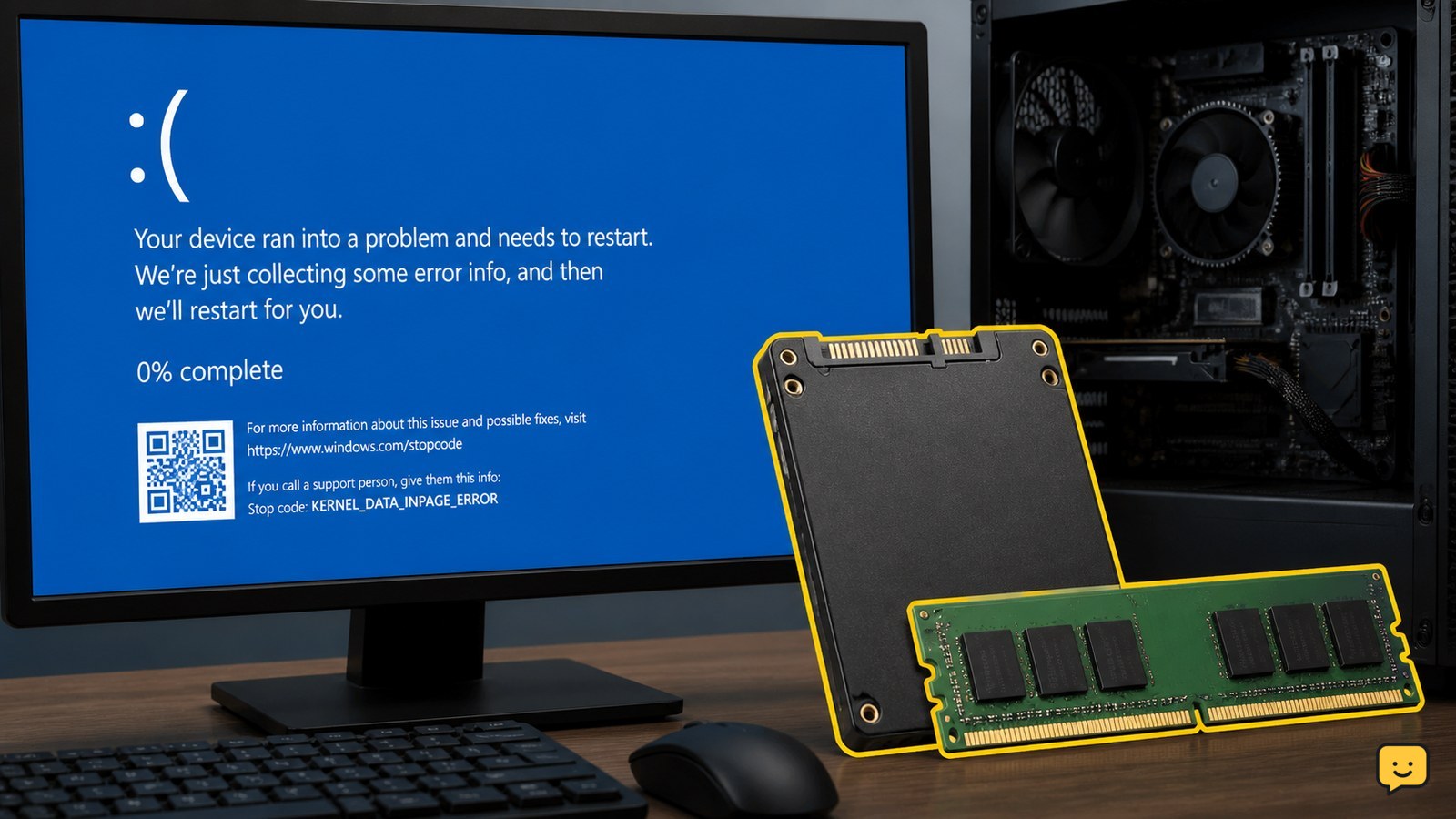
Windows computer showing KERNEL_DATA_INPAGE_ERROR beside a storage drive and RAM module
Computers & Internet

Kernel Data Inpage Error: Fix Windows BSOD

KERNEL_DATA_INPAGE_ERROR is a Windows blue-screen failure while Windows is reading data from storage or memory. First back up important files if the PC still starts. Then disconnect nonessential USB devices, install Windows updates, check free space and malware, test the drive, and run Windows Memory Diagnostic. Repeated crashes or a failing drive require professional repair or replacement.

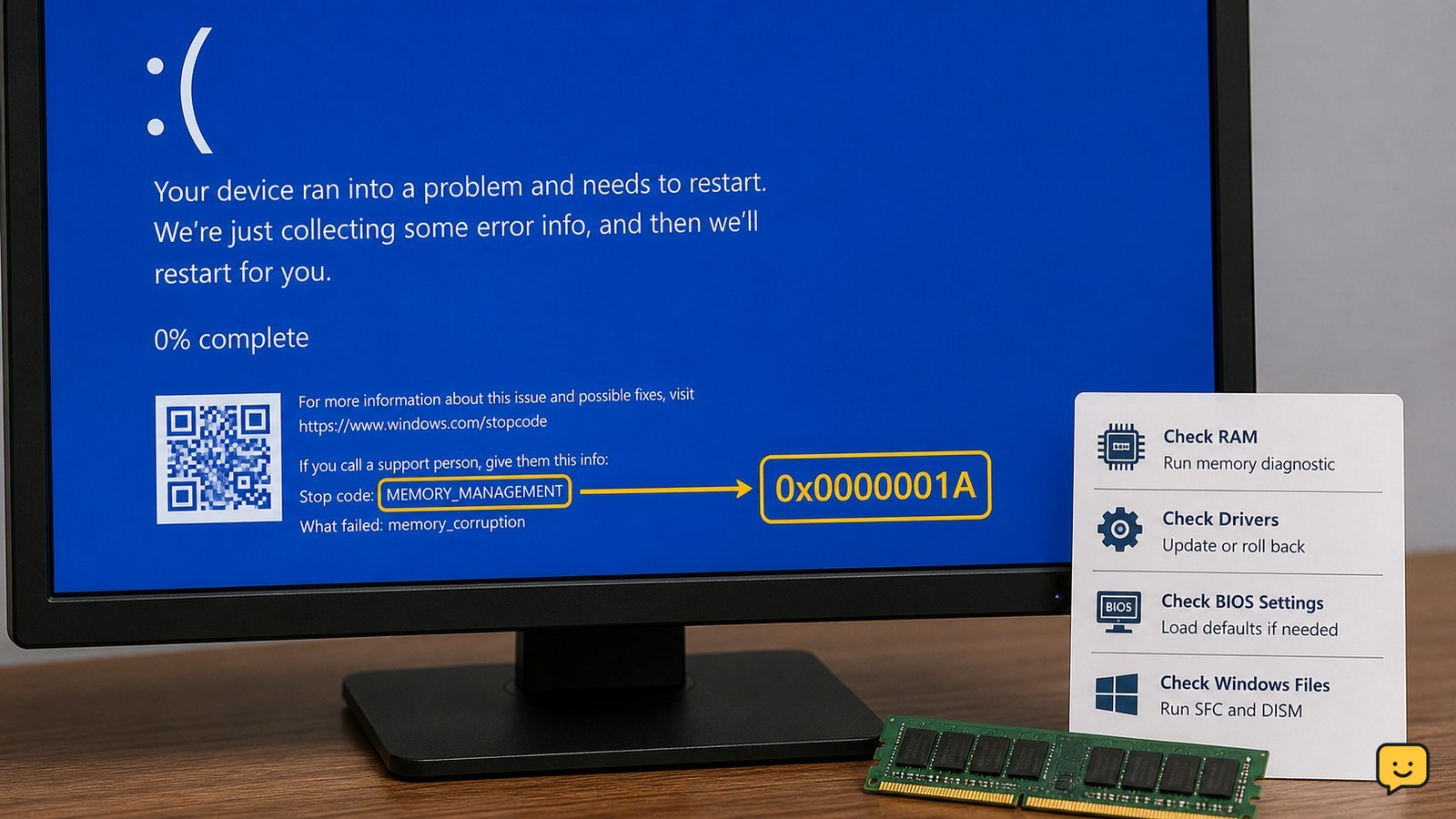
Windows computer showing the MEMORY_MANAGEMENT 0x1A blue screen
Computers & Internet

Fix Memory Management 0x1A: Test RAM

Windows MEMORY_MANAGEMENT 0x1A usually points to faulty or unstable RAM, a memory-related driver, damaged system files, or BIOS overclocking. Save important files first, run Windows Memory Diagnostic, return BIOS settings to default, update or roll back recent drivers, and repair Windows files. If the memory test reports errors or crashes continue, stop using the PC for critical work and arrange hardware service.

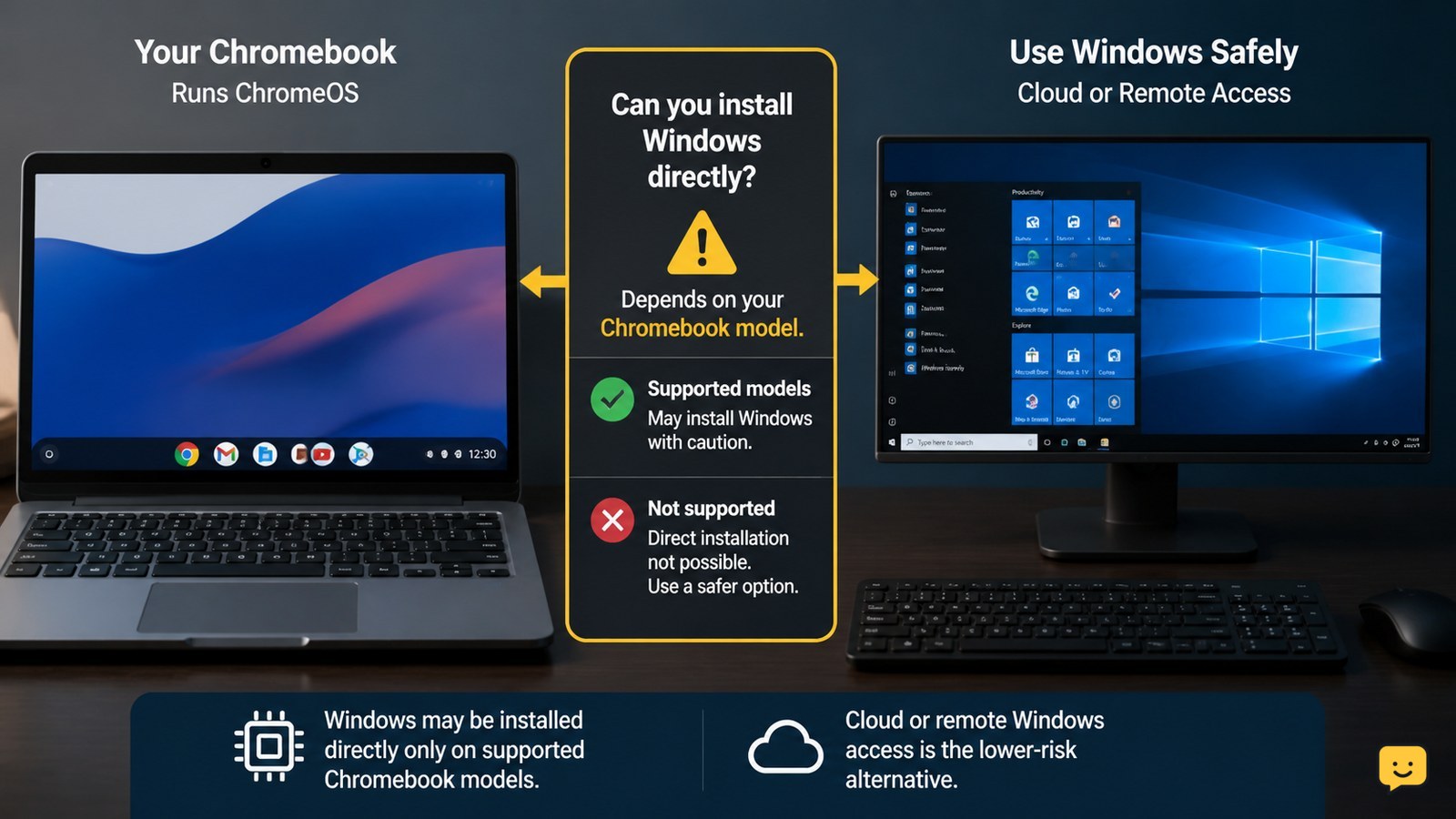
Chromebook beside a Windows desktop access screen with a compatibility warning symbol
Computers & Internet

How to Get Windows on Chromebook: Safe Options

You can get Windows on a Chromebook in two ways: install it directly only when your exact model has compatible firmware and drivers, or access Windows through a cloud or remote computer without modifying the Chromebook. Direct installation can erase local data, break hardware features, and leave the device unsupported, so stop if your model is not listed in a current compatibility guide.

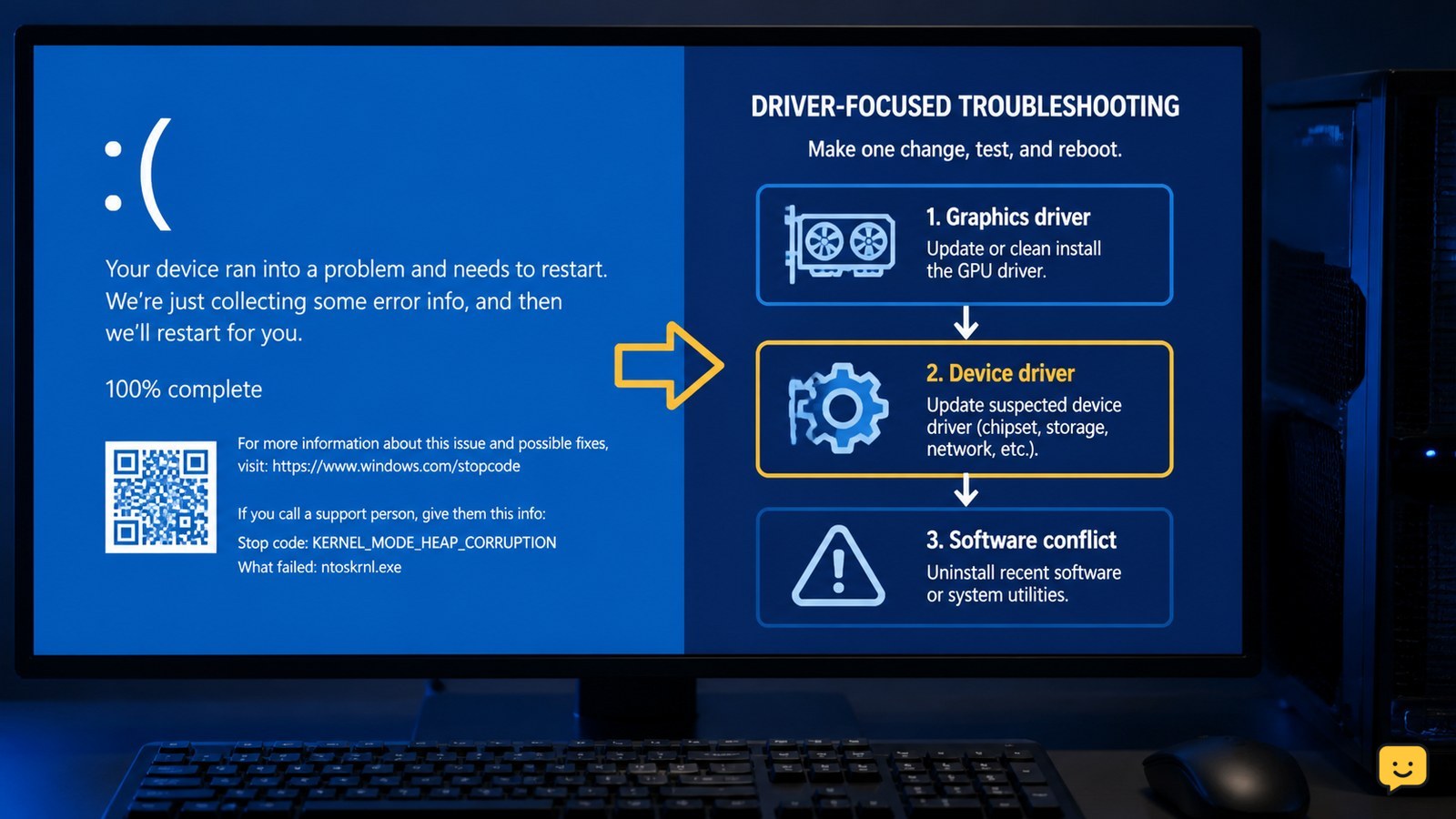
Windows blue screen showing a kernel mode heap corruption stop-code troubleshooting scenario
Computers & Internet

Fix Kernel Mode Heap Corruption: Windows BSOD

Kernel mode heap corruption is a Windows blue-screen error usually investigated through graphics and other device drivers or software conflicts. Start by recording the stop code, then update or cleanly reinstall the graphics driver, update other device drivers, and remove recently added conflicting software. Restart and test after each change; persistent crashes require repair or hardware support, not endless driver changes.

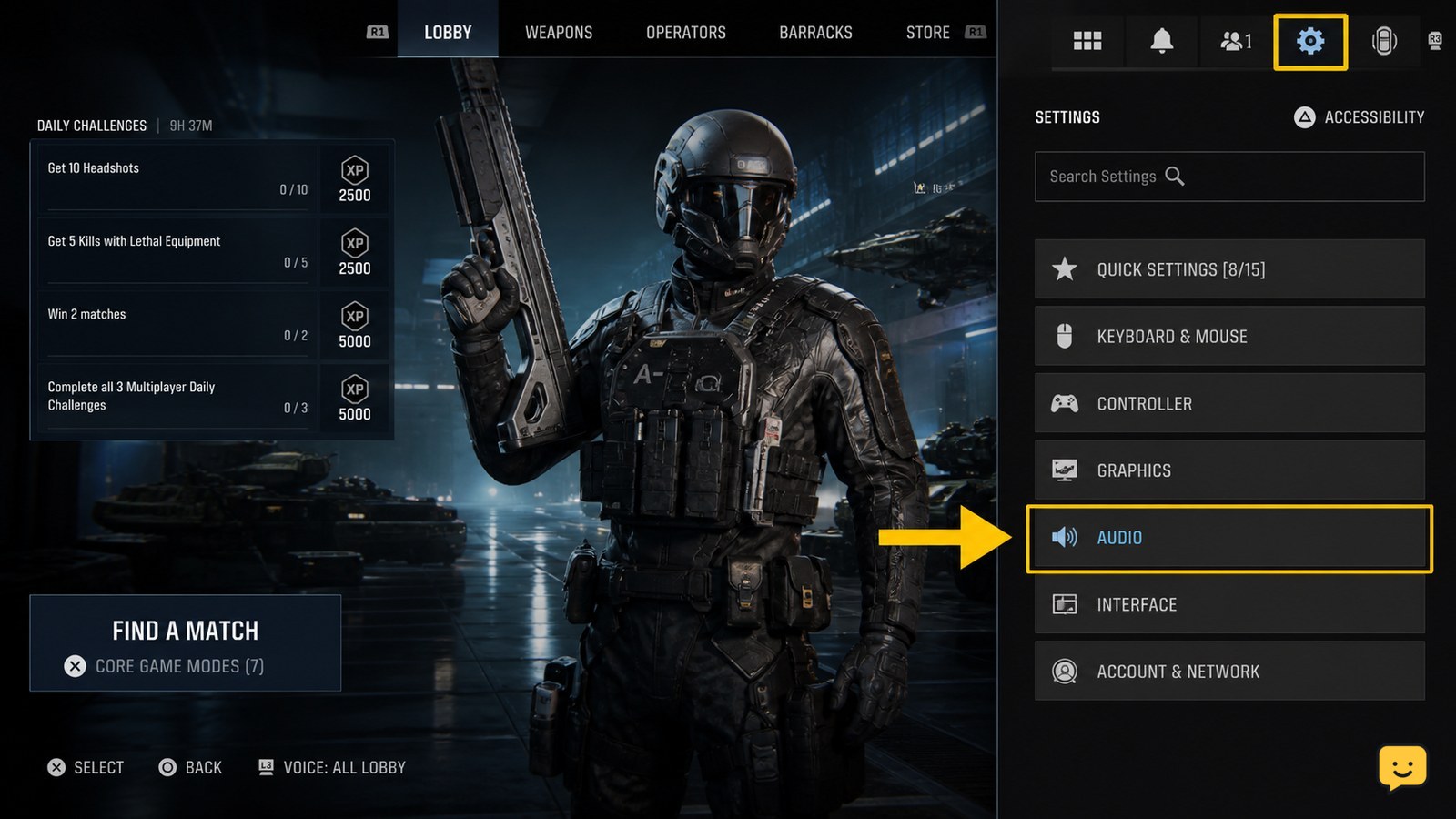
Call of Duty Black Ops 7 lobby with the Settings icon highlighted
Call of Duty: Black Ops 7 Guides

How to Change Audio Settings in Call of Duty Black Ops 7

Open Call of Duty: Black Ops 7, select the Settings icon from the lobby, choose Audio, then adjust the volume, voice chat, subtitle, and output options shown on your platform. Save or apply the changes, then test them in a match. If no output-device selector appears, choose the device through your console or PC sound settings.

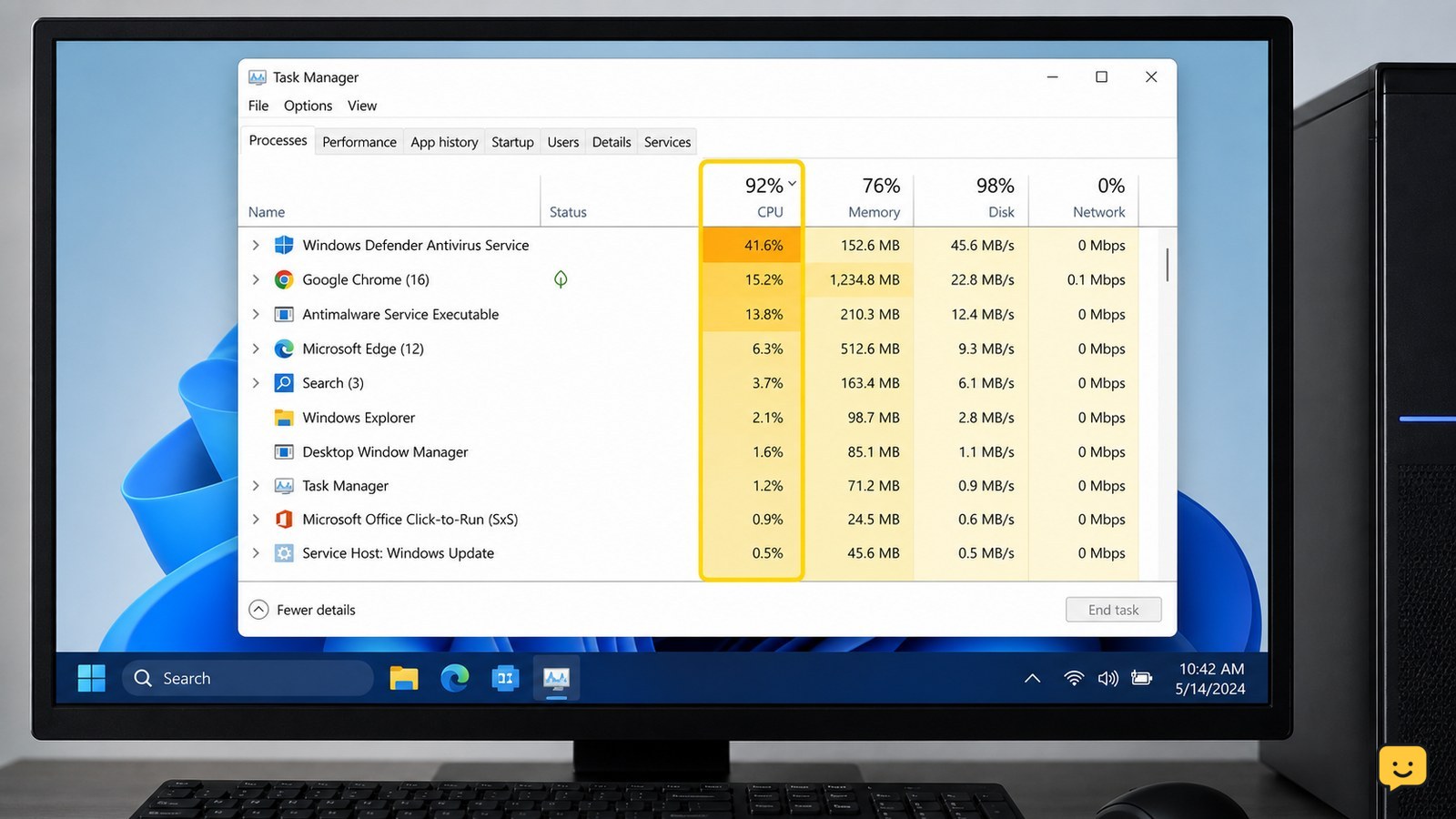
Windows Task Manager showing CPU, memory, and disk usage while diagnosing a slow computer
Computers & Internet

Why Is My Computer So Slow? Find the Cause

Your computer is usually slow because the CPU, RAM, or storage drive is overloaded—or because an update, background app, malware, nearly full drive, overheating, or aging hardware is involved. First compare the slowdown across several apps, then use Task Manager to identify the resource at or near 100%. The highest sustained resource points to the next fix.

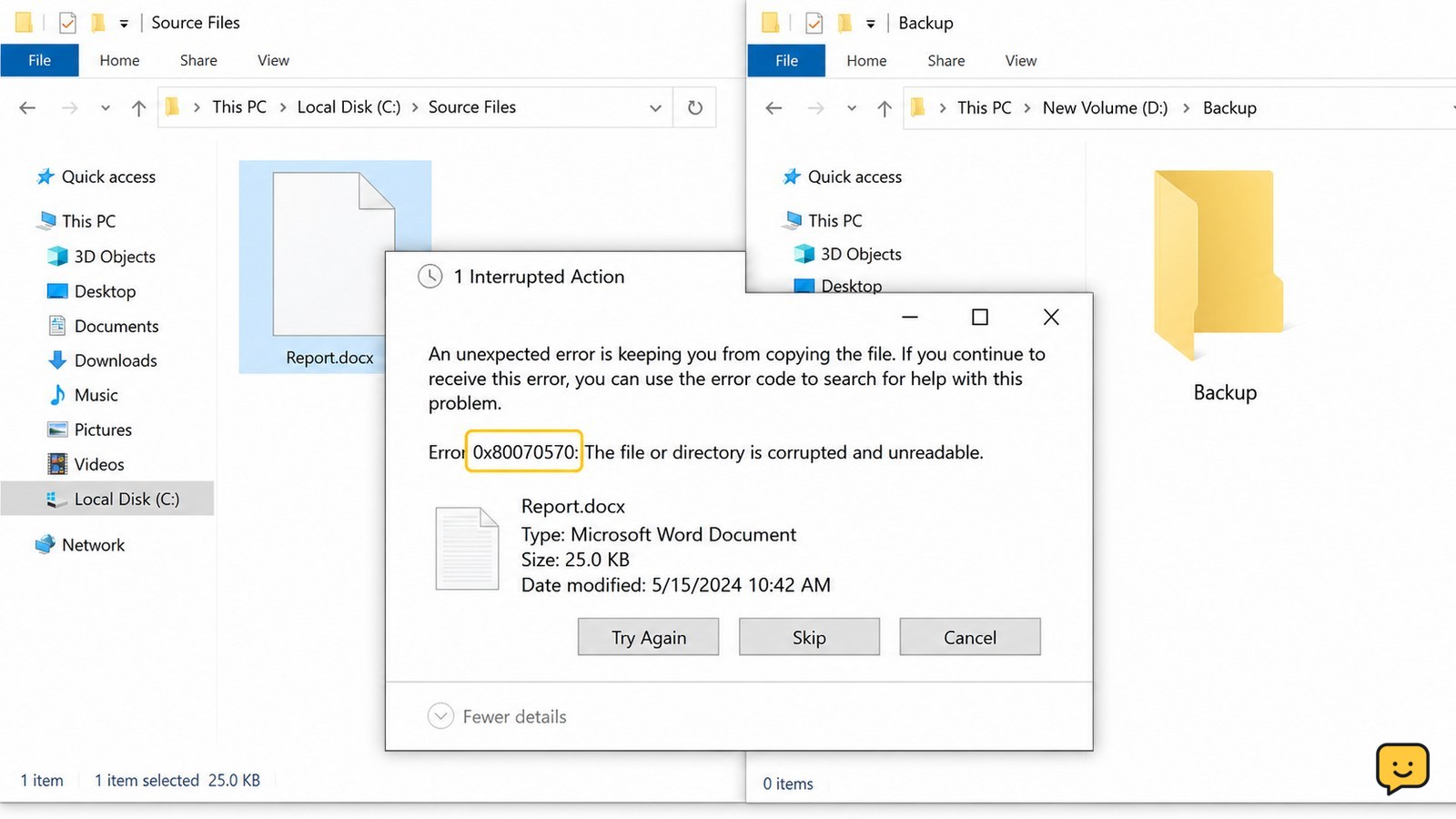
Windows File Explorer shows an unexpected error while copying a file, with the source and destination folders visible
Computers & Internet

An Unexpected Error Is Keeping You From Copying: Fix

When Windows says an unexpected error is keeping you from copying the file, record the error code first, then test a small file, check free space and the file path, and try a shorter destination such as C:\Temp. If only one file fails, suspect that file or its archive. If many files fail or the drive disconnects, stop repeated attempts and protect the data before repair.

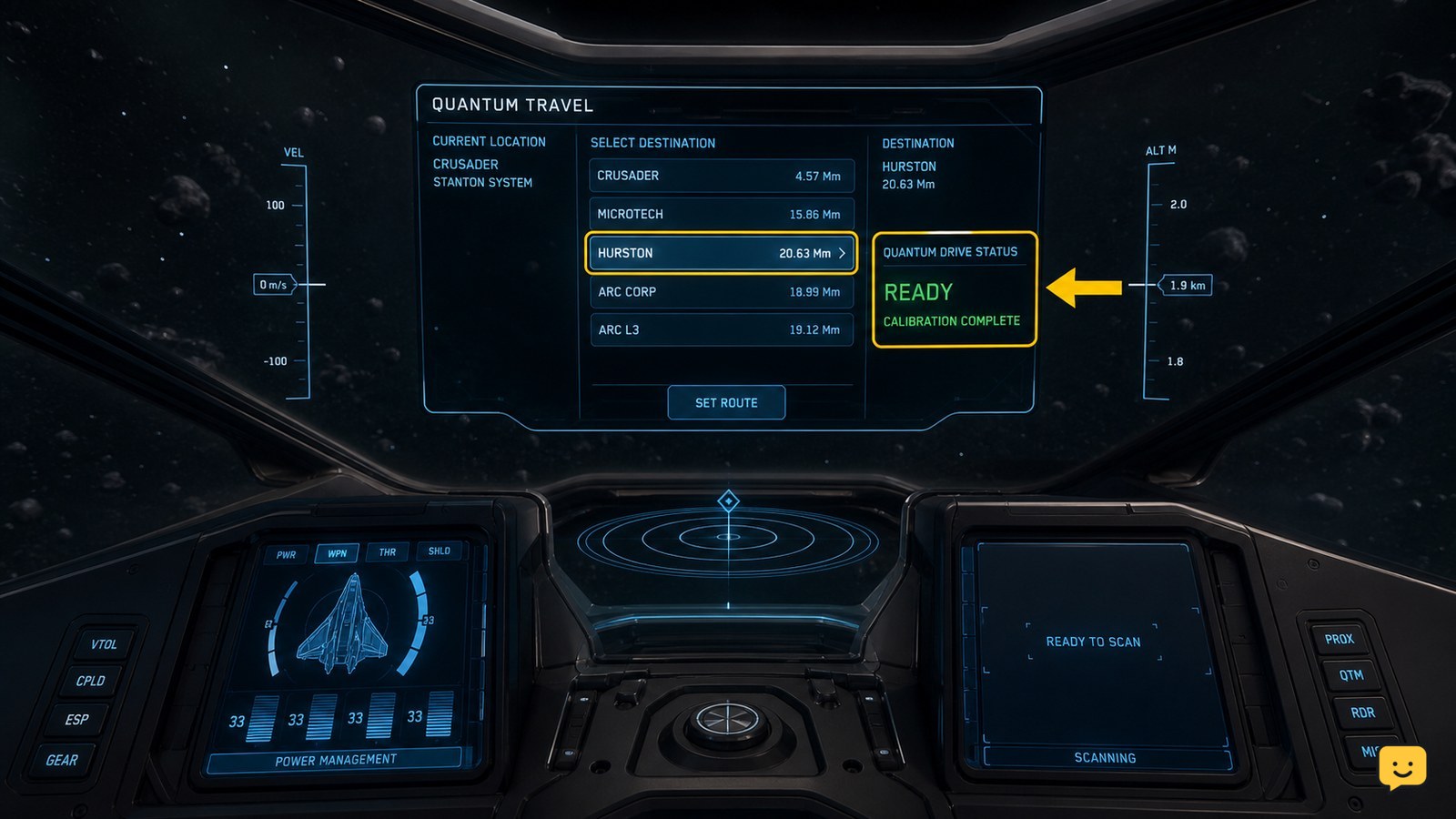
Star Citizen ship HUD showing a selected quantum travel destination and quantum drive status
Star Citizen Guides

Why Can’t I Quantum Travel in Star Citizen: Fixes

You usually can’t quantum travel in Star Citizen because the ship is not in NAV/QT mode, the destination is not selected or reachable, calibration has not finished, or the route is being interrupted. Set a destination on the Starmap, confirm the correct travel mode, wait for calibration, then retry from clear space. If the route still fails, check fuel and reset the route.