Skip to content
ShowU
Sofia Patel
Author

Sofia Patel

Mobile & App Guides Contributor

Sofia Patel is a ShowU editorial profile for practical Electronics guides. Coverage areas include Android, iPhone, backups, storage management, messaging apps. Guides published under this profile follow ShowU editorial standards and are reviewed when the task involves material safety or account-security risk.

AndroidiPhonebackupsstorage managementmessaging apps
112 published stories

Latest from Sofia Patel

Dragon Sword Awakening Legacy world map open with explored regions and navigation markers visible
DragonSword: Awakening

How to Open the World Map in Dragon Sword Awakening

In Dragon Sword: Awakening Legacy, open the world map through the visible Map control in the in-game interface or its assigned keyboard shortcut. The map shows your current position, explored regions, landmarks, fogged areas and stations you have discovered. Select a visible location to inspect it, then compare its position with nearby roads, terrain and quest markers to choose your route.
iPhone Settings About screen showing Model Name and Model Number
Mobile Devices

How to Tell What iPhone I Have: Model

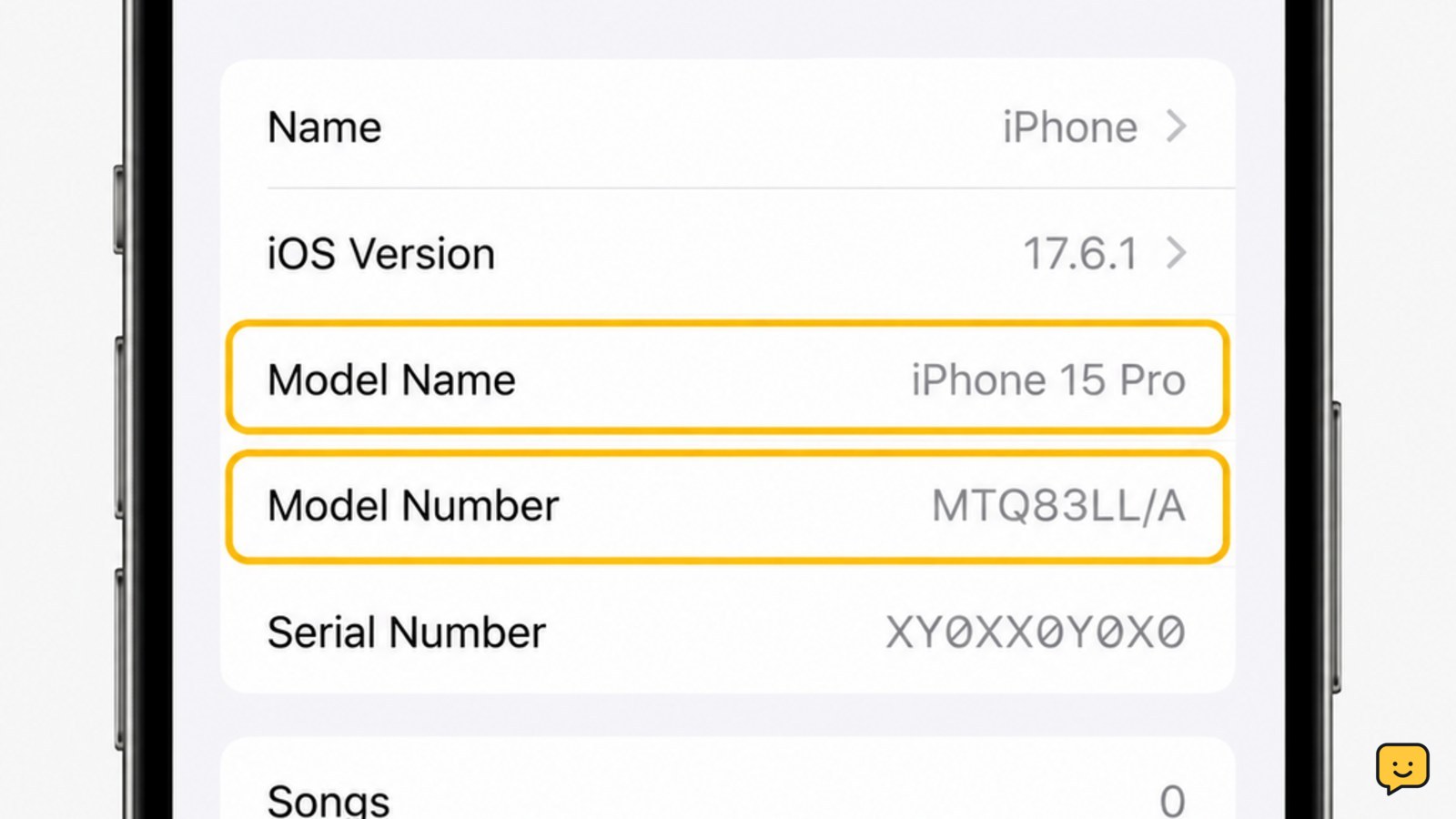
Open Settings, tap General, then About. Read the Model Name to see the iPhone you have, such as iPhone 13 or iPhone 15 Pro. For stronger confirmation, tap the value beside Model Number to switch from the part number to the A-number model identifier, then compare it with Apple’s official iPhone model list.

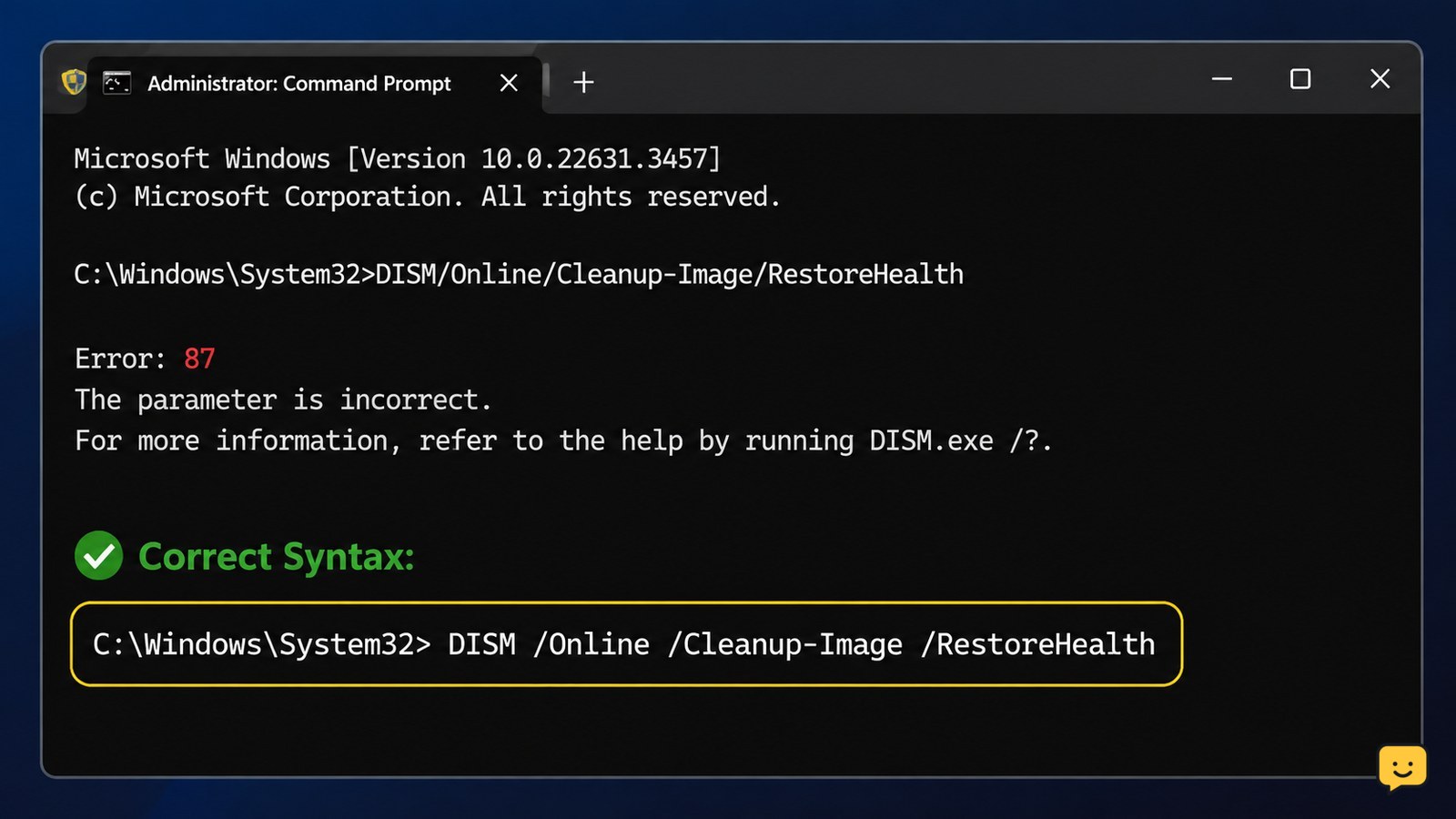
Administrator Windows Terminal showing DISM Error 87 above a correctly formatted DISM RestoreHealth command
Computers & Internet

How to Fix DISM Error 87: Correct Syntax

DISM Error 87 usually means the command syntax is incorrect, an option is misspelled, or the option is unsupported by that Windows installation. Open Windows Terminal or Command Prompt as administrator, enter the DISM command with spaces and forward slashes exactly as shown, then run CheckHealth, ScanHealth, and RestoreHealth in that order.

Black Ops 7 crashing on a Windows PC with troubleshooting checks shown beside the monitor
Call of Duty: Black Ops 7 Guides

Why Is Black Ops 7 Crashing on PC?

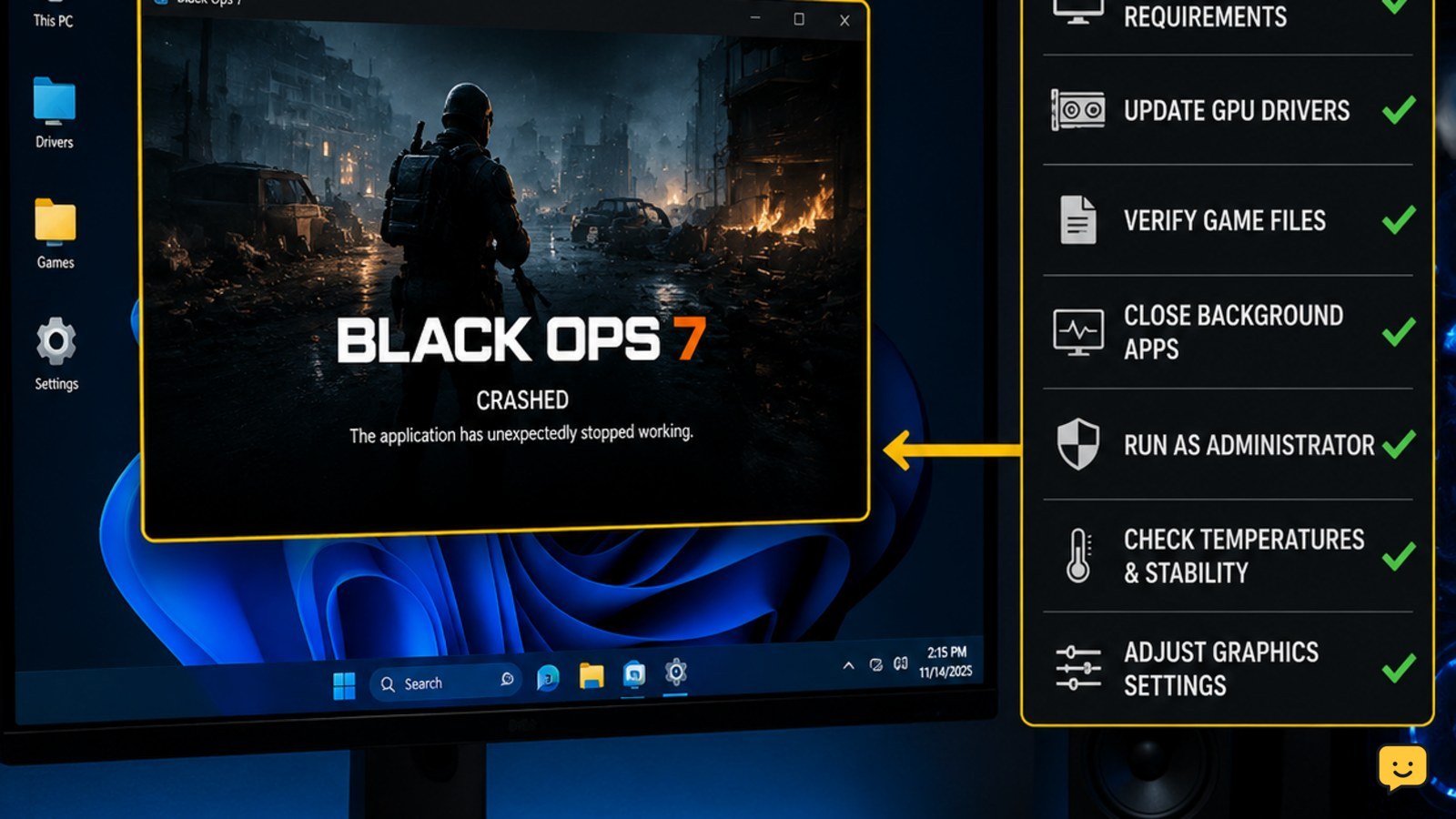
Black Ops 7 is most likely crashing on PC because of damaged installation files, a graphics-driver conflict, unstable graphics settings, overlay software, or system instability. First restart the PC, update or clean-install the GPU driver, verify the game files, disable overlays, and test with conservative graphics settings. If the entire PC restarts or shows a blue screen, stop treating it as a game-only crash and check hardware, temperatures, RAM, and Windows logs.

iPhone Messages conversation with the plus menu open and Audio highlighted
Mobile Devices

How to Send a Voice Message on iPhone: Audio

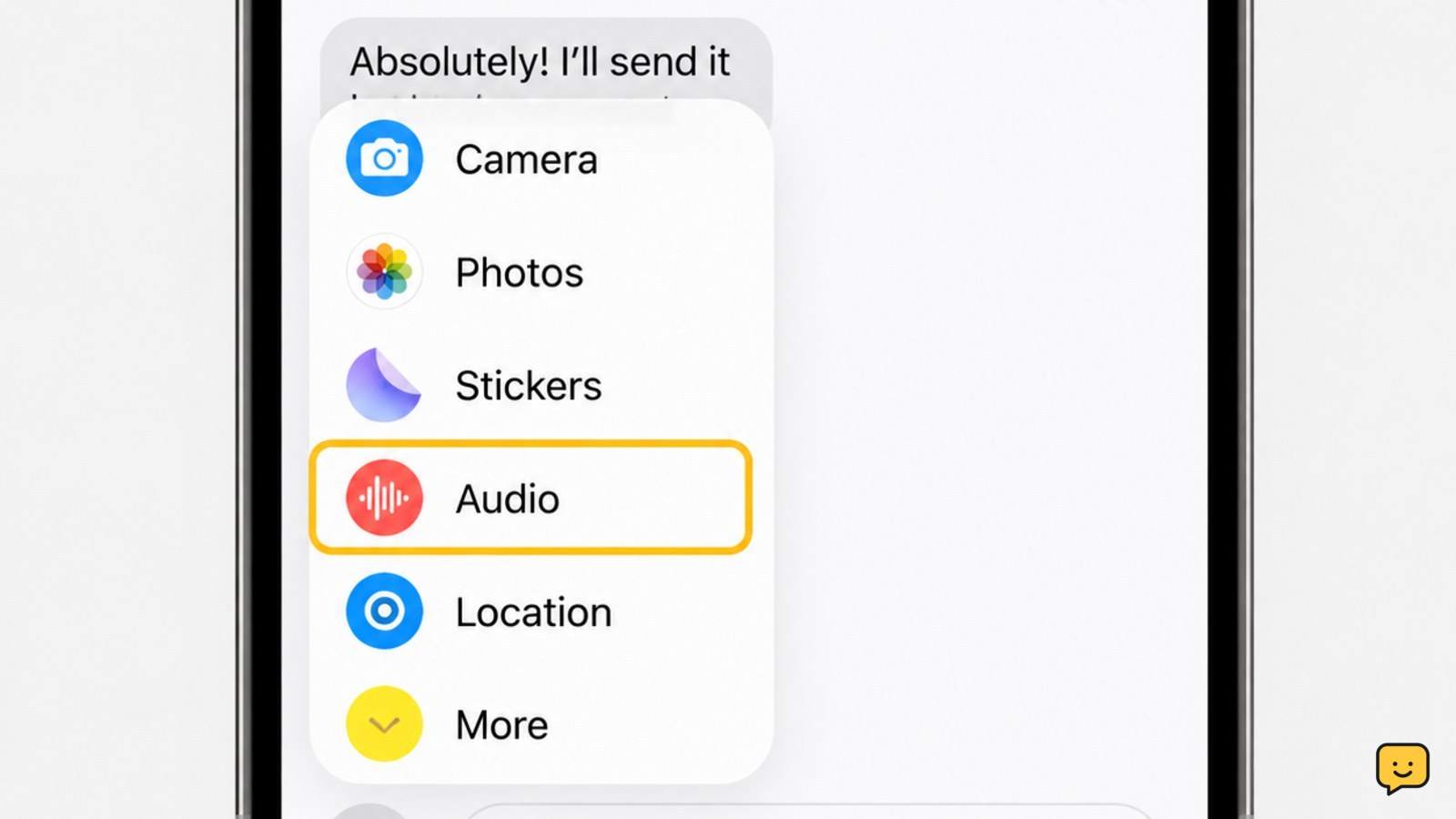
Open Messages and select the conversation. On current iPhones, tap the plus button, choose Audio, tap the record button, speak, stop recording, then tap Send. On some older layouts, touch and hold the audio-message button beside the text field instead. The sent clip appears as a playable audio bubble in the chat.

Peeled roasted sweet pepper strips with tender flesh and light char marks
Cooking Basics

How to Roast Sweet Peppers: Tender, Smoky

Heat the oven to 450°F (230°C). Wash and dry whole sweet peppers, place them in a single layer on a baking sheet, and roast for 25 to 40 minutes, turning them two or three times. They are ready when the skins are blistered and charred in spots. Cover or enclose them briefly to steam, then peel, seed, and slice.

Fields of Mistria character beside the stamina bar and a visible Stamina Up perk
Fields of Mistria

How to Increase Stamina in Fields of Mistria

To increase your permanent stamina in Fields of Mistria, unlock and buy Stamina Up perks from the skill-perk system with Essence. Raise the relevant skill when a perk tier is locked, then confirm your maximum stamina increased. Food, stew, and sleeping restore stamina for the day, but they do not permanently raise your daily limit.

Dragon Sword Awakening Guild interface showing a player member entry and guild management area
DragonSword: Awakening

How to Leave a Guild in Dragon Sword Awakening

Open Dragon Sword: Awakening’s current Guild interface and inspect your member profile, roster entry, or guild settings for a personal Leave or Exit control. Confirm the prompt, then reopen the Guild screen to verify that your membership is gone. The available evidence does not verify one permanent menu path, so stop if the game shows only leadership or currency-transfer options.

Instructional text-message graphic showing IDEK expanding to I do not even know
Writing & Communication

IDEK Meaning: How to Read It in Messages

IDEK means “I don’t even know.” People use it in texts, group chats, and social posts to show confusion, disbelief, or mild frustration. Read the message around it to judge the tone. It fits casual conversation, but spell out your meaning in work, school, or other formal communication.

Call of Duty Black Ops 7 Audio settings with the Voice Chat tab selected
Call of Duty: Black Ops 7 Guides

Why Is Voice Chat Not Working in Black Ops 7?

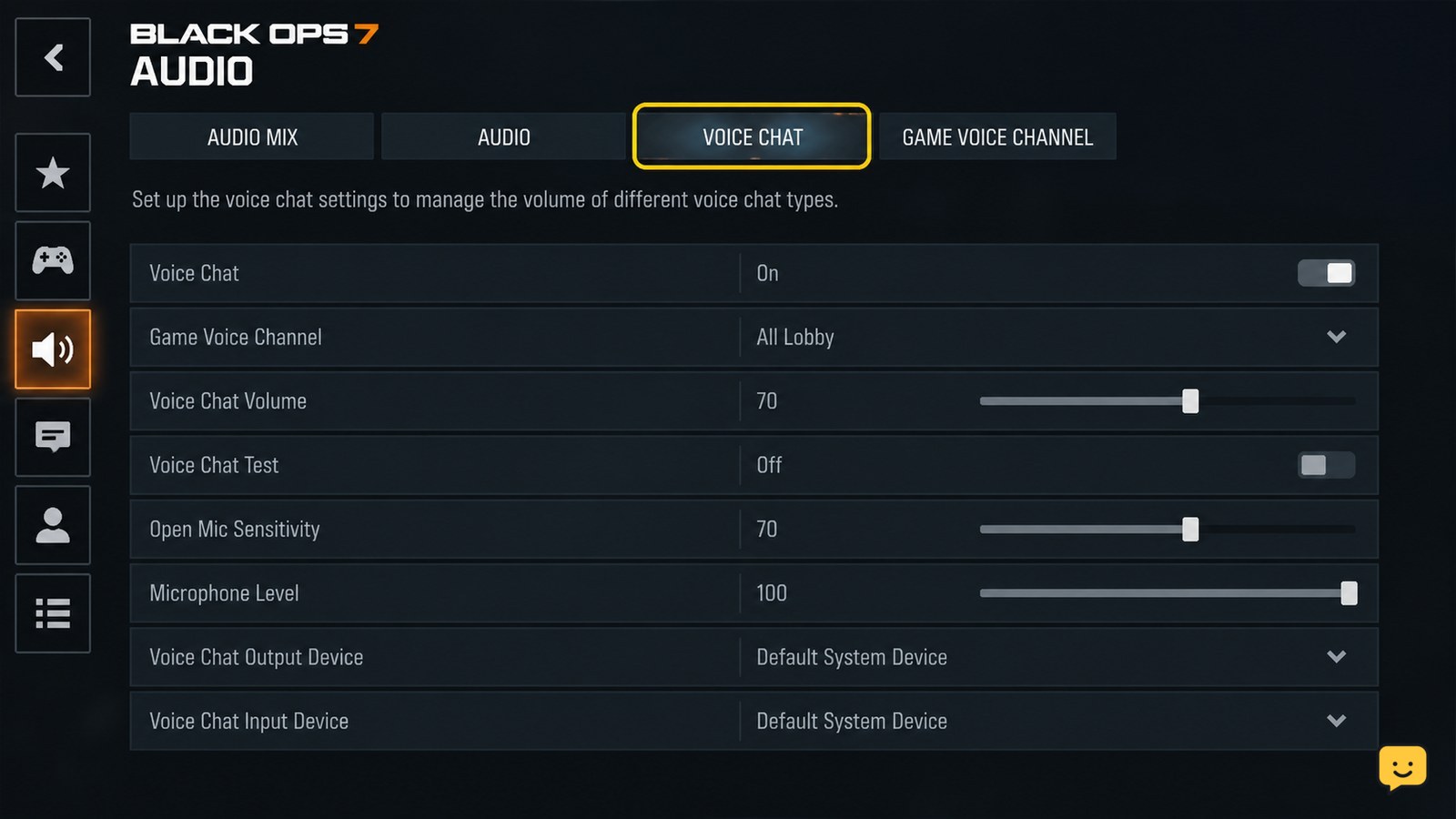
Voice chat usually stops working in Black Ops 7 because Voice Chat is disabled, the wrong microphone or headset is selected, platform privacy permissions block access, or party chat overrides game chat. Open Settings > Audio > Voice Chat, enable chat, check the input and output devices, then test with a friend in a multiplayer match.