Skip to content
ShowU

Games

Find clear game guides for settings, controls, errors, progression, accounts and everyday gameplay problems. Browse focused help for popular PC, console and online games.

Dragon Sword Awakening Inventory Management Guide
DragonSword: Awakening

Dragon Sword Awakening Inventory Management Guide

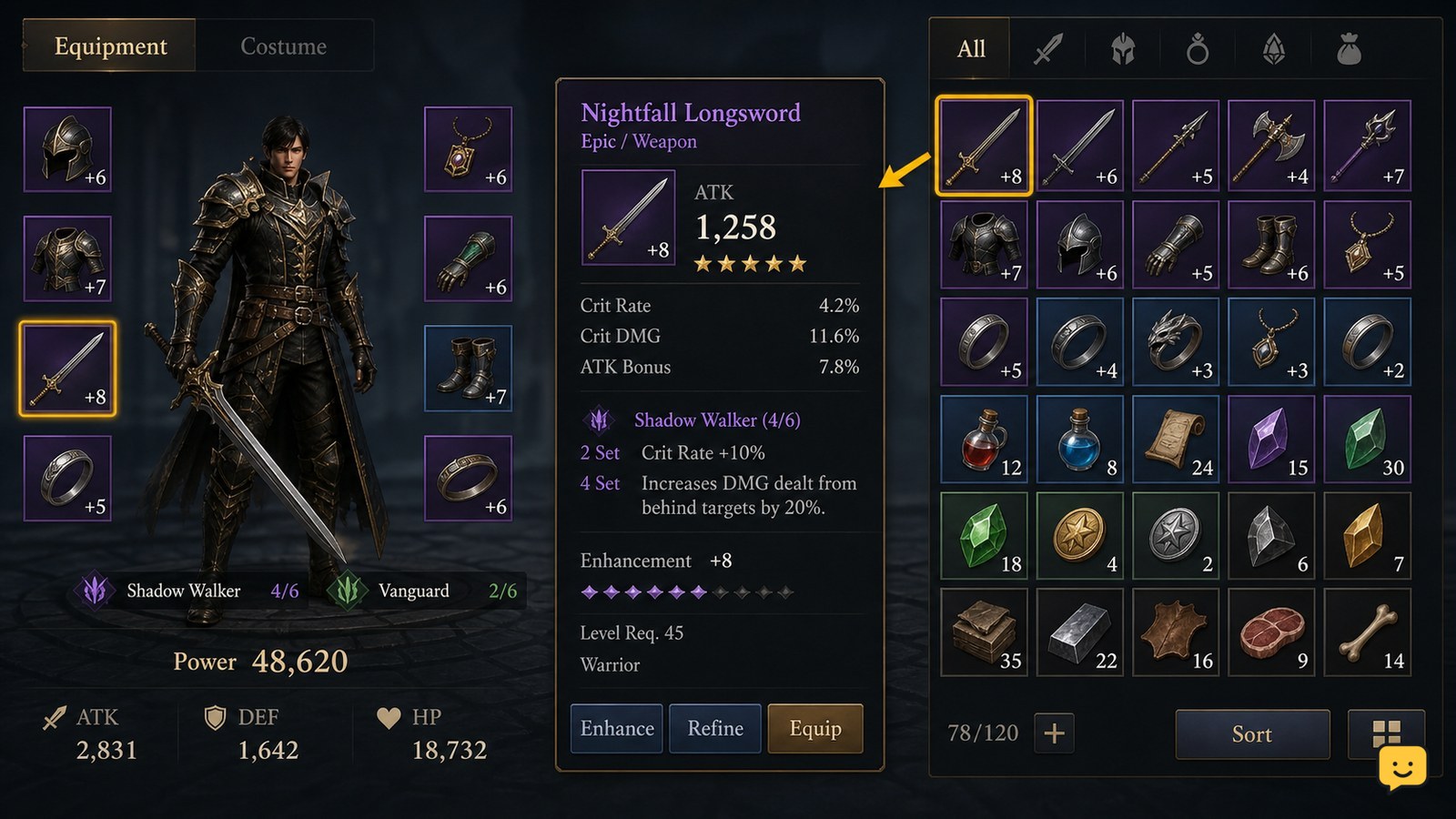
Dragon Sword Awakening’s current evidence confirms gear, crafting, equipment sets, and resource use, but it does not verify every inventory label or a universal storage system. Keep equipped and upgrade-candidate gear separate from duplicate drops, review item details before selling or dismantling, and reserve materials for a planned set. Stop if an item’s use, binding status, or recovery value is unclear.
Mortal Shell II How to Save Progress at Checkpoints
Mortal Shell II Guides

Mortal Shell II How to Save Progress at Checkpoints

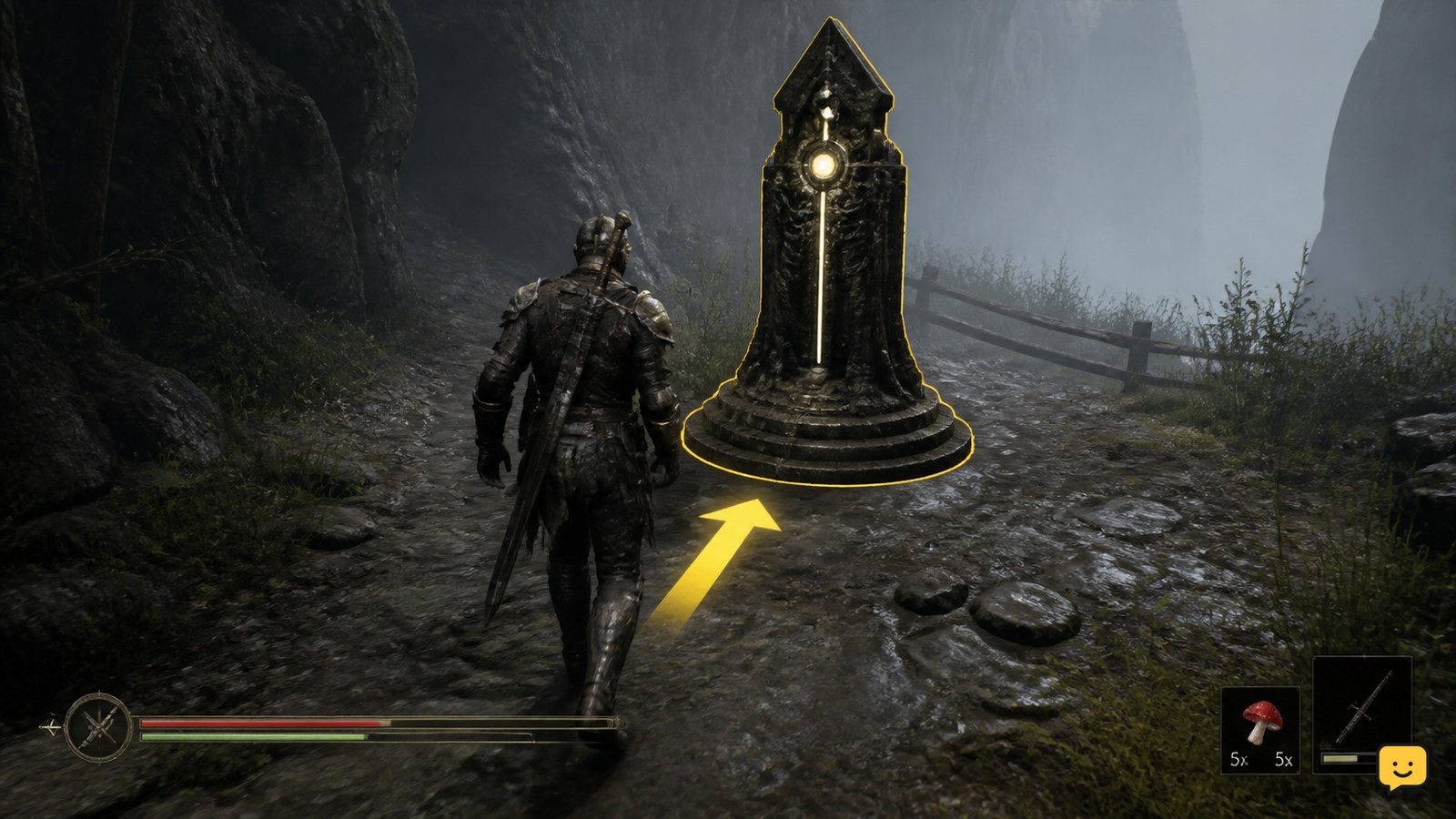
Mortal Shell II saves progress automatically when you walk up to a Beacon. Treat each Beacon as your checkpoint during exploration: approach it fully, wait for its checkpoint behavior to complete, and avoid quitting or entering a dangerous area until you have reached one. The documented system does not support relying on ordinary movement or exploration as a save point.

Fields of Mistria Homestead Upgrades Guide
Fields of Mistria

Fields of Mistria Homestead Upgrades Guide

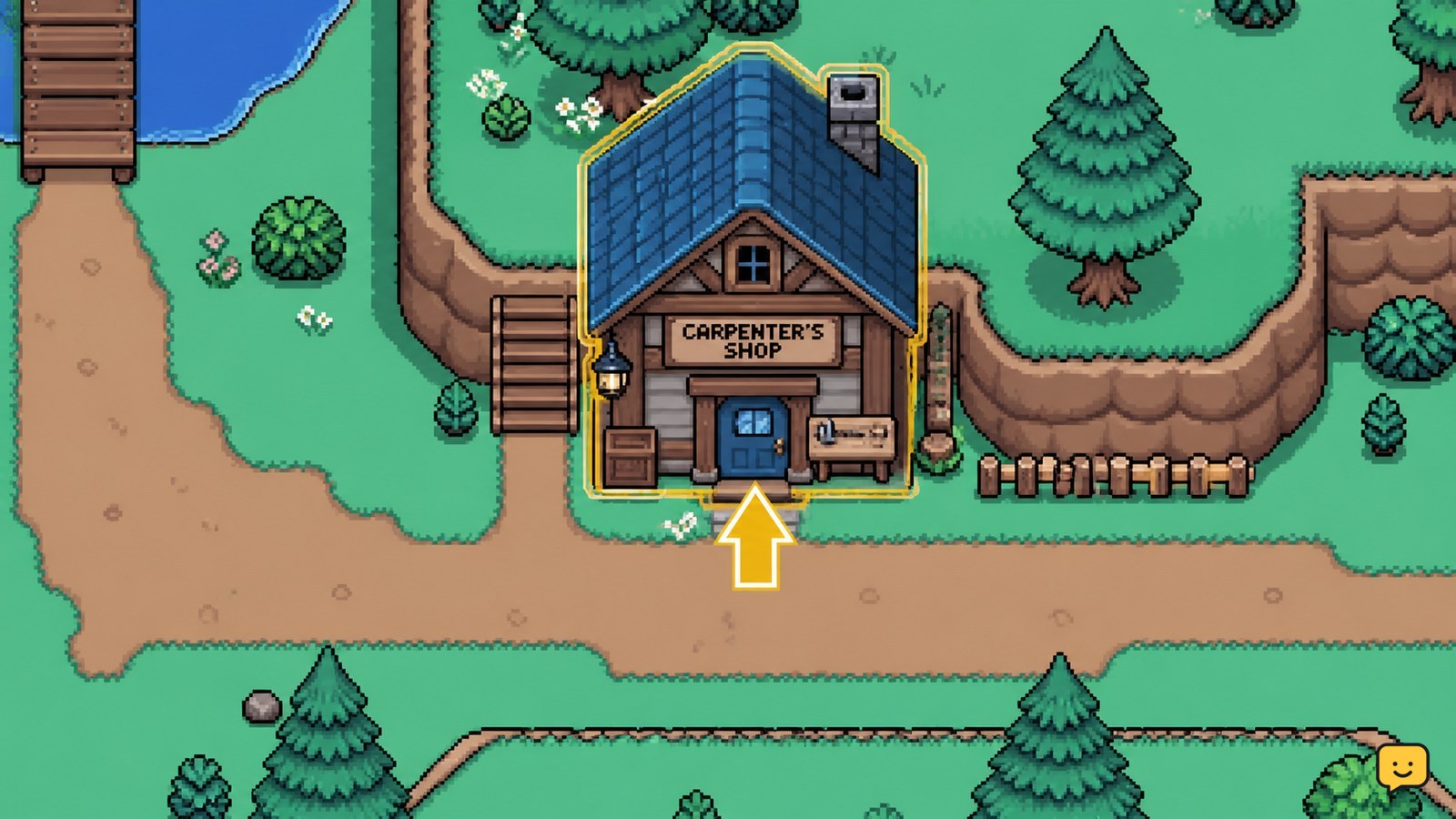
Homestead upgrades are ordered through the Carpenter's Shop on the Eastern Road. Select the project shown in the shop, provide the exact Tesserae and materials listed in your current game menu, and check your farm afterward for the changed house or structure. Stop before paying if the requirement panel differs from older published guides.

How to Change Field Upgrades in Black Ops 7
Call of Duty: Black Ops 7 Guides

How to Change Field Upgrades in Black Ops 7

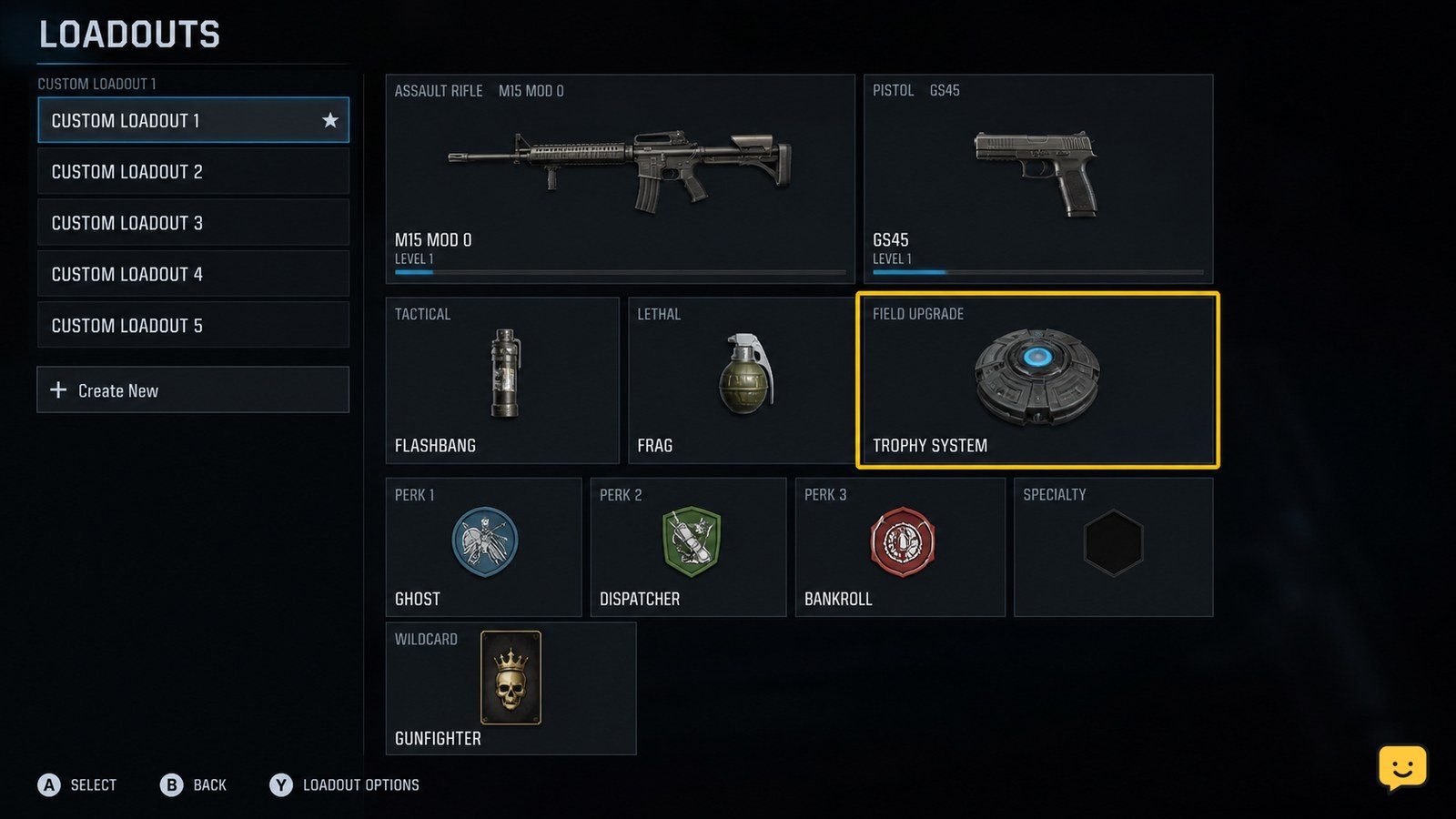
Open Black Ops 7’s Loadouts menu, select the class you plan to use, highlight its Field Upgrade slot, and choose a different upgrade. Confirm the class is saved before entering a match. In Zombies, the available loadout window can be limited to the opening round, so stop and return to the lobby if the slot is no longer editable.

Star Citizen How to Refuel a Ship: Fuel Checks
Star Citizen Guides

Star Citizen How to Refuel a Ship: Fuel Checks

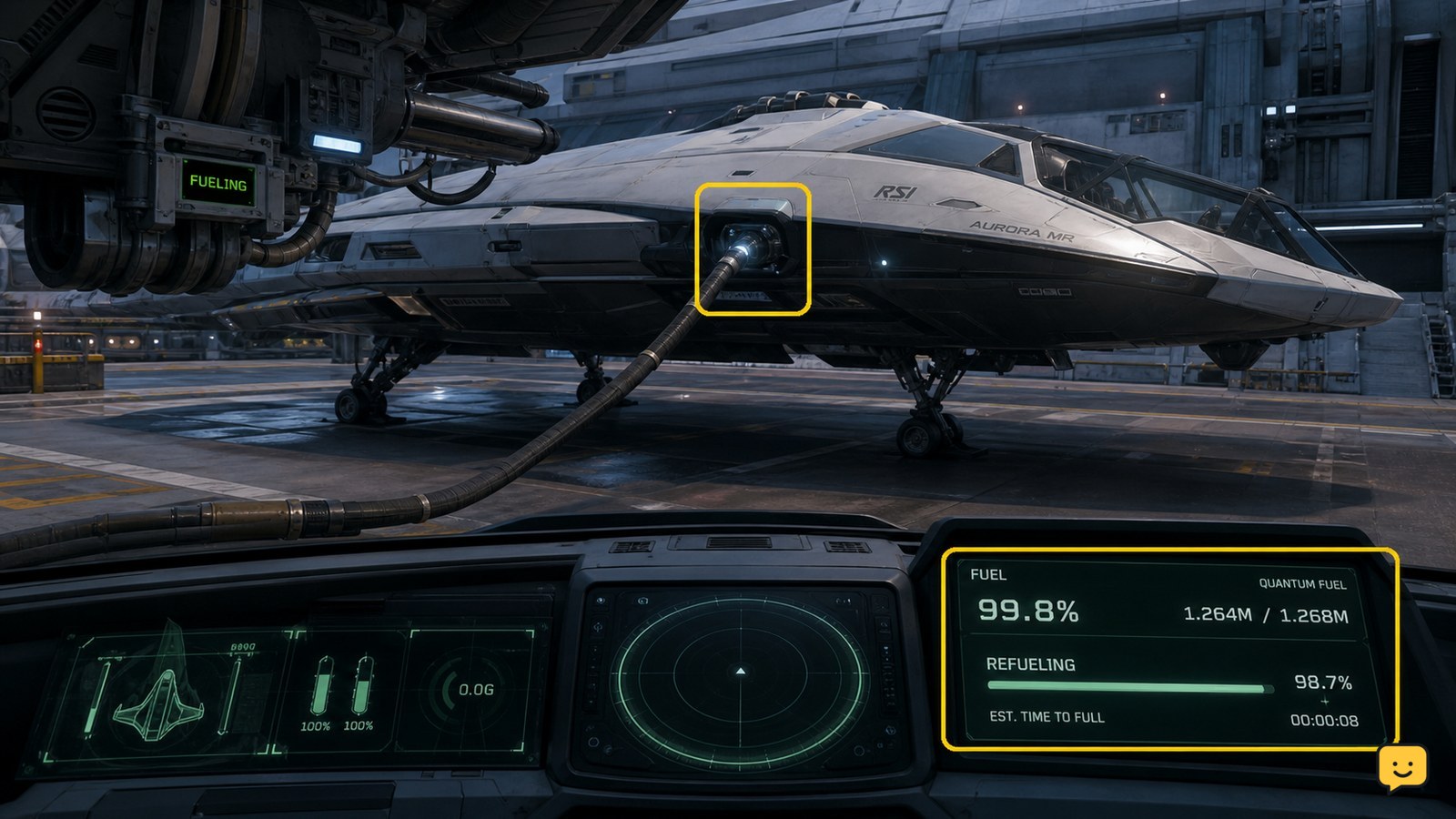
To refuel a ship in Star Citizen, use a station or landing-service location that offers Refuel, then start the service and wait for the fuel readout to rise. If you are stranded away from a service point, use a compatible ship-to-ship refueling interaction when another player can assist. Confirm the updated fuel level before departing.

Dragon Sword Awakening Character Stats Guide
DragonSword: Awakening

Dragon Sword Awakening Character Stats Guide

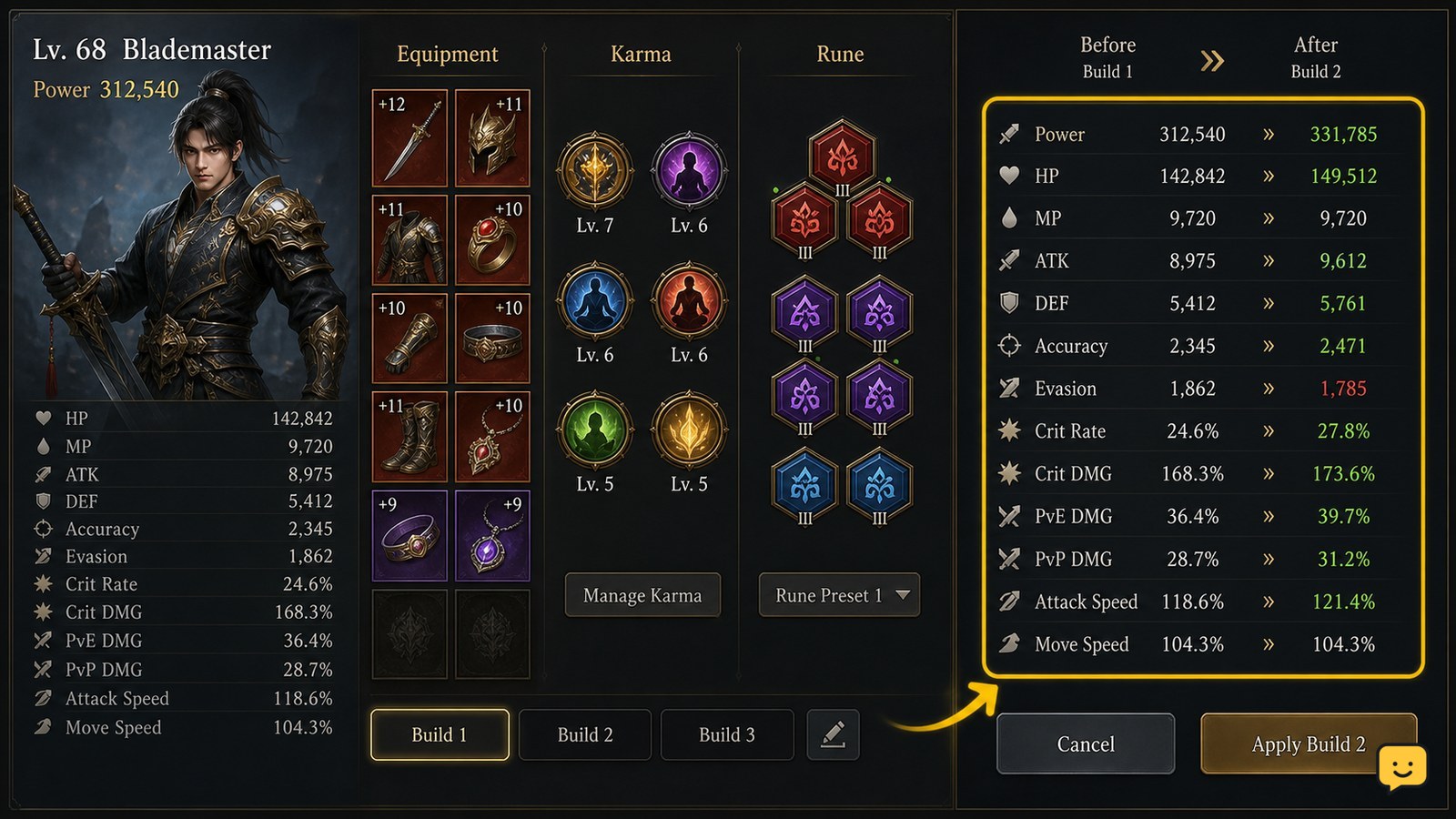
Open the character’s current stats panel and record the values before changing gear, Karma, or runes. Build around one verified goal—raw damage, critical hits, or survivability—then change one system at a time and compare the displayed totals. Dragon Sword Awakening build evidence supports combining gear, Karma, runes, and stats, but it does not verify a universal priority list or fixed class scaling.

Mortal Shell II How to Open Shortcuts
Mortal Shell II Guides

Mortal Shell II How to Open Shortcuts

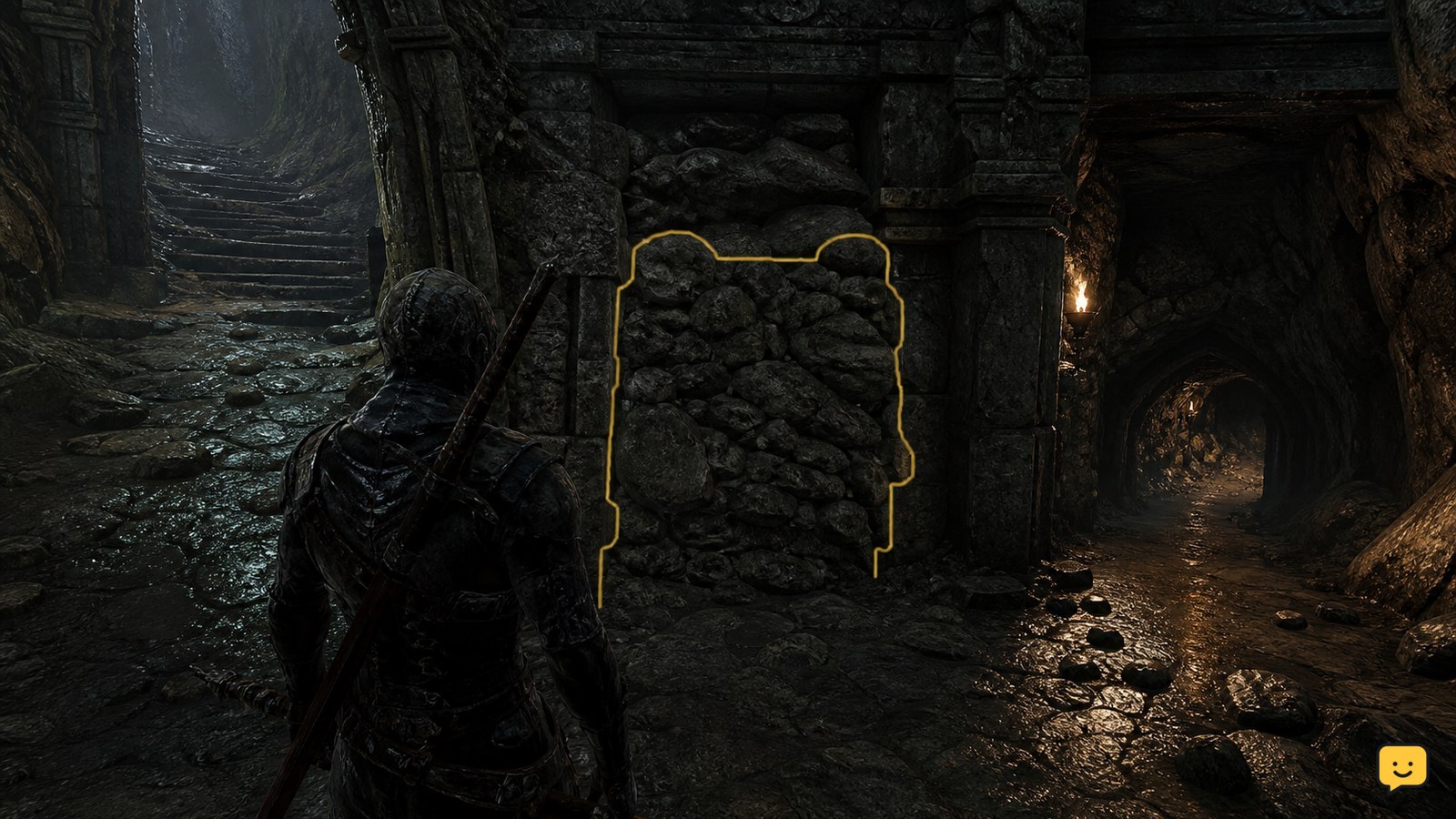
Mortal Shell II does not have a confirmed universal shortcut button in the available current evidence. Approach a blocked route from both sides, look for an interaction prompt, and use the required key or progression condition when the game identifies one. If no prompt appears, treat the route as inactive or progression-locked rather than forcing it. Mether’s Breath is separate fast travel.

Fields of Mistria Request Board Guide: Town Requests
Fields of Mistria

Fields of Mistria Request Board Guide: Town Requests

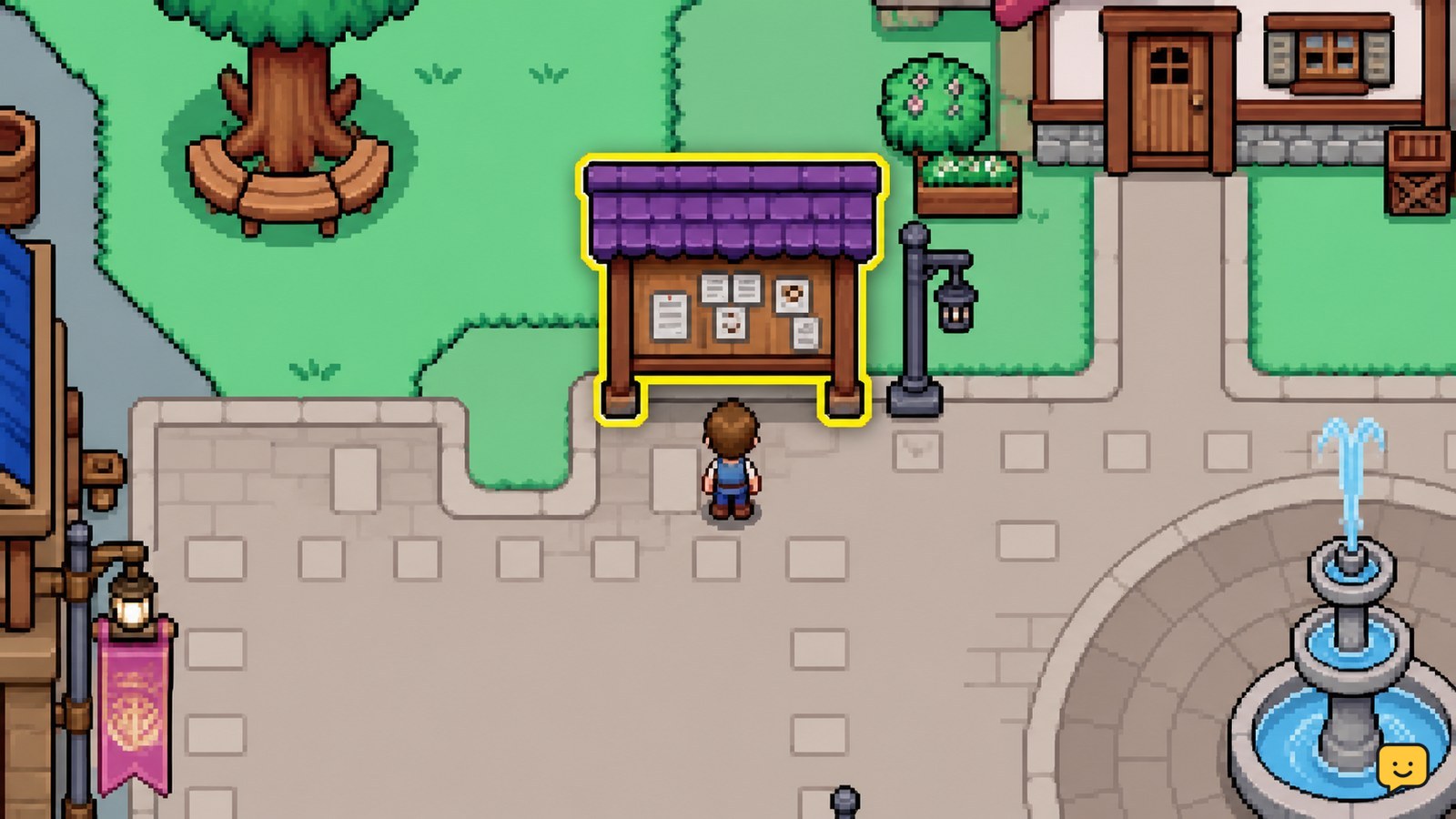
Open the Request Board in Mistria, read each request's item and reward before accepting it, then choose tasks that match your current inventory or route. Group gathering, farming, fishing, bug-catching, and delivery errands by area. Return to the board or use the displayed turn-in action, then confirm the request disappears and the reward is credited.

Black Ops 7 Zombies: Open Locked Doors
Call of Duty: Black Ops 7 Guides

Black Ops 7 Zombies: Open Locked Doors

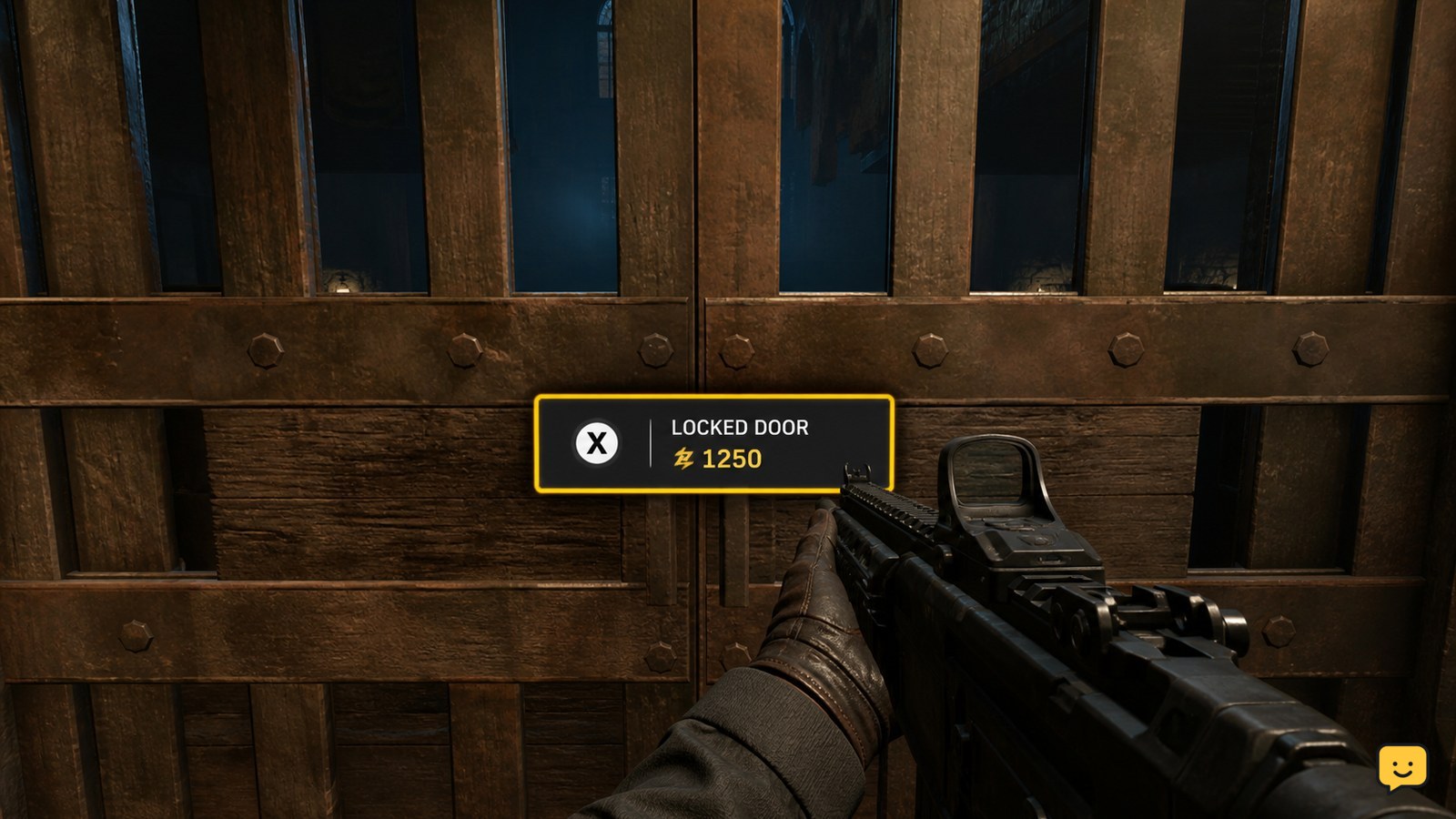
In Black Ops 7 Zombies, approach a locked door and check for an on-screen Essence purchase prompt. If it appears, earn enough Essence from kills, interact with the door, and confirm that the barrier opens. If you see only a padlock with no purchase prompt, stop spending points: that door may be tied to a quest or map objective instead.

Star Citizen How to Scan Ships and Identify Contacts
Star Citizen Guides

Star Citizen How to Scan Ships and Identify Contacts

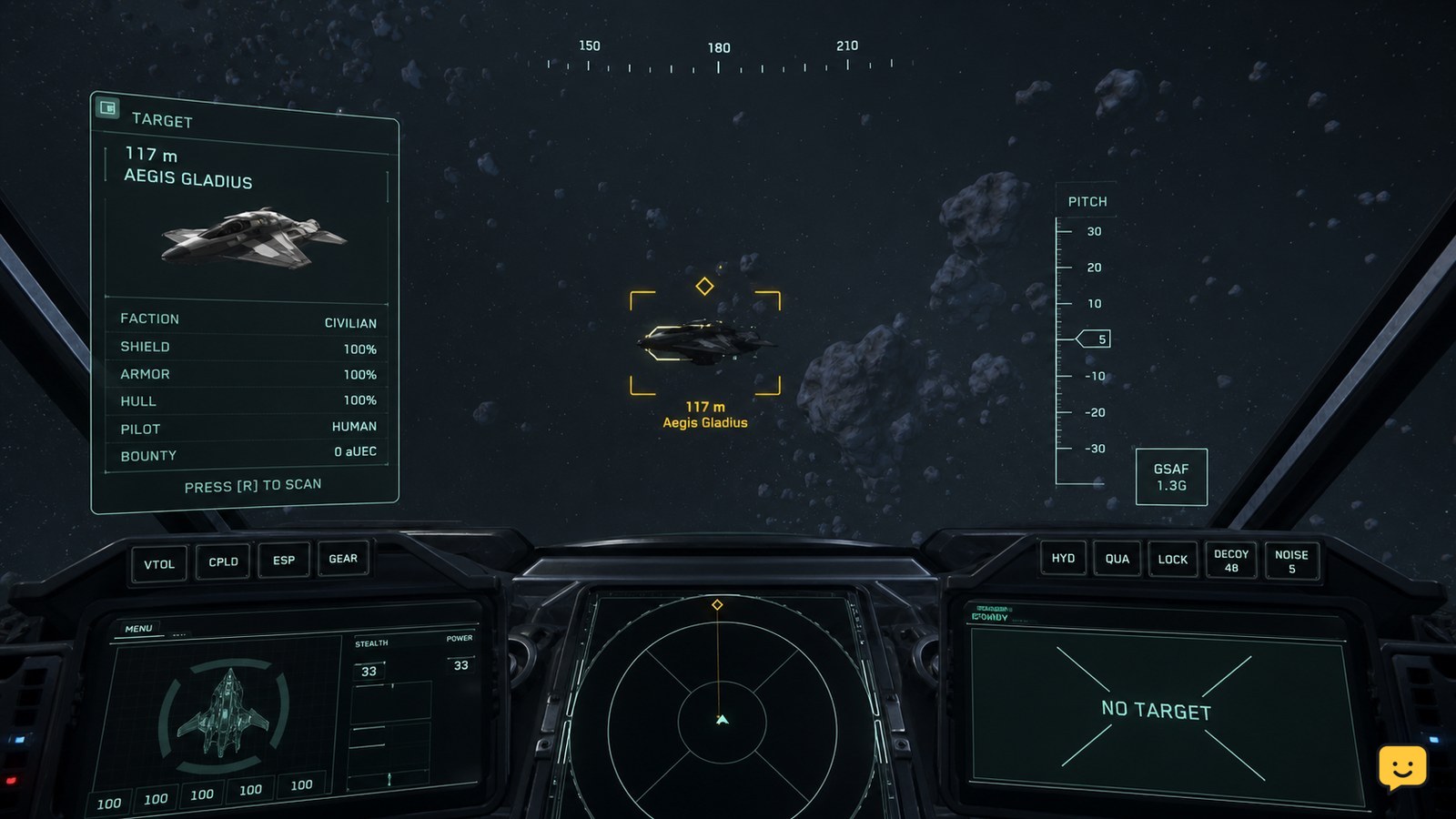
In Star Citizen, use the scan action assigned in your current keybindings, point it toward a nearby ship, and select the correct contact through the HUD or tactical display. Confirm that the contact readout updates before treating the ship as identified. Exact controls and displayed fields can change, so do not rely on older guide keybinds.