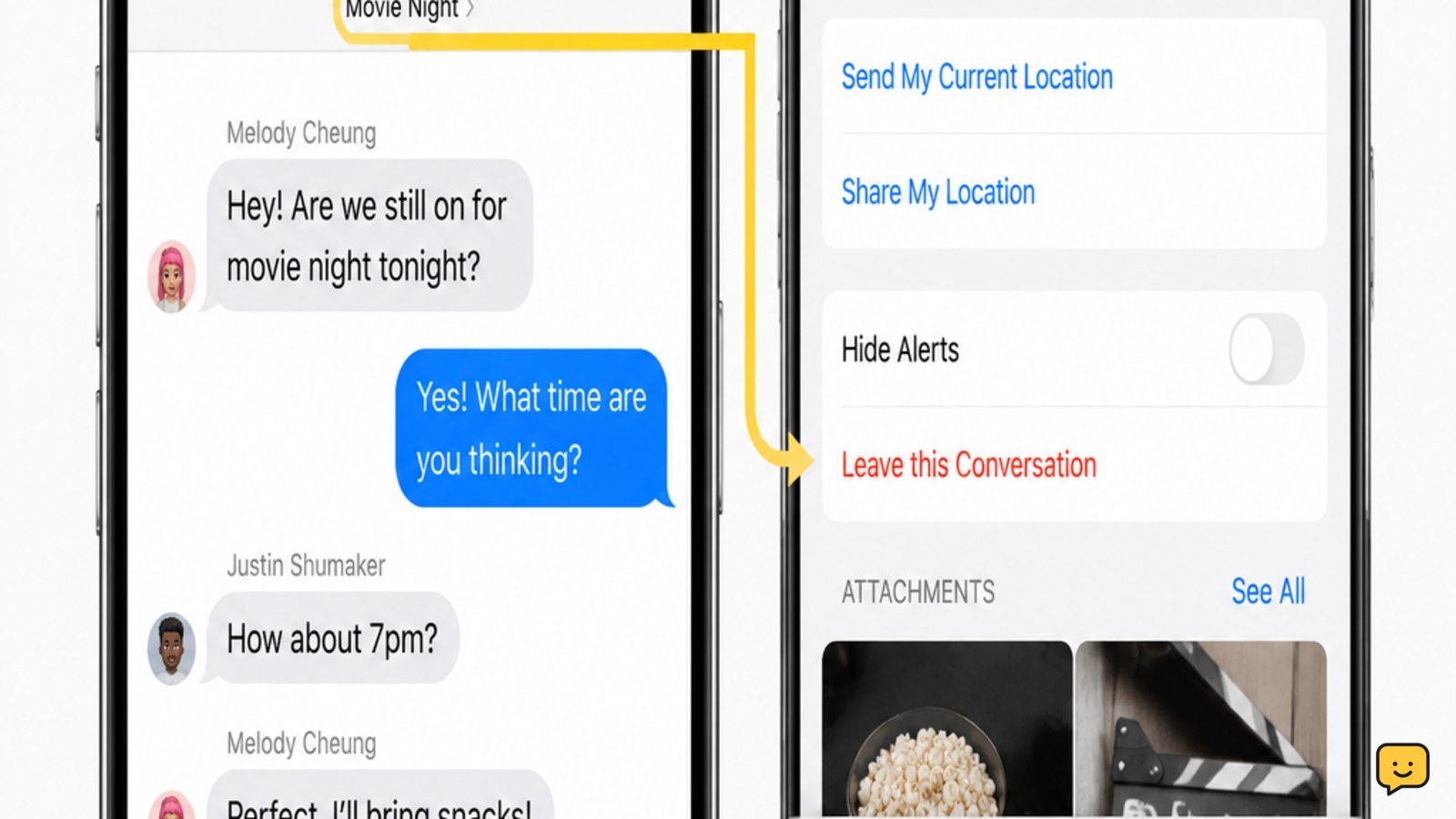
Open Messages and select the group conversation. Tap the group icons or conversation name at the top, scroll down, then tap Leave this Conversation and confirm. The option appears only for eligible group iMessage chats, generally with at least three other participants. If it is missing, mute alerts or delete the thread instead; neither option removes you from the chat.
For more help with this topic, use the Mobile Devices guides.
Open the group conversation details
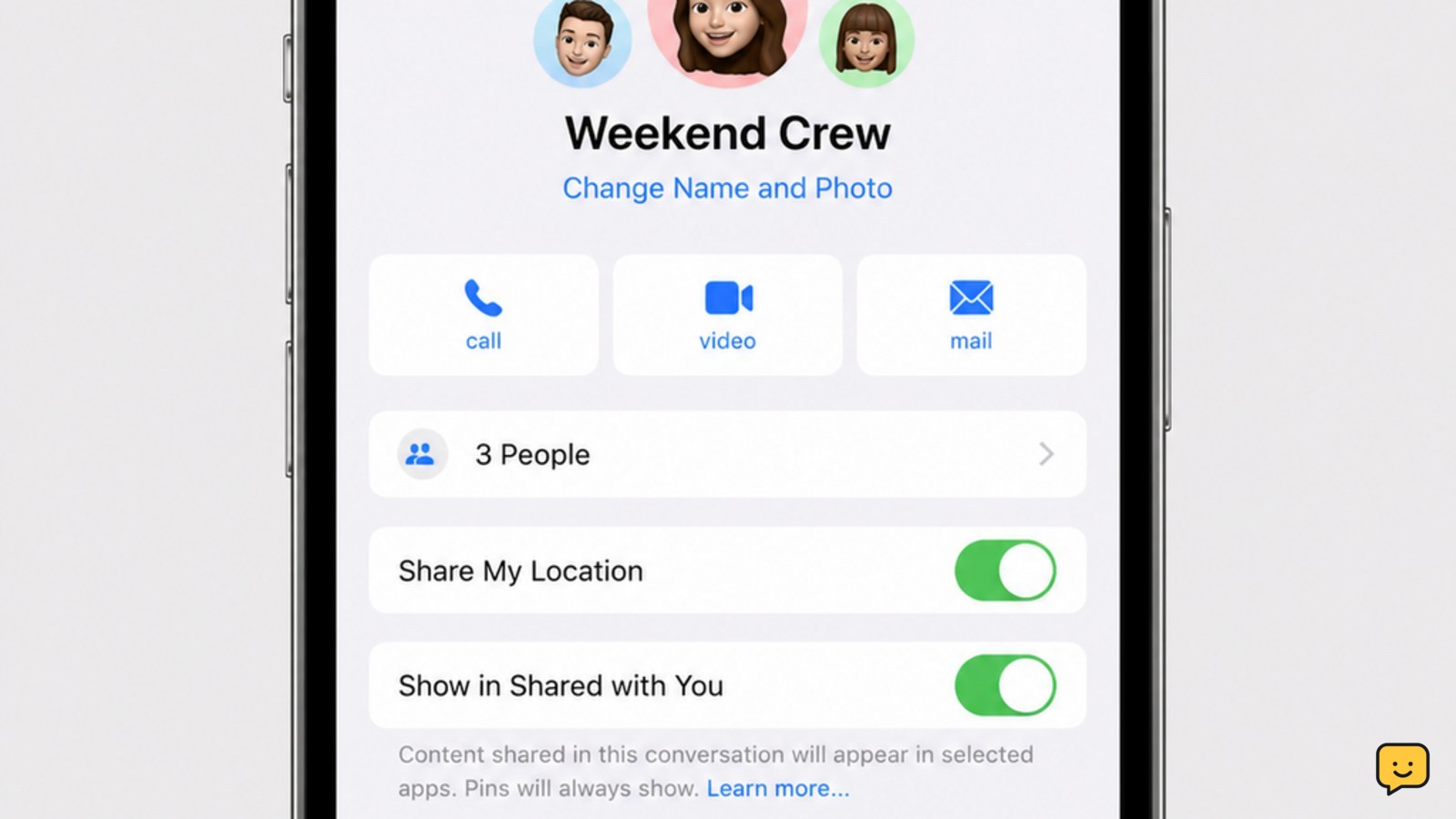
To leave an iPhone group chat, first open the exact thread in the Messages app. Tap the row of contact icons or the conversation name at the top of the screen to open its details. On some iOS versions, you may need to tap the group icons before the details panel appears.
Check that you are in a group conversation rather than a one-to-one message. The leave control is located in the conversation details, below the participant and media options.
Tap Leave this Conversation
The iPhone Messages app leaves an eligible group chat when you tap Leave this Conversation in the details panel and confirm the prompt. Scroll down if the control is below the visible part of the screen.
- Open Messages.
- Tap the group chat you want to leave.
- Tap the contact icons or group name at the top.
- Scroll down and tap Leave this Conversation.
- Confirm that you want to leave.
Apple documents this control for supported group messaging conversations. CNET describes the same path through the Messages conversation controls. The thread should no longer function as an active conversation for your account after confirmation.
Verify that leaving worked
Leaving worked when the confirmation disappears and Messages shows that you are no longer participating, or when the conversation details no longer offer the leave action. Return to the Messages list and check that the thread is no longer receiving new group messages for your account.
Do not use the thread’s disappearance from the list as the only test. Deleting a conversation can also remove it from view without removing you from the group. The confirmation or an explicit participant-status change is the useful checkpoint.
Check why the leave option is missing
If Leave this Conversation is not shown, the group chat may not meet Apple’s eligibility requirements. The option is commonly unavailable when the conversation is an SMS or MMS group, includes participants using non-Apple messaging services, or does not contain enough other participants to continue without you.
Check the participant list and message appearance. Blue bubbles indicate iMessage, while green bubbles indicate SMS or MMS, but bubble color alone does not guarantee that leaving will be available. Apple Community guidance also distinguishes MMS group conversations from supported leaveable chats, so do not treat a missing button as an iPhone fault.
Restarting Messages will not convert an SMS or MMS thread into an iMessage group. If the chat is mixed or green-bubble, stop looking for a leave control and choose one of the alternatives below.
Mute or delete a group you cannot leave
When an iPhone group chat cannot be left, Hide Alerts stops notifications while keeping the conversation available. Open the group details and turn on Hide Alerts, or swipe left on the thread in the Messages list and tap the mute icon if that control is available.
To remove the existing thread from your Messages list, swipe left on it and tap the trash icon, then confirm deletion. Deletion affects your copy of the conversation only; it does not remove you from the group, so a new message can create or restore activity later.
If the messages are unwanted or abusive, blocking may be appropriate, but blocking is a broader action than leaving. Before using it, review Apple’s blocking controls in the iPhone blocked contacts settings.
For persistent unwanted contact, review the iPhone blocked contacts settings here: iPhone blocked contacts settings
Choose the right result before closing Messages
Use Leave this Conversation when you want to stop participating in an eligible iMessage group. Use Hide Alerts when you may need the history but do not want notifications. Use Delete when you only want the thread removed from your phone. These actions have different effects, so verify the resulting screen before closing Messages.
If the group includes a safety concern, preserve any necessary messages first. Do not delete evidence or block contacts until you have decided whether you may need the conversation later.
Frequently asked questions
Why can’t I leave a group chat on my iPhone?
You may not be able to leave because the chat is SMS or MMS, includes someone outside iMessage, or does not have enough remaining participants. Green message bubbles are a useful clue, but the missing Leave this Conversation control is the decisive sign. Use Hide Alerts or delete the thread when the chat is not eligible.
Can I leave a group text with Android users on iPhone?
Usually, no. A mixed-device group may use SMS or MMS rather than an eligible iMessage conversation, so Messages may not show Leave this Conversation. Hide the alerts or delete the thread from your iPhone instead. Those actions do not remove your number from the carrier-managed group.
Does deleting a group chat remove me from it?
No. Deleting removes the conversation from your copy of Messages, but it does not normally remove you from the group. New messages may make the thread appear again. Use Leave this Conversation when it is available; otherwise use Hide Alerts to silence the group.
Will other people know when I leave an iPhone group chat?
Messages may show a system notice in the conversation when a participant leaves, depending on the conversation type and iOS behavior. You cannot guarantee that leaving will be invisible. If the leave control is unavailable, muting alerts keeps you in the group without sending a leave action.