
Sell most commodity cargo at a Trade and Development Division, or TDD, kiosk in a major landing zone, or at an Admin office in a space station. Bring the cargo to the terminal’s supported location, open the commodity trading screen, select the item and quantity, and confirm the transaction. If it is missing, check its location, type, ownership, and available demand.
For more help with this topic, use the Star Citizen guides.
Choose the terminal that matches your cargo
Star Citizen commodity cargo is normally sold through a trading kiosk rather than a ship-management terminal. The official RSI Cargo Guide identifies Trade and Development Division buildings, commonly called TDDs, at major landing zones and Admin offices in space stations as places where most commodities can be bought or sold.
Use a TDD when you are already at a major city or landing zone. Use an Admin office when your route ends at a space station. The building name and available commodities can vary by location, so treat the terminal’s inventory and sell list as the final check rather than assuming every commodity is accepted everywhere.
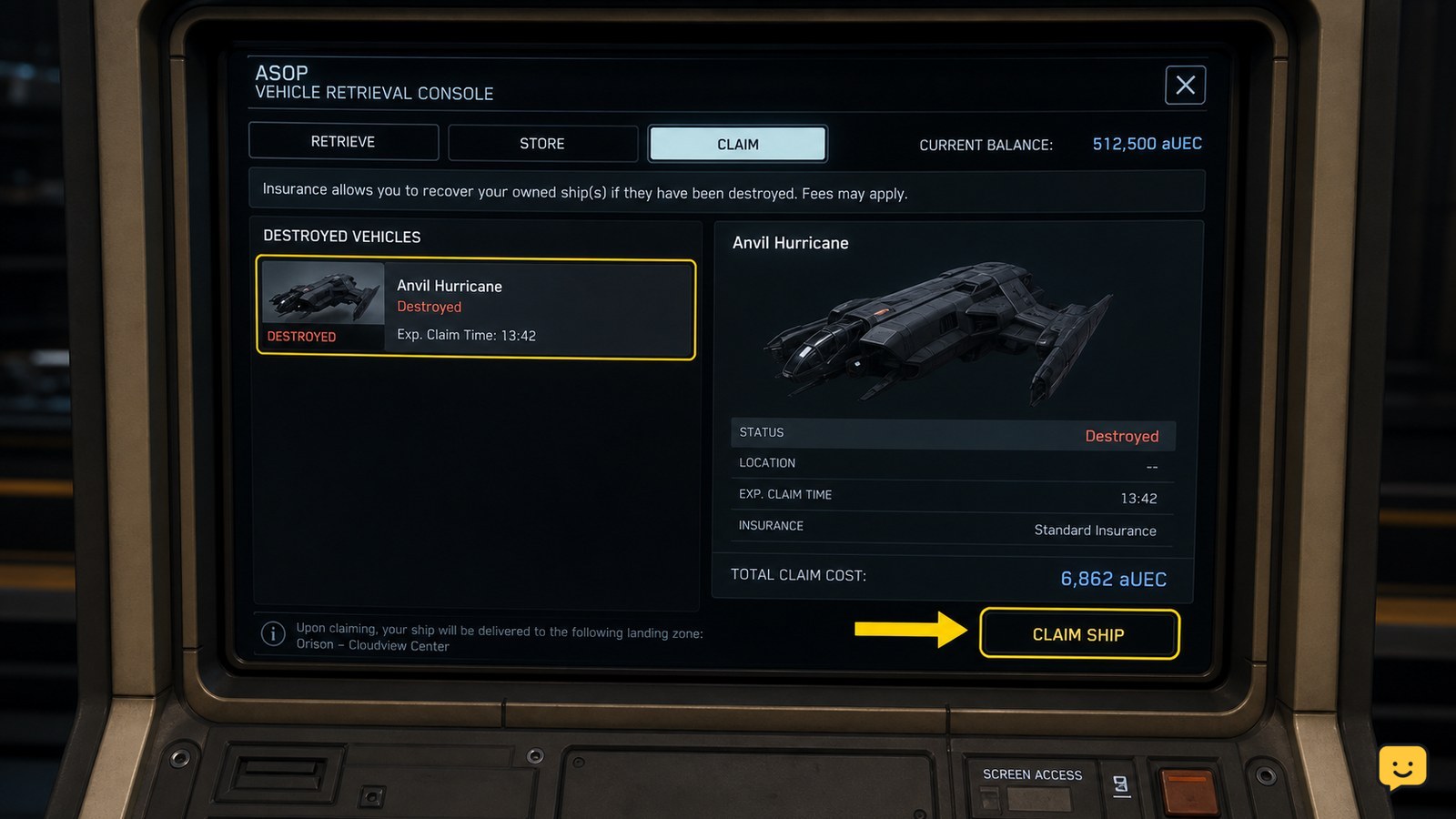
Do not use an ASOP terminal to sell freight. ASOP handles ship retrieval and storage, not commodity transactions. Hand-mined gems, ROC ore, and refined mining cargo may also require a mining-material sale workflow instead of the normal commodity screen. For that distinction, see how mined materials are sold.
Hand-mined gems, ROC ore, and refined loads use a different check; see how mined materials are sold before visiting a commodity kiosk.
Bring the cargo into the terminal’s sale range
Star Citizen can only offer cargo for sale when the game can associate the freight with the terminal and its supported storage location. Land or dock at the destination, follow the signs to the TDD or Admin area, and interact with the trading kiosk.
Read the inventory shown by the kiosk before selecting a transaction. A successful listing should show the cargo name, the quantity available, and a price or transaction value. If the cargo is in a ship container that is not recognized by the destination, move it to a compatible cargo grid or storage position before trying the kiosk again.
For a transfer between ships or containers, use the appropriate freight elevator and cargo-grid procedure rather than dropping the box beside the terminal. The ship-to-ship cargo transfer steps explain how to confirm that the destination grid accepts the freight.
If the terminal cannot see freight in another ship, use the ship-to-ship cargo transfer steps to place it on a recognized cargo grid.
Sell the listed quantity and verify payment
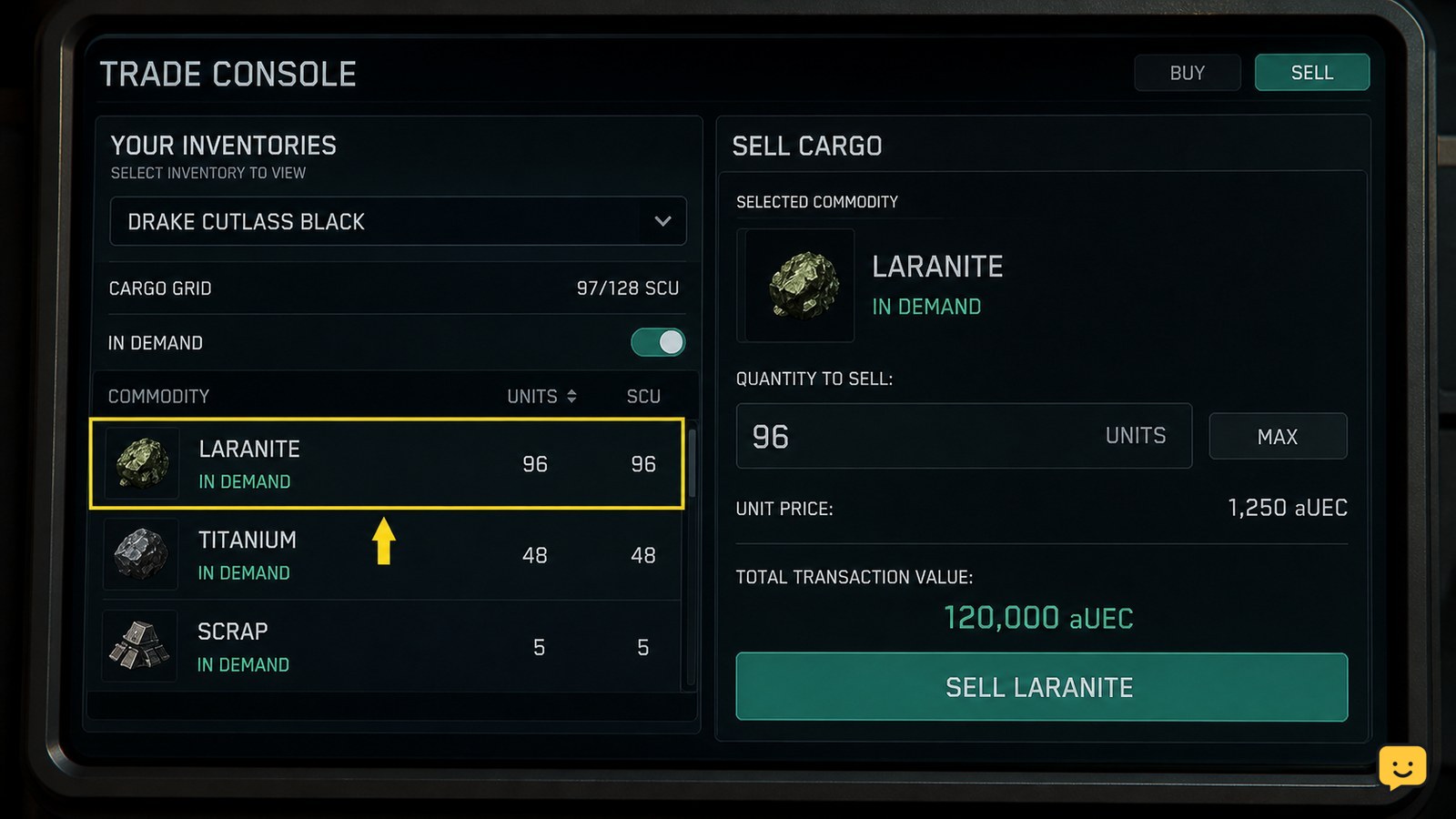
At a compatible TDD or Admin trading screen, select the cargo item, choose the quantity, review the displayed value, and confirm the sale. Sell a small portion first when you are checking an unfamiliar terminal or a large physical load; this makes it easier to confirm that the correct item is being removed.
Verification requires two observable changes: the available cargo quantity decreases or reaches zero, and your aUEC balance increases by the displayed transaction value. If neither changes, treat the sale as incomplete and do not repeatedly press the confirmation control. Close and reopen the terminal once, then check the inventory again.
Mission freight is a special case. If the cargo was loaded for a hauling contract, deliver it to the marked contract destination and follow the contract’s completion state instead of selling it as ordinary trade stock. The cargo hauling mission delivery guide covers the delivery and payment checkpoints.
Fix cargo that does not appear for sale
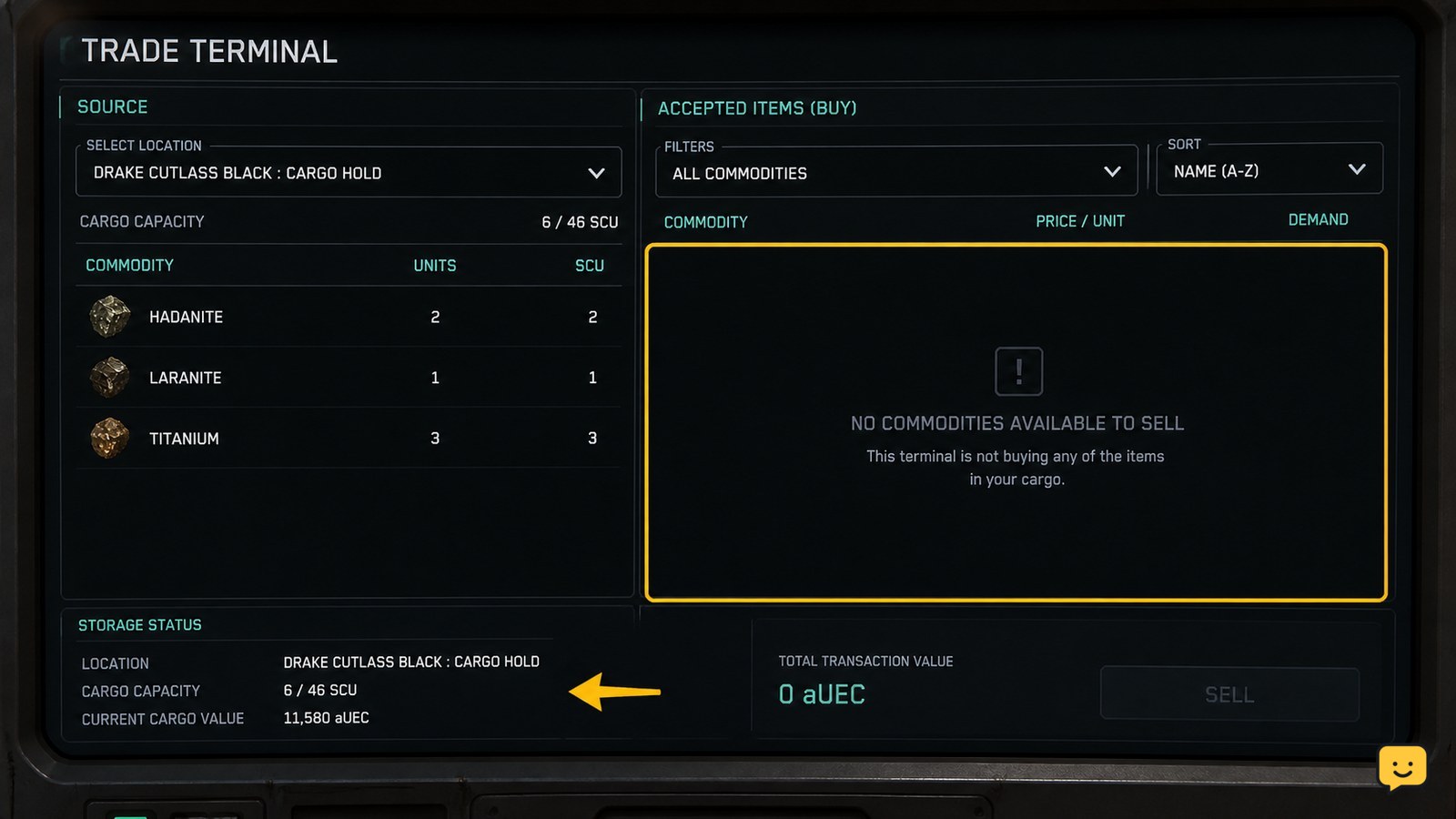
When a Star Citizen terminal shows no cargo, first determine whether the problem is location, cargo type, ownership, or demand. Check these causes in order because changing terminals cannot fix cargo that is stored elsewhere or tied to a mission.
| What you see | Likely cause | Safest next action |
|---|---|---|
| The sale list is empty | The terminal cannot see the cargo or the location does not accept it | Confirm the ship is docked or landed, then try the matching TDD or Admin location. |
| The item is visible but cannot be selected | The cargo type, container, or transaction state is unsupported | Check whether it is mined material or mission freight before moving it again. |
| Only part of the load appears | Some units are stored in another ship, container, or location | Inspect each storage entry and sell only the quantity the terminal reports. |
| The transaction is rejected | The location has no current demand or the cargo is not eligible there | Cancel the transaction and try another supported trading location; do not discard the load. |
| The screen does not update | Terminal or session state is stale | Exit the kiosk, wait for the inventory state to refresh, and reconnect only after recording where the cargo is stored. |
If the cargo is physically present but still invisible at two appropriate trading locations, stop moving it. Record the item, container, ship, and location, then consult current RSI service or patch information because cargo visibility can change with live-service updates.
Confirm the cargo is safe to sell
Before the final confirmation, compare the item name and quantity on the terminal with the freight you intended to unload. This matters most when several containers use similar labels or when a ship contains both contract cargo and personal trade goods.
After the sale, confirm that the physical cargo is gone or its reported quantity is lower, the aUEC balance reflects the transaction, and any related contract has the expected status. If a hauling contract remains active, the cargo was not completed through a normal commodity sale; return to its marked destination instead.
Frequently asked questions
Can I sell cargo at an ASOP terminal in Star Citizen?
No. ASOP terminals are for retrieving, storing, or managing ships. Sell commodity freight through a TDD kiosk at a major landing zone or an Admin office at a space station.
Why is my cargo not showing at the trading terminal?
The cargo may be stored at another location, outside the terminal’s recognized ship or container state, or unsupported at that destination. Confirm where the freight is stored, check its type, and try the appropriate TDD or Admin location.
Can I sell cargo from a hauling mission?
Do not assume mission cargo can be sold as ordinary commodities. Follow the hauling contract’s marked destination and completion instructions. Selling or moving contract freight through the wrong workflow may leave the mission active.
Where do I sell refined ore in Star Citizen?
Refined ore is generally handled as cargo after the refinery process, but its availability depends on the current trading system and destination. Check the terminal’s listed inventory; if it is absent, confirm the refinery collection and storage state before travelling again.