
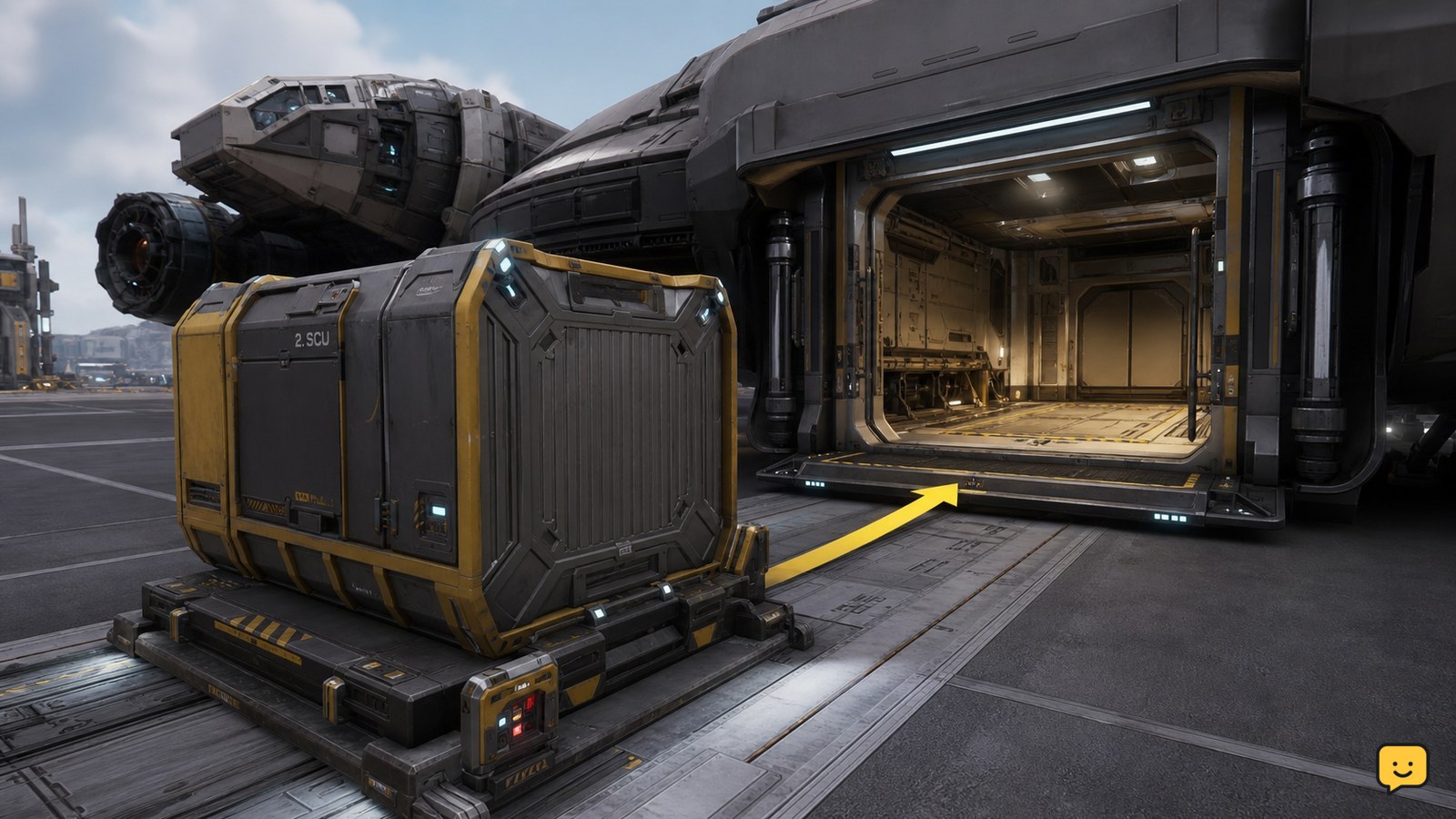
Star Citizen does not use one universal ship-to-ship inventory transfer screen. Retrieve or land both compatible ships where you can access their cargo, move the cargo container through the location’s freight elevator, then use a tractor beam to place it on the receiving ship’s cargo grid. Confirm the container is stable and appears in the ship’s cargo status before departing.
Browse more Star Citizen guides
Check whether both ships and the cargo are physically accessible
Star Citizen cargo transfers require physical access to the cargo and the receiving ship; they are not handled by a universal inventory-to-inventory transfer window. Retrieve or land the receiving ship at a location where the cargo can be moved through a freight elevator or other supported loading area. Roberts Space Industries’ Cargo Guide describes manually loading commodities onto an ASOP-retrieved ship with a freight elevator and tractor beam gadget.
If the source ship is somewhere you cannot safely access, do not begin by moving the cargo blindly through a local inventory pane. First bring the ships and cargo into the same usable loading area, or use the location’s supported cargo-storage process if the game presents one.
Verify the receiving ship can accept the container
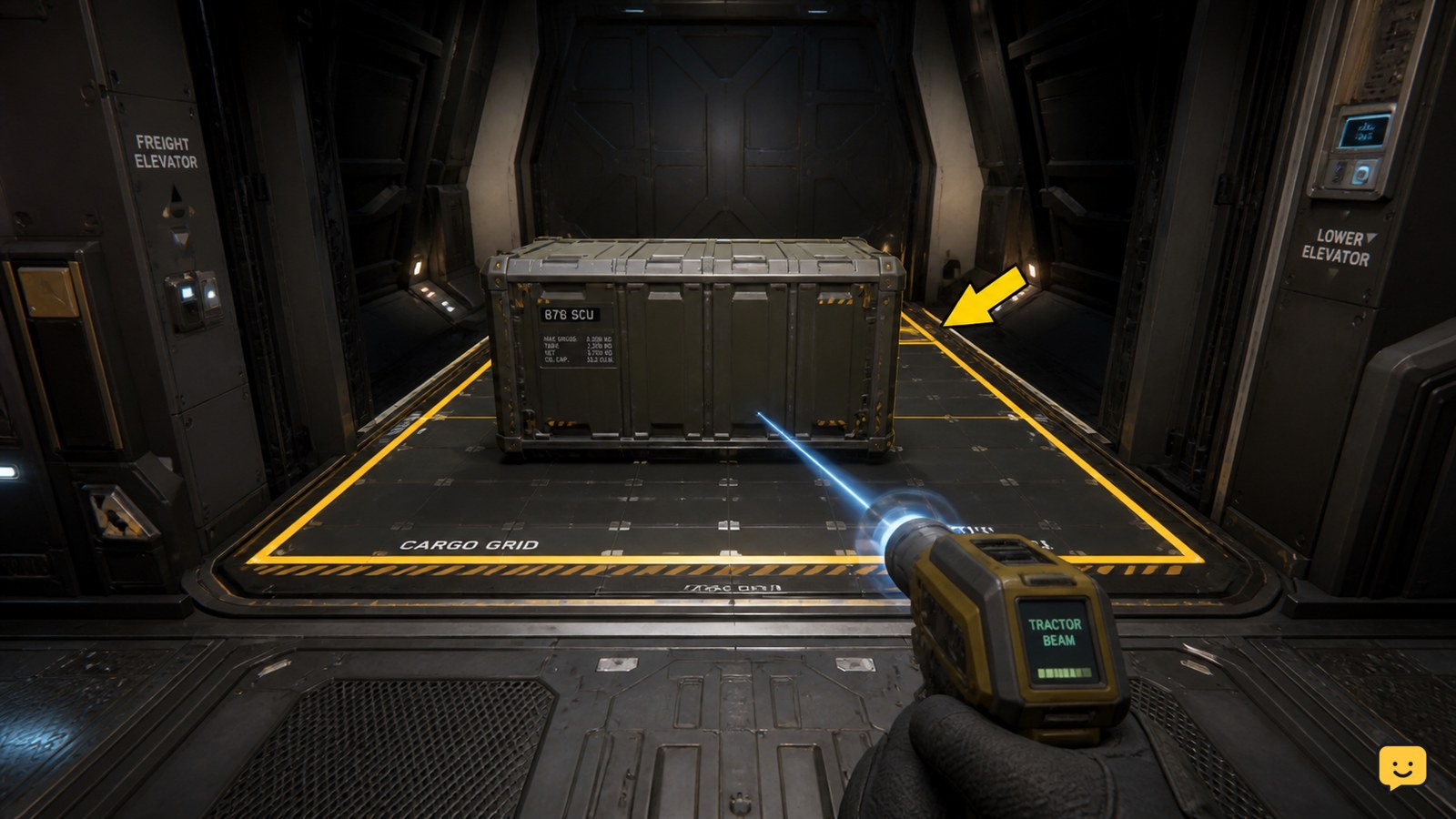
The receiving ship must have a usable cargo grid and enough compatible space for the container. Open the cargo area, inspect the grid, and compare the container’s footprint with the free space before lifting it.
A ship can appear large enough while still rejecting a load because the available grid area is occupied, the container is the wrong size for the remaining space, or the placement is not aligned. If the cargo will not attach, move other containers first and leave a clear, flat section of the grid.
Move the cargo through the freight elevator
Use the freight elevator at the location to move the cargo container between the accessible loading area and the ship. Place the container on the elevator platform or the location’s permitted cargo surface, then use the elevator controls to bring it to the level where the receiving ship can be loaded.
Keep the container centered and stationary before changing the elevator position. If the elevator does not recognize the cargo, return it to a stable surface, confirm that the platform is active, and try again. Do not leave the area until the container is visibly present at the intended loading level.
Place the container on the receiving ship’s cargo grid
Use a tractor beam gadget to lift the container and set it down on the receiving ship’s cargo grid. Approach the grid slowly, lower the container until it sits flat, and release it only after the container’s position is stable.
The exact interaction labels can change between builds and locations, but the physical result should be the same: the container rests inside the marked cargo area rather than on a ramp, doorway, or loose deck surface. The 3.24 cargo workflow shown in specialist gameplay guides also uses manual container placement with a tractor beam; treat visible labels as version-dependent.
Verify the cargo is registered before leaving
Confirm the container remains on the receiving ship’s grid and that the ship’s cargo readout or cargo-management display reflects the load. A container that is merely sitting inside the hull may still be unsecured or unregistered.
Close the cargo access point if the ship requires it, wait for the cargo state to update, and inspect the grid again. If the cargo disappears from the readout, shifts loose, or remains outside the grid, set it down safely and repeat the placement. Do not depart until the cargo is both physically stable and shown as part of the receiving ship’s load.
Fix cargo transfers that fail or appear incomplete
If Star Citizen will not accept the transfer, match the symptom to the safest next action:
| Symptom | Likely cause | Next action |
|---|---|---|
| No cargo grid appears | The ship is not a compatible cargo carrier, or the cargo area is not accessible. | Stop and verify the ship’s installed or built-in cargo capacity before continuing. |
| The container will not snap into place | The grid is full, the footprint is incompatible, or the container is misaligned. | Clear space, rotate or reposition the container, and release it only over a marked grid area. |
| The tractor beam loses the container | The object is too far away, obstructed, or near an edge. | Set the container down, move closer, and lift it from a stable position. |
| The ship shows no updated cargo status | The container is loose or the cargo state has not registered. | Re-seat the container, close the cargo access point if applicable, and recheck the readout. |
| The game blocks the move | The cargo may be restricted by its mission, contract, or current location. | Do not force the transfer; follow the restriction shown by the interface. |
If the elevator, cargo display, or tractor beam remains unresponsive after a safe reset of the cargo position, store or secure the ship only after recording where the cargo is located. A server or interaction issue may require leaving the loading area and trying again later.
Frequently asked questions
Can I transfer Star Citizen cargo directly between ships in space?
Usually, do not assume a direct in-space inventory transfer is available. The documented cargo workflow uses a physical loading area, freight elevator, cargo container, and tractor beam. Bring the ships to a location where both cargo areas can be accessed, then move and secure the container on the receiving ship’s grid.
Why does my ship have room but reject the cargo container?
The free space may not match the container’s footprint or alignment. Inspect the marked cargo grid rather than the ship’s internal volume, clear an area large enough for the container, and place it flat inside the grid. Stop if the interface continues to reject the load.
Can I move ship cargo into local inventory in Star Citizen?
Ship cargo and local inventory are separate storage systems. A location may let you move items through a freight elevator or storage interface, but the available destination depends on the location and current build. Use only a destination the interface explicitly offers, and verify that the item appears there before leaving.
What should I do if transferred cargo disappears?
First check the receiving ship’s cargo grid and cargo status while the ship is still accessible. If the container is loose, reposition it with the tractor beam and wait for the readout to update. If the game warned that the move was restricted or the cargo is no longer visible, stop moving additional items and avoid departing until its state is clear.


