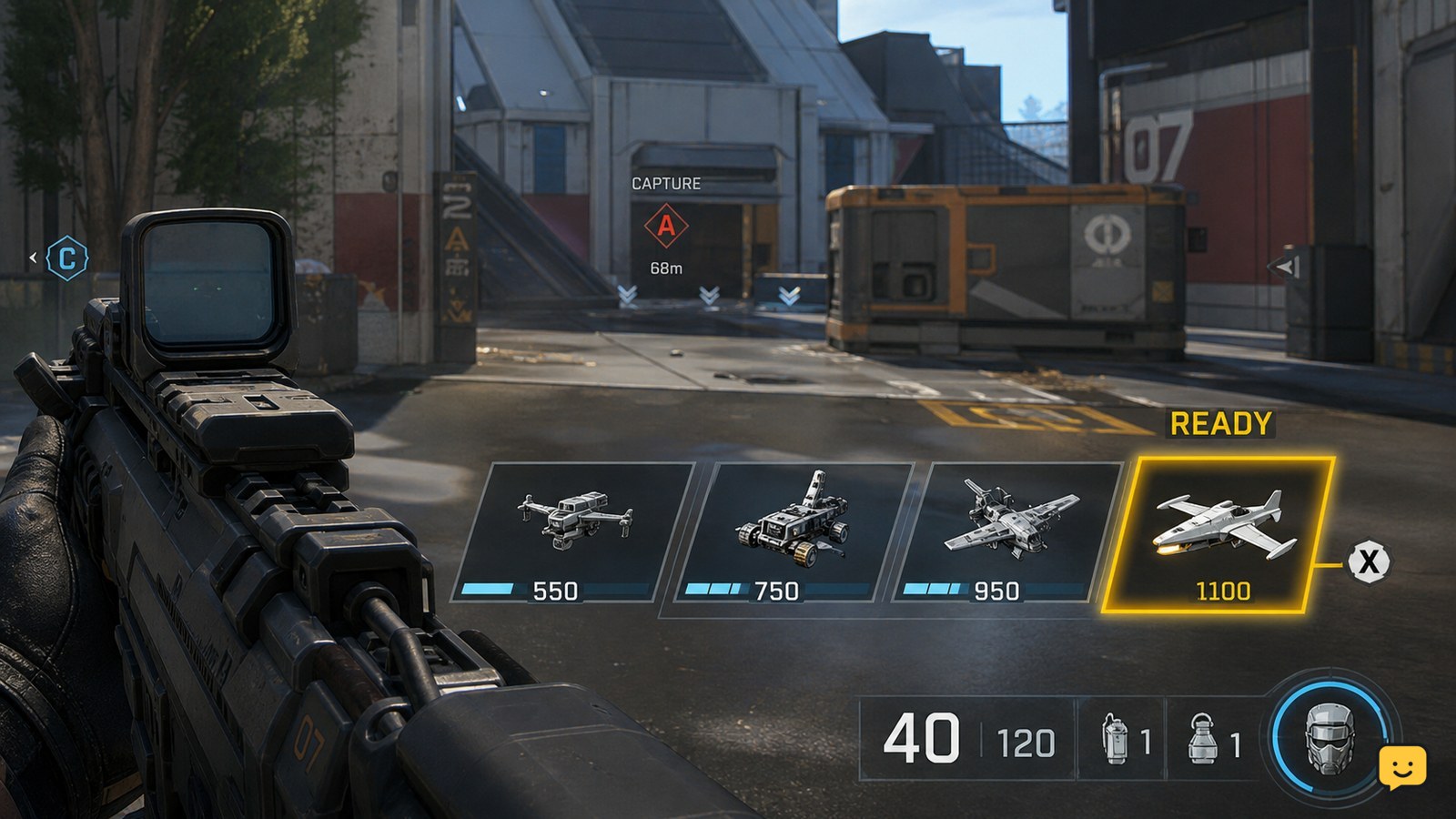
In Black Ops 7 Multiplayer, open your loadout’s scorestreak selection, assign the streaks you want, then earn score from kills, assists, and objectives. When a streak becomes ready, use the on-screen activation control beside its icon. If activation fails, check that the streak is selected, its score requirement is met, and its control is correctly bound.
Browse more Call of Duty: Black Ops 7 guides
Equip scorestreaks in the active Multiplayer loadout
Black Ops 7 scorestreaks must be assigned to the Multiplayer loadout you are using before you can call them in. From the Multiplayer loadout or scorestreak selection screen, choose an available slot, select a streak, and confirm the assignment. Repeat this for each slot displayed by the game.
Loadout changes do not help if the match is already using a different class. Before testing a streak, confirm that the selected loadout is the one you spawned with and that the streak icon appears on the in-match HUD.
Earn the score required by each streak
Black Ops 7 builds scorestreak progress through match actions such as eliminating enemies, assisting with eliminations, and completing objectives. IGN’s Black Ops 7 scorestreak reference identifies these as sources of score used to increase a streak.
Watch the HUD rather than assuming that one kill immediately makes a streak available. A streak is ready only when its progress reaches the requirement shown by the game and its icon changes to the available state.
Activate a ready scorestreak with the displayed control
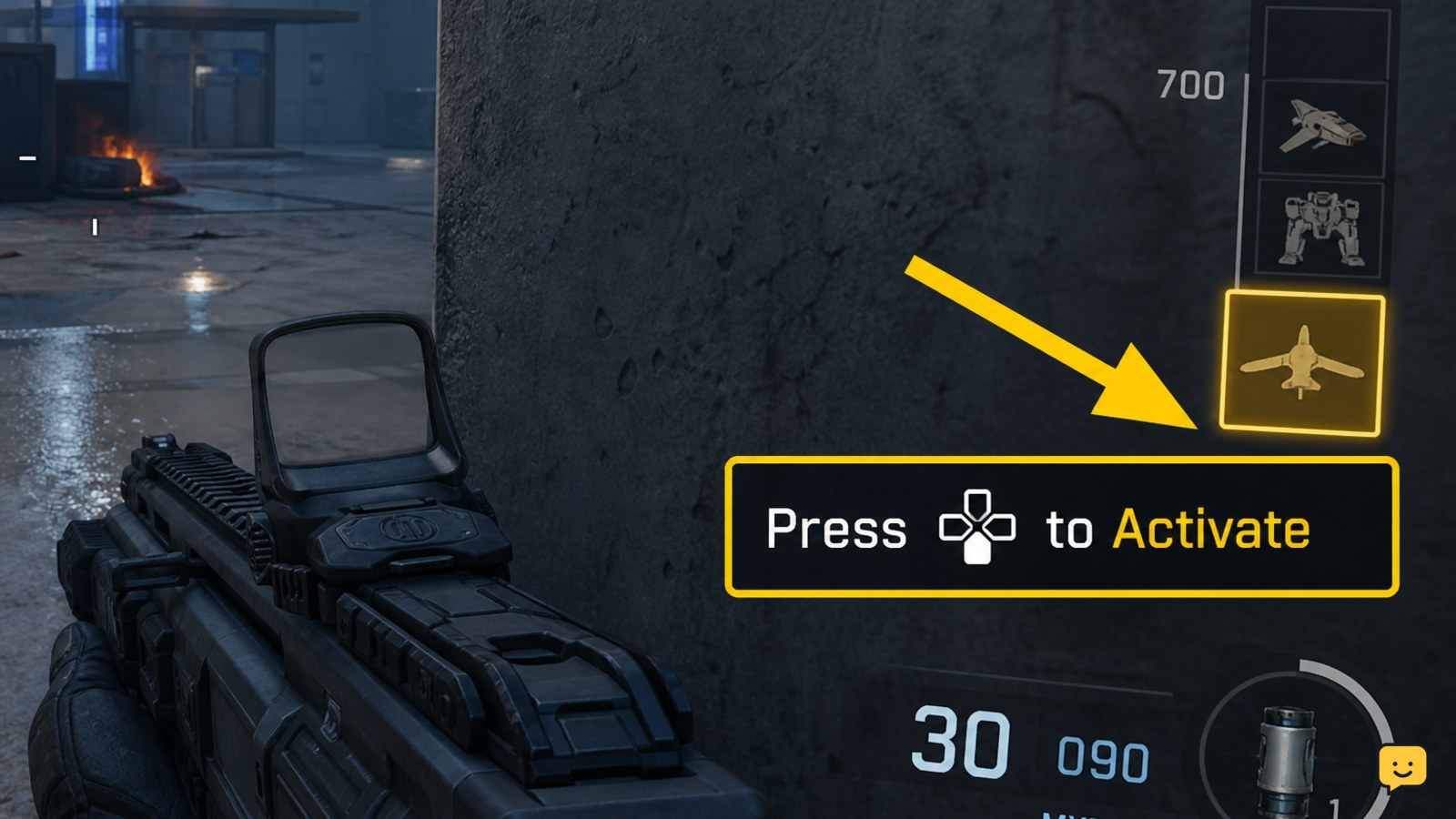
When a Black Ops 7 scorestreak is ready, use the control shown beside its HUD icon. The game may require a selection input followed by confirmation, depending on the streak and your control layout. Keep the icon in view while activating it so you can distinguish a successful call-in from a failed input.
After activation, look for the streak’s deployment, targeting, or confirmation state. If the icon disappears or changes to a cooldown or used state, the game accepted the input. Do not press the control repeatedly while a targeting screen or confirmation prompt is open.
Fix a scorestreak that will not activate
A scorestreak that will not activate usually has one of three visible causes: it is not assigned to the active loadout, its score requirement is incomplete, or its activation input is missing or incorrect.
- Check the loadout: leave the match or open the class-selection screen and confirm that the streak is assigned to the class you are using.
- Check the HUD state: a partially filled or greyed-out icon means you have not reached the requirement. Continue earning score through eliminations, assists, or objectives.
- Check the control: on PC, a community report places the scorestreak bindings under Settings > Keyboard & Mouse > Keybinds > Combat Advanced, where entries such as Score Streak 1 can be reviewed. Treat the exact location as interface-dependent and search the keybind list for “score streak” if the label differs.
- Test one input: return to a standard Multiplayer match and activate the streak only after its icon clearly indicates readiness.
If the icon is ready but no input prompt appears, reset the relevant binding to a known control and check whether another action already uses that key or button. If the streak remains unavailable after the loadout, score, and binding checks, leave the match and verify the assignment again rather than repeatedly pressing the control.
Confirm the streak was used successfully
A successful Black Ops 7 scorestreak activation produces an observable result: the selected streak begins its deployment or targeting sequence, the HUD state changes, or the game displays the streak’s active interface. If none of these occurs, assume the input was not accepted.
Some streaks require a target, placement, or follow-up confirmation. Complete that second interaction only when the game displays it. If the match ends, the streak is unavailable in the current mode, or the streak is removed from the active class, stop testing that attempt and recheck the loadout in the next eligible Multiplayer match.
Frequently asked questions
Can I use scorestreaks in Black Ops 7 Zombies?
No. This guide covers Multiplayer scorestreaks. Zombies uses its own equipment and progression systems, so a Multiplayer scorestreak loadout and activation method should not be assumed to work there.
Why is my Black Ops 7 scorestreak icon still grey?
A grey icon normally means the required score has not been reached, the streak is not assigned to the active loadout, or the current mode does not allow it. Check the class first, then continue earning score from eliminations, assists, and objectives.
How do I change scorestreak controls on PC?
Open Settings, choose Keyboard & Mouse, enter Keybinds, and inspect the Combat Advanced entries for scorestreak controls. Search for “score streak” if your interface uses different grouping or labels, then test the changed binding in Multiplayer.
Do scorestreaks carry between Black Ops 7 matches?
No. Scorestreak progress is earned during the current eligible match and is not a permanent stockpile you can spend later. You must build the required score again after starting another match.