To program a garage door opener remote, make sure the door is closed, press the opener’s Learn or Program button, then press and hold the remote button you want to use. Release it when the opener lights flash or the indicator changes. Test the remote from a clear position. Button names and timing vary by manufacturer.
For more help with this topic, use the Home Maintenance guides.
Check the opener and remote before pairing
The garage door opener and remote must both be accessible, powered, and safe to test before programming begins. Confirm that the opener has power and that the door is fully closed. Stand outside the door’s travel path, not beneath it.
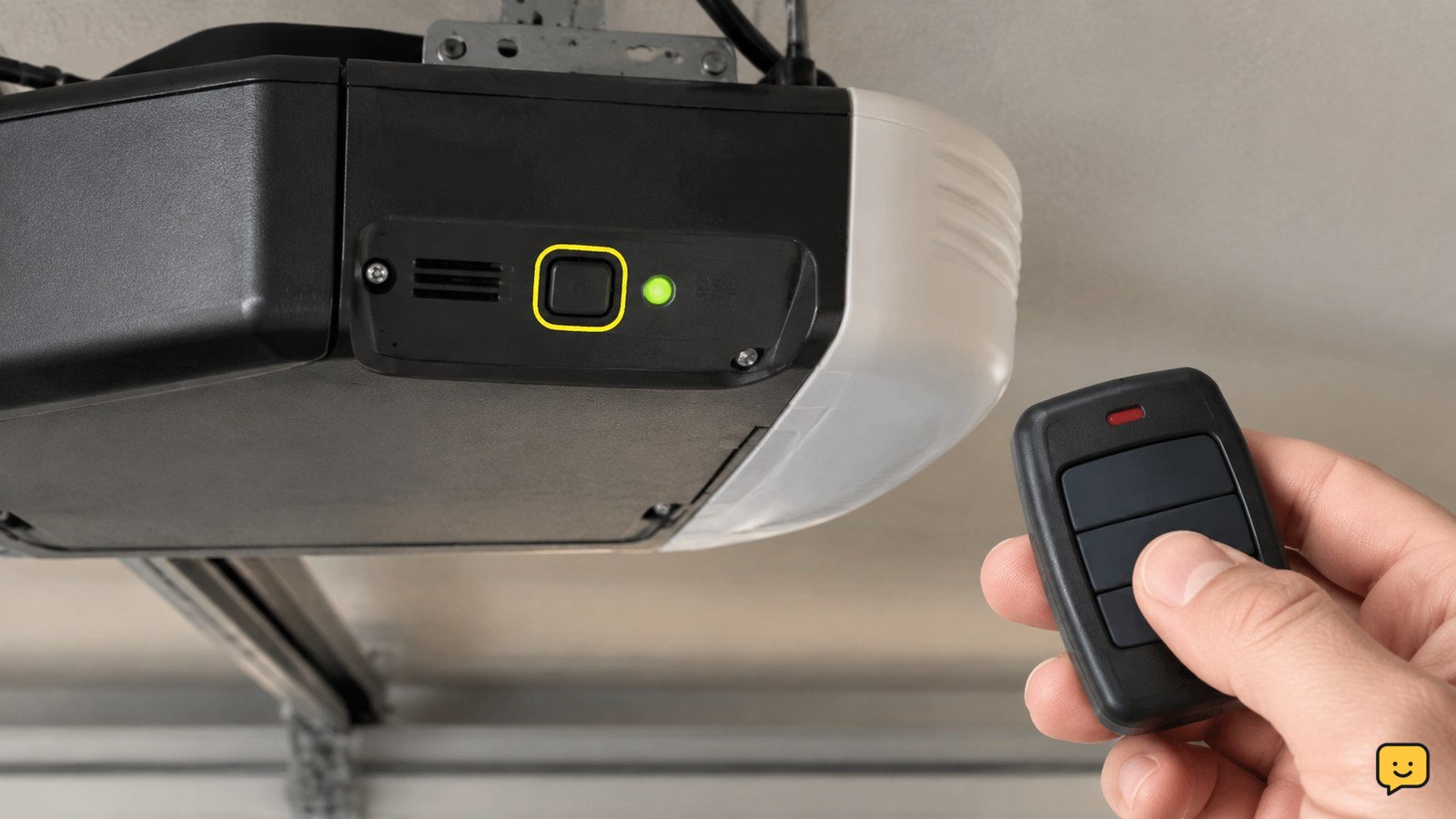
Find the opener’s Learn or Program button on the motor unit or associated wall control. Chamberlain’s support instructions use the Learn button as the entry point, but the button location, color, and indicator pattern can differ across opener families. If the button label is unclear, identify the opener model before continuing.
Pair a handheld remote with the opener
To pair a handheld remote, enter the opener’s programming mode, then hold the remote button you want to assign.
- Press the opener’s Learn or Program button once, or use the model’s stated activation method.
- Within the time allowed by the opener, press and hold the selected button on the remote.
- Watch for the opener lights to flash or for the indicator light to change. Chamberlain describes this visible response as confirmation that the remote signal was accepted.
- Release the remote button and wait briefly for programming mode to end.
Use only the button you want to operate this door. Do not hold the opener’s Learn button longer than the manufacturer’s instructions specify, because a different action may be assigned to a longer press on some models.
Verify that the new remote works
A programmed remote should cause the opener to respond from a safe position with the door fully visible. Press the assigned remote button once and watch the door begin moving; press it again according to the opener’s normal stop or reverse behavior.
Confirm both the remote and the wall control still operate the door. Keep the opening clear during this test. If the opener lights flashed during setup but the door does not respond, try the remote closer to the opener, check the battery orientation, and repeat the pairing sequence once using the exact model instructions.
Program built-in vehicle controls instead
Built-in vehicle buttons use a vehicle-specific programming process rather than the handheld-remote sequence alone. Home Depot’s current how-to guidance describes starting from the vehicle’s designated program control and holding it until its indicator flashes, then completing the opener pairing step.
Use the vehicle owner’s manual for the exact button sequence. Keep the handheld remote available because some vehicles first learn the remote signal, then require the opener’s Learn button to authorize the vehicle control. Verify success by pressing the vehicle button while the door is visible and the area is clear.
What to do when programming fails
If programming fails, identify which expected result is missing before trying another method.
| What you see | Likely next action |
|---|---|
| No indicator or light response after pressing Learn | Confirm the opener has power, locate the correct control, and check the model instructions. |
| Indicator responds, but the remote does nothing | Replace or reseat the remote battery, hold the remote button during the programming window, and repeat once. |
| The remote works only very close to the opener | Check the battery, physical damage, and compatibility of the remote with the opener model. |
| The door moves but reverses or behaves abnormally | Stop programming attempts and address the door or safety-system issue separately. |
If the opener enters an unexpected mode, the indicator pattern conflicts with the manual, or several compatible remotes fail, stop and use the manufacturer’s model-specific support instructions.
Frequently asked questions
How do I know whether my garage door opener is in programming mode?
The opener usually shows a changed indicator light or flashes its lights after the Learn or Program button is pressed. The exact color, timing, and flash pattern depend on the manufacturer and model, so use the opener’s manual if no visible response appears.
Why is my garage door remote not programming?
The most common checks are the remote battery, button timing, opener power, and compatibility. Press the opener’s Learn button using the model’s stated method, then hold the remote button during the programming window. If the indicator never responds, stop and identify the correct model-specific control.
Can I program my car without the handheld remote?
Sometimes, but the vehicle procedure depends on the vehicle and opener. Many built-in systems use a learning sequence involving the vehicle button and the opener’s Learn control. Follow the vehicle owner’s manual and verify operation with the garage door fully visible.
What should I do if the garage door reverses after programming?
Stop using the newly programmed control until the movement issue is understood. Remote programming does not correct travel limits, force settings, obstructions, or safety-sensor problems. Keep people and objects clear and consult the opener’s safety and troubleshooting instructions.