To stop a phone overheating while charging, unplug it immediately if it feels excessively hot, remove the case, and place it on a cool, hard surface with open airflow. Do not charge it on a bed, under clothing, or in direct heat. After it cools, try a compatible certified charger and cable. Stop using it and arrange service if overheating returns or the battery looks swollen.
Browse more Mobile Devices guides
Unplug the phone and let it cool safely
An Android phone or iPhone that is excessively hot while charging should be unplugged first, not tested repeatedly. Anker advises disconnecting an overheating phone immediately and allowing it to cool before charging again.
- Disconnect the charging cable from the phone or power adapter.
- Remove the phone from a bed, blanket, sofa, car dashboard, or any other soft or heat-trapping surface.
- Remove the case if it comes off easily.
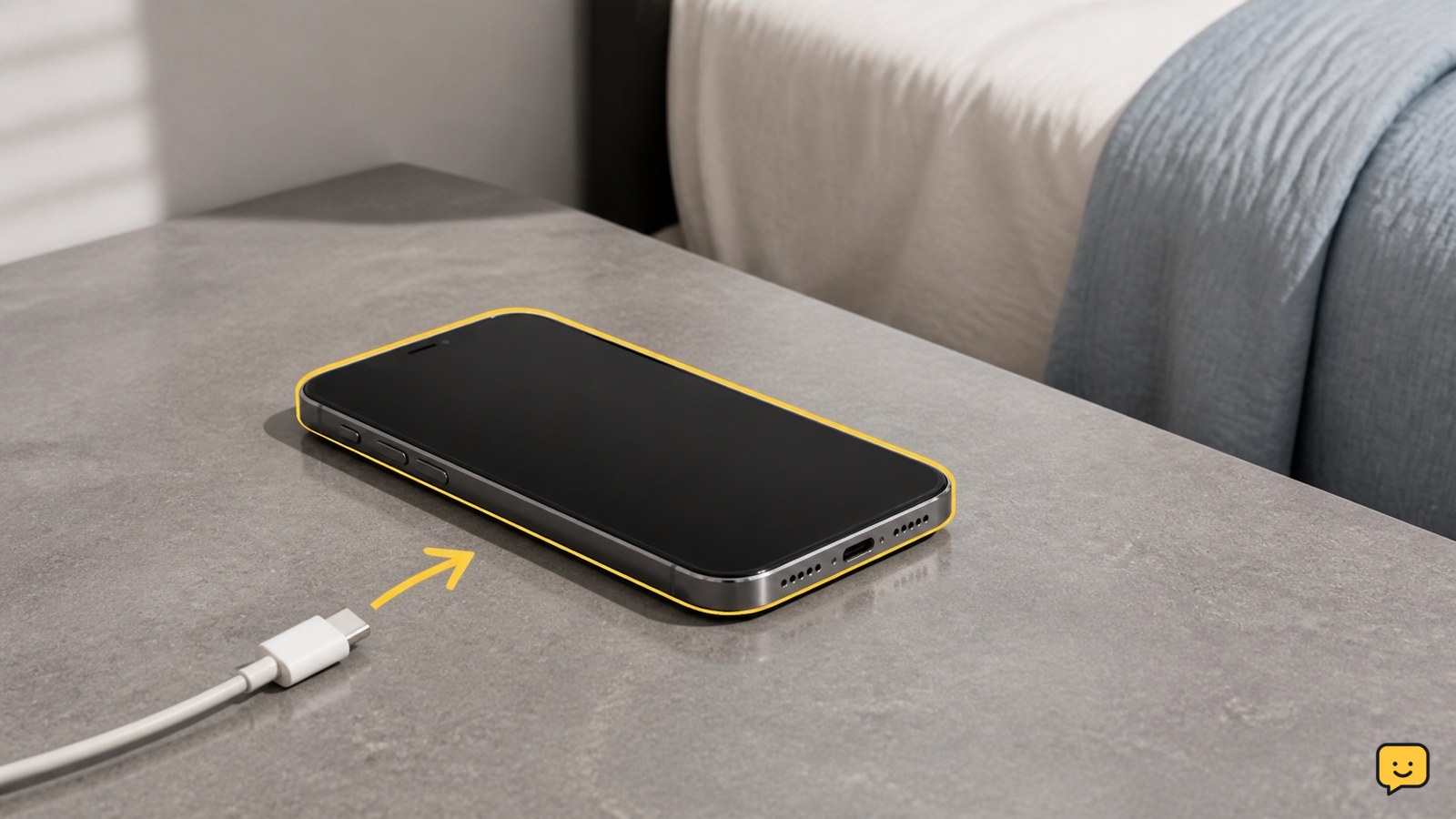
- Place the phone on a cool, dry, hard surface away from direct sunlight and other heat sources.
Leave it alone until it returns to a normal comfortable temperature. Do not cool it with water, ice, a refrigerator, or a freezer because condensation and rapid temperature changes can create additional damage.
Verification: The phone should feel normal to hold, show no temperature warning, and have no unusual smell, smoke, noise, swelling, or visible damage before you continue.
Remove the case and reduce heat during charging
A phone case can hold heat around the charging area, so removing it is a useful first test when the device becomes hot during charging.
- Charge the phone without its case on a clear, hard surface.
- Keep the screen uncovered and leave space around the phone for open-air circulation.
- Avoid using demanding apps, recording video, gaming, navigation, or long video calls while charging.
- Do not cover the phone with clothing, bedding, papers, or other objects.
Anker specifically warns against charging on soft surfaces because restricted airflow can make the phone heat up faster. If the phone stays cooler without the case and with the screen idle, the case or charging workload was contributing to the problem.
Failure path: If the phone remains excessively hot while idle and uncovered, unplug it again. That result points away from the case alone and toward the charger, cable, outlet, software load, battery, or charging hardware.
Check the charger, cable, and power source
A faulty or unsuitable charger or cable can make a phone heat up during charging, so inspect the complete charging path instead of replacing only one part.
- Check the cable for fraying, bent connectors, looseness, discoloration, or heat concentrated near either plug.
- Check the charger for cracks, unusual noise, damage, or excessive warmth.
- Use the phone maker’s charger or a compatible certified replacement rather than an unverified adapter.
- Try a different safe wall outlet if the outlet, extension lead, or power strip feels hot or unreliable.
- Make sure the charging connector is clean and dry. Do not insert metal objects into the port.
A troubleshooting video cited in the evidence also identifies faulty chargers or cables as a possible cause and recommends certified charging equipment. Treat that source as a practical lead rather than proof of the cause for a particular phone.
Verification: After the phone has cooled, connect the known-good charger and cable without the case. The phone may become mildly warm, but the temperature should not continue rising rapidly or become uncomfortable to hold.
Resume charging only after the phone passes a safety check
Resume charging only when the phone is cool, undamaged, uncovered, and connected to a compatible charger and cable.
- Place the phone on a hard, dry, open surface.
- Connect the charger and leave the screen off for several minutes.
- Check the phone by touch and look for a temperature warning, charging interruption, unusual smell, or rapid heat increase.
- If it remains comfortably warm and continues charging normally, keep the setup uncovered and away from heat.
Do not use “it still charges” as the only success test. A safe result is stable charging without a rapid temperature rise, warning, odor, physical change, or repeated disconnects.
If the expected result does not appear: unplug the phone, let it cool again, and test once with a different compatible charger and cable. If the same phone still overheats, stop troubleshooting with replacement accessories and arrange manufacturer or qualified repair support.
Know when recurring overheating needs repair
Recurring overheating during charging needs professional evaluation when it continues after removing the case, improving airflow, reducing phone use, and trying compatible charging equipment.
Stop using the phone and charger if you notice swelling, a lifted screen or back panel, smoke, crackling, an unusual chemical smell, visible damage, or a temperature warning that returns quickly. Do not press on a swollen battery, open the phone, or continue charging it to collect more evidence.
If there are no visible safety signs but the phone repeatedly becomes too hot while idle, record which charger, cable, outlet, and charging position were used. Contact the phone manufacturer or an authorized repair provider and describe the repeated symptom. The problem may involve the battery, charging port, power-management hardware, or another internal fault, and those parts should not be repaired by improvised methods.
Frequently asked questions
Is it normal for a phone to feel warm while charging?
A phone can feel warm during charging, and Anker describes some warmth as generally normal. It is not normal if the phone becomes excessively hot, uncomfortable to hold, shows a temperature warning, smells unusual, swells, or keeps getting hotter. Unplug it and let it cool whenever the temperature seems unsafe.
Should I charge my phone with the case on?
You can test charging without the case if the phone becomes hot. Remove the case, place the phone on a hard surface, and leave the screen off. If the phone stays noticeably cooler, the case may be trapping heat. Replace a thick, damaged, or poorly fitted case rather than continuing to charge through repeated overheating.
Can I keep using my phone when it gets hot during charging?
Avoid demanding use while the phone is charging and hot. Gaming, video recording, navigation, and long calls add workload while the battery is receiving power. If the phone is excessively hot or displays a warning, unplug it immediately and wait for it to cool before using or charging it again.
What should I do if the phone overheats with every charger?
Stop charging it and arrange service if the phone overheats with more than one compatible charger and cable. Check for swelling, a lifted screen or back panel, odor, smoke, or visible damage, but do not open the phone or press on the battery. A recurring problem can require inspection of the battery, port, or internal charging hardware.