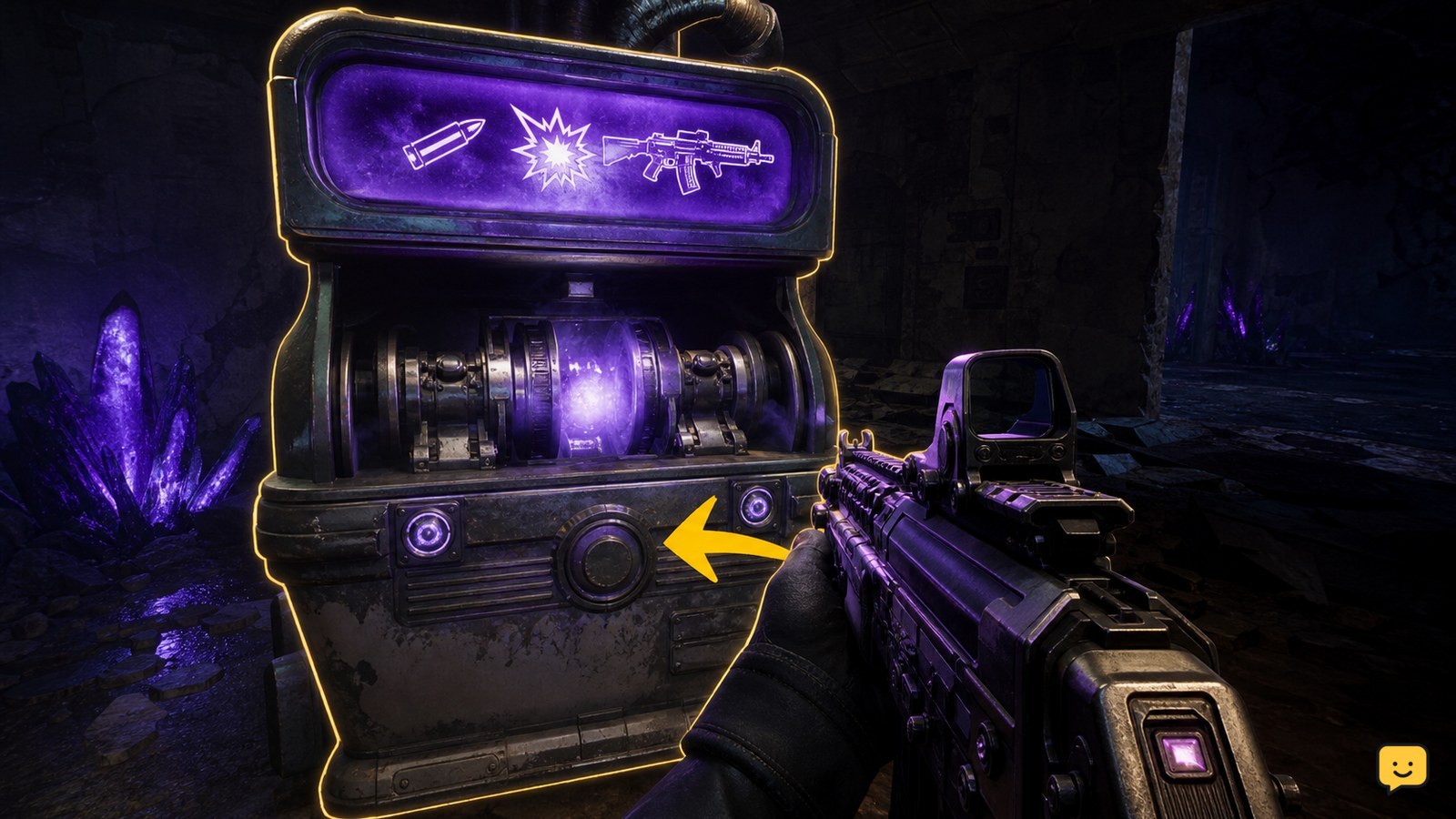
To Pack-a-Punch a weapon in Black Ops 7 Zombies, first open the map route to its Pack-a-Punch machine and complete any required power or objective step. At the active machine, approach with the weapon equipped, check the on-screen Essence cost, confirm the purchase, and fire or inspect the weapon to verify the upgrade. Machine locations and access steps can differ by map.
Browse more Call of Duty: Black Ops 7 guides
Find the Pack-a-Punch route for your Zombies map
Black Ops 7 Zombies uses map-specific routes to reach Pack-a-Punch, so the first decision is identifying the access objective for your map. A machine that is not visible or usable may simply be behind a locked route, power step, or story objective.
On Ashes of the Damned, IGN’s map guide routes players through the Server Room, Blackwater Lake, and Ashwood before Pack-a-Punch access is established. Follow the active objective markers and open only the doors needed to continue that route. Do not spend all your Essence on optional purchases before the machine is available.
Community gameplay references also show a different access pattern for Kowakujo: activate the machine, then use the Dark Aether Nexus route through the Subterranean Temple gateway. Treat this as map-specific information, not a universal Black Ops 7 Zombies path.
Complete the power or activation objective before interacting
The Pack-a-Punch machine becomes usable only after its map’s required access condition is complete. On Ashes of the Damned, the documented route includes restoring power at Blackwater Lake before continuing toward Ashwood and the machine.
- Read the current objective or marker before opening another route.
- Complete the marked power, activation, or quest step.
- Return to the machine area and look for the interaction prompt.
Success is visible: the machine should present an interaction prompt and a purchase option instead of appearing inactive or inaccessible. If the prompt is missing, check whether a teammate completed only part of the objective, whether the route is still locked, or whether you are standing at a decorative machine rather than the active station.
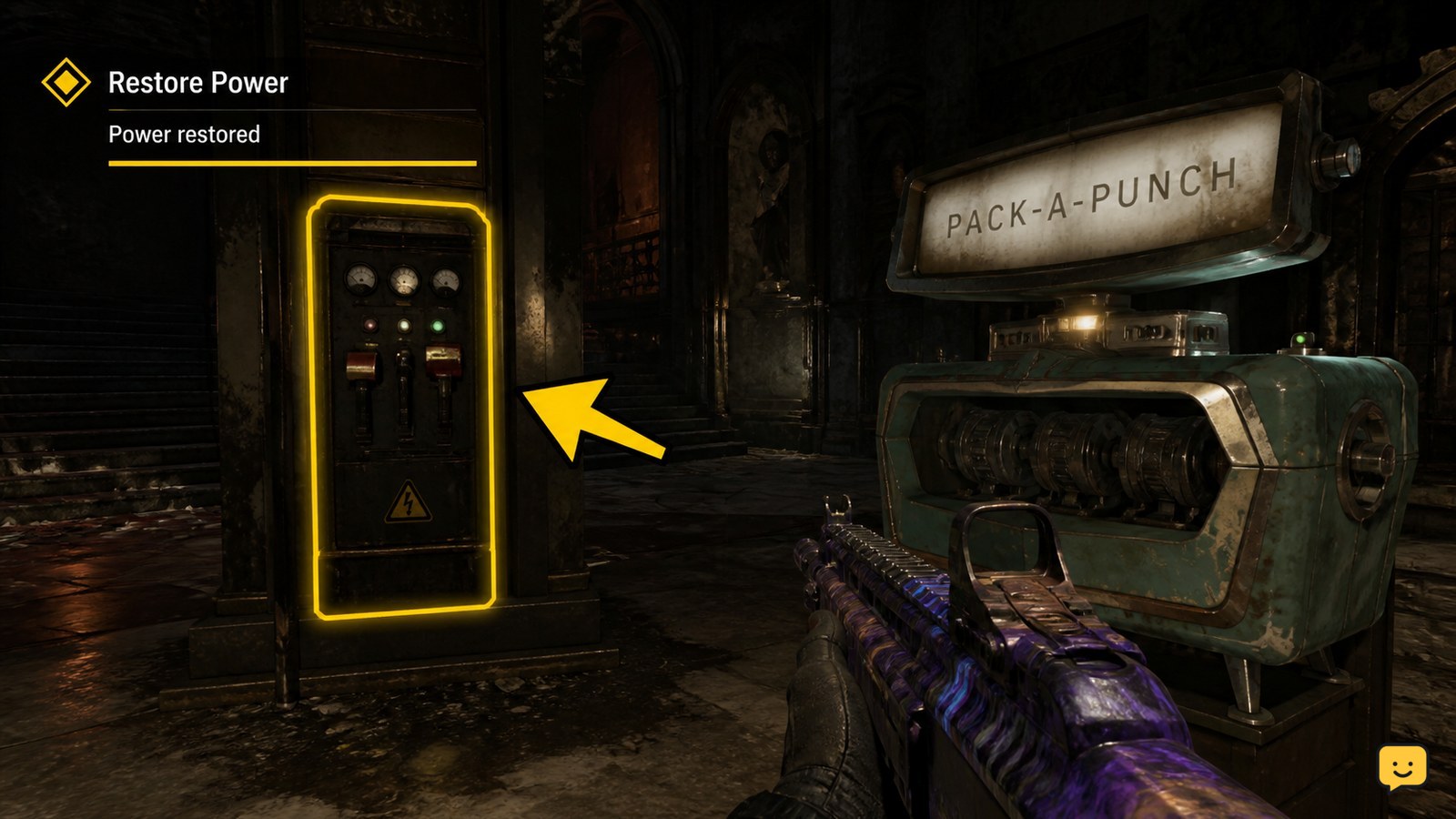
Choose the weapon and confirm the Essence purchase
To upgrade a weapon, approach the active Pack-a-Punch machine with that weapon equipped and read the prompt before confirming. The displayed cost is the match’s authoritative requirement; do not rely on a fixed number from another map, mode, or older guide.
- Move beside the machine until the interaction prompt appears.
- Confirm that the weapon shown is the one you intend to upgrade.
- Check that your Essence balance covers the displayed price.
- Confirm the purchase and remain beside the machine until the weapon is returned.
Do not confirm if the wrong weapon is highlighted, the price is unexpected, or the interaction is interrupted by incoming enemies. Create space first, then retry when the prompt and weapon selection are stable.
Verify the Pack-a-Punch upgrade before leaving
A successful Pack-a-Punch purchase is confirmed when the upgraded weapon returns to your hands and the machine interaction ends. Check the weapon name, appearance, ammunition behavior, or damage response against nearby Zombies before moving on.
Fire a controlled burst at a normal enemy or inspect the weapon display if the game provides one. The goal is to confirm that the purchase completed, not merely that Essence disappeared. If the weapon looks unchanged, the prompt remains active, or the transaction was interrupted, do not buy again immediately. Recheck the weapon in your hands and the machine state first.
Once the upgrade is confirmed, reload, collect nearby drops if safe, and move away from the machine so the next player can interact without blocking the station.
Fix a missing prompt or failed upgrade
A missing Pack-a-Punch prompt usually means the machine is not active, the required map objective is incomplete, the player is out of position, or the interaction was interrupted.
| What you see | Likely cause | Safest action |
|---|---|---|
| No prompt at the machine | The access or power objective is incomplete, or this is not the active station | Read the objective marker and return after completing the required step |
| The wrong weapon appears | You approached with another weapon equipped | Back away, switch to the intended weapon, and approach again |
| Essence is insufficient | Your balance is below the displayed cost | Leave the station, earn Essence, and return when the cost is covered |
| The purchase does not visibly finish | The interaction was interrupted or the machine is still processing | Wait beside the machine, then verify the returned weapon before paying again |
If the route is complete and no prompt appears after changing position and rechecking the objective, treat the issue as map- or match-specific. Do not repeatedly spend Essence or abandon a valuable weapon while the machine state is uncertain.
Frequently asked questions
Does every Black Ops 7 Zombies map use the same Pack-a-Punch location?
No. The machine’s location and access route can change by map. Ashes of the Damned uses a documented route involving the Server Room, Blackwater Lake, and Ashwood, while Kowakujo uses a different Dark Aether Nexus route through the Subterranean Temple gateway. Follow the active map objective instead of copying a location from another map.
Why can’t I use Pack-a-Punch in Black Ops 7 Zombies?
The usual reasons are an incomplete power or activation objective, a locked route, insufficient Essence, or standing at the wrong machine. Check the objective marker, complete the map’s required step, approach with the intended weapon equipped, and wait for the interaction prompt. If the prompt still does not appear, avoid spending Essence and recheck the map-specific route.
How do I know that my weapon was Pack-a-Punched?
Confirm that the machine completes the interaction and returns the weapon to you. Then check the weapon display or fire at a nearby normal Zombie to verify that the upgrade registered. If Essence was deducted but the weapon was not returned or appears unchanged, wait and inspect the machine state before attempting another purchase.