When a dinosaur stops growing in The Isle Evrima, first confirm that the growth meter is actually frozen, then restore hunger, complete the required diet progress, and wait in a safe spot. If the percentage still does not change, safely log out and rejoin the same server. Test another official or well-populated server only after checking for a server-side issue.
1. Confirm that growth is genuinely stalled
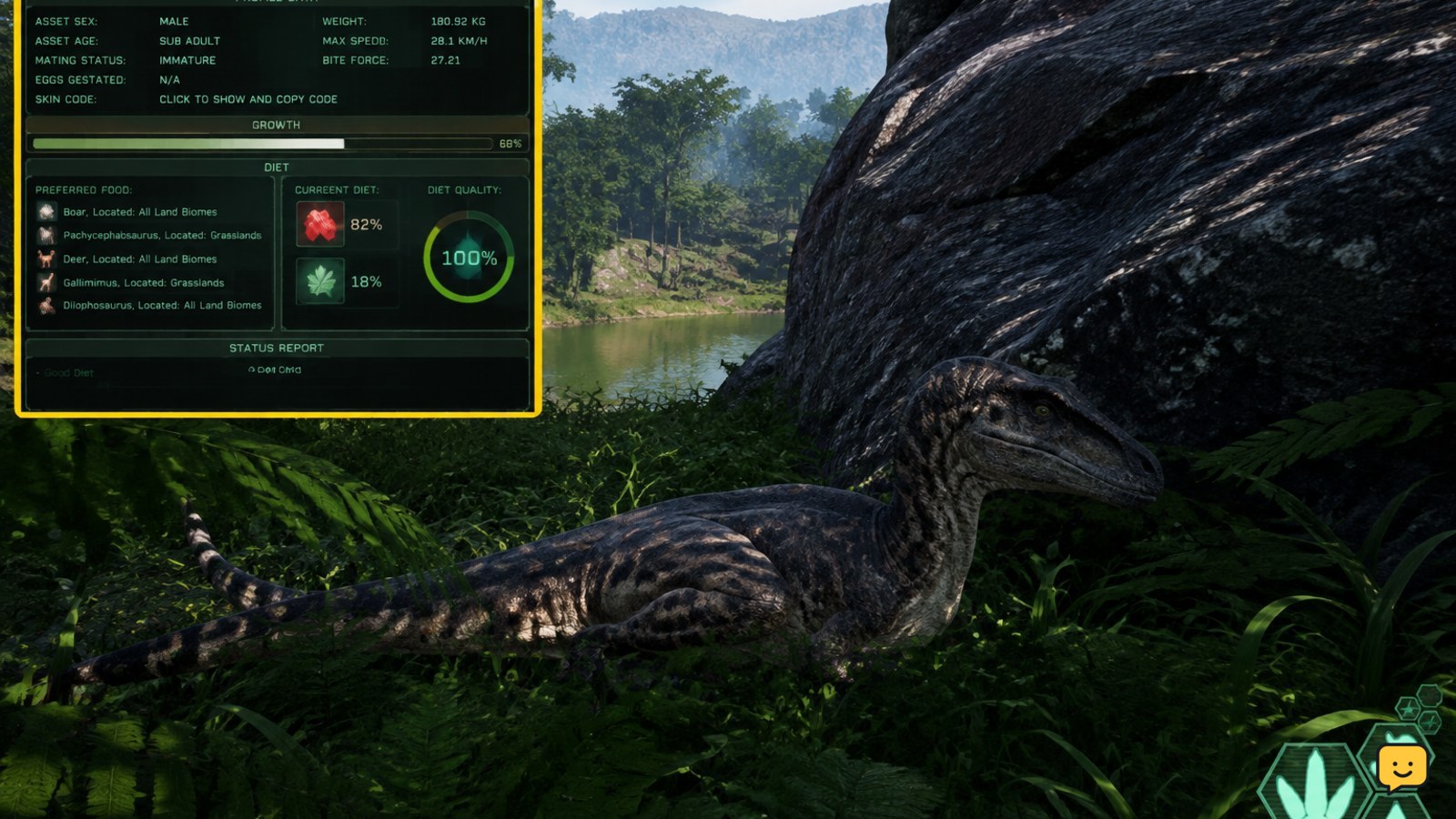
Open the current character and growth interface and note the exact percentage. Growth is slow, so checking after only a few seconds can make normal progress look broken. Remain alive and undisturbed in a safe location for several minutes, then check the same value again.
- Record the percentage, hunger state, diet indicators, and server name.
- Wait without repeatedly opening menus, travelling long distances, or swapping servers.
- Compare the percentage after the wait.
If the value changed, the dinosaur was not stuck. Continue meeting its normal survival and diet requirements. If it is unchanged, continue with the checks below.
2. Restore hunger and check diet progress
Food is the first practical check because an empty or deteriorating hunger state can interrupt a safe growth routine. Herbivores should use scent and the diet interface to locate suitable plants; carnivores should verify that the food they are eating contributes to the current diet rather than assuming every carcass provides the same progress.
- Eat until the hunger bar is no longer critically low.
- Open the diet display and check whether its nutrient or slot progress is advancing.
- Use the correct food variety for your species instead of repeatedly eating one unsuitable source.
- After eating, rest safely and watch for a measurable change in the growth percentage.
The diet system can provide growth-related benefits, but exact requirements and values can change between Evrima updates. Use the in-game indicators as the authority for your current patch. For a deeper explanation of slots and nutrients, see the Evrima diet guide for beginners.
3. Check for a server synchronization problem
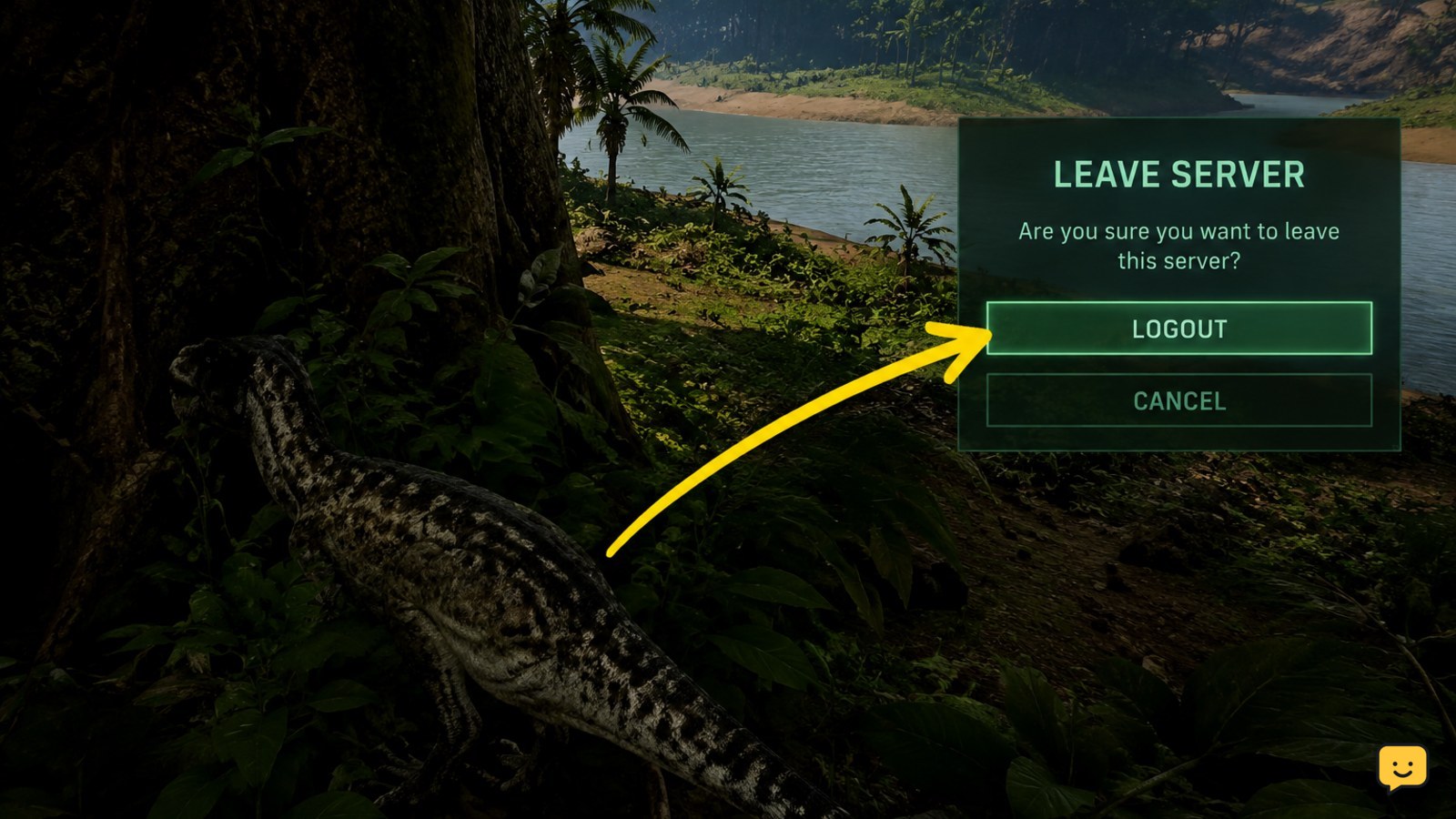
If hunger and diet indicators look correct but the percentage never changes, the displayed state may not be synchronized with the server. Community troubleshooting references recommend a logout and re-login for some Evrima bug states, but this is not a guaranteed fix.
- Move into cover away from players, predators, water hazards, and active combat.
- Use the game’s current safe logout command and wait for the logout process to finish.
- Rejoin the same server and check whether the growth percentage and diet display match your last recorded values.
- Wait again in a safe location before deciding whether the fix worked.
Do not force-close the game during a logout countdown or while the server is saving the character. If the character loads with missing progress, an old percentage, or an error, record the server name and approximate time rather than repeatedly reconnecting.
4. Compare servers before changing local files
A stalled percentage on one server does not prove that your game installation is damaged. Server settings, a recent patch, a crash, or a temporary outage can affect growth behavior. Steam discussions also show that Evrima patches can require players to update before joining normally.
- Check whether other players on the same server report frozen growth or other unusual behavior.
- Confirm that Steam has finished downloading any pending Isle update.
- Test the same dinosaur on another suitable server only if a safe logout has completed.
- Compare the growth display and diet state on the second server.
If growth works elsewhere, the original server is the stronger suspect. Return later or contact that server’s administrators with the server name, dinosaur, percentage, and steps that reproduced the problem. If growth fails across multiple servers, continue to the installation check.
5. Verify the Evrima installation
Use Steam’s file verification only after the in-game and server checks fail. This repairs missing or damaged local files, but it cannot repair a server-side character state or change a server’s growth settings.
- Exit The Isle completely.
- In Steam, open Library, right-click The Isle, choose Properties, and open Installed Files.
- Select Verify integrity of game files and allow the scan to finish.
- Restart Steam if it reports repaired files, then launch the Evrima branch and test again.
Do not delete save-related folders as a first response. If verification completes successfully and growth remains frozen on more than one server, report the issue through the game’s current official support or bug-report channel with your branch, server, species, growth percentage, and reproduction steps.
Evrima versus Legacy: why the fix may differ
This guide is for The Isle Evrima. Evrima’s diet indicators, nutrient progress, growth stages, and current server behavior should be checked through its own interface. Legacy is a separate branch with different systems, values, and troubleshooting expectations.
If the title screen, server browser, or branch selection shows Legacy, do not apply Evrima-specific diet advice or assume that an Evrima growth percentage behaves the same way. Switch to the intended branch, update it fully, and then repeat the relevant checks from the beginning.
Frequently asked questions
Does low hunger stop dinosaur growth in The Isle Evrima?
Low hunger can undermine a normal growth routine, so restore hunger before diagnosing a bug. Eat suitable food, check the diet indicators, rest safely, and compare the growth percentage after several minutes. If the percentage remains unchanged with stable food conditions, investigate server synchronization instead of continuing to eat randomly.
Can changing servers fix a dinosaur that is not growing?
Changing servers can identify a server-specific problem, but it is not the first step. Complete a safe logout, record your original server and growth percentage, then test another suitable server. If growth works there, contact the original server’s administrators or wait for that server to recover.
Should I restart The Isle when growth is frozen?
A normal restart may refresh a stale display, but safely log out before closing the game. Rejoin the same server first and compare the recorded percentage. Avoid force-closing during a logout or save process because the connection may not finish cleanly.
Does this dinosaur growth fix work in The Isle Legacy?
No. This checklist targets Evrima’s current growth, diet, and server behavior. Legacy uses different mechanics and may display progress differently. Confirm the branch before troubleshooting, then use advice specific to that branch rather than mixing Evrima and Legacy instructions.