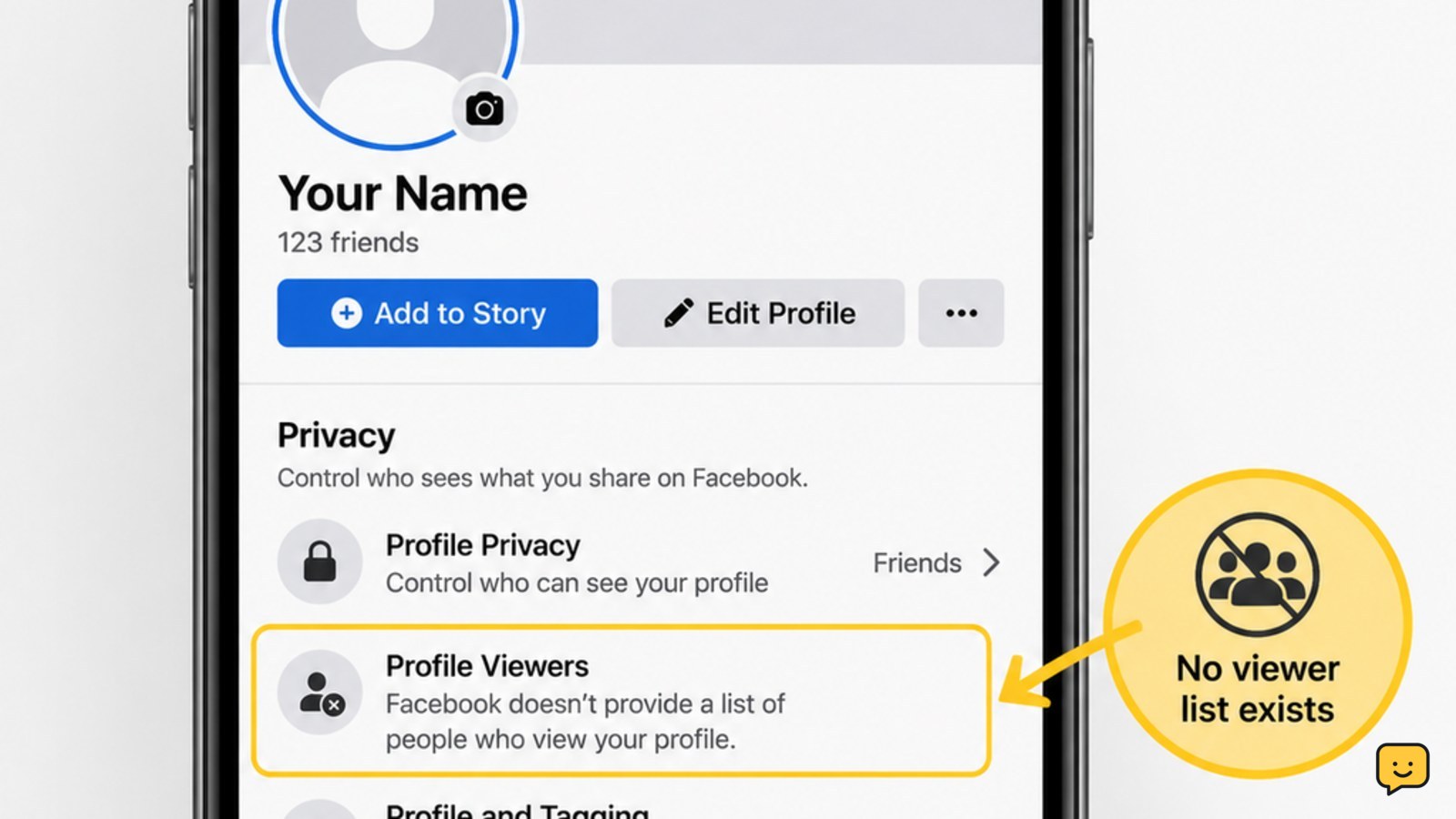
No. Facebook does not let you see who views your personal profile, and its official Help Center says third-party apps cannot provide that feature either. You may see visible interactions such as comments, reactions, messages, or other activity, but those do not create a complete profile-viewer list. Do not give an app your Facebook password or access just because it promises one.
For more help with this topic, use the Privacy Online Safety guides.
Check Facebook’s official answer first
Facebook does not provide a tool that identifies everyone who views your personal profile. Facebook’s Help Center states that people cannot track who views their profile, and it also says that third-party apps cannot provide this functionality.
That means there is no supported Facebook menu, button, browser trick, or private setting that produces a reliable visitor list. If you cannot find such a control in your account, that is expected rather than a sign that your app is broken or your account lacks access.
Separate profile views from visible interactions
A visible interaction is not the same as a profile view. Comments, reactions, messages, friend requests, and other activity may show that someone interacted with content, but they do not confirm that Facebook has recorded or revealed every person who opened your profile.
Use those activity records only for the action they describe. For example, a reaction confirms a reaction; it does not prove how many times that person viewed your profile or identify people who looked without interacting.
Verification: A genuine Facebook feature would appear inside Facebook’s official controls and clearly identify its purpose. A list supplied only by an outside app, post, extension, or website is not an official profile-view report.
Reject apps that promise a viewer list
Third-party apps cannot reveal who views your Facebook profile, according to Facebook’s Help Center. A service that promises this result is therefore offering an unsupported claim, even if it displays sample names, a loading screen, or a button labeled “See viewers.”
- Close the page or cancel the installation when it asks you to connect Facebook for this purpose.
- Do not provide your password, login approval, two-factor authentication code, recovery code, or payment information.
- Do not install a browser extension or mobile app solely to identify profile visitors.
- Use Facebook directly for privacy decisions instead of relying on an outside viewer report.
Stop condition: If the service says you must share the result, invite contacts, complete a survey, or pay before names appear, do not continue. Those requirements do not turn an unsupported feature into a Facebook feature.
Secure your account after an unofficial login
If you already entered Facebook credentials into a viewer-list service, treat the login as exposed and secure the account through Facebook’s official app or website.
- Open Facebook directly rather than using the link from the service.
- Change your Facebook password to a new, unique password.
- Review logged-in sessions and sign out devices or locations you do not recognize.
- Turn on two-factor authentication using Facebook’s official security controls.
- Review connected apps, browser extensions, and recent account activity; remove anything you do not recognize.
Verification: A successful recovery should leave you signed in through the official Facebook service, with an updated password and no unexplained active sessions. If you cannot sign in, use Facebook’s official account-recovery flow rather than a service claiming to recover viewer information.
Stop and escalate: If your email address, phone number, password, or two-factor method was changed without your approval, stop trying random login links. Use Facebook’s official hacked-account or account-recovery process and secure the associated email account as well.
Choose the right privacy goal instead
Because Facebook does not provide a profile-viewer list, choose a privacy control based on what you actually want to limit. Review who can see your posts, profile details, friend list, and future activity using Facebook’s official privacy controls.
These settings can limit exposure, but they cannot show you a complete list of profile visitors. Check the audience shown before publishing and revisit privacy settings after major Facebook interface changes, because menu names and locations can vary by app version, device, and account.
Verification: Use Facebook’s built-in audience or privacy preview where available to confirm how your profile appears to other people. Do not interpret the preview as a visitor log; it is a visibility check only.
Frequently asked questions
Does Facebook notify someone when I view their profile?
No. Facebook does not provide a profile-view tracking feature, so it does not offer a reliable profile-view notification system either. Visible actions such as commenting or reacting are separate from simply opening a profile.
Can a Facebook app show exactly who viewed my profile?
No. Facebook’s official Help Center says third-party apps cannot provide this functionality. Do not connect an app, install an extension, or submit login details to a service making that promise.
Can I see who viewed my Facebook Story?
Story viewing is a different activity from viewing a personal profile. Use only the viewer information Facebook displays within the Story feature itself. Do not treat a Story viewer list as a complete record of profile visitors.
What should I do if I gave a viewer app my Facebook password?
Change your Facebook password immediately through the official Facebook app or website, review active sessions, enable two-factor authentication, and remove unfamiliar connected apps or extensions. If your login details or recovery methods changed, use Facebook’s official account-recovery process.