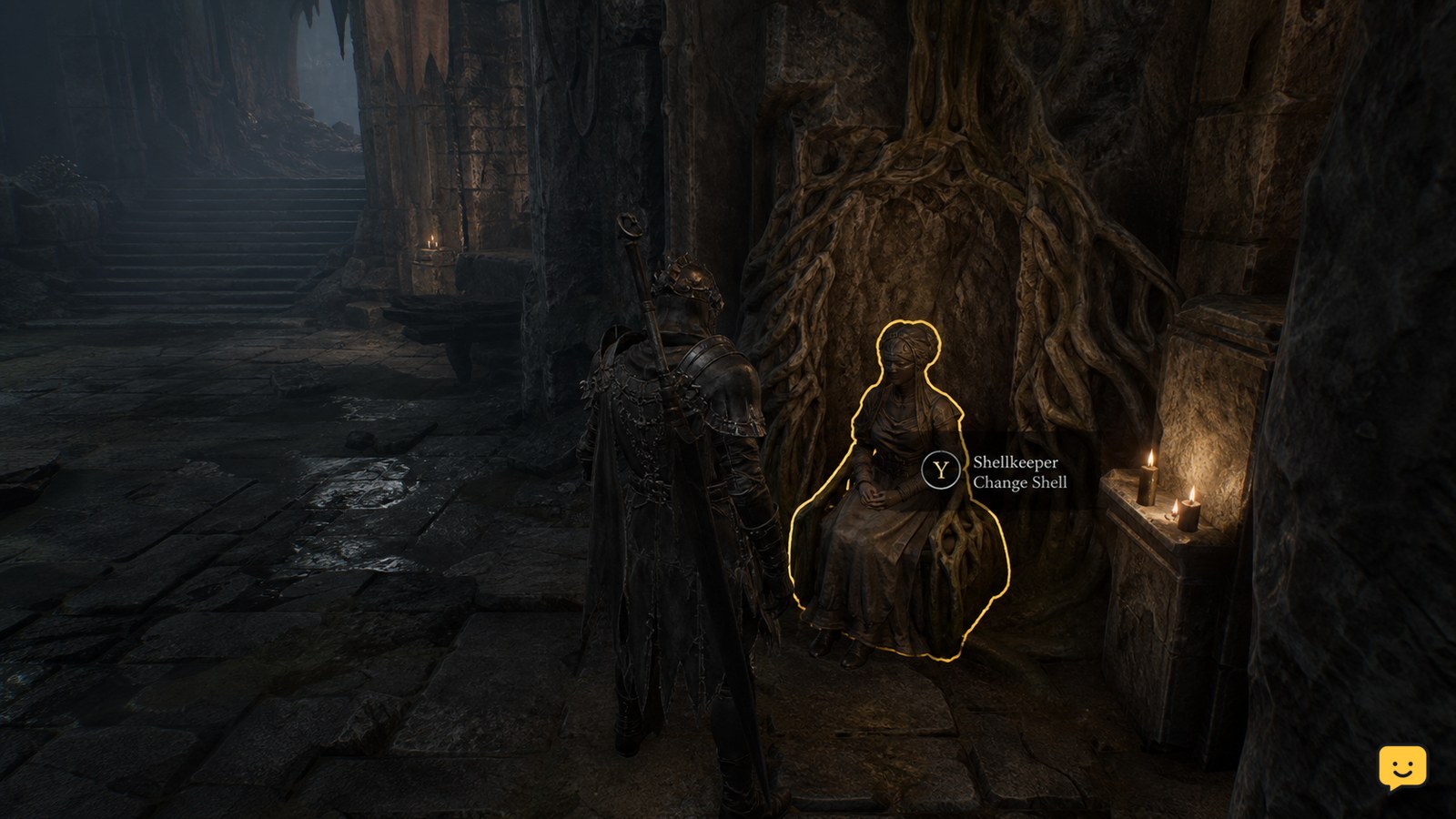
To change your active shell in Mortal Shell II, return to Marrow Keep and use Zhirelle, the Shellkeeper, to select an unlocked shell. Shells must first be found, and beta reports show newly discovered shells can fail to become usable until the interaction completes. Current evidence does not verify a universal mid-combat hotkey, so switch before entering a fight rather than relying on an unconfirmed combat swap.
Browse more Mortal Shell II guides
Find and unlock the shell before selecting it
Mortal Shell II requires a shell to be found and made usable before you can select it as your active shell. The sequel coverage from GamesRadar identifies individual shell discoveries and describes shell progression through Marrow Keep, while a Steam beta report shows that a newly discovered shell may still be unusable if its interaction has not completed.
- Locate the shell during exploration.
- Complete the interaction that adds it to your available shell choices.
- Move away and check that the shell is recognized as available before preparing for combat.
If the shell is only visible at its discovery location but does not appear as selectable, treat it as an unlock or recognition problem rather than a control problem.
Use Zhirelle at Marrow Keep to change shells
Zhirelle, the Shellkeeper at Marrow Keep, is the documented place to manage your shell choices in Mortal Shell II. Return to Marrow Keep when you want to change the active shell, speak with Zhirelle, and choose the unlocked shell shown by the interaction.
- Travel to Marrow Keep.
- Find and interact with Zhirelle.
- Open the shell-selection option if it is presented.
- Choose the unlocked shell you want to use and complete the confirmation.
The exact button prompt can differ by platform, so follow the on-screen confirmation rather than relying on a copied keyboard or controller label.
Verify the active shell before exploring or fighting
The shell change is successful only when the game visibly reflects the selected shell after you leave the interaction. Check the character model, shell name, or other immediately visible shell-specific indicator before leaving Marrow Keep.
For a safer test, walk a short distance, open the relevant status or progression display, and confirm that the selected shell—not merely the shell you inspected—is active. Make the change before entering an encounter because the available evidence does not establish a reliable universal method for swapping shells during combat.
Do not confuse Beacon upgrades with shell switching
Beacons are documented as places to upgrade shell abilities and attacks, but that evidence does not establish that every Beacon can directly change your active shell. GamesRadar specifically connects Marrow Keep, Zhirelle, and Beacons with shell progression and upgrades.
Use Zhirelle for the documented shell-selection route. Use a Beacon for its confirmed progression or recovery functions, then return to Marrow Keep if the game does not display a shell-change option at the Beacon.
What to do if a newly found shell cannot be used
If Mortal Shell II shows a shell location but will not let you use that shell, first repeat the discovery interaction and verify the result at Marrow Keep. A Steam community report from the open beta describes this type of shell-availability problem, so beta-era behavior should be treated as a troubleshooting clue rather than a permanent rule.
- Leave the shell location and return to Marrow Keep.
- Speak with Zhirelle and check whether the shell is listed.
- If it is missing, reload from the last confirmed checkpoint and repeat the interaction.
- Stop if the shell remains unavailable after the reload; do not enter a major encounter assuming it is active.
This recovery path separates an incomplete unlock from a failed selection. It does not confirm that every launch-day or later build uses the same interaction behavior.
Separate durable mechanics from launch-day details
The durable part of the process is the shell loop: find a shell, make it available, select it through the game’s shell-management route, and verify the result before combat. Specific shell names, discovery locations, upgrade costs, and prompt wording are launch-day or version-sensitive details and can change as the game is updated.
Use current in-game prompts for the final button input. If your build presents a different shell-management location or a confirmed combat command, follow that prompt; otherwise, use Marrow Keep and Zhirelle as the supported route documented by current sequel coverage.
Frequently asked questions
Can you switch shells during combat in Mortal Shell II?
A universal mid-combat shell-swap command is not confirmed by the available current evidence. Change shells at Marrow Keep before starting an encounter. If your game displays a specific combat prompt, follow that prompt, but do not risk a boss attempt on an unverified shortcut.
Where do you change shells in Mortal Shell II?
Use Zhirelle, the Shellkeeper, at Marrow Keep. Select an unlocked shell through the interaction, confirm the choice, then check your character or status display before leaving. Beacons are associated with shell upgrades in current coverage, not with a universally confirmed shell-switch menu.
Why is a shell visible but not usable?
The shell may not have finished its unlock interaction, or the game may not have recognized the discovery correctly. Return to Marrow Keep, check the shell list through Zhirelle, and reload from a confirmed checkpoint if it is still missing. Stop if it remains unavailable after the reload.
Do I need to unlock every shell before switching?
No. The available evidence supports switching among shells that you have already found and made available. You do not need to collect every shell first, but an undiscovered or incompletely registered shell will not be a dependable selection.