To report a VALORANT player after a match, open Riot’s VALORANT reporting flow, select the completed match, select the player’s name, choose Report, complete the form with a factual description, and press Submit. If the match or player is missing, stop before submitting a report for the wrong person and use the correct match record instead.
Select the completed VALORANT match
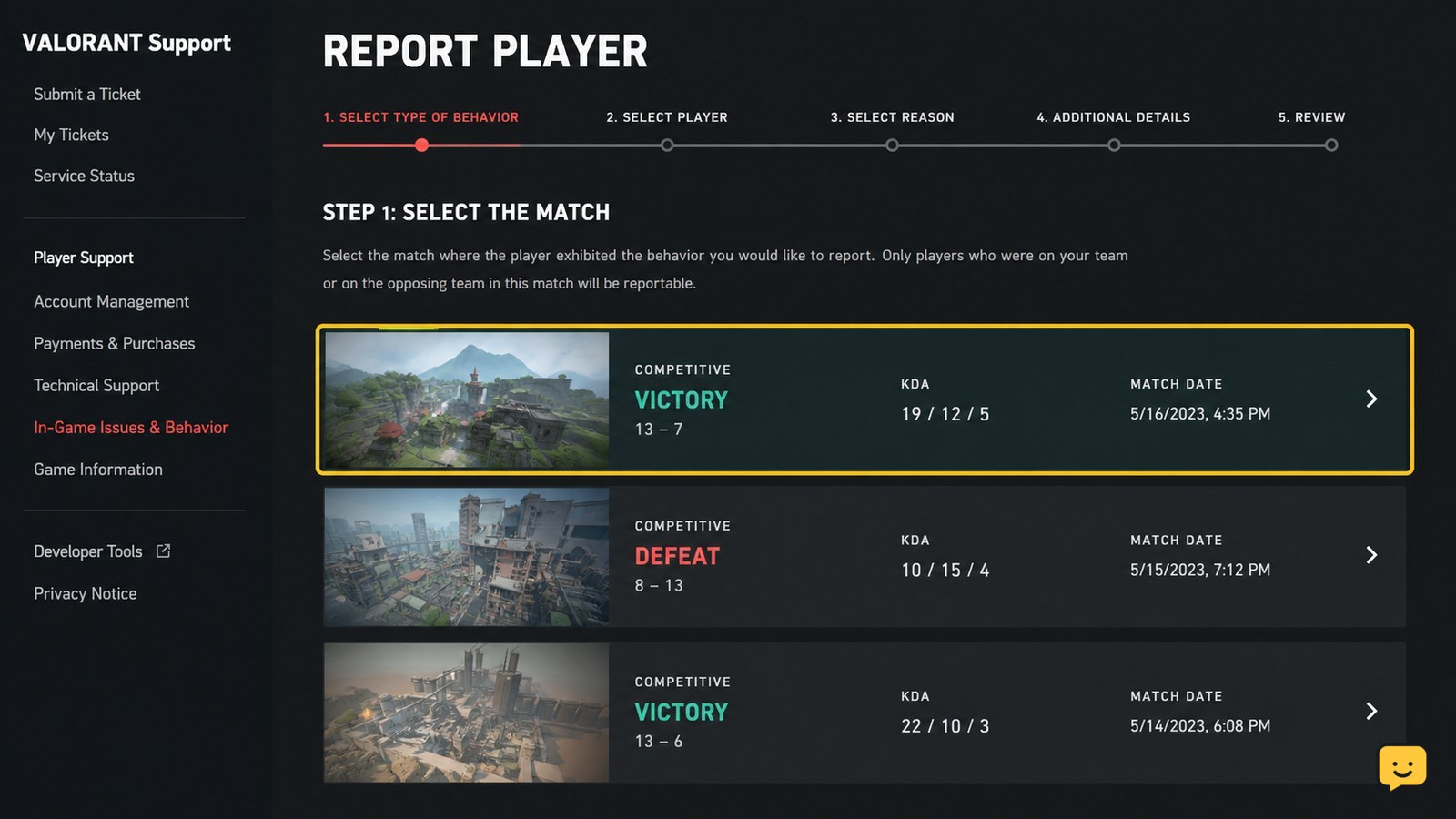
Riot’s documented VALORANT reporting flow starts by selecting the match connected to the player’s behavior. Open the official VALORANT Support reporting page and choose the completed match you want to review.
Check the match details before continuing. The selected record should correspond to the game in which the disruptive or abusive behavior occurred. If several recent matches appear, use the map, result, or timing shown in the record to distinguish them.
If the correct match is not listed, do not choose the nearest-looking result. Refresh the page or return later, then stop if the match still cannot be identified. A report attached to the wrong match may not describe the incident accurately.
Choose the player’s name and select Report
After you select the correct match, select the name of the player whose behavior you want to report, then choose Report. This is the specific player-selection step described by Riot Games Support.
Verify the name again before opening the form. Teammates and opponents can appear in the same match record, and similar names can be easy to confuse. Select only the account connected to the behavior you observed.
If the player’s name is unavailable or the Report option does not appear, do not substitute another player. Recheck the match selection first. If the correct player remains unavailable, stop and avoid submitting an inaccurate report.
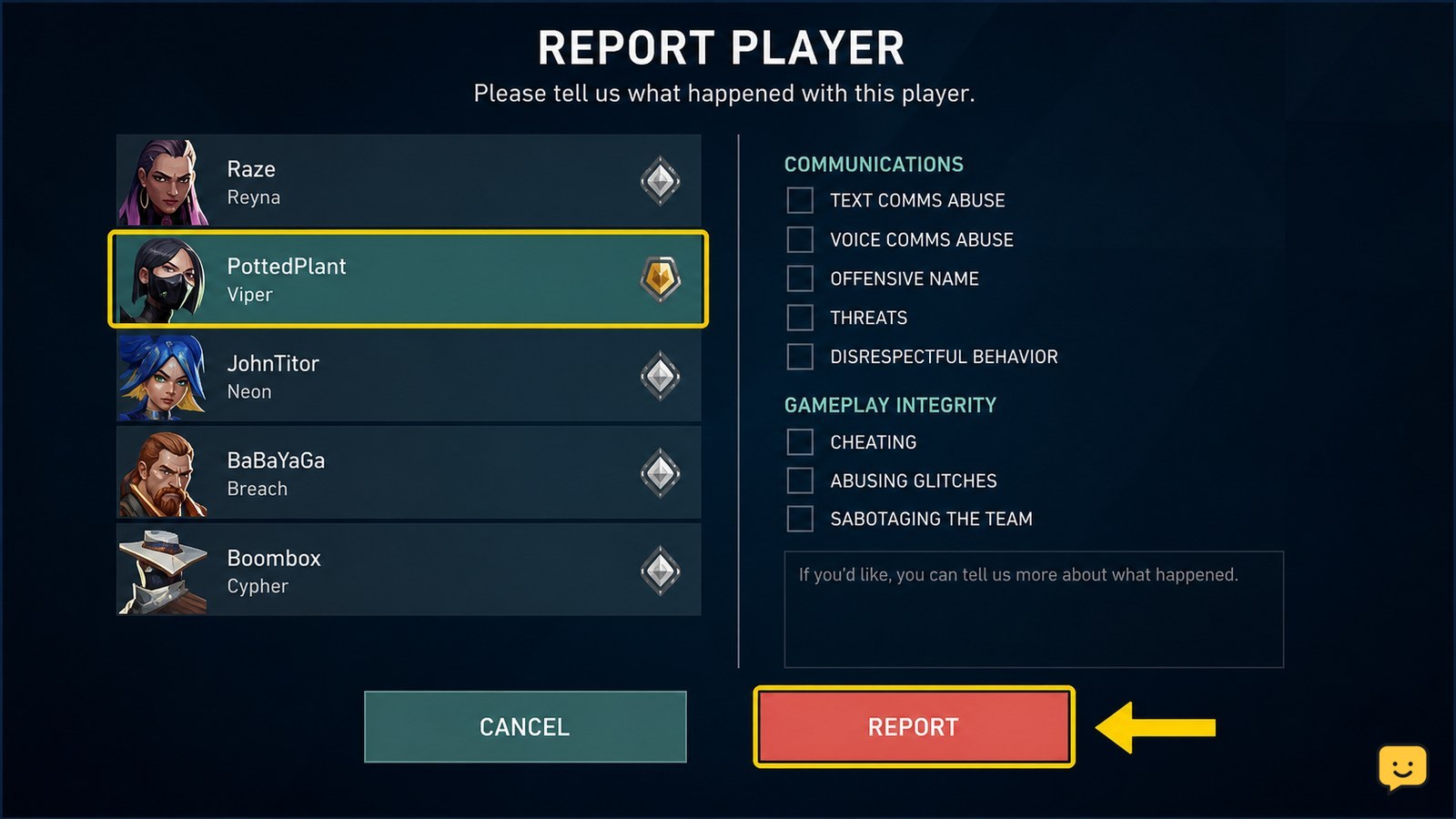
Describe the behavior with observable details
The report form is where you explain the behavior that led to the report. Choose the option that best matches the conduct if the form presents categories, then describe only what you directly observed.
Useful details include the type of conduct, the round or phase when it happened, and any repeated behavior. For example, describe repeated abusive communication or deliberate disruptive actions as specific events rather than assigning motives you cannot verify.
Keep the wording factual and concise. Do not include unrelated complaints about the player’s skill, preferred agent, score, or ordinary disagreements. A clear description helps separate conduct concerns from normal competitive play.
Submit the report and verify the result
When the player and description are correct, complete the form and select Submit. Riot’s VALORANT Support instructions identify Submit as the final action in this reporting flow.
Wait for the page to finish responding before closing it or sending another report. A visible completion response is the practical verification that the form was accepted. Riot’s cited instructions confirm the Submit step but do not specify a universal case number or follow-up message, so do not assume a separate ticket exists unless the page shows one.
If the form returns an error, keep the selected match and player unchanged, correct any missing required field, and try once more. If there is still no response, stop rather than repeatedly sending identical reports. You can retry after the support page or connection is working normally.
Use the correct recovery path when reporting fails
If you cannot complete a post-match report, first determine whether the problem is an incorrect match record, a missing player, an unavailable Report control, or a failed submission. Each symptom calls for a different safe action.
- Wrong match: return to the match list and select the record where the incident happened.
- Missing player: stop and do not report a different account.
- Missing Report option: recheck the selected match and player before leaving the flow.
- Submission error: fix incomplete fields and retry once after the page responds normally.
- No confirmation: do not repeatedly submit until you know whether the first attempt was accepted.
If the required match or player cannot be identified, the method does not apply safely at that moment. Preserve the factual details and stop instead of filing an inaccurate report.
Frequently asked questions
Can I report a VALORANT player after leaving the match?
Yes, Riot’s documented flow is designed around selecting the completed match, then selecting the player’s name and choosing Report. If the match is no longer available, do not select a different match just to complete the form.
What should I write in a VALORANT player report?
Describe behavior you directly observed, such as repeated abusive communication or disruptive actions, and include the round or timing when possible. Avoid guessing at motives or focusing on a player’s skill, score, agent, or ordinary tactical disagreements.
What if I cannot find the player I want to report?
Recheck that you selected the correct completed match and that the displayed name is the account involved. If the player still does not appear or the Report control is unavailable, stop rather than selecting another account.
How do I know my VALORANT report was submitted?
Wait for the reporting page to finish responding after you select Submit. A visible completion response is the practical confirmation. Riot’s available instructions do not promise a universal case number, so do not assume one exists unless the page displays it.
For more current help, browse all Valorant guides.