
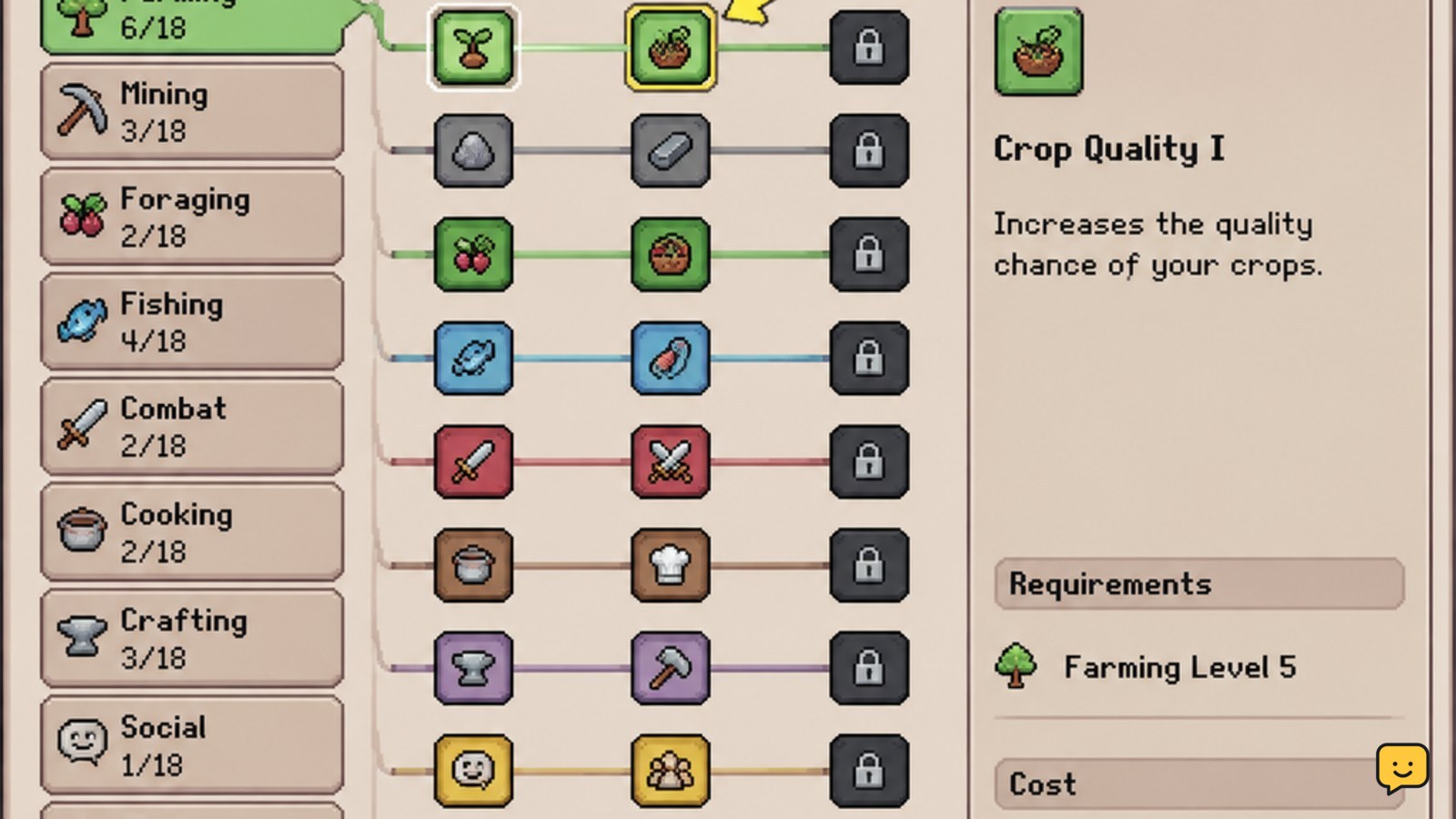
Spend Essence on perks that improve actions you perform repeatedly, such as farming, mining, fishing, bug catching, or crafting. Check the perk’s exact text in the skill menu before purchasing, then confirm the tier is available at your current skill level. Because Fields of Mistria is updated during development, treat older perk rankings as version-dependent.
Browse more Fields of Mistria guides
Open the skill menu and check the available tier
Start with the in-game skill interface rather than an old perk list. Published skill guides describe nine skill categories, with perk tiers reported at skill levels 1, 15, 30, and 45. The current menu is the deciding source if your version shows different thresholds, names, or effects.
- Select the skill connected to the activity you want to improve.
- Check which tier is active and which perks are still locked.
- Read the full description and Essence cost for every available option.
Success looks like a visible, selectable perk with a clear effect and an affordable cost. If the tier is locked, do not treat a higher-level recommendation as immediately usable.
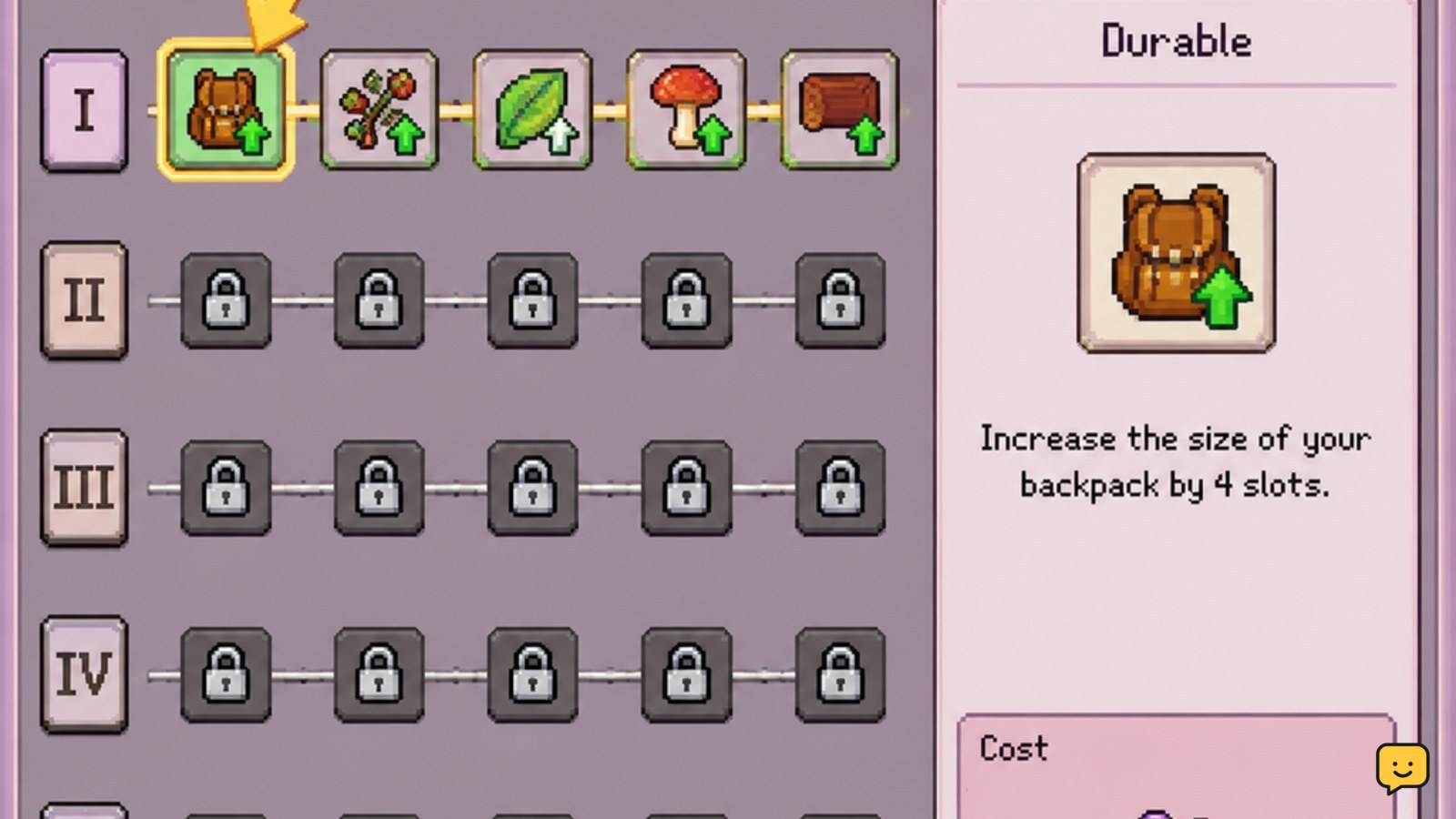
Choose perks by repeated value, not maximum upside
The most durable choice is usually the perk that improves an action you repeat across many in-game days. Compare each option against your actual routine: crop care, animal care, mining, fishing, bug catching, gathering, or crafting.
- Mark the activity you perform most often.
- Prefer an effect that saves time, stamina, materials, or repeated travel during that activity.
- Choose a specialized perk only when you regularly use the related tool or station.
A broad improvement can be better early in a save because it helps more of your routine. A narrow bonus becomes more valuable when your farm layout or resource plans make that activity a daily priority.
Match farming perks to the work you repeat daily
Farming-focused perks have durable value when your schedule includes frequent watering, harvesting, planting, or field maintenance. Before buying one, check whether the description affects the exact action you perform. A perk that helps planting may not improve watering, and a bonus tied to a specific crop or tool may have limited value outside that routine.
Choose the farming option that removes the most repeated friction from your current season. If you are still changing your farm layout or only tending a small number of plots, preserve Essence for a perk that will remain useful as your routine expands.
Verify the result by performing the affected farm action once after purchase. If the expected change is not visible, reread the description and check whether the effect is conditional.
Prioritize mining and gathering perks when materials limit progress
Mining and gathering perks are strongest when missing materials are delaying upgrades, construction, or crafting. Use the perk text to identify whether the benefit applies to ore, stone, wood, forage, gems, or another specific resource. Do not assume that an improvement for one gathering action applies to every resource source.
- Identify the material you are currently short of.
- Check whether the perk affects that material or the tool used to obtain it.
- Buy it only if you expect to repeat the activity enough to recover the Essence value.
This approach works especially well when a tool upgrade or crafting project is already planned. If you are not actively gathering the affected material, leave the perk available and reassess after your next resource-gathering cycle.
Use fishing and bug-catching perks only for an active routine
Fishing and bug-catching perks can be efficient choices for players who make either activity part of their regular schedule. They are less durable for a save where you only fish or catch bugs for an occasional museum donation, gift, or quest.
Before purchasing, confirm that the perk changes the part of the activity you find slow: locating targets, catching them, improving the result, or reducing the resource cost. The fishing system relies on the Fishing Rod and fish shadows, while bug catching depends on the Bug Net and area or time-based spawns. A perk must match the relevant action to provide value.
If you are choosing between a specialized collection perk and a general improvement, select the specialized option only when collection is one of your main goals.
Reserve crafting-related perks for a material-heavy plan
Crafting perks make the most sense when you are repeatedly using stations and collecting the materials needed for several recipes. Check the current recipe requirements before committing Essence. If your immediate projects require wood, ore, clay, or gems, a perk that supports the bottleneck may have more durable value than one tied to a recipe you are not yet using.
Use the crafting interface to compare your planned projects with the perk description. A useful result is a shorter or more reliable material-gathering loop for recipes you already intend to make. If the perk does not affect those recipes or their required materials, wait rather than buying it for a theoretical future benefit.
Verify the purchase and recover from a poor match
After buying a perk, confirm three things in the skill menu: the perk is marked as purchased, the Essence total changed as expected, and the effect remains listed for the skill. Then perform the affected activity once under normal conditions.
If the effect does not appear, check for a requirement such as a particular tool, resource, crop, station, location, or timing condition. If the perk is unavailable despite meeting the displayed level, compare the game’s current version and interface with the guide you consulted.
Do not buy a replacement perk to compensate for an unclear result. If the game does not show a reset or respec option, assume the purchase may not be reversible and wait until the effect is understood.
Frequently asked questions
How do you unlock higher skill perk tiers in Fields of Mistria?
Higher tiers become available as the related skill reaches the required level. Guides commonly report tier points at levels 1, 15, 30, and 45, but check your current skill menu because updates can change requirements or presentation.
What is the best first skill perk in Fields of Mistria?
There is no single best first perk for every save. Choose the available option that improves the activity you perform most often or the resource currently blocking your next project. A perk you use daily usually provides more durable value than a stronger bonus for an occasional activity.
Do Fields of Mistria skill perks apply to every activity?
No. A perk applies according to its displayed description and skill category. Read whether it affects a tool, resource, station, crop, location, or specific action before buying. Do not extend a perk’s effect to unrelated activities unless the game text explicitly does so.
Should you save Essence instead of buying an available perk?
Save Essence when none of the available perks matches your routine or when a higher tier is close to becoming available. Spend it when a perk directly improves repeated work or removes a material bottleneck you are already addressing.


