
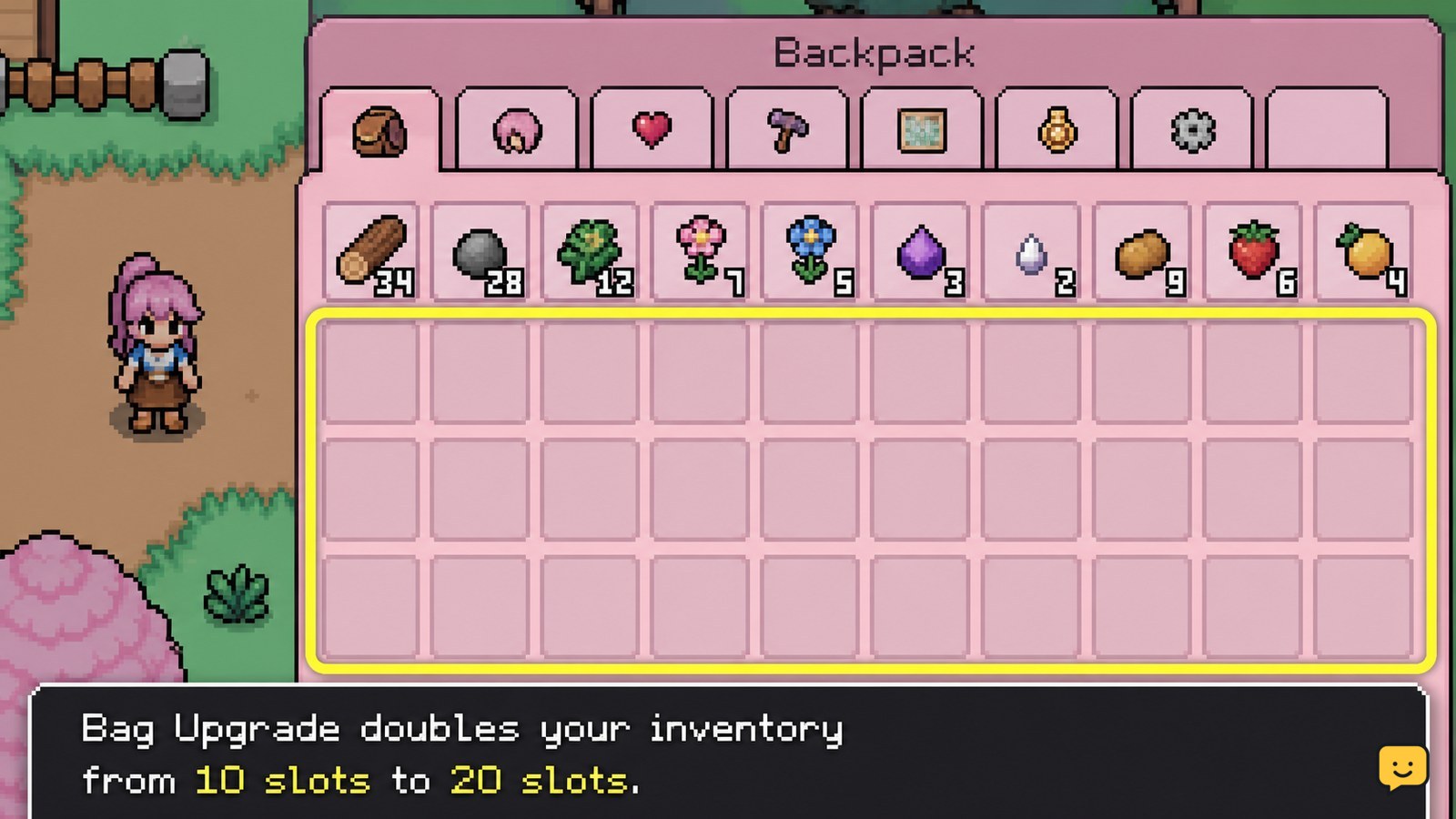
To increase carrying capacity, buy the Bag Upgrade from Mistria’s General Store for 1,000 Tesserae. The documented initial purchase changes the backpack from 10 slots to 20. Open your inventory immediately afterward and count the available slots. If the upgrade is missing or capacity does not change, stop before spending again and check the recovery steps below.
Browse more Fields of Mistria guides
Check the documented backpack upgrade and its cost
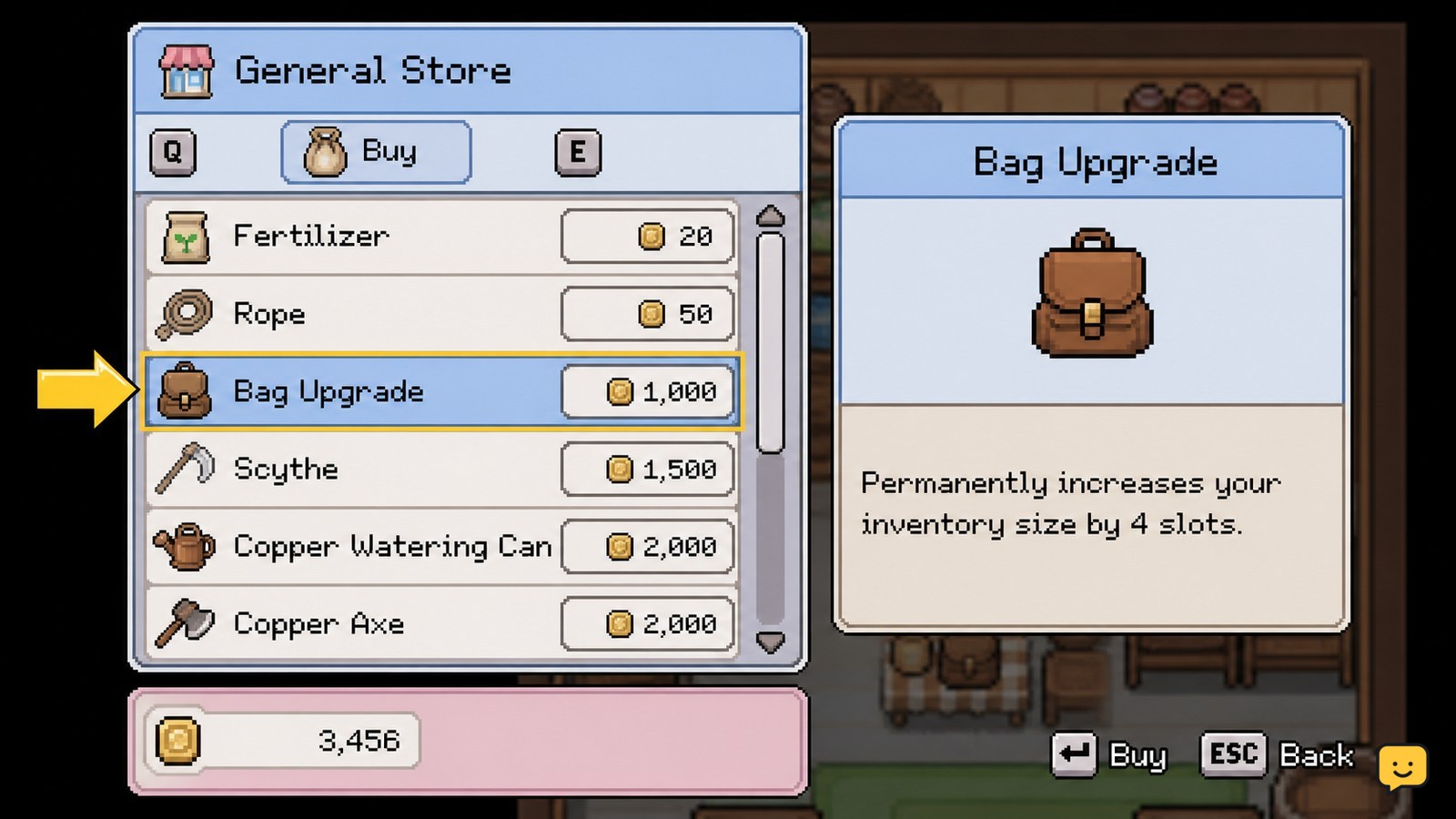
The verified starting expansion is the Bag Upgrade, sold at the General Store in Mistria. It costs 1,000 Tesserae and increases inventory capacity from 10 slots to 20 slots.
This is a permanent capacity purchase rather than a temporary storage solution. It is useful early because gathering crops, forage, fish, bugs, mine materials, and quest items can fill 10 slots quickly. Keep the 1,000 Tesserae intact until you reach the shop; the game does not need a crafting material for this documented upgrade.
Buy the Bag Upgrade at Mistria’s General Store
- Travel to the General Store in Mistria.
- Open the shop’s item list.
- Find the entry named Bag Upgrade.
- Confirm that the listed price is 1,000 Tesserae, then complete the purchase.
Read the item name and price before confirming. The important result is an inventory-size increase, not a consumable item placed into one of your existing slots.
Verify that your inventory increased to 20 slots
Open the backpack or inventory screen as soon as the transaction finishes. A successful initial upgrade gives you 20 total slots, double the 10-slot starting capacity.
Count the visible slots rather than judging by how many items you can pick up. If you can see 20 positions, the upgrade worked and no further action is needed. Your existing items should remain in the backpack; this purchase expands the container instead of replacing its contents.
Use the extra slots for long collection trips
Twenty slots reduce return trips, but a full inventory can still interrupt a mine run or a day of seasonal gathering. Before leaving town, carry only tools and items needed for the activity. Put duplicate resources, gifts, décor, and saved ingredients into chests when they are not part of the day’s plan.
Keep at least a few spaces open when entering the mines or pursuing museum finds. That gives you room for unexpected ore, gems, forage, fish, or donation candidates without forcing an immediate choice between discarding an item and ending the trip.
If you need cash for the purchase, use items you are certain you do not need for a quest, gift, recipe, crafting project, or museum donation. Check collection needs first; selling a rare first find can create more work later.
Fix a missing Bag Upgrade or unchanged slot count
If the Bag Upgrade is not listed: check that you are at the General Store and reading the shop inventory, not a chest or another interface. If you are in the correct shop and the item is absent, do not assume that an older guide reflects your current game build. Leave your funds unspent and check the game’s current update information or official support channels.
If you bought it but still see 10 slots: close and reopen the inventory screen, then count the slots again. If the count is still 10, avoid buying another item to troubleshoot. Confirm whether your Tesserae were deducted and whether the shop still offers the Bag Upgrade. Record those two states before reporting the issue.
If you already have 20 slots: the documented initial bag expansion is complete. Available evidence does not establish another currently purchasable permanent capacity tier, so treat claims of a further upgrade as version-dependent until the in-game shop confirms one.
Know the version boundary before looking for another tier
Published guides documenting this purchase describe one initial Bag Upgrade: 1,000 Tesserae for an increase from 10 to 20 slots. Community discussion also shows players asking about capacity beyond that first purchase, which is a reason not to present an additional tier as a settled feature.
For a durable answer, trust the item currently displayed in your own General Store. If a later update adds another bag item, use its in-game name, stated cost, and stated slot result rather than applying the 10-to-20 result to every version.
Frequently asked questions
Is the Fields of Mistria Bag Upgrade permanent?
Yes. The documented Bag Upgrade is a permanent backpack-capacity purchase. It changes the starting inventory from 10 slots to 20, so you do not need to buy it again each day or after storing items in a chest.
Can you upgrade the backpack beyond 20 slots?
Current provided evidence confirms the initial increase from 10 to 20 slots, but does not reliably confirm a further permanent tier. Check the General Store’s live inventory in your game. If no additional bag item is listed, do not spend resources based on older claims.
Should you buy the Bag Upgrade early in Fields of Mistria?
Usually, yes. Doubling the starting inventory gives more room for gathered materials and reduces interruptions during longer trips. Delay it only if the same 1,000 Tesserae is immediately needed for a specific quest or essential purchase you have already confirmed.
Why is the Bag Upgrade missing from my shop?
First confirm that you opened Mistria’s General Store inventory and did not access another container or menu. If the Bag Upgrade is genuinely absent, stop before making substitute purchases and check current game information, since shop availability can be version-dependent.


