
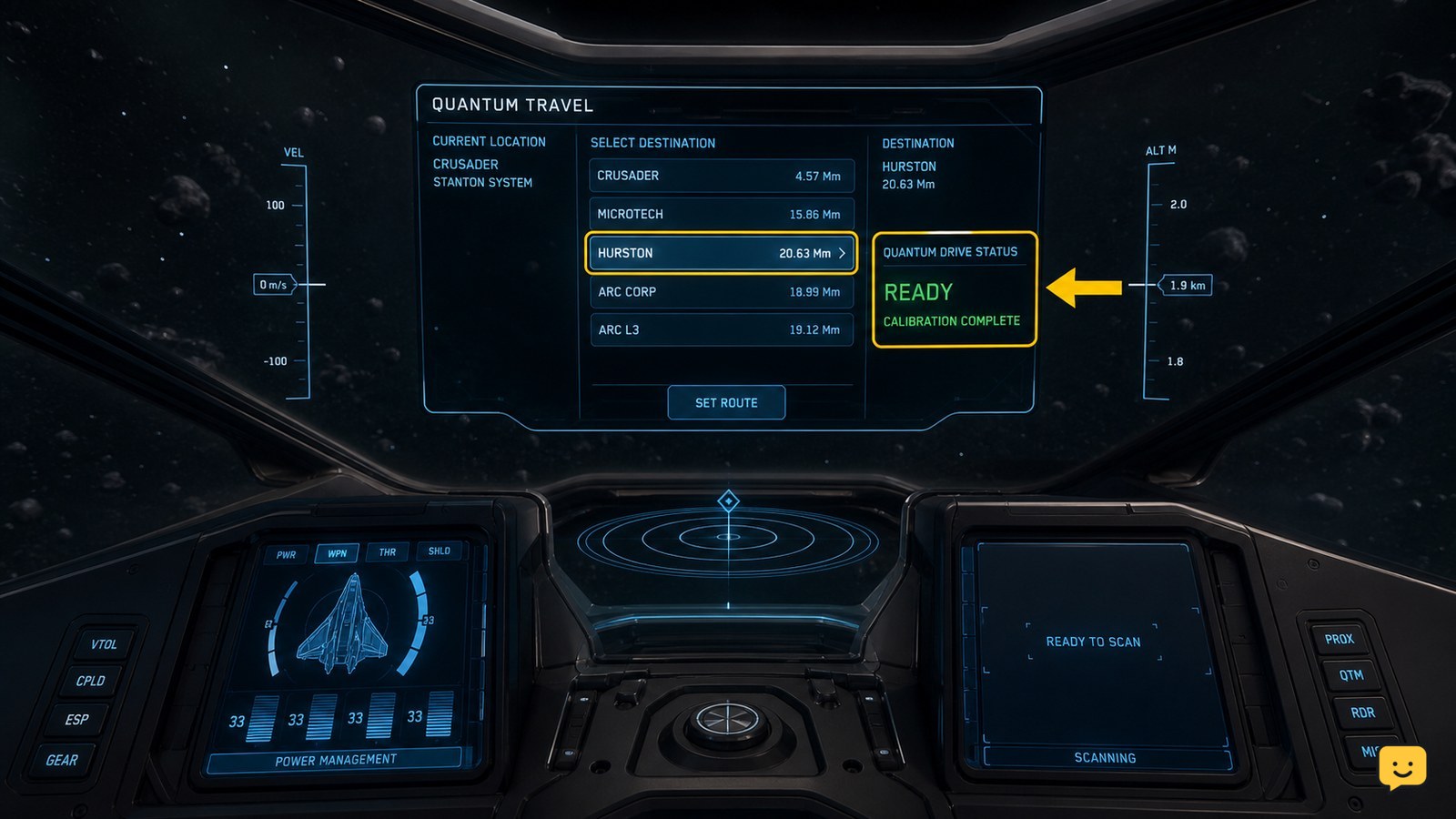
You usually can’t quantum travel in Star Citizen because the ship is not in NAV/QT mode, the destination is not selected or reachable, calibration has not finished, or the route is being interrupted. Set a destination on the Starmap, confirm the correct travel mode, wait for calibration, then retry from clear space. If the route still fails, check fuel and reset the route.
Browse more Star Citizen guides
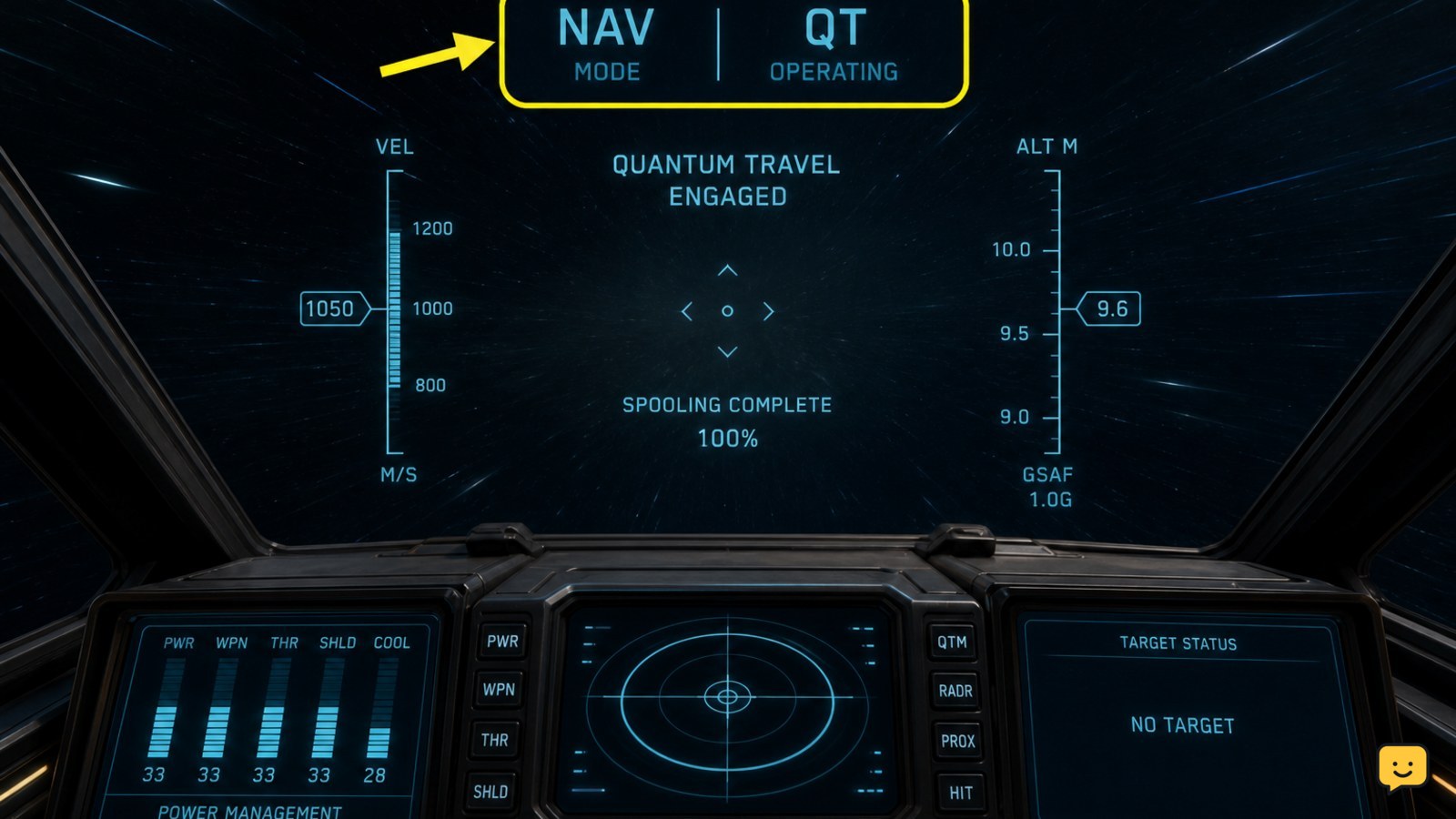
Confirm the ship is in NAV and QT mode
Star Citizen quantum travel requires the ship to be configured for navigation rather than ordinary combat flight. The supplied StarCitizenHelp gameplay guide describes pressing B to switch to NAV mode and using the middle mouse button to cycle the operating mode to QT.
Check the pilot HUD before selecting a destination. Look for the navigation or quantum-travel state rather than a weapon-focused combat state. If the control does not change the mode, release other flight inputs, make sure the ship is powered, and press the control again once the ship is clear of the pad or hangar.
Verify: the HUD changes to a navigation or quantum-drive state and a destination can be targeted. If the ship remains in combat mode, stop here and fix the mode before troubleshooting fuel or route distance.
Select a valid destination and rebuild the route
Star Citizen will not begin quantum travel when no valid destination is selected, the route is incomplete, or the chosen point is not currently reachable from the ship.
- Open the Starmap.
- Choose a known destination such as a major station, planet, moon, or other clearly listed location.
- Set it as the route destination rather than only viewing it on the map.
- Close the map and check whether the HUD displays a route or quantum target.
The supplied StarCitizenHelp guide specifically identifies setting a Starmap route before allowing the drive to calibrate. If the target is missing from the HUD, remove the route and create it again. Try a nearer destination as a diagnostic test.
Failure branch: if a nearby destination works but the original does not, the problem is probably route reachability, a stale map target, or a temporary navigation-server issue. Keep the short jump or travel through an intermediate destination instead of repeatedly selecting the failed target.
Wait for quantum-drive calibration to complete
Star Citizen quantum travel can remain unavailable while the quantum drive is still spooling or calibrating. A destination marker alone does not prove that the drive is ready.
After selecting the route, keep the ship pointed toward the target and wait for the calibration indicator to finish. The supplied gameplay guide describes allowing the drive to auto-calibrate before starting the jump. Avoid turning sharply, switching modes, or pressing another travel control during this stage.
Verify: the calibration or spool indicator reaches its ready state and the HUD presents the launch prompt or otherwise shows that quantum travel can start. If calibration repeatedly resets, move farther from a station, pad, asteroid, or other nearby object, then select the route again.
If the drive never begins calibrating for any destination, return to the mode check in the first section. If it calibrates but never launches, continue with the fuel and interruption checks below.
Check fuel and the route distance
Star Citizen quantum travel depends on the ship having enough quantum fuel for the selected route. A route that is too long for the remaining fuel can prevent travel even when the destination and mode appear correct.
Check the ship’s fuel readout and compare it with the route shown on the Starmap or HUD. Do not assume that ordinary hydrogen fuel is the only relevant resource: quantum travel uses the quantum-drive fuel supply. If the ship is low, choose a shorter destination or refuel before attempting a long jump.
For station service problems, ShowU’s Star Citizen refuel and rearm guide covers checking whether a service request completes at a usable location.
Stop condition: if the fuel display is critically low or the route exceeds the ship’s available range, stop retrying the jump. Refuel or use a shorter route first; repeated attempts will not make an out-of-range destination reachable.
Rule out interdiction, obstruction, and route interruptions
Star Citizen quantum travel may fail or disengage when the ship is being interrupted, has not cleared a local travel restriction, or is too close to an object that prevents a safe jump.
If the drive starts and then drops out, look for combat activity, an interdiction warning, incoming damage, or a sudden loss of the route marker. Break contact only when safe, move away from the immediate area, and rebuild the route after the interruption ends. Do not keep forcing the jump while the ship is under attack.
Community quantum-travel guides and workaround videos supplied for this topic also describe route and jump-start failures that can clear after changing the route or repositioning the ship. Treat those reports as version-dependent troubleshooting suggestions rather than guaranteed fixes.
Try this order: fly clear of the station or object, cancel and recreate the route, switch out of QT mode and back, then wait for calibration again. If every destination fails after these checks, continue to recovery rather than risking the ship.
Recover when quantum travel still will not start
If Star Citizen quantum travel fails for multiple valid destinations, a temporary ship state or live-service issue is more likely than one bad route.
- Cancel the current route and select a short, nearby destination.
- Leave the immediate area and confirm the ship is in NAV mode.
- Switch the operating mode away from QT, then select QT again.
- Allow calibration to complete without changing direction.
- If the HUD remains stuck, land safely or return the ship to storage and retrieve it again before testing.
Retrieving a fresh ship state can help when the vehicle or terminal state is stuck, but it is not a guaranteed fix for a server-side problem. If the ship cannot be landed, is damaged, or has valuable cargo aboard, prioritize a safe recovery. Do not deliberately abandon the vessel to test a route.
Final verification: a successful test shows a valid destination, completed calibration, an active quantum-travel sequence, and the ship arriving at the selected location. If those states never appear, record the destination, ship, error behavior, and current build when reporting the issue.
Frequently asked questions
Why does quantum travel not work even after I select a destination?
The route may be selected on the Starmap without being active on the HUD, or the drive may still be calibrating. Cancel the route, choose a nearby destination, close the Starmap, and wait for the calibration state to complete. If the target never appears, check that the ship is in NAV mode and clear of nearby objects.
Do I need to be in NAV mode to quantum travel in Star Citizen?
Yes, the supplied current gameplay guide describes switching to NAV mode before using quantum travel. Press B from the pilot seat, then cycle to the QT operating mode with the middle mouse button if that control scheme is active for your setup. Controls can vary by build or custom key bindings.
Can low quantum fuel stop a jump?
Yes. A route can remain unavailable when the ship lacks enough quantum fuel for the distance. Check the quantum-fuel readout, select a shorter destination, or refuel at a location that provides ship services. Do not keep retrying a route that exceeds the ship’s available range.
Why does quantum travel start and then stop?
An interruption is likely when the drive begins but disengages. Check for interdiction or combat warnings, incoming damage, a lost route marker, or nearby objects. Move to a safer area, rebuild the route, and allow calibration again. If the problem affects every destination, recover the ship and test again later.


