To unlock additional VALORANT agents, open the Agents screen, select a locked agent, and choose the available acquisition option. The free route uses Kingdom Credits, which are earned by playing matches and completing daily objectives. You can also use the paid option shown in your client. Confirm the agent appears as available before entering a match.
Open the Agents screen and select a locked agent
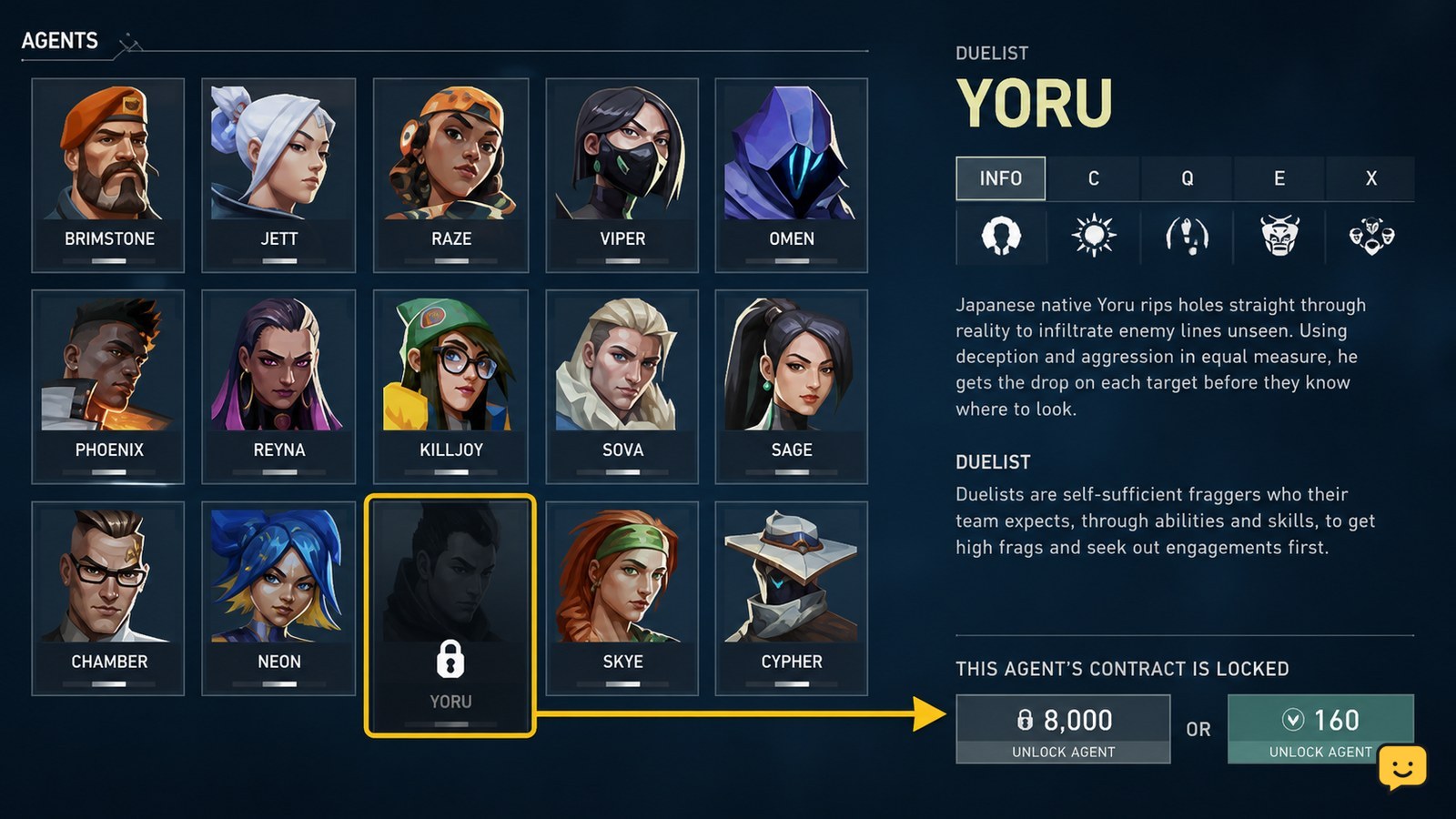
The Agents screen is where VALORANT shows which playable agents your account owns and which are still unavailable. From the main client, open Agents, then select the portrait of the character you want.
- Look for the locked-state indicator on the agent portrait or details page.
- Open that agent’s page rather than a collection, loadout, or contract-style reward screen.
- Read the acquisition choices and price displayed there before selecting anything.
If the agent page has an acquire button and a currency price, you are in the correct place. Interface wording can change with live updates, so follow the current on-screen label rather than an older menu path.
Use Kingdom Credits for the free acquisition route
Kingdom Credits are VALORANT’s gameplay-earned currency for obtaining agents through the free route. Red Bull and Eloboss both describe Kingdom Credits as being earned through matches and daily objectives; check the current client for your balance, available objectives, and the exact cost of the agent you selected.
- Play eligible matches and complete the daily objectives shown in your client.
- Return to the Agents screen after your credits are awarded.
- Select the locked agent and choose the Kingdom Credits option if your balance meets the displayed requirement.
- Review the confirmation screen carefully, then confirm the acquisition.
Success looks like the locked marker disappearing and the agent becoming available in the roster. Kingdom Credits are account progression currency, not a match-only resource, so you should not need to spend them during agent select.
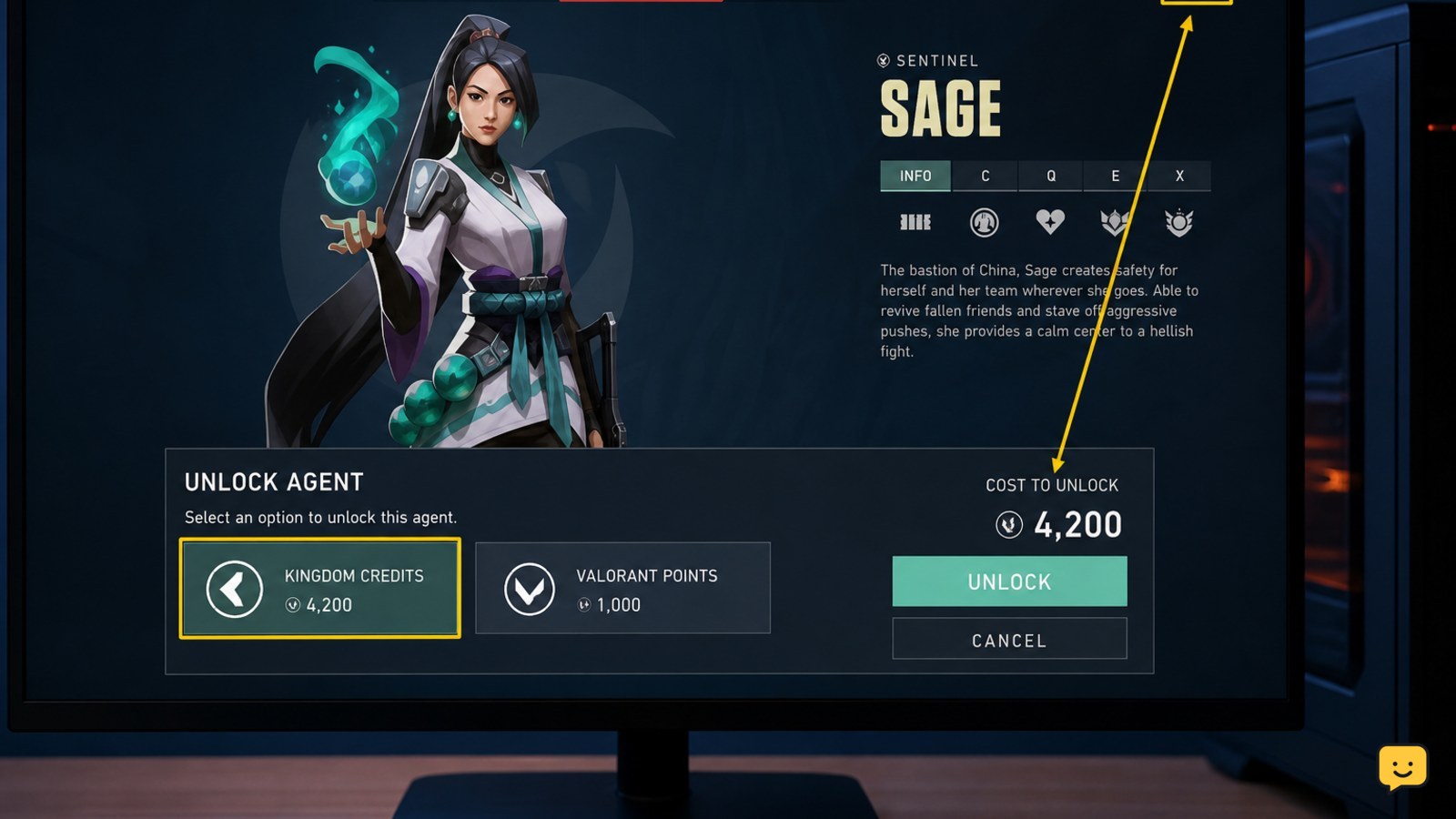
Choose the paid option only when it matches your plan
VALORANT may also show a paid acquisition option for a locked agent. Use that option only if you deliberately want to spend the premium currency and have checked the confirmation screen for the selected agent and price.
Do not assume the free and paid options use the same amount or lead to the same screen. Select the option by its displayed currency icon and label. If you cannot clearly tell which currency the client is requesting, back out without confirming and reopen the agent page.
Once a paid transaction is confirmed, check the agent’s status immediately. If it remains locked, avoid repeating the transaction until the client has refreshed.
Verify the agent can be selected before queueing
A newly acquired VALORANT agent should be selectable from your owned roster when you enter an eligible game mode. After claiming the agent, open the Agents screen again and confirm its details page no longer presents an acquisition requirement.
- Return to the main menu after the claim confirmation.
- Open Agents and confirm the character is shown as owned or available.
- Enter the Practice Range or a normal eligible queue and check that the agent is selectable at agent select.
Stop once the character is selectable. You do not need to equip an agent permanently from the collection screen; agent choice is normally made for each match.
Fix a missing credit balance or an agent that remains locked
If Kingdom Credits or a newly claimed agent do not appear, first distinguish a progression delay from a purchase problem. Match rewards and daily-objective completion should be reflected in the client’s visible balance; an agent claim should change that agent’s locked status.
| What you see | Likely next action |
|---|---|
| Your balance is below the displayed requirement | Keep earning credits through matches and the daily objectives currently shown in VALORANT. |
| The credit option is unavailable | Check whether the client shows a different eligibility requirement, a limited availability notice, or an insufficient balance message. |
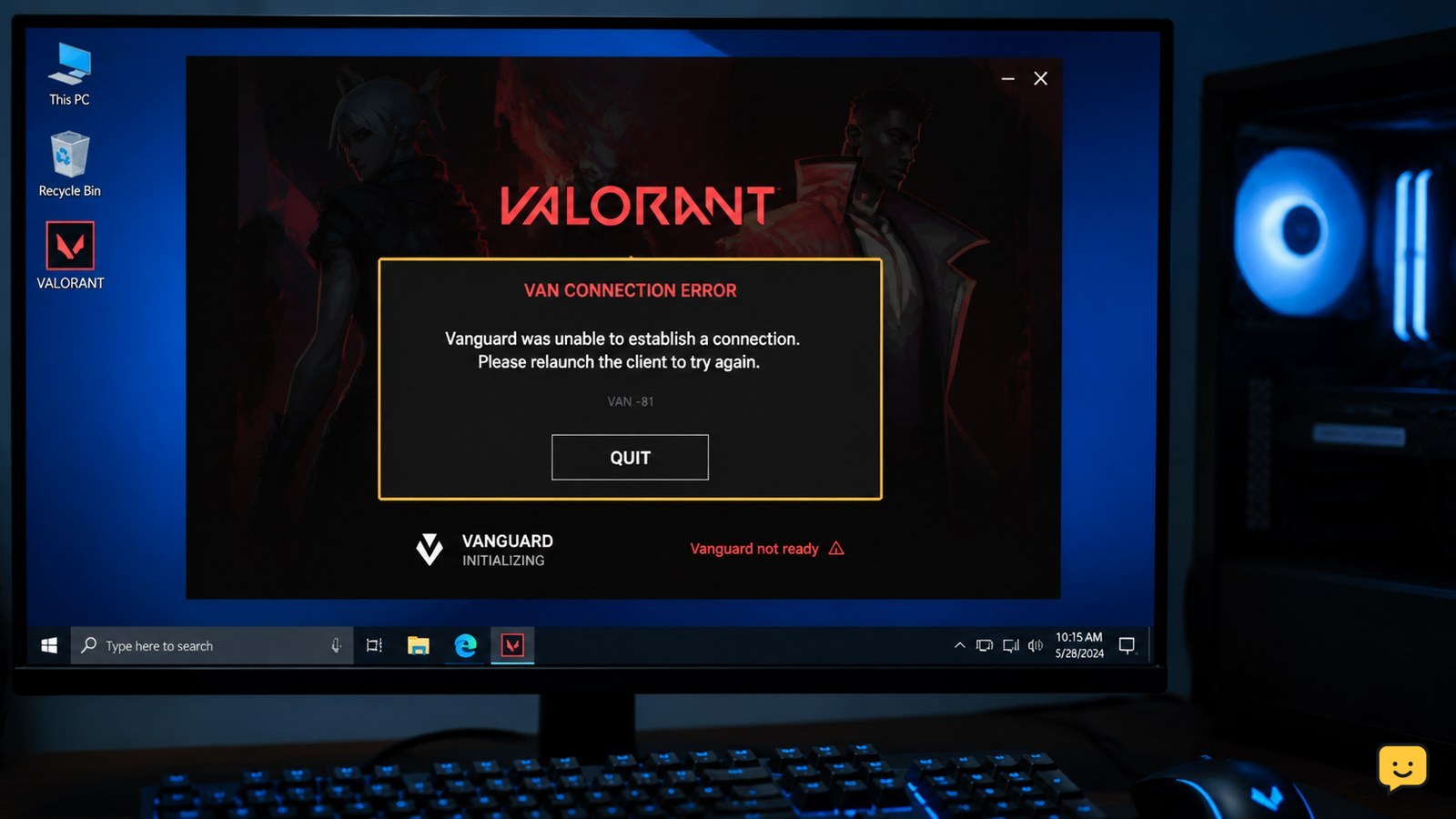
| You confirmed a claim but the agent remains locked | Close and relaunch VALORANT, then check the same Riot account and agent page again. |
| A paid transaction appears incomplete | Do not submit another payment. Keep the transaction details and use Riot Support if the client does not update. |
If the client shows no Agents screen or your account is still in onboarding, complete the visible introductory requirements first. Do not use third-party services that offer agent access, credits, or account progression; they cannot safely change ownership on your Riot account.
Frequently asked questions
How many Kingdom Credits do I need to unlock an agent in VALORANT?
Use the amount shown on the selected agent’s acquisition screen. Agent costs and availability can change in a live-service game, so the current in-client requirement is more reliable than an older guide, video, or screenshot.
Can I unlock VALORANT agents without paying?
Yes. The free route uses Kingdom Credits earned through gameplay and daily objectives, then spent from the Agents screen. You must have the amount required by the agent page before the client will let you confirm the claim.
Why is the agent I want not available to buy with Kingdom Credits?
Check the message on that agent’s page first. The client may show an insufficient balance, an eligibility requirement, or a temporary availability condition. Follow the displayed requirement rather than spending premium currency without confirming why the credit option is unavailable.
Do unlocked agents stay on my VALORANT account?
Yes. Once the client marks an agent as owned, it should remain available on that Riot account. If it appears locked after a completed claim, relaunch the game and verify you are signed into the same account before contacting Riot Support.