
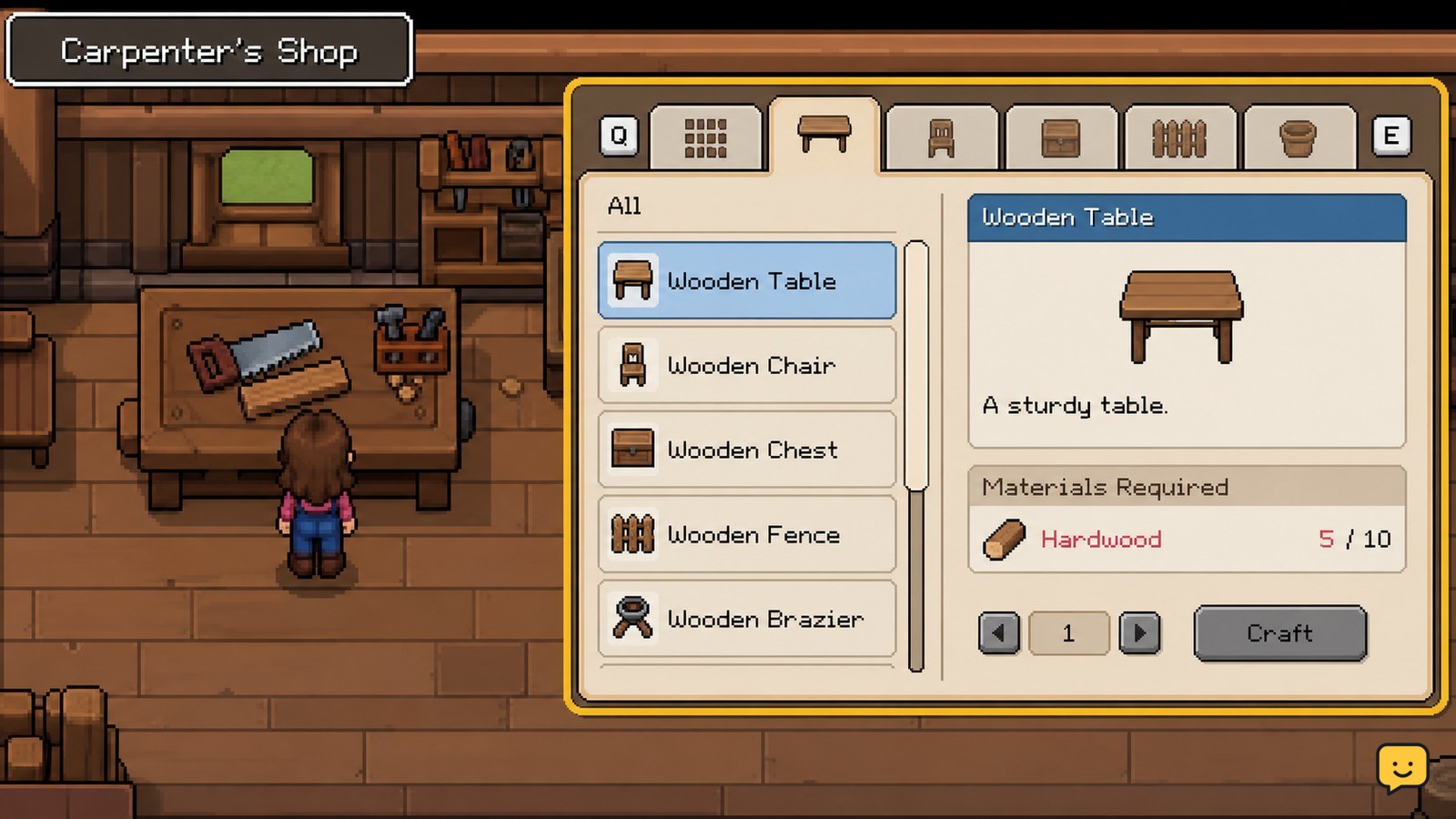
In Fields of Mistria, access item recipes through the crafting bench at the Carpenter’s Shop or through available crafting stations in town. Gather the exact materials shown in the recipe, craft the item, then place farm equipment on a valid tile. Start with practical items such as fences and crafting stations, and verify the finished object appears before leaving the menu.
Browse more Fields of Mistria guides
Find recipes at the Carpenter’s Shop and crafting stations
Fields of Mistria recipes are accessed through crafting interfaces rather than a single universal workbench. The Carpenter’s Shop has a crafting bench, and the maintained Fields of Mistria Wiki lists additional crafting stations in town near the Bell Tower and in front of the Carpenter.
- Travel to the Carpenter’s Shop and interact with the crafting bench.
- Check the available recipe categories and select the item you want to make.
- Read the material list shown for that recipe before leaving the menu.
- If the item is associated with another station, use the appropriate station instead of assuming the Carpenter’s bench can make it.
TechRaptor’s crafting guide also describes recipe access and progression as part of the crafting system. If a recipe is missing, the most reliable check is the current in-game list: confirm the station, recipe category, and any displayed requirement before gathering materials.
Gather only the materials shown by the current recipe
The current recipe panel tells you which materials Fields of Mistria will consume, so use it as your gathering checklist. Collect the listed resource types from the activity that supplies them, then reopen the recipe to confirm the requirements are satisfied.
- Choose the item first and note every required material.
- Gather common resources such as wood before returning to the crafting location.
- For ore or other underground materials, use the mines and manage your inventory so the required items are not left behind. ShowU’s Fields of Mistria Mining Guide covers mine access and ore collection.
- Return to the crafting interface and check whether the craft button is available.
Do not rely on a fixed material list copied from an older guide when the game’s panel shows a different cost. The Steam beginner guide confirms one practical example: fences cost 10 wood each in the referenced version. Treat that number as version-bound and verify your own recipe screen before mass-producing fences.
Craft fences and other practical farm items first
Fences are an early practical craft in Fields of Mistria because they organize farm space and can be made at the Carpenter’s crafting bench. The Steam community guide identifies a fence cost of 10 wood per fence in its referenced game version.
- Open the Carpenter’s Shop crafting bench.
- Select the fence recipe and confirm the displayed wood requirement.
- Craft only the number needed for the area you are arranging.
- Place each fence on an open, valid farm tile and check that the object remains visible after placement.
Plan the boundary before crafting a large batch. If a fence will not place, move away from occupied tiles, crops, buildings, paths, or other objects and try an unobstructed tile. If the placement preview never becomes valid, stop and reassess the layout rather than consuming more materials.
Make and place stations or machines on the farm
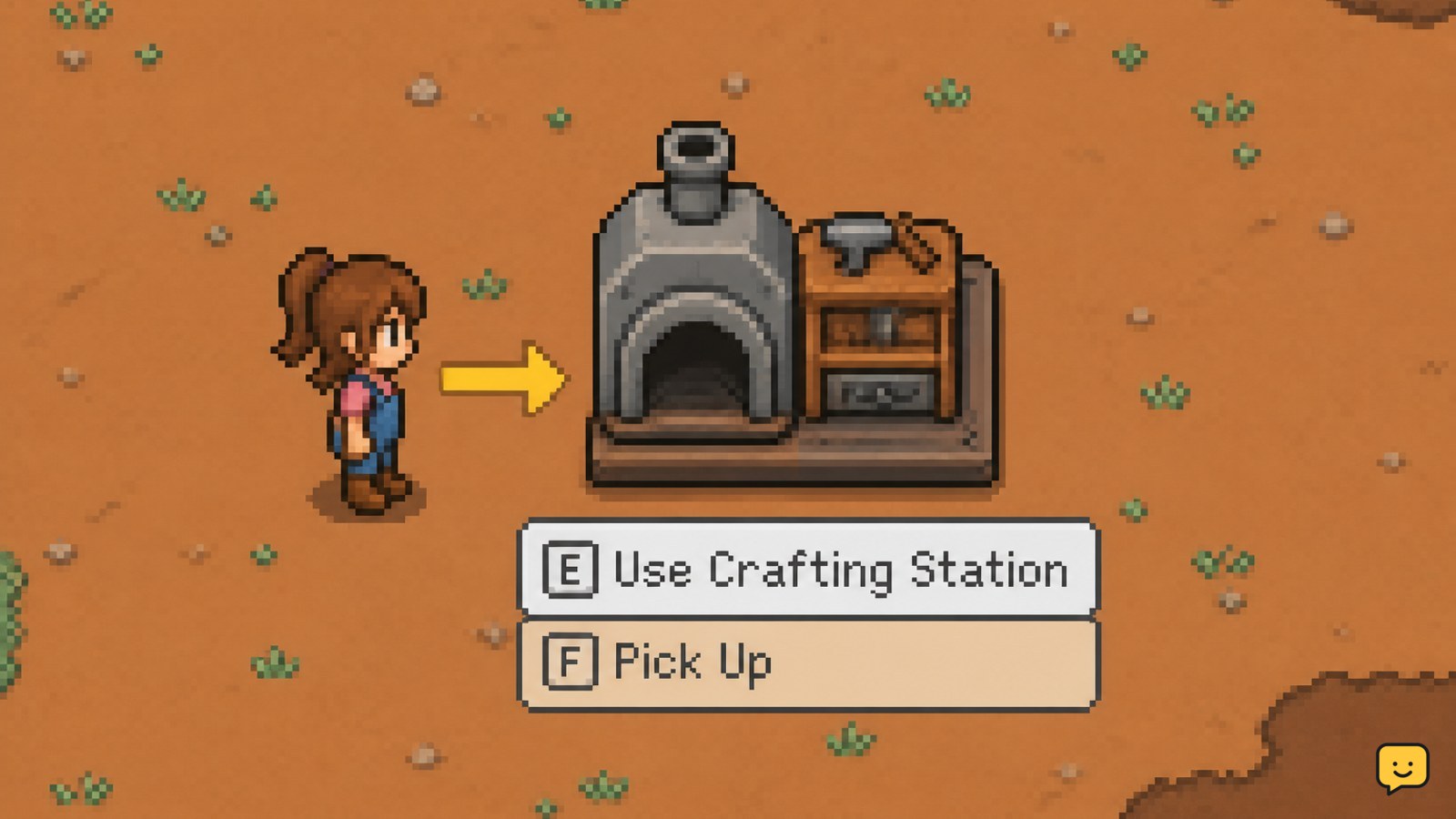
Crafting stations and machines are useful when they convert gathered resources or support recurring farm tasks. The Fields of Mistria Wiki specifically notes that crafting stations can be bought, placed on the farm, and used for station-specific work; its woodcrafting reference also describes a station that can be populated with bees to produce honey.
- Check whether the desired station appears as a craftable recipe or as an item available for purchase.
- Confirm the required materials or purchase cost before committing resources.
- Place the station on a clear farm tile with enough surrounding space to interact with it.
- Open the placed station and verify that its expected recipe, input, or activity is available.
A successful placement is not enough by itself. The station should remain on the farm and open its own usable interface when interacted with. If it places but shows no expected function, verify that it is the correct station and that the required input item or resource is present. Do not assume every machine works from the Carpenter’s bench.
Verify the finished item before leaving the crafting menu
Fields of Mistria crafting is complete only when the item appears in your inventory or the placeable object is visibly installed on the farm. Use this checkpoint after every craft.
- For an inventory item, close the recipe panel and confirm the item occupies an inventory slot.
- For a fence, station, or machine, confirm it remains on the selected tile after placement.
- Interact with a machine or station once to check that its function is available.
- If the result is missing, check inventory space, the selected recipe, and whether the game returned the item to another inventory position.
If the recipe cannot be selected, the craft option remains unavailable, or the placed object cannot be used after checking its requirements, stop. Record the exact recipe name and station shown in your game and recheck after confirming the current game version or an updated maintained reference.
Frequently asked questions
Where do you craft items in Fields of Mistria?
You can craft through the crafting bench at the Carpenter’s Shop and through available crafting stations in town. The Fields of Mistria Wiki lists stations near the Bell Tower and in front of the Carpenter. Use the interface that displays the recipe you need rather than assuming every item shares one bench.
Why is a crafting recipe missing in Fields of Mistria?
A missing recipe may belong to another crafting station, may not yet be available in your current progression, or may differ from an older guide’s version. Check the current station menu, recipe category, and any requirement displayed by the game. Stop gathering materials until the recipe appears.
How much wood does a fence cost in Fields of Mistria?
The Steam beginner guide lists fences at 10 wood each in its referenced version. Because recipe costs can change, open the current fence recipe at the Carpenter’s crafting bench and confirm the displayed cost before making a large batch.
Can crafting stations be placed on the farm?
Yes, the maintained Fields of Mistria Wiki states that crafting stations can be placed on the farm. Leave a clear tile and verify the station opens its expected interface after placement. If it cannot be used, check the required input and confirm that you placed the correct station.


