
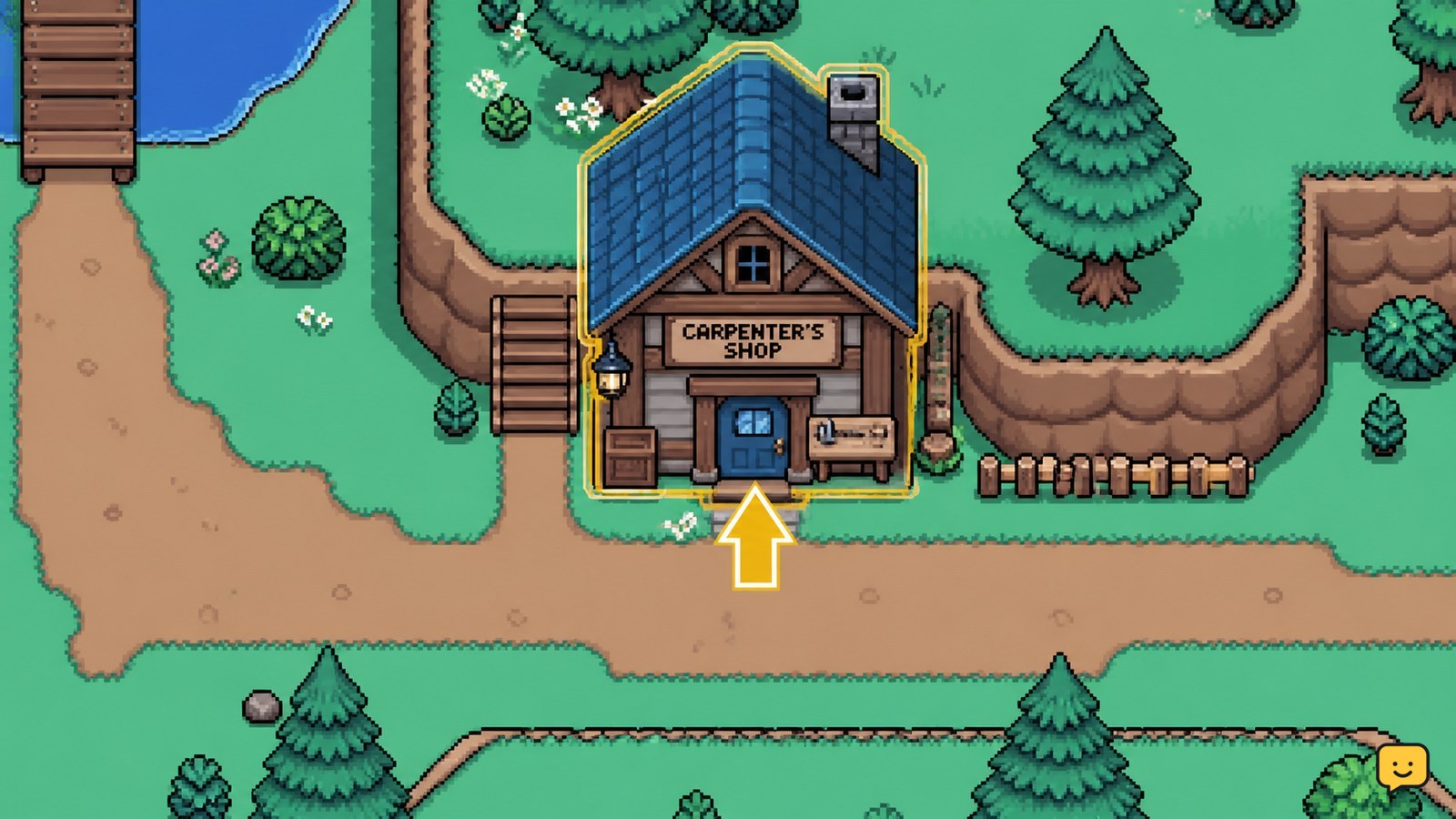
Homestead upgrades are ordered through the Carpenter’s Shop on the Eastern Road. Select the project shown in the shop, provide the exact Tesserae and materials listed in your current game menu, and check your farm afterward for the changed house or structure. Stop before paying if the requirement panel differs from older published guides.
Browse more Fields of Mistria guides
Check which homestead project is available first
Fields of Mistria homestead upgrades are separate projects, so the Carpenter’s Shop list—not a general resource target—should decide what you gather next. Open the shop’s available project list and identify whether the entry changes your farmhouse interior or adds or improves a farm structure.
The distinction matters because a larger farmhouse solves an indoor-space and decorating problem, while animal housing only helps if that specific structure is offered and fits your farm plan. GameRant identifies the Carpenter’s Shop as being on the northwest side of the Eastern Road. If you cannot find a matching project there, do not assume it is hidden elsewhere; leave with your resources intact and check again after relevant game progress.
| Project shown in the shop | Choose it when | Verify afterward |
|---|---|---|
| House upgrade | Your immediate need is additional indoor room. | Enter the farmhouse and check that its interior space has changed. |
| Farm structure project | You need that offered structure for your current farm plan. | Look for the completed structure on the farm before committing to another purchase. |
Prepare the confirmed first house-upgrade cost
The first farmhouse upgrade has been reported as costing 5,000 Tesserae, 500 Wood, and 500 Stone, but you should treat those figures as a check rather than a permanent promise. Siliconera’s published Fields of Mistria guide lists that combination for a house upgrade, while the game remains subject to updates and your shop screen is the final requirement list.
- Open the house-upgrade entry at the Carpenter’s Shop.
- Read every material and currency line before collecting or paying anything.
- Compare the displayed amounts with what is in your inventory and wallet.
- Gather only the shortfall, then return and recheck the panel.
Do not sell needed Wood or Stone simply to reach the Tesserae total. The project cannot be safely planned from currency alone, and replacing materials may delay the upgrade more than waiting to earn the remaining money.
Place the upgrade order at the Carpenter’s Shop
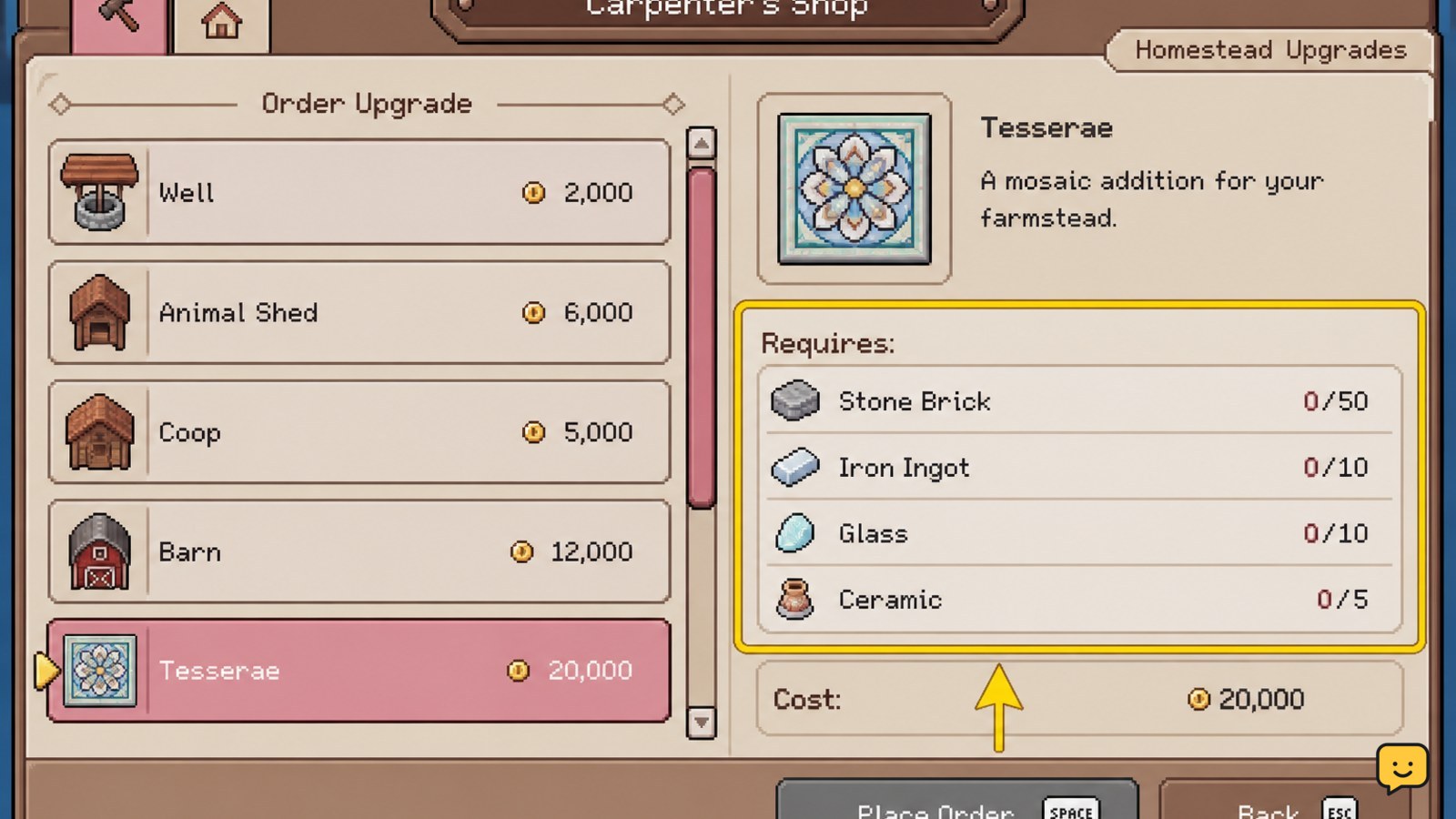
Fields of Mistria applies a homestead upgrade by selecting its listed project at the Carpenter’s Shop and meeting its displayed cost. Travel to the Eastern Road shop, interact with the project list, select one entry, and confirm only after the requirement display shows that all costs are covered.
Before confirming, pause on the project name and requirement panel. This is the best checkpoint for avoiding an unwanted purchase: verify that it is the house or exact structure you intended, then verify the Tesserae amount and each material type. After the order is accepted, check for a visible confirmation state in the shop or on the farm rather than immediately ordering another project.
If selecting a project does nothing, first check for a missing resource or insufficient Tesserae. If every requirement appears met but the order still cannot proceed, exit the interaction, reopen it, and read the requirement panel again. Do not discard materials or assume a different building uses the same cost.
Verify that the house or building changed
A successful Fields of Mistria homestead upgrade should produce an observable change to the project you selected. For a farmhouse project, enter your home and compare the available interior room with its previous layout; TechRaptor describes home upgrades as increasing interior space. For a farm structure, inspect the farm for that specific completed structure.
- Leave the shop after the project is accepted.
- Go directly to the farmhouse or the relevant farm area.
- Look for the larger interior or the selected structure rather than relying only on the resource deduction.
- Open the Carpenter’s Shop again before funding another project, so you can see the next live requirement.
If no visible change appears, do not repeat the payment. First allow the game to advance normally if the shop communicated a completion delay. If the expected result is still absent afterward, preserve a screenshot of the project screen and the farm state for a bug report or support request.
Choose the next upgrade without wasting materials
The best next Fields of Mistria homestead upgrade is the one that addresses your active space or farm-structure bottleneck, not simply the first project you can afford. Reopen the Carpenter’s Shop after each completion because the available selection and prices displayed there are the reliable basis for your next resource plan.
Prioritize a house project when indoor room is the present limitation. Prioritize an offered structure only when you are ready to use that structure immediately. If neither result would change what you can do on the next few in-game days, keep the materials and Tesserae until a listed project has a clear purpose.
This approach also protects against version drift. Older third-party guides can help identify the shop and a previously reported first house cost, but they should not override the project list in your installed game.
Fix a missing or mismatched upgrade option
A missing Fields of Mistria homestead upgrade option usually means the current shop list does not yet offer that project, rather than that you should pay a different NPC. Return to the Carpenter’s Shop on the Eastern Road and check every listed project before deciding what is unavailable.
If an online cost does not match the menu, use the menu’s cost. If an online guide says a building exists but it is absent from your list, stop gathering specifically for it until it appears in-game. If the shop itself cannot be accessed or its interface fails to load, save your progress if possible, restart the game, and check again before treating it as a progression issue.
Frequently asked questions
Where is the Carpenter’s Shop in Fields of Mistria?
The Carpenter’s Shop is on the Eastern Road, at its northwest side according to GameRant’s location guide. Use the shop’s project list to check available house and farm-related upgrades before gathering materials.
How much does the first house upgrade cost in Fields of Mistria?
A published Siliconera guide reports 5,000 Tesserae, 500 Wood, and 500 Stone for the house upgrade. Confirm the numbers in your Carpenter’s Shop before paying, because the live project panel is safer than relying on an older cost reference.
What does a house upgrade do in Fields of Mistria?
A house upgrade increases the amount of space inside the home. Verify it by entering the farmhouse after the order is complete and checking the interior rather than assuming the upgrade finished when resources were deducted.
Why is a homestead upgrade not appearing at the Carpenter’s Shop?
The project may not be available in your current shop list or game progress state. Check all listed projects, then stop spending toward a missing option until the in-game menu displays it and its exact requirements.


