
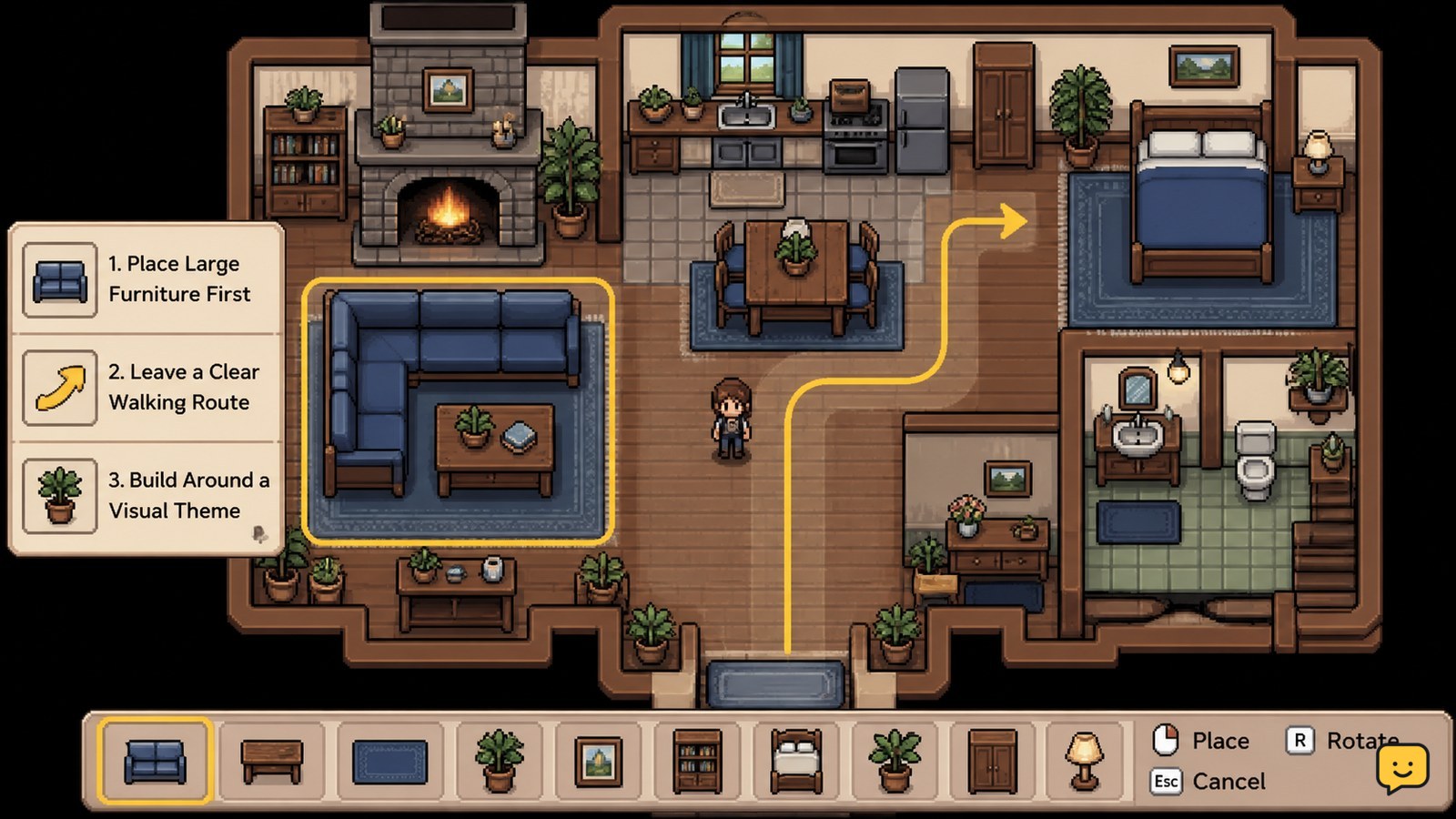
Fields of Mistria house decorating works best when you place large furniture first, reserve a clear walking route, and build each room around one use or color family. Mix matching furniture sets for cohesion, then add small decorations last. If an item will not place, clear the tile, exit placement mode, and retry before crafting more.
Browse more Fields of Mistria guides
Check the available house space before decorating
Fields of Mistria house decorating should begin with the room’s usable space, not with individual decorations. Walk through the room and identify the entrance, walls, corners, and the area you want to keep open. If you recently expanded the homestead, confirm that the new house space is available before planning around it; the available housing area can depend on your current upgrade state.
The specialist housing guide at Farming Games Help treats housing upgrades and decor as separate decisions, which is useful when planning a long-term layout. Do not assume that an upgrade automatically gives every room the same shape or capacity. Build the first version of your design around the space visible in your current save.
- Choose one main purpose, such as sleeping, relaxing, displaying furniture, or creating a themed room.
- Mark a walking route from the entrance to the room’s main area.
- Reserve corners for tall or wide furniture before filling the center.
Verification: you should be able to enter the room and reach its main area without repeatedly passing through placed objects.
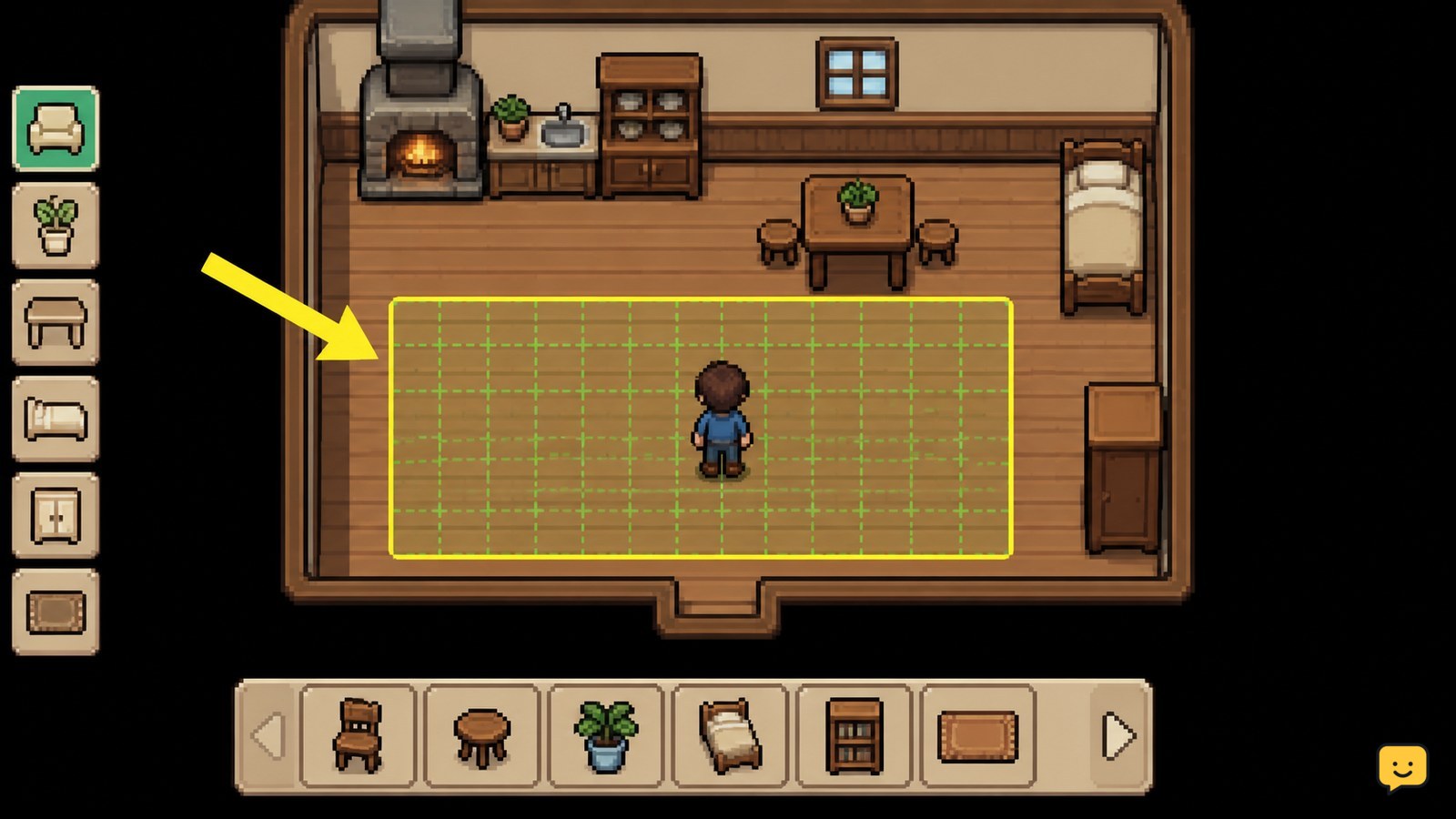
Place large furniture before small decorations
Fields of Mistria furniture placement is easiest when beds, tables, shelves, and other large pieces go down before lamps, plants, wall items, and small accents. Large objects determine the room’s usable footprint, so placing them last often forces unnecessary rearranging.
- Choose the room’s anchor piece, such as a bed, dining table, or display arrangement.
- Place it against a wall or in a corner if that keeps the central path open.
- Add the second-largest piece and check whether the entrance remains accessible.
- Rotate or move both large pieces until the room has a clear center or route.
- Add small decorations only after the main arrangement works.
Use the current placement prompt shown by the game rather than relying on a fixed keyboard shortcut. If rotation is available, use it to align furniture with the walls; if an item has no useful orientation, leave extra space around it instead of forcing a tight fit.
Verification: leave placement mode and walk the route again. If your character catches on an object or the room feels divided into narrow gaps, move the large furniture before adding anything else.
Keep one clear route and separate room zones
Fields of Mistria room design stays practical when each room has a clear route and visible zones. A room can look full without using every tile. Group related objects together, then leave breathing space between the group and the entrance.
For a bedroom, place the bed and bedside pieces in one zone, with decorative items around that group. For a sitting or display room, keep the central arrangement symmetrical or centered and place shelves or accent pieces around its edge. If you are combining functions, separate them with furniture placement rather than blocking the doorway.
- Entrance zone: keep it open so the room is easy to enter.
- Main-use zone: place the bed, table, or display item here.
- Accent zone: use corners and wall edges for smaller pieces.
TheGamer’s decorating advice emphasizes planning before redecorating. That principle matters here because moving a full room is slower than testing the route with the largest pieces first.
Failure branch: if a room looks attractive but feels difficult to cross, remove the smallest nearby decoration first. If the route is still blocked, move the large furniture rather than deleting the entire design.
Mix furniture sets around one visual theme
Fields of Mistria furniture sets do not need to match perfectly for a room to look coherent. Start with one dominant material, color family, or style, then use a second set for contrast. A Steam community building discussion specifically recommends combining pieces from sets for cohesion while allowing mixed-set designs for a more personal look.
- Select two or three visual traits to repeat, such as warm wood, pale colors, or floral accents.
- Use the first set for the largest pieces so it establishes the room’s identity.
- Add contrasting pieces only where they support the room’s purpose.
- Repeat one accent color or shape in at least two smaller decorations.
Avoid placing every attractive item in the same room. If the floor, walls, furniture, and decorations all compete for attention, remove the least useful accent and leave the larger pieces visible.
Verification: view the room from the entrance. You should notice the main furniture first, then the supporting decorations. If one small item dominates the room, relocate it to a corner or a different room.
Verify placement and recover from blocked furniture
Fields of Mistria furniture is correctly placed when the item remains in the room after you leave placement mode and the entrance route is still usable. Always perform this check before crafting or buying more pieces for the same layout.
- Exit the placement state using the current on-screen command.
- Walk from the entrance to the room’s main furniture.
- Check corners, wall edges, and spaces beside large objects.
- Re-enter placement mode if an item is misaligned or blocks the route.
- Move or remove the smallest obstructing item first, then test again.
If an item will not place, first clear the destination tile and nearby space. Then confirm that you are still decorating the house rather than another farm area or object zone. If the placement prompt disappears, cancel the action, reopen the current furniture interface, and use the controls displayed there.
Do not spend additional materials to solve a placement problem until the original item can be placed successfully. If the problem began after a house expansion, stop and confirm that the room boundary and available space match the current upgrade. This guide does not assign a permanent keybind because controls and interface labels may change between platforms or updates.
Frequently asked questions
How should I start decorating a house in Fields of Mistria?
Start with the largest furniture item and the room’s main purpose. Place the anchor piece first, keep the entrance route open, add the second-largest item, and finish with small decorations. This prevents accents from consuming space you need for beds, tables, shelves, or displays.
How do I make mixed furniture sets look consistent?
Repeat one or two traits across the room, such as a wood tone, color family, or decorative shape. Use one set for the largest pieces, then add contrasting furniture selectively. Repeating a small accent in two locations helps mixed pieces feel intentional instead of random.
Why will furniture not place in Fields of Mistria?
The destination may be blocked, too close to another object, outside the current room space, or affected by a changed placement state. Clear the tile and nearby area, cancel placement, reopen the furniture interface, and follow the current on-screen prompts. Stop before crafting more items if the original piece still will not place.
Can I change my house layout after placing furniture?
Yes. Re-enter the current furniture placement state and move or remove pieces using the controls shown in your build. Test the walking route after every major change. If a room was expanded or changed by a homestead upgrade, verify the new boundaries before rebuilding the layout.


