
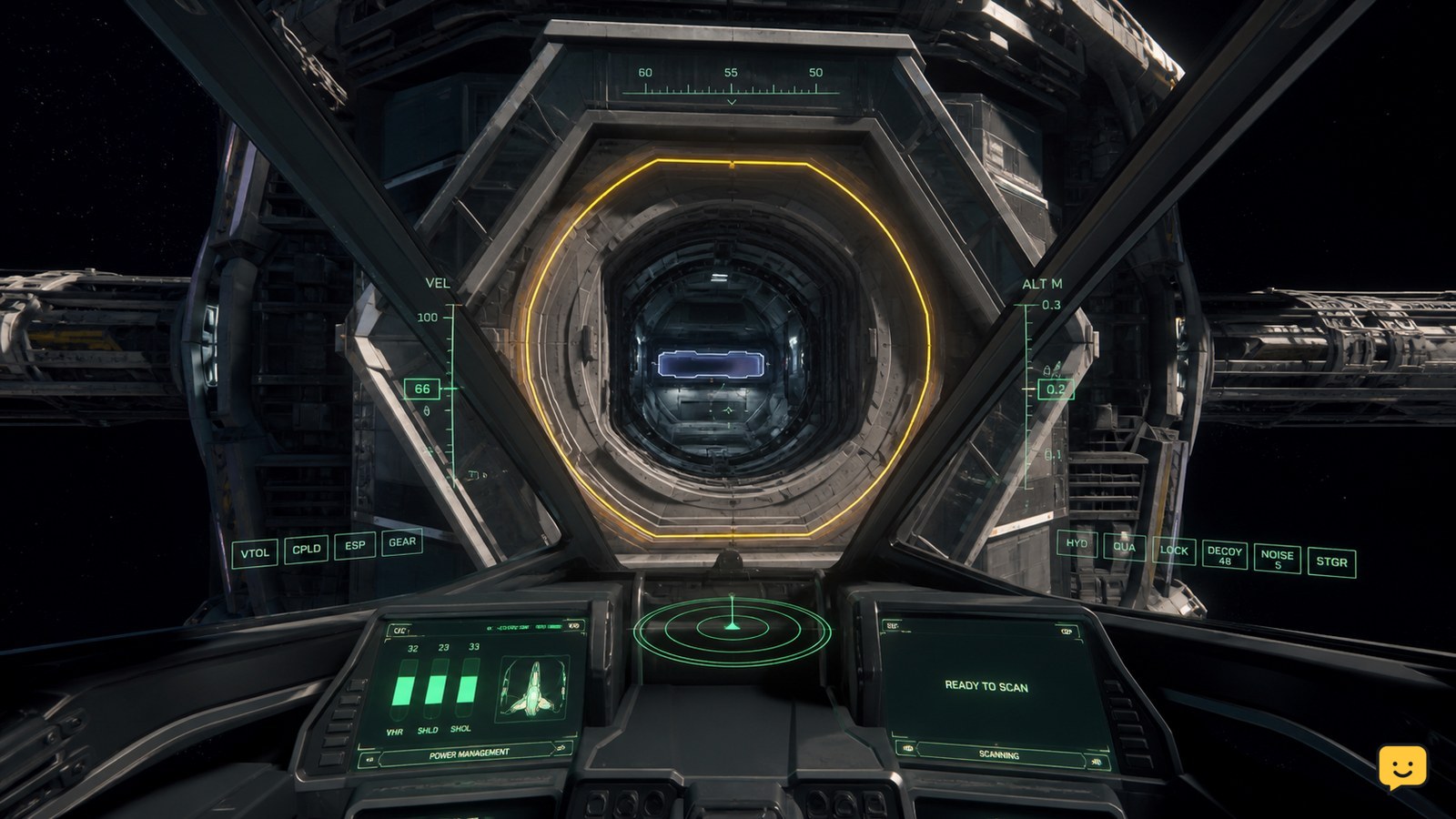
In Star Citizen, dock only at a station port that supports your ship. Approach the marked docking collar, request access if the station presents that option, then reduce speed and align your ship until the docking guides turn green and meet in the center. Stop thrust and wait for the latch or docked-state confirmation before leaving the controls.
Browse more Star Citizen guides
Confirm that the station and ship support physical docking
Physical docking in Star Citizen applies only when your ship can use a compatible station docking port. A station hangar, landing pad, or service bay is not automatically a docking collar, so do not fly into a structure unless the game presents docking guidance or a clearly marked port.
Check the approach visually before committing. The port should have enough clearance for your hull and should not be occupied by another vessel. If no docking interface appears near a suitable-looking structure, stop outside the port rather than guessing.
Request access before entering the docking approach
If the station presents a docking or access request through the ship interface, complete that request before moving into the collar. The exact contact or interaction can vary with the location and current LIVE implementation, so use the option that is actually shown rather than relying on an old keybind.
Wait for the station to accept the request or for the docking approach to become active. If the station only offers landing services, you are being directed to a pad or hangar procedure, not necessarily a physical docking port.
Approach the docking collar at low speed
Move toward the docking port slowly and keep the ship centered on the opening. Use short forward inputs and small lateral or vertical corrections; excessive speed makes it harder to correct the ship’s angle before entering the collar.
Keep the port centered in the cockpit view while closing the distance. Community gameplay references show the practical approach, but they may depict older ships or locations. The current interface and the indicators visible around your ship take priority over a video control layout.
Align the guides until the docking indicators turn green
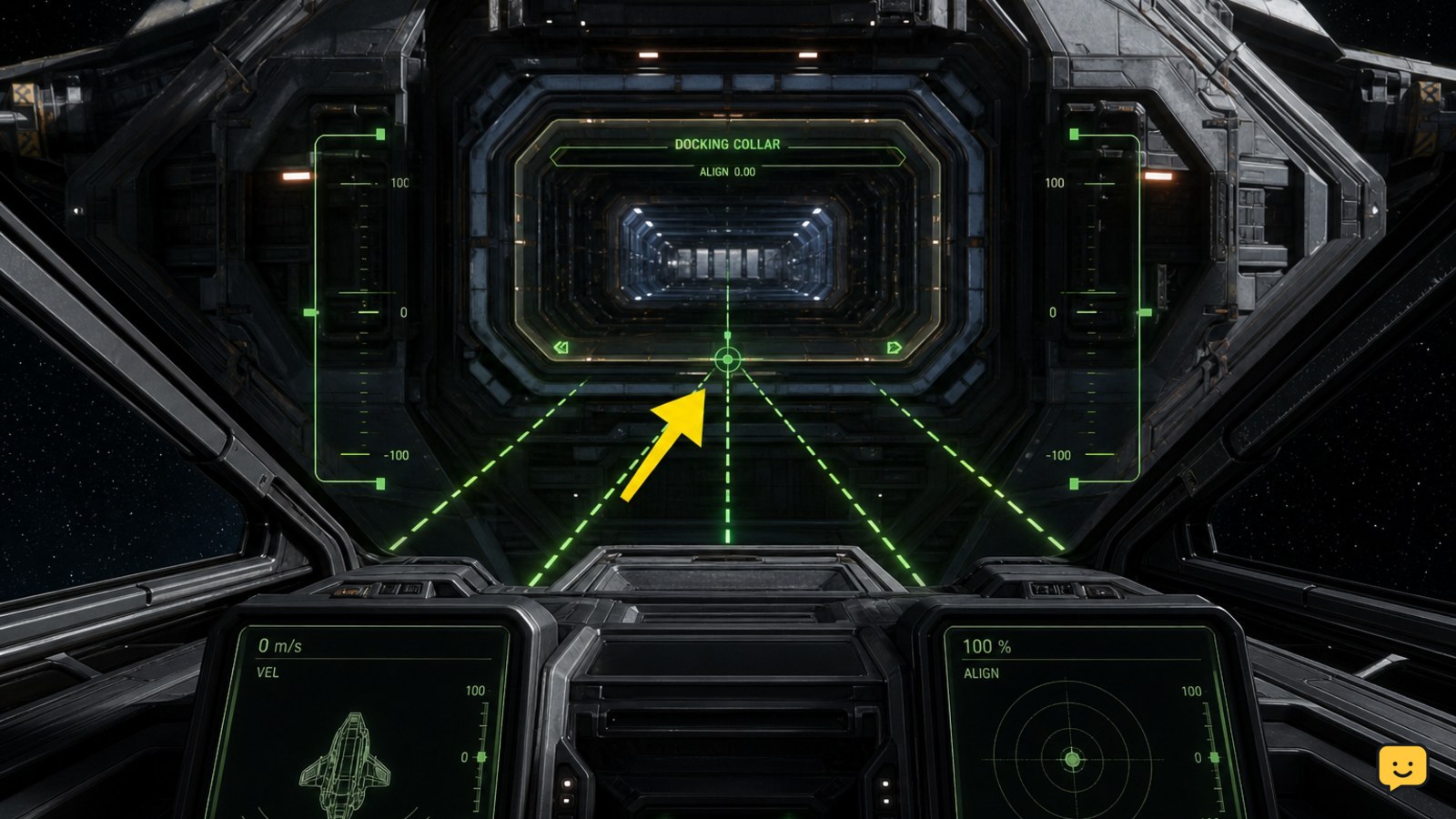
Star Citizen’s documented alignment check is complete when the docking guides turn green and the guide lines meet around the center of the port. This green, centered state is the key visual checkpoint described in RSI’s official ship-landing guidance.
- Reduce forward motion as you reach the alignment range.
- Correct yaw, pitch, and roll until the guide lines converge instead of sitting to one side.
- Make small positional corrections so the ship remains centered on the docking collar.
- Proceed only when the indicators are green or the interface clearly confirms a valid docking alignment.
If the guides stay red, your ship is not yet aligned. Do not add speed to force the entry; back away slightly, recenter the port, and repeat the alignment.
Enter the port and verify the docked state
Once the alignment is confirmed, continue forward at a controlled speed until the docking system takes over or the ship reaches the connection point. Release forward thrust when the ship is inside the collar and wait for a visible latch, completed-docking message, or other persistent docked-state indication.
A ship sitting inside the port is not necessarily secured. Verify that the vessel remains attached when you stop input and that the station has accepted the docking state. Only then should you leave the cockpit, access station services, or begin cargo and maintenance work.
Fix a docking attempt that does not complete
If the ship passes the port without latching, stop and back away into open space. Recheck that the port is compatible, request access again if the option is available, and approach with a straighter attitude.
If the alignment guides never appear, the location may use landing services instead of physical docking, the ship may not support that port, or the docking interaction may not be active. Do not continue into the structure. If the guides appear but fail to turn green, realign the ship and reduce speed before making another attempt.
When the interface behaves inconsistently after a failed attempt, leave the immediate approach area and reacquire the port rather than repeatedly colliding with it. If the station still does not provide a valid docking state, stop the procedure and use a confirmed landing location instead.
Frequently asked questions
Can you dock with every station in Star Citizen?
No. Physical docking requires a compatible ship, a compatible station port, and an active docking interaction. Many station visits use landing pads or hangars instead. If the port does not show docking guidance, do not assume that the structure can accept your ship.
What does the green docking indicator mean?
The green indicator means the ship is aligned with the docking port closely enough to continue the approach. The guide lines should meet near the center. Green alignment is a checkpoint, not always proof that the ship is fully secured; wait for the docked-state confirmation after entering the collar.
Why do the docking guides stay red?
Red guides usually mean the ship is off-center, rotated incorrectly, outside the active alignment range, or approaching an incompatible port. Slow down, back away slightly, and correct the ship’s attitude and position. Stop if the guides never appear or behave erratically.
Can I use landing clearance to dock with a station?
Not automatically. Landing clearance normally directs a ship to a pad or hangar, while physical docking uses a docking collar or port. Follow the interaction the station actually provides and do not enter a docking structure without a valid alignment or access indication.


