
To expand your inventory in Fields of Mistria, visit the General Store and interact with the backpack display. Hold the interact button until the progress bar fills, then confirm the Bag Upgrade for 1,000 Tesserae. The upgrade increases the bag from 10 slots to 20 in the version documented by current gameplay guides.
Browse more Fields of Mistria guides
Find the backpack upgrade at the General Store
Fields of Mistria places the documented inventory upgrade at the General Store, where you interact with the backpack display rather than crafting a bag upgrade at a workbench.
- Enter the General Store.
- Locate the backpack display inside the shop.
- Stand close enough for the interact prompt to appear.
If no prompt appears, move around the display and check that you are targeting the backpack itself. The available interaction can also depend on your current game version or progression state, so do not substitute a different shop item.
Buy the Bag Upgrade for 1,000 Tesserae
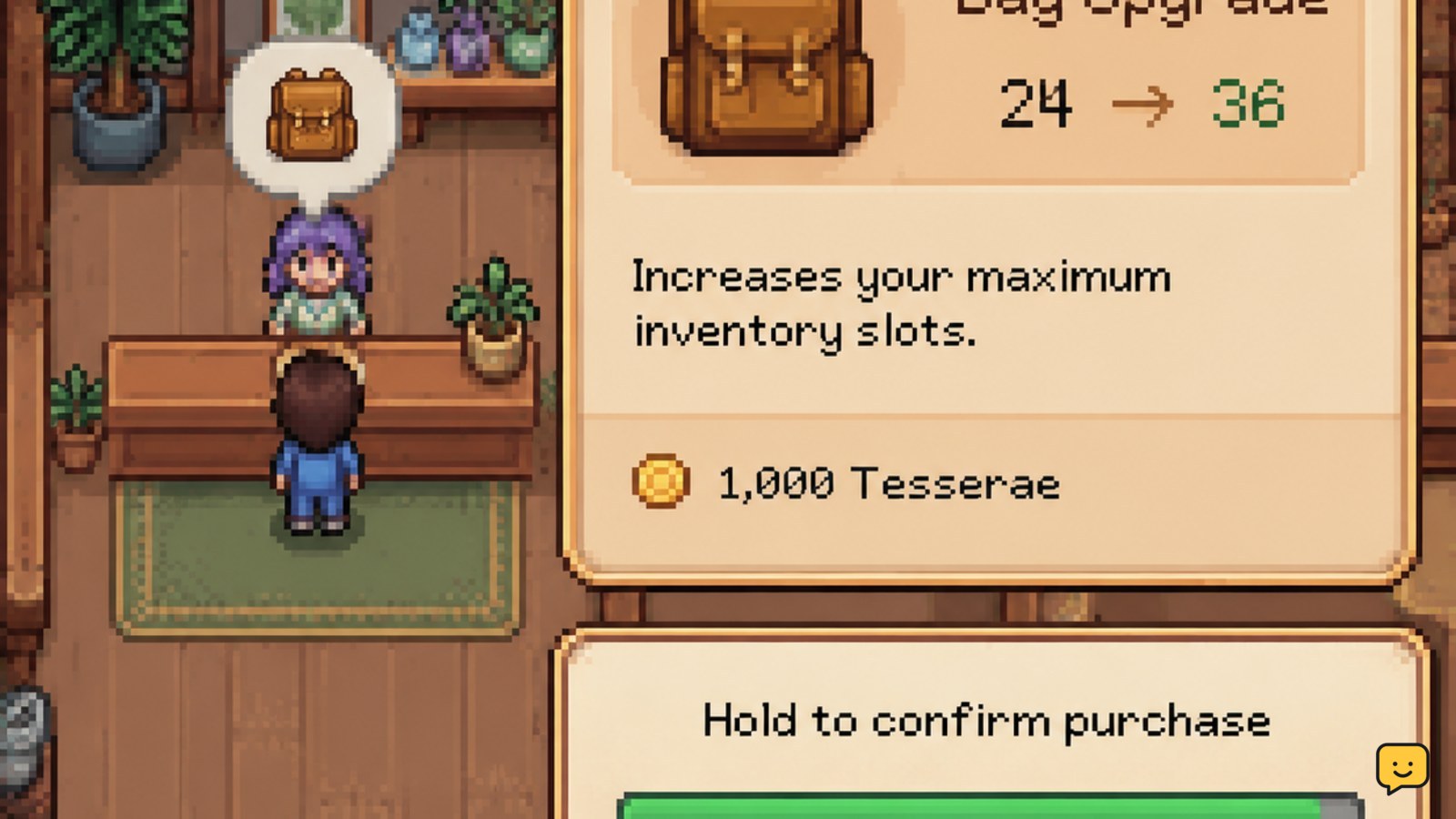
The Fields of Mistria Bag Upgrade costs 1,000 Tesserae in the gameplay guides used for this guide. Activate the backpack display, then hold the interact button until the progress bar fills. TechRaptor and TheGamer both describe this hold-to-complete interaction, while TechRaptor reports the upgrade price and the increase from 10 slots to 20.
- Start the interaction with the backpack display.
- Keep holding the displayed interact control until the bar is complete.
- Confirm the purchase when the Bag Upgrade prompt appears.
Do not release the button early if the progress bar resets. If the shop shows a different price, capacity, or item name, stop and verify the current in-game details before confirming.
Verify that your bag has 20 slots
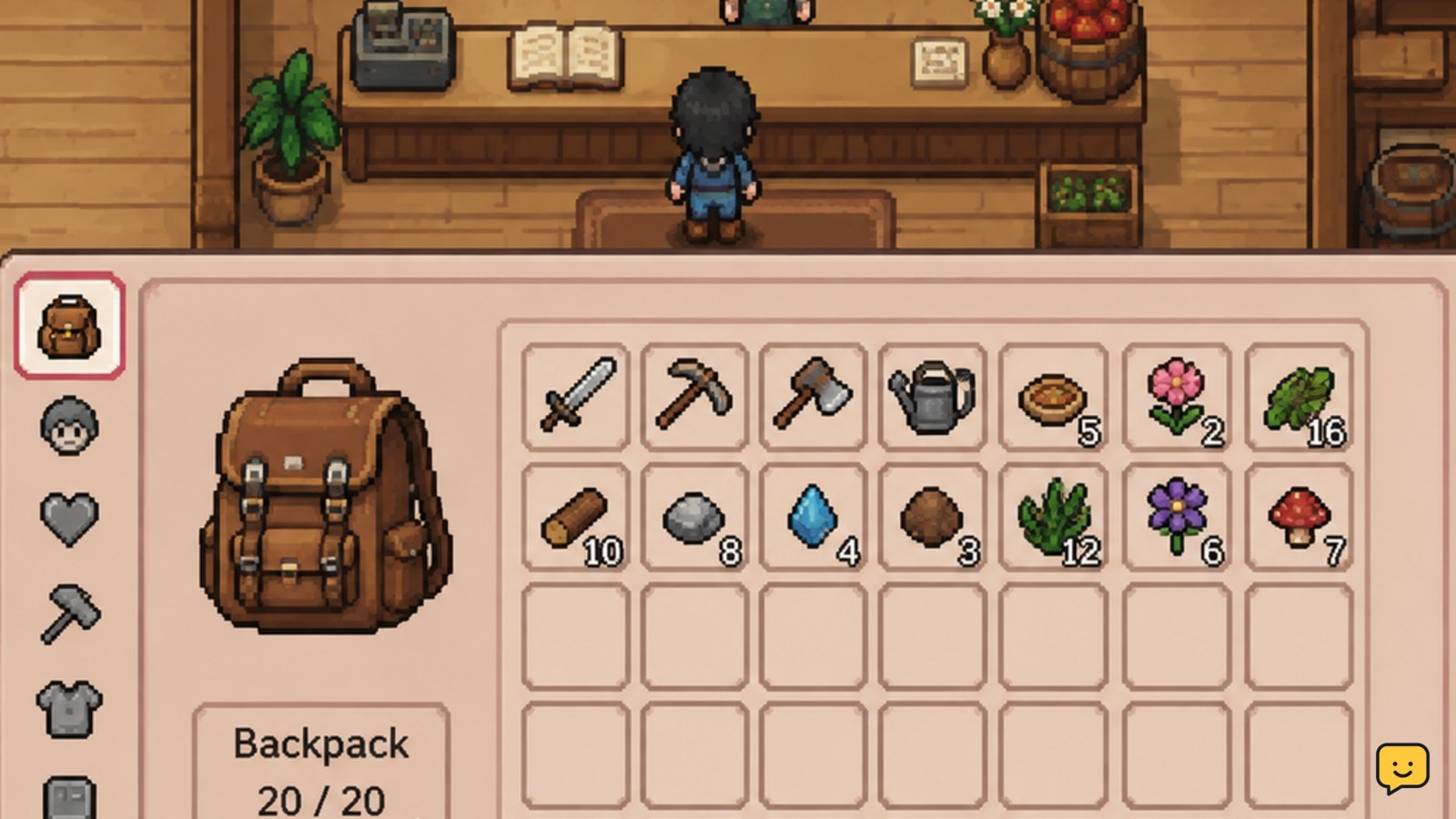
A successful Fields of Mistria backpack upgrade changes the carried inventory from 10 slots to 20 slots in the documented version. Open the inventory immediately after purchasing and count the available item positions.
Test the result with several different item types, such as crops, forageables, ore, or tools. The upgrade adds bag capacity; it does not create farm storage, increase stack sizes, or automatically sort existing items. If the inventory still shows 10 slots, close and reopen the inventory, then check whether the purchase actually deducted Tesserae. If the currency was not deducted, the interaction was not completed.
Use the upgrade when gathering routes become longer
The backpack upgrade is most useful when a farming, mining, bug-catching, or foraging trip regularly ends because the bag fills before you reach home.
- Farming: carry more harvested crops and seeds before returning to the farm.
- Mining: keep more ore, geodes, and other finds during a mine run.
- Foraging: collect more seasonal items before sorting them at home.
- Collections: reserve space for unfamiliar fish, bugs, artifacts, or forageables instead of discarding them immediately.
Prioritize the upgrade before a route that crosses several areas or has limited return access. For short trips near the farm, the extra capacity is less important than keeping Tesserae for an immediate tool, seed, or crafting need.
Store overflow in a farm chest instead of discarding it
A Fields of Mistria storage chest does not expand the slots you carry, but it gives you a second inventory-management option when the backpack is full. Keep a chest near common return points and move materials into it before starting another gathering route.
Use separate storage groups for mining materials, crops and seeds, forageables, and crafting supplies. This reduces the chance of selling or using an item needed for a request, museum contribution, recipe, or upgrade. If a chest cannot be placed or opened, choose a clear tile and confirm that the placement interaction completes before leaving items nearby.
What to do if the upgrade is missing or does not apply
If Fields of Mistria does not show the backpack interaction or your slot count does not change, first distinguish an unavailable upgrade from an incomplete purchase.
- No prompt: reposition around the backpack display and confirm you are inside the General Store.
- Progress bar stops: hold the interact control continuously until the bar finishes.
- No currency deduction: the purchase did not complete; try the interaction again only after the prompt is visible.
- Currency deducted but capacity looks unchanged: reopen the inventory and count the slots rather than relying on the bag icon alone.
- Different price or capacity: treat the live in-game display as authoritative because the cited guides document a particular game version.
Do not buy a second upgrade unless the game clearly presents it as a separate, valid purchase. The supplied evidence confirms the initial documented increase to 20 slots but does not establish a permanent sequence of additional backpack tiers.
Frequently asked questions
How many inventory slots does the Fields of Mistria bag upgrade add?
The documented Bag Upgrade adds 10 slots, increasing the backpack from 10 slots to 20. Check your live inventory after buying because the supplied gameplay guides describe a specific version, and later updates can change prices or capacity.
Where do I buy the backpack upgrade in Fields of Mistria?
Buy it by interacting with the backpack display inside the General Store. Hold the displayed interact button until the progress bar completes, then review the purchase prompt before confirming.
Can I expand my inventory with storage chests?
Chests do not increase the number of slots you carry, but they provide extra farm storage. Use them to unload crops, ore, forageables, and crafting materials between trips so the backpack remains available for new finds.
Is there more than one permanent backpack upgrade?
The supplied evidence confirms the documented upgrade from 10 to 20 slots, but it does not confirm a full series of additional permanent upgrades. If your game displays another tier, verify its price and capacity in the purchase screen before spending Tesserae.


