
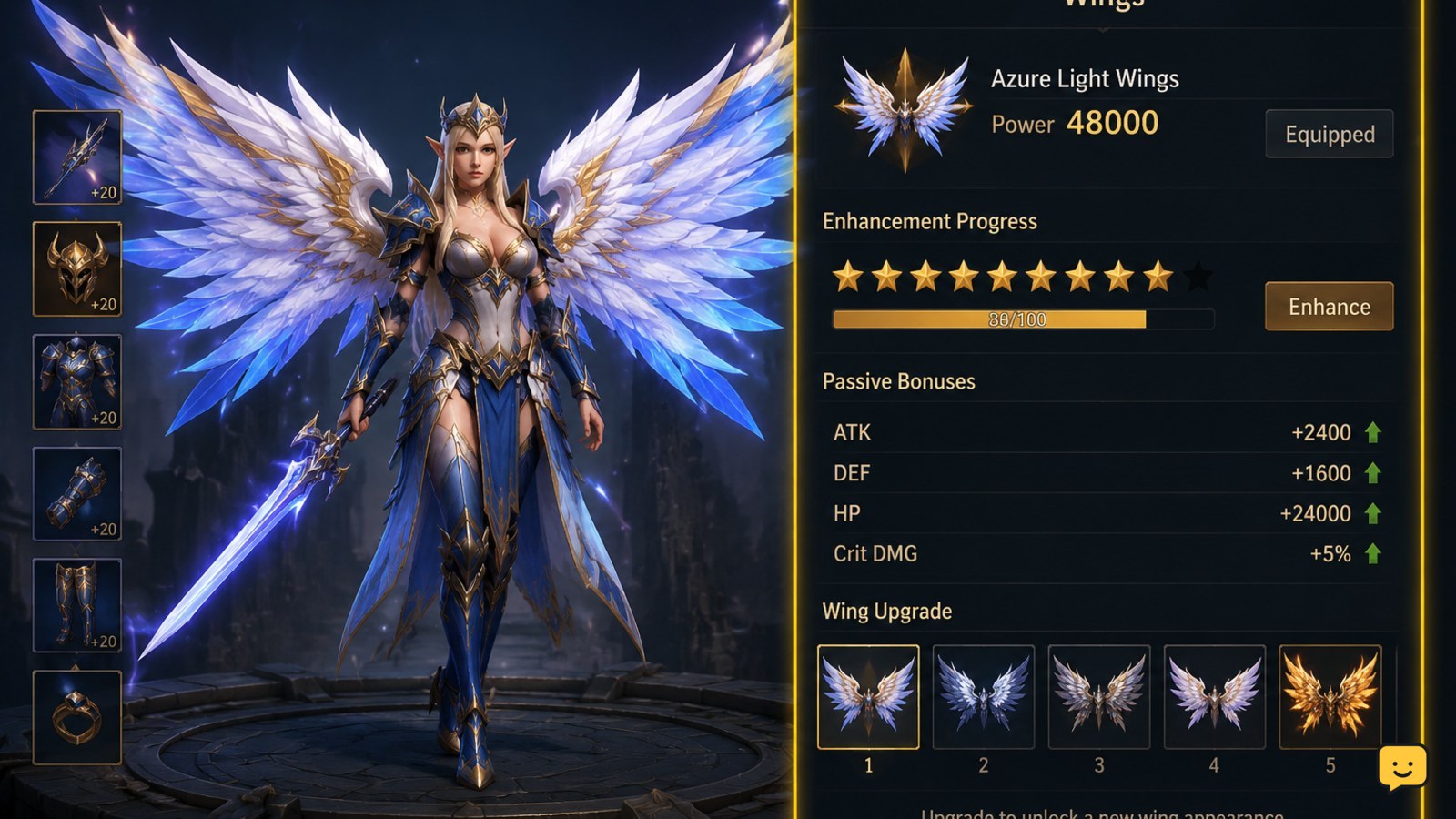
Dragon Sword Awakening wings are tied to quest progression rather than a separate early-game purchase. Continue the required quests, open the Wings feature when it becomes available, and equip the unlocked set. Enhance wing progress with the materials shown in the menu; later progress can unlock additional appearances and passive effects. Exact labels and requirements may vary by version.
Browse more DragonSword: Awakening guides
How wing progression works
Dragon Sword Awakening uses wings as a progression feature connected to quests and upgrades. Available references describe normal wings as part of quest progression: enhancing them can unlock another wing set and reveal passive effects. Special wing appearances are also associated with quests, so not every visible design is obtained through the same enhancement track.
This means the safest route is to follow the quest tracker first, then use the Wings screen to identify the active level, available set, passive effects, and next requirement. Do not rely on a universal level, currency name, or unlock order unless your own client displays it.
Unlock wings through quest progression
Use these steps to find the first unlock without wasting resources:
- Continue the main story and any feature or reward quests that become available.
- Claim completed quest rewards, then check the character, feature, or progression menus for a new Wings entry.
- Open the Wings screen and read the first locked requirement instead of trying random activities.
- If the requirement names a quest, return to the quest list and prioritize that objective.
- Complete the stated objective, claim its reward, and reopen the Wings screen.
Verify the unlock: the Wings screen should change from a locked state to an available wing set, preview, or enhancement panel. If only a cosmetic preview appears, check whether the set still has an activation requirement.
Open and equip an unlocked wing set
After the feature unlocks, select the available set in the Wings menu and look for the equip or activate control. The exact button name can differ, but the selected set should be visibly marked after the action.
- Open the Wings feature from the character or progression interface.
- Select the set that is marked available rather than one still showing a lock.
- Choose the displayed equip, activate, or use control.
- Close and reopen the menu to confirm that the same set remains selected.
Equipping a set and enhancing the wing progression are separate checks. A new appearance may be available while its passive panel remains locked, or a passive may be active without changing the character’s displayed equipment immediately.
Enhance wings and unlock passives
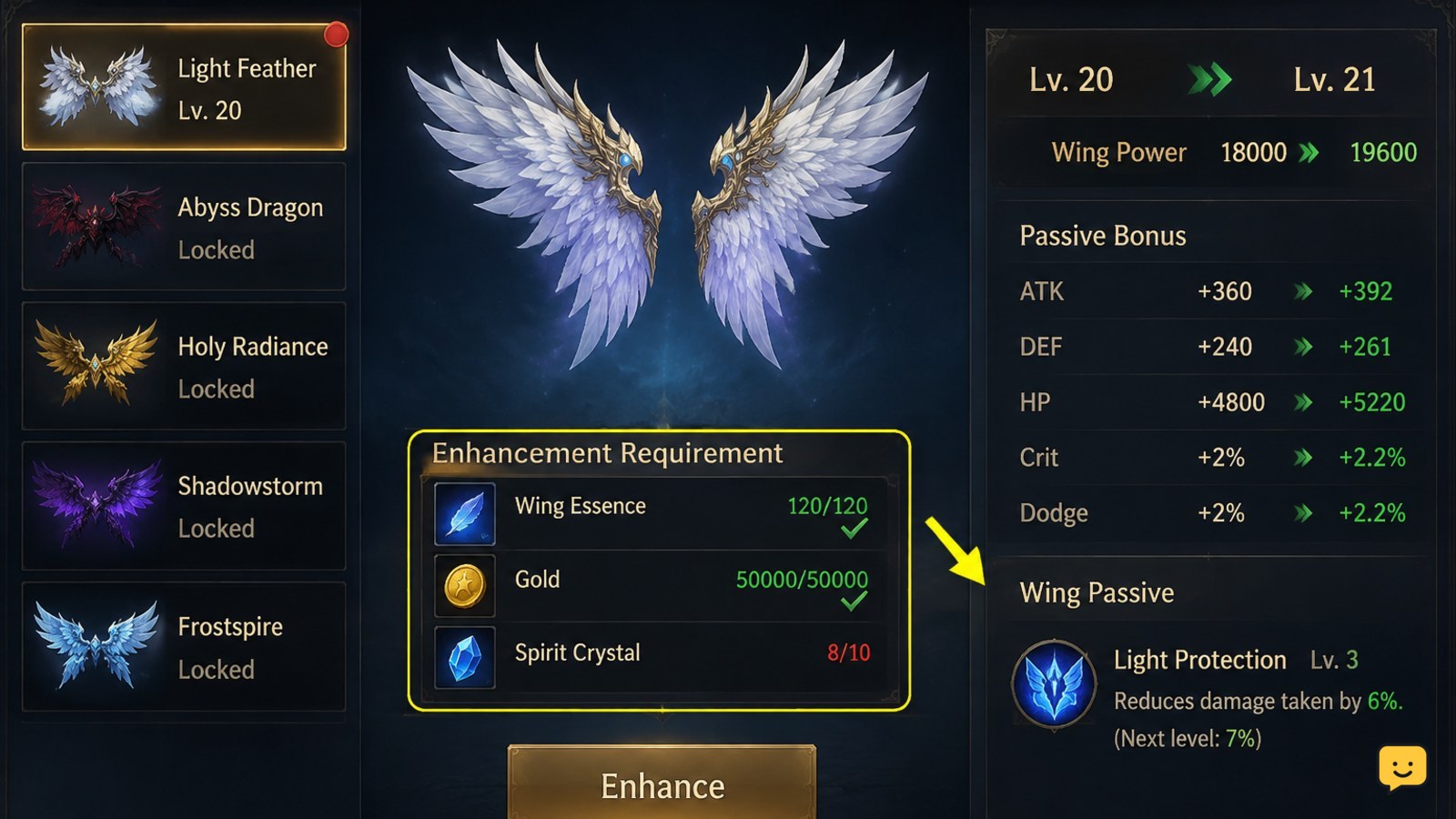
Enhancement is handled from the Wings screen. Select the active wing set, review the next level requirement, and provide only the materials listed by the game. Available references indicate that wing upgrades can progress the system, unlock new sets, and add passive effects, but they do not establish one fixed material list or universal enhancement schedule.
- Record the current wing level and the next displayed target.
- Check the required materials, currency, and any quest or level prerequisite.
- Enhance once, then wait for the confirmation or result panel to finish.
- Read the updated level, passive panel, and set list before performing another upgrade.
- Repeat only while the result changes and the cost remains clear.
Best durable routine: complete quests that unlock wing content first, then enhance after checking the next milestone. This avoids spending scarce materials on a track that is still blocked by progression.
Verify progress or fix missing wings
If a wing, passive, or enhancement is missing, check the progression state in order:
- Open the quest log and confirm the prerequisite is marked complete, not merely objectives completed without reward collection.
- Claim any pending quest, mail, or feature reward shown by the game.
- Return to the Wings screen and check both the selected set and the passive panel.
- Confirm that the enhancement result actually increased the level or changed the displayed progress bar.
- Leave the menu, change to another safe area, and reopen the feature.
- Relog once if the reward was confirmed but the interface still shows the old state.
If the item remains absent after one relog, stop repeating the purchase or enhancement. Capture the quest name, character or server information, displayed requirement, and result screen, then contact the game’s official support route. Do not spend more materials while the account state is unclear.
Frequently asked questions
How do you unlock wings in Dragon Sword Awakening?
Unlock wings by continuing the quests that introduce the Wings feature, completing the displayed prerequisite, and claiming the resulting reward. Then reopen the Wings menu to confirm that an available set or enhancement panel has replaced the locked state. The exact quest name can vary by version, so follow your in-game tracker rather than a fixed level claim.
Do wings let you fly in Dragon Sword Awakening?
Do not assume that wings provide flight. The available references support wings as a quest-linked progression and passive system, but they do not confirm a universal flight mechanic. Check your own Wings menu and control settings for an explicit movement ability before expecting wings to change travel.
How do you enhance wings in Dragon Sword Awakening?
Open the Wings feature, select the active set, review the next displayed requirement, and confirm the enhancement. Verify the new level, progress value, set unlock, or passive change after each upgrade. Because material names and costs can vary, use the requirement shown in your current client instead of following an unverified fixed list.
Why are my Dragon Sword Awakening wings still locked?
Wings usually remain locked because a prerequisite quest, reward claim, character condition, or feature requirement is incomplete. Check the quest log, claim pending rewards, reopen the Wings screen, and relog once after confirmed completion. Stop spending materials if the requirement is unclear or the unlock does not appear after these checks.


