
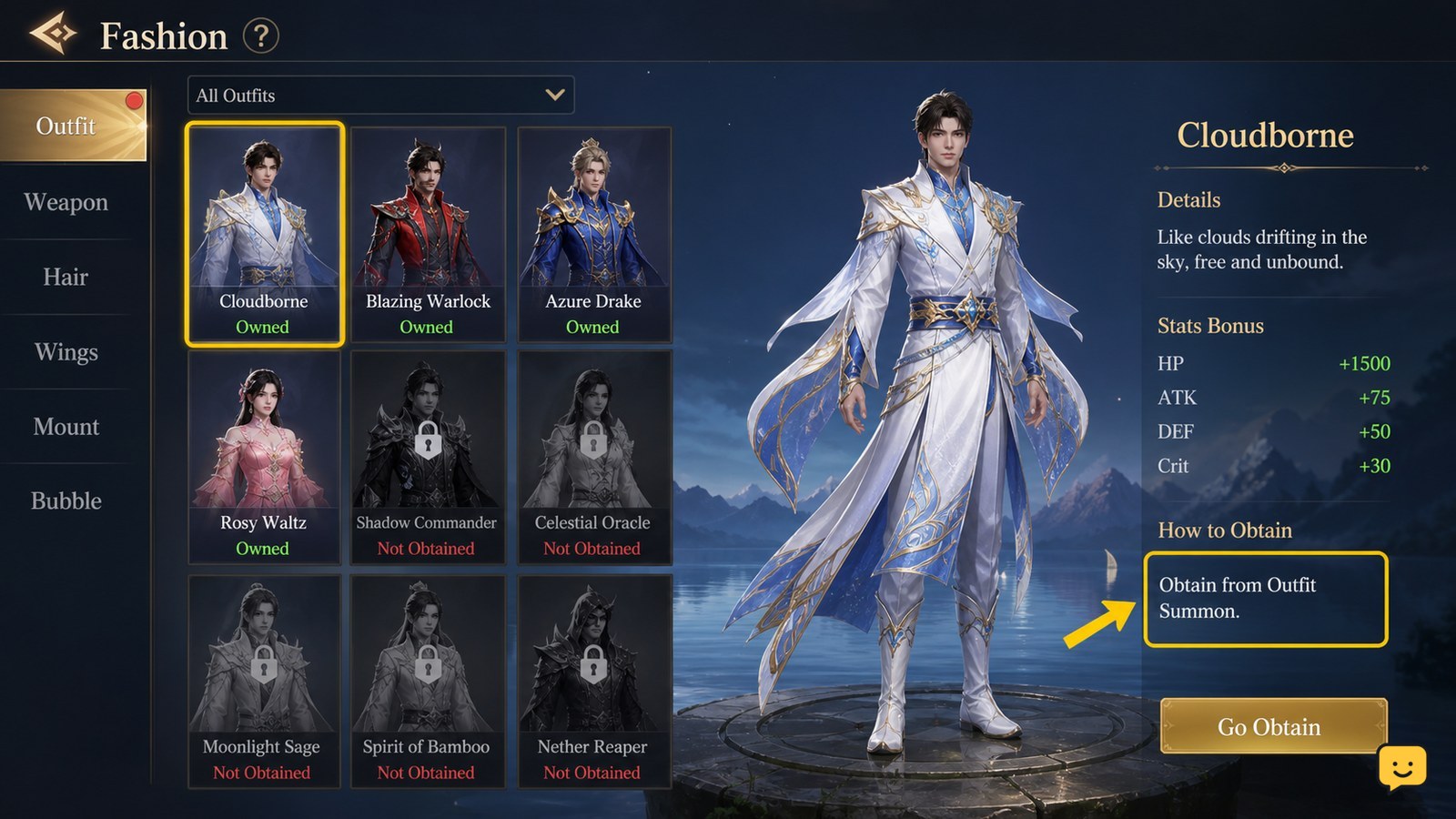
Open Dragon Sword Awakening’s character fashion or costume interface and inspect each locked outfit’s displayed source. Claim the costume through its shown quest, event, or exchange route, then select the owned item and review its Enhance option. Confirm the material cost and resulting effect before accepting. Do not rely on fixed online costs because costume availability and requirements can change.
Browse more DragonSword: Awakening guides
Find the current fashion screen and inspect locked costumes
Start from the character-related menus and look for the screen that displays your appearance, fashion, costumes, outfits, or wardrobe. The exact label can differ between builds, so use the screen that shows costume thumbnails and ownership states rather than a general equipment page.
Select a locked costume and read every displayed field. The useful checkpoint is a visible acquisition instruction: a quest, event, exchange, shop, reward track, or another named activity. If the screen shows only a preview with no source or claim condition, leave it unclaimed and check again after progressing the current main quest.
DragonSword Awakening community coverage documents more than one acquisition path, including an early free costume route and exchange-shop progression. Treat those as route examples, not universal requirements. Your client’s displayed condition takes priority over an older video.
Choose the costume route shown in your client
Follow the source attached to the costume instead of farming unrelated content. For a quest-linked outfit, advance the named objective and return to the fashion screen to claim it. For an event or reward-track outfit, check the activity’s own progress and claim panel. For an exchange costume, open the named shop and verify the required currency, token, or item before confirming the purchase.
- Open the locked costume’s acquisition details.
- Identify the named activity and the exact reward or exchange requirement.
- Complete only the required objective or gather the displayed exchange items.
- Return to the costume screen and use the visible claim, exchange, or purchase control.
Success means the outfit changes from locked or unavailable to owned, claimed, or otherwise selectable. If the source activity is missing, check whether the costume is tied to a chapter, event window, server state, or character restriction. Do not assume the item is permanently obtainable until the game labels it as available.
Verify ownership before trying to enhance fashion
After claiming an outfit, reopen its details and confirm that the ownership state has changed. Then check whether the game separates appearance from progression. Some costume screens can preview an outfit without granting it, while a claimed item may still need to be equipped or activated.
Look for an Enhance, Upgrade, Level Up, or comparable control on the owned costume. If no enhancement control appears, the item may be cosmetic-only, may require a separate fashion system unlock, or may be selected from the wrong tab. Check another owned costume before spending anything.
Also note the visible effect description. A costume can change appearance, provide a collection or fashion bonus, or show a progression effect. Do not report a stat increase unless the current item description displays one.
Enhance one owned costume after reviewing the cost
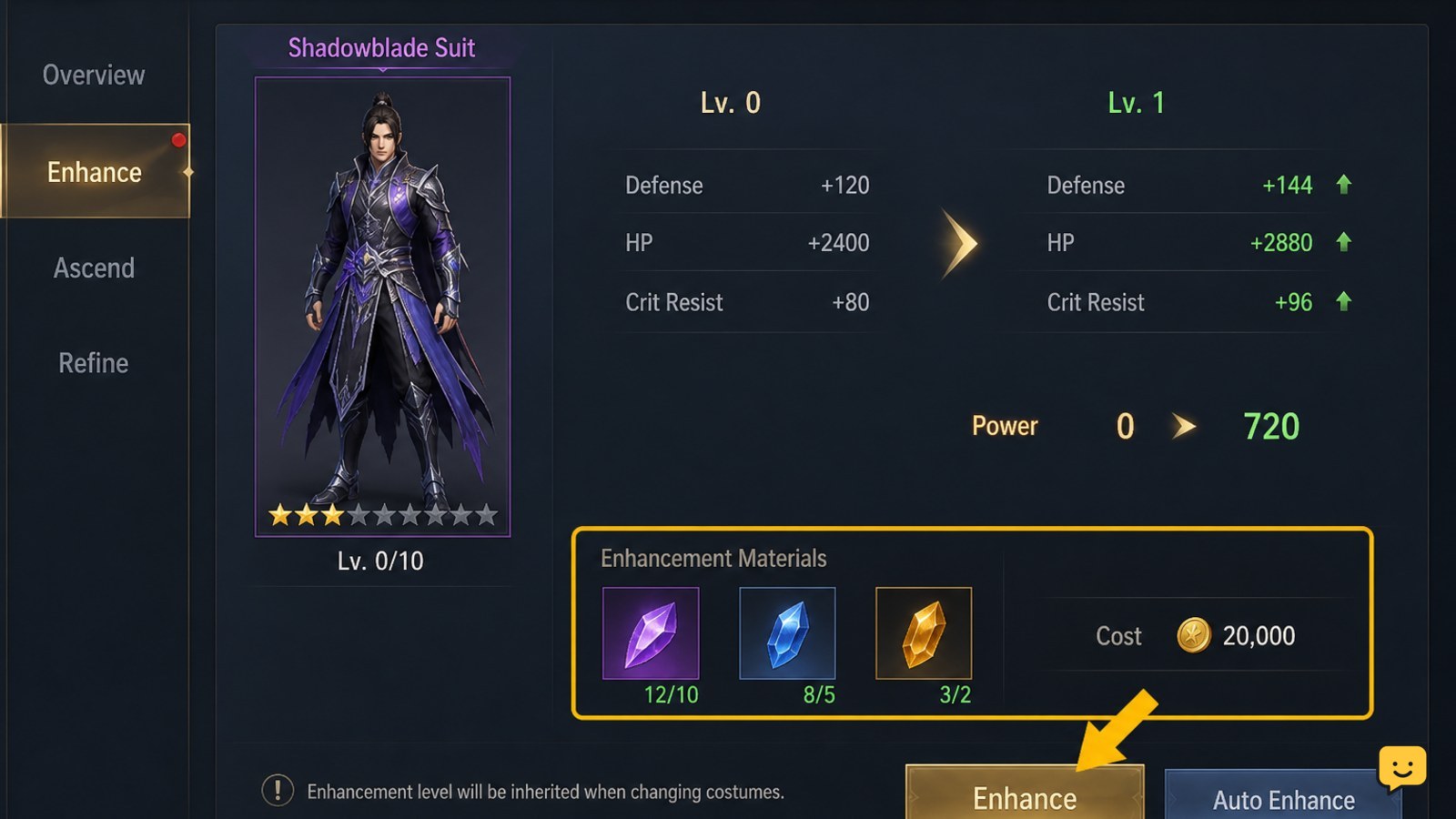
Select the owned outfit and open its enhancement panel. Before confirming, compare the required materials and currency with your inventory, then read the previewed result. The safe decision is to enhance only when the cost and outcome are both visible in the same screen.
- Choose the owned costume you intend to keep using.
- Open its enhancement panel and note the current level or progress.
- Check the named materials, currency, and quantity required for the next upgrade.
- Review the displayed benefit, collection progress, appearance change, or other result.
- Confirm once, then reopen the item details to verify that the level and effect changed.
Exact enhancement costs are not established by the supplied evidence and may vary with the costume, progression stage, or live version. Avoid publishing or following a fixed cost table unless the same values are visible in your current client.
Fix a missing costume, claim, or enhancement result
If a costume is still locked after completing its displayed route, first return to the source activity and check for a separate claim button. Completing an objective and claiming its reward may be different actions. If the outfit came from an exchange, verify that the transaction completed and that the item was not sent to a separate reward or inventory tab.
If enhancement is unavailable, confirm that the costume is owned rather than previewed, that the required fashion feature is accessible, and that you selected the correct character or costume category. If the materials are present but the button is disabled, reread the requirement for a missing level, quest, or binding condition.
After a successful upgrade, the enhancement level, progress bar, or effect text should change. If none of these states changes, stop making additional purchases, leave the menu, relog through the normal game controls, and inspect the item again. If the result remains absent, capture the item name and displayed requirement for support rather than repeating the transaction.
Frequently asked questions
Where do Dragon Sword Awakening costumes come from?
Costume sources can include quests, events, reward tracks, and exchanges. Open the locked item in the current fashion screen and use its displayed acquisition instruction. Community guides show an early free costume and exchange-shop routes, but the exact item and condition can change by version.
Can every Dragon Sword Awakening costume be enhanced?
No confirmed universal rule shows that every costume shares the same enhancement system. Select an owned outfit and check whether its details include an Enhance or Upgrade control. If the screen offers only preview or equip options, treat that item as cosmetic-only or as part of a different fashion feature until the game states otherwise.
Why is my claimed costume not visible?
Check the character, costume category, and reward inventory first. Some activities require a separate claim after completion, and an exchange may place the reward in another tab. Reopen the source activity, confirm the transaction or claim state, then return to the fashion screen. Stop if the item still does not appear and avoid purchasing it again.
Should I use online costume enhancement costs?
Only as a rough comparison. The supplied evidence does not verify a fixed cost table, and requirements may differ by costume or live version. Use the current enhancement panel as the final authority, and confirm the material list and resulting effect before accepting an upgrade.


