
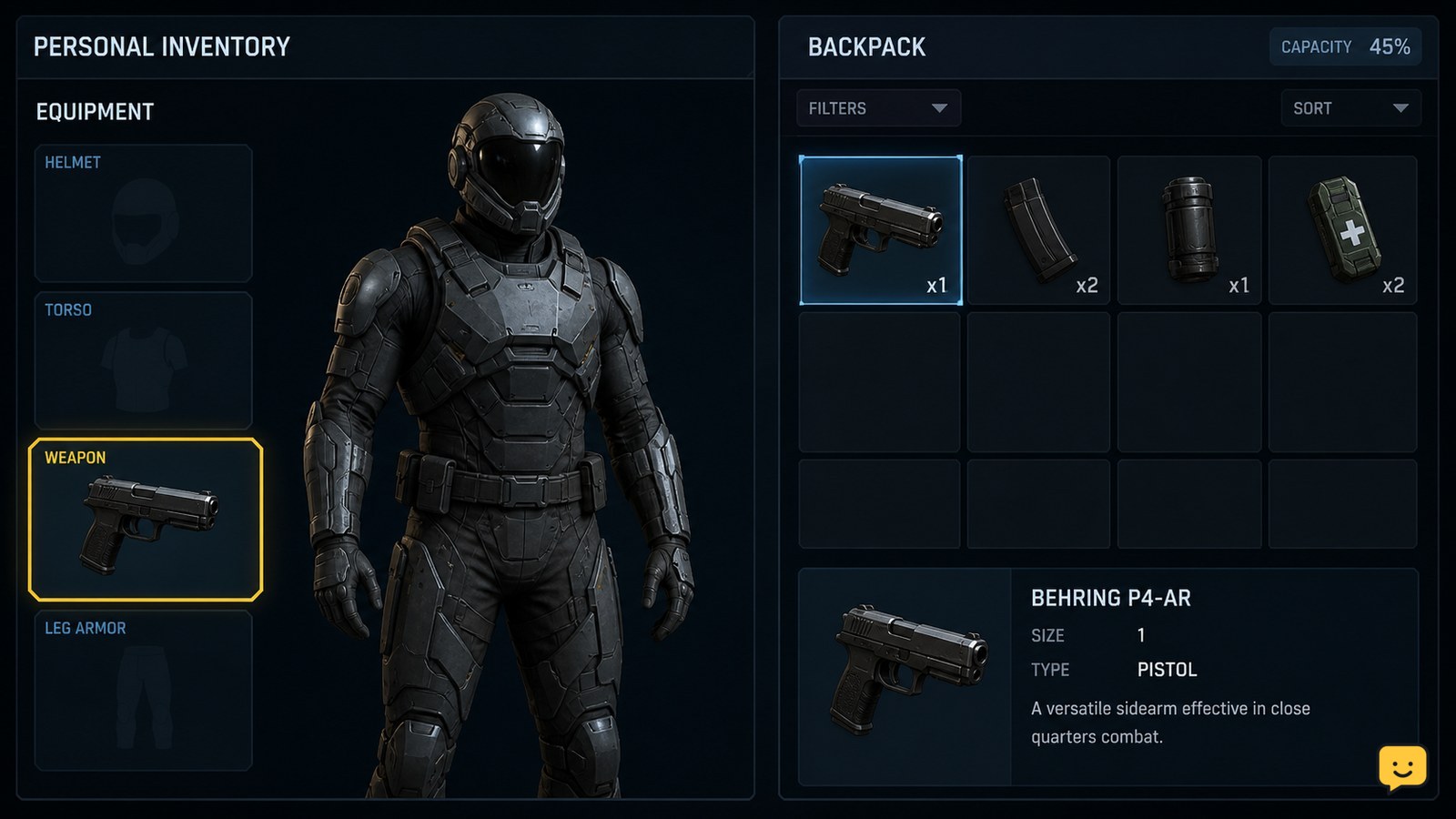
Open your character’s personal inventory, select the weapon, and either drag it into the matching equipment slot or right-click it and choose Equip. Confirm that it appears in a weapon slot before leaving the screen. This equips a handheld weapon for your character; it does not install guns or components on a ship, which uses a separate vehicle loadout system.
Browse more Star Citizen guides
Open the character personal inventory
Star Citizen equips handheld weapons from the character’s personal inventory, not from the ship loadout screen. Open the inventory or character equipment interface while the weapon is stored in a location your character can access.
The Roberts Space Industries Knowledge Base states that equipment can be placed by dragging it onto the character or into the appropriate personal inventory location. It also documents a right-click Equip option, giving you two supported placement methods.
- Find the handheld weapon in the accessible inventory.
- Check that it is a personal weapon rather than a ship weapon or ship component.
- Select the item to expose its available actions.
Place the weapon in a character weapon slot
Star Citizen equips a personal weapon when the item occupies a compatible character weapon slot. Drag the weapon onto the matching slot, or right-click the item and choose Equip.
- Drag the weapon onto the open weapon slot if the interface accepts drag-and-drop.
- Alternatively, right-click the weapon and select Equip.
- Wait for the inventory state to update before closing the screen.
A successful placement is visible: the weapon appears in an equipped slot instead of remaining only in the general inventory list. If the interface rejects the item, try the right-click method once. If both methods fail, leave it in storage and check whether the slot type matches the weapon.
Verify the weapon is ready before leaving
Verify the character weapon is equipped by checking for the item in a weapon slot after the inventory update completes. The weapon should no longer appear as an unequipped item waiting in general storage.
- Confirm the weapon remains in the selected slot after clicking elsewhere in the inventory.
- Close the inventory and use the game’s normal weapon-draw control.
- Check that the character draws the intended weapon rather than an empty hand or another equipped item.
If the weapon appears equipped but cannot be drawn, check ammunition and the current character state before moving the item again. Do not assume a weapon-slot change also supplies ammunition.
Keep personal weapons separate from ship weapon loadouts
Star Citizen treats a handheld personal weapon and a ship-mounted weapon as different equipment tasks. Equipping a pistol, rifle, or other character weapon changes what your avatar can carry; it does not alter the guns, missiles, turrets, or components installed on a spacecraft.
Ship weapons must be managed through the game’s vehicle or ship loadout workflow, whose labels and availability can change between live builds. Use the ship-management or vehicle-loadout interface for that task, and select the specific ship before changing its equipment.
Use this decision rule: if the item is held by your character, use personal inventory. If the item mounts to a hull, turret, hardpoint, or ship component location, use the vehicle loadout workflow instead. Never expect a weapon equipped on your character to appear on the ship.
Fix a weapon that will not equip
When Star Citizen will not equip a handheld weapon, first distinguish an incompatible slot from an inventory-state problem.
| What you see | Likely cause | Safest next action |
|---|---|---|
| The item will not move to the slot | The slot or item type is incompatible | Try the slot intended for that weapon class; stop if it is rejected again. |
| Equip is missing from the context menu | The item is not recognized as character equipment in that location | Move it to an accessible personal inventory location, then reopen the item actions. |
| The item appears equipped but cannot be drawn | Ammunition, character state, or an inventory refresh issue | Check ammunition and character status, then verify the slot again. |
| The weapon is absent after a disconnect | The inventory state did not update correctly | Recheck the available inventory screens before buying or replacing the item. |
Do not continue with ship loadout troubleshooting when the problem is a handheld weapon-slot rejection. Conversely, do not keep moving a ship weapon through character inventory; it belongs in the vehicle equipment workflow.
Frequently asked questions
How do I equip a gun in Star Citizen?
Open the character’s personal inventory, find the handheld weapon, and either drag it into a compatible weapon slot or right-click it and choose Equip. Confirm that the item remains in the equipped slot after the inventory updates. A ship weapon cannot be equipped this way.
Why is my weapon not showing as equipped in Star Citizen?
The weapon may still be in general storage, may be incompatible with the selected slot, or may be in a location the character equipment screen cannot use. Try the documented drag-and-drop method and the right-click Equip option. If both fail, stop and check the item type and destination slot.
Does equipping a personal weapon change my ship loadout?
No. A personal weapon belongs to the character equipment system and affects what your avatar can carry or draw. Ship guns, missiles, turrets, and components are managed separately through the vehicle or ship loadout workflow for the selected spacecraft.
Does equipping a weapon also equip ammunition?
Not necessarily. Equipping places the weapon in a character weapon slot, but ammunition is a separate inventory requirement. If the weapon appears equipped but cannot fire, check that compatible ammunition is available and that the character is allowed to use the weapon.


