
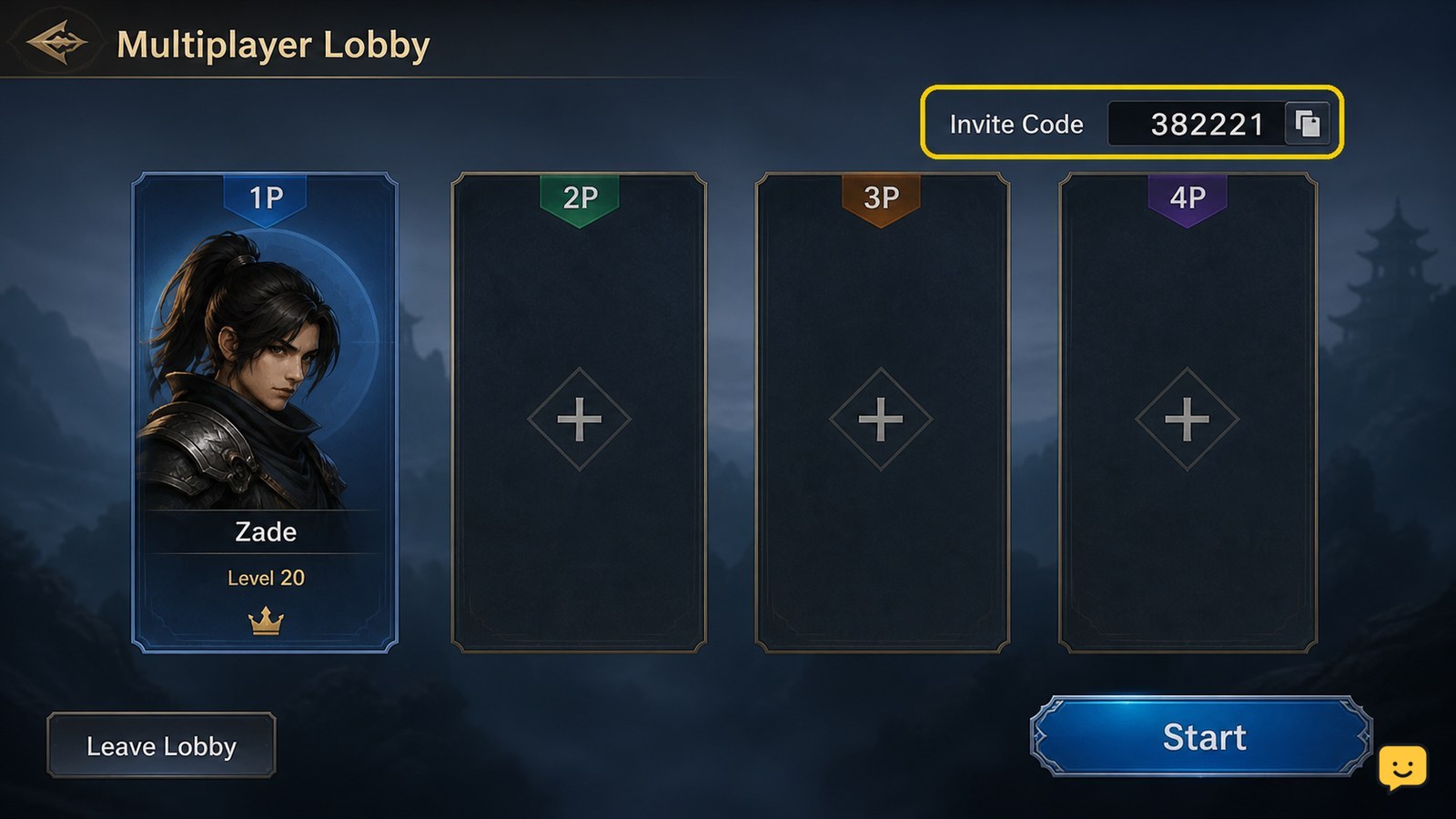
Dragon Sword Awakening currently documents multiplayer through lobby invite codes rather than a fully confirmed persistent friend-list workflow. Open or join a lobby, select the Invite Code option at the top right, and share or enter the six-digit code. Confirm that the other player appears in the lobby before launching co-op content. Menu names and availability can vary by current build.
Browse more DragonSword: Awakening guides
Check what Dragon Sword Awakening’s social system currently confirms
Dragon Sword Awakening’s publicly documented social flow confirms lobby-based multiplayer with a six-digit invite code. The available gameplay guidance does not reliably confirm a separate, persistent in-game friends list, direct username search, or a universal friend-request menu, so do not treat those options as guaranteed.
Keengamer identifies the Invite Code control at the top right of the screen and describes joining another player’s lobby with a six-digit code. Use that confirmed flow first. If your build shows a Friends, Social, or Player List tab, use only the actions that are visibly available and verify the result in the lobby.
Create a lobby and find the Invite Code control
To invite a friend, first enter the game screen that provides the multiplayer lobby controls, then create or host a lobby if the game presents that choice.
- Open the multiplayer or lobby interface.
- Look at the top-right area of the screen for Invite Code.
- Select the option and note the displayed six-digit code.
- Send the code to the intended player through a private channel.
Success means the code is visible and the other player can use it to locate your lobby. If no code appears, return to the lobby screen once, check that the lobby was created successfully, and stop if the control remains absent.
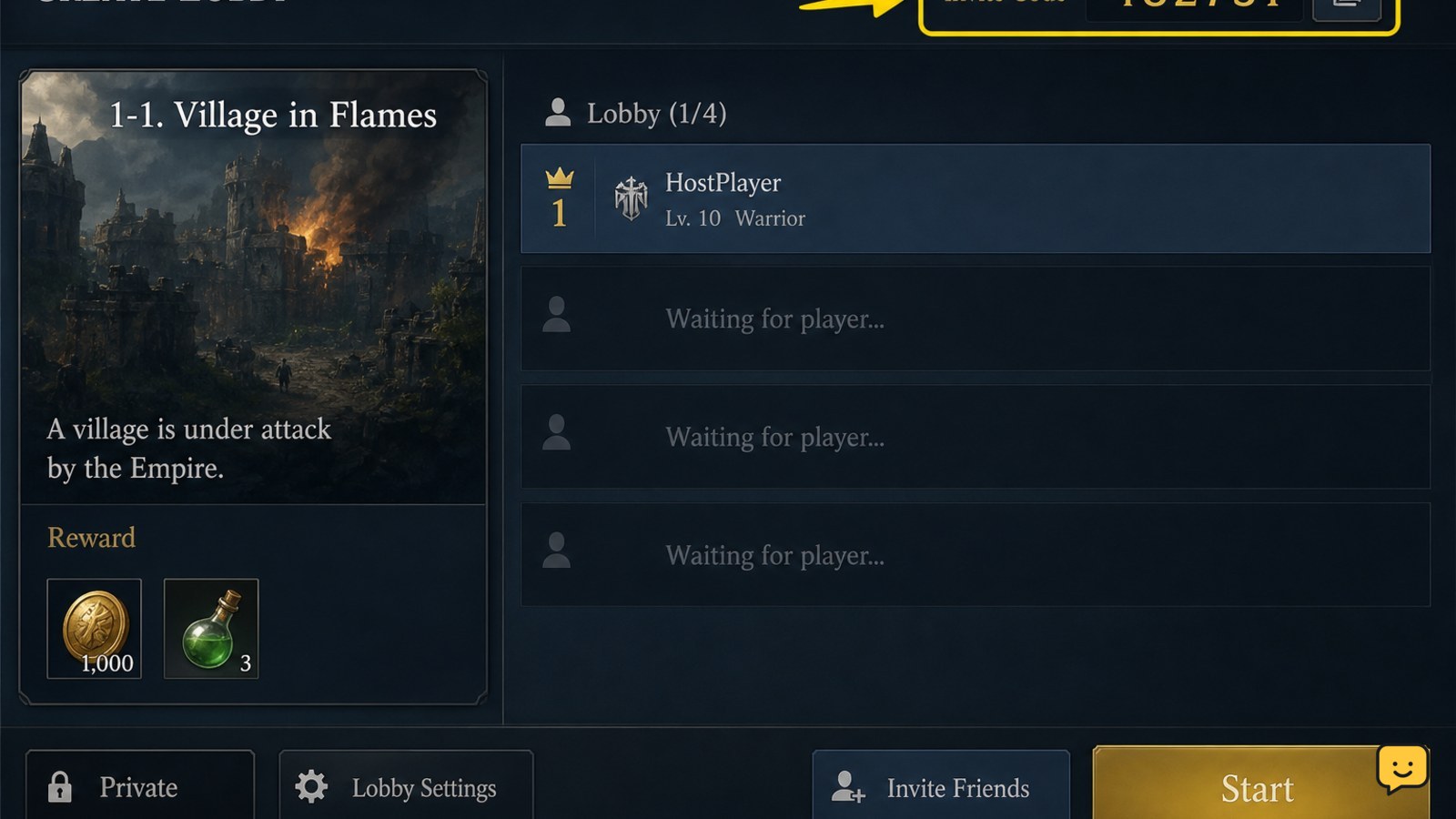
Join a friend with the six-digit lobby code
To join a friend, open the multiplayer or lobby screen and use the field or action that accepts an invite code.
- Ask the host to create a current lobby code.
- Choose the code-entry or join-lobby option shown on your screen.
- Enter all six digits without adding spaces or extra characters.
- Confirm the join action and wait for the lobby response.
The expected result is that you enter the host’s lobby or receive a clear success message. If the game rejects the code, ask the host to check that the lobby is still open and send a newly displayed code. A code copied from an earlier session may no longer work.
Verify the player appears before starting co-op
Dragon Sword Awakening has successfully connected the players only when the joining player is visible in the host’s lobby or the game shows a clear joined status.
- Have the host check the lobby member list or player slots.
- Have the joining player confirm that the host’s lobby screen is visible.
- Check whether the intended activity shows a join, ready, or start option.
- Start only after both players see the same session state.
If the player entered the code but does not appear, do not launch the activity. Leave the failed lobby, create a fresh one, and repeat the code exchange once. If the second attempt fails, check version and network conditions before trying again.
Use available social actions without assuming unsupported features
Any additional social actions in Dragon Sword Awakening should be treated as build-dependent unless the current interface displays them clearly.
After selecting a player in the lobby, check for visible actions such as viewing a profile, removing the player, muting communication, or sending an in-game request. The supplied sources verify the invite-code lobby flow but do not establish that every one of these actions exists in the current release.
Use the label shown by your build, confirm the result immediately, and avoid relying on guides that describe a permanent friends list when your interface provides only temporary lobby membership.
Fix a missing code, failed join, or absent social menu
A failed social action usually means the lobby state, code, game version, or available feature does not match the instructions.
| What you see | Safest next action |
|---|---|
| No Invite Code option | Return to the multiplayer lobby, confirm that a lobby was created, and check for updates. Stop if the option is still missing. |
| Code is invalid or expired | Have the host generate or display a new six-digit code, then enter it again from the join screen. |
| Join succeeds but the player is absent | Close the failed lobby and create a fresh session. Confirm both players use the same current build. |
| Players appear but cannot start an activity | Check whether that activity supports co-op in the current build. Do not force the launch through an unrelated menu. |
| Social or friend controls are missing | Treat the feature as unavailable or build-dependent unless an official update or current in-game notice confirms otherwise. |
The official Steam FAQ is the safest place to check for developer-confirmed changes to multiplayer availability. Keengamer’s invite-code instructions are useful for the specific lobby action, but they should not be expanded into unconfirmed claims about the wider social system.
Frequently asked questions
Does Dragon Sword Awakening have a permanent friends list?
A permanent in-game friends list is not confirmed by the available current evidence. The documented multiplayer method uses a lobby and a six-digit Invite Code. If your build includes a Friends or Social tab, rely on the labels and actions visible there rather than assuming every version has the same system.
Where is the Dragon Sword Awakening invite code?
The documented Invite Code option appears at the top right of the lobby screen. Create or host a lobby first, then select that option to display the six-digit code. If it is missing, confirm that you are in the multiplayer lobby and that the session was created successfully.
Why does my Dragon Sword Awakening invite code not work?
The code may be old, incomplete, tied to a closed lobby, or entered from the wrong screen. Ask the host to display a fresh six-digit code, enter it again from the join-lobby interface, and confirm both players use the same current game version.
Can I use the invite code for every Dragon Sword Awakening activity?
No activity-wide guarantee is established by the available evidence. The code connects players to a lobby, but the activity must still provide a join, ready, or start option. If that option is absent after both players appear, the content may not support multiplayer in the current build.


