
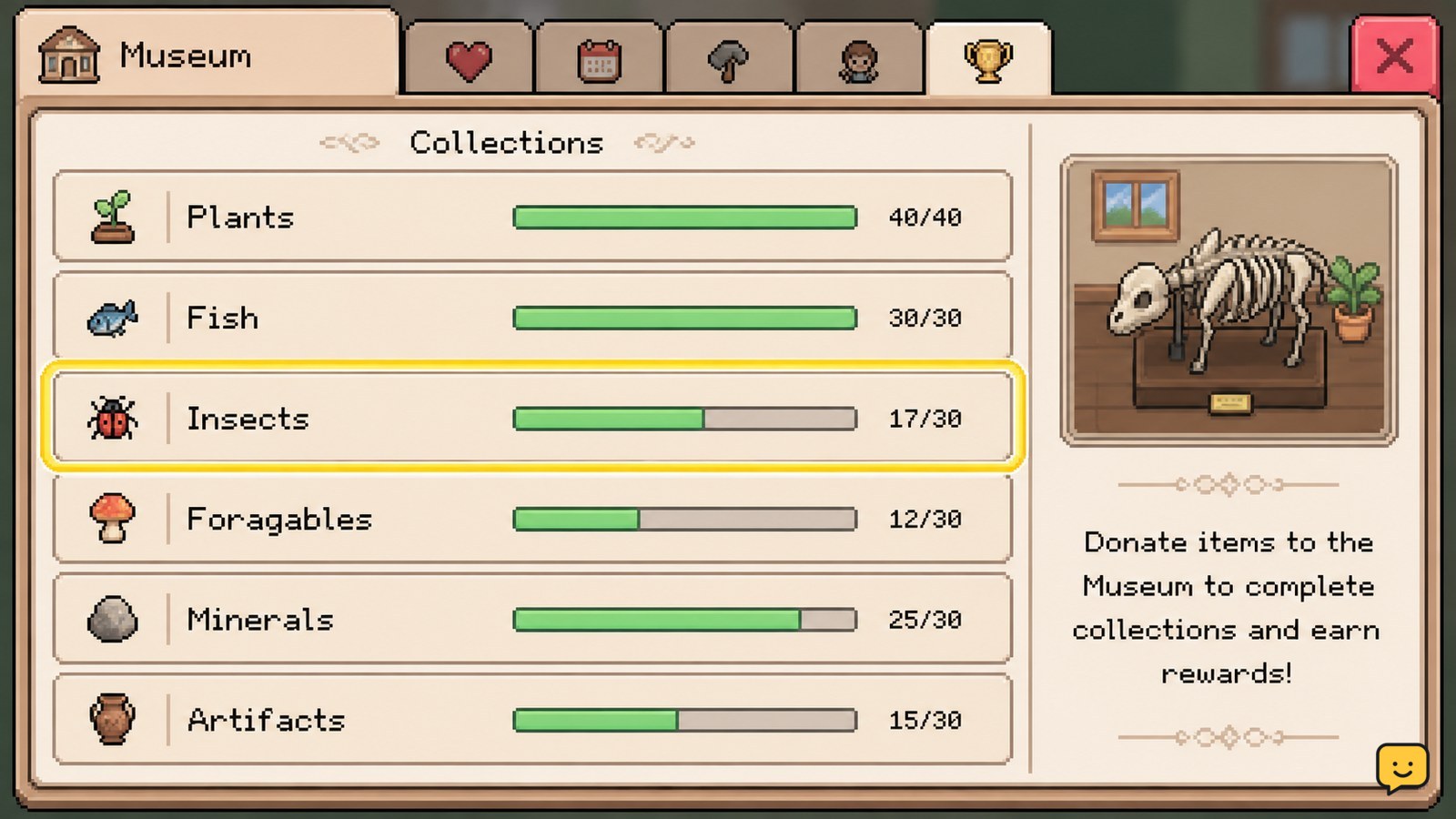
In Fields of Mistria, take a qualifying item to the museum, open the relevant collection or donation screen, and submit it to an empty entry. The museum records that entry permanently, so check the collection first before gathering more. Progress is tracked by collection and wing, with completed sets awarding items such as currency, treasure boxes, cosmetics, furniture, and recipes.
Browse more Fields of Mistria guides
Find the museum collection screen before donating
The Fields of Mistria museum collection screen tells you which entries are complete and which still need a contribution. Open the museum and inspect the available collection categories rather than placing items blindly.
Look for the item preview, empty entry, or incomplete marker associated with the object you are carrying. A completed entry is the key checkpoint: once the museum has recorded that item, another copy should remain available for selling, gifting, cooking, crafting, or storage.
Available Fields of Mistria guide references describe museum material across fish, bugs, crops, flowers, forage, artifacts, and other item groups. The exact category names and reward thresholds may change with updates, so use the labels shown in your current save instead of relying on an old checklist.
Identify which items count for museum collections
Fields of Mistria museum items are usually identified by their collection category, not by their sale value. Fish and bugs are found through their respective activities, crops and flowers come from seasonal growing, forage comes from exploring, and artifacts come from discovery-related activities.
When you obtain a new item, compare it with the museum entries before selling or processing it. Seasonal items deserve extra attention because a missed spring, summer, or autumn entry may not be available again until that season returns.
Do not assume that two visually similar items are interchangeable. Submit only the item that matches the open museum entry. If the museum does not recognize the object, leave it in storage and check whether the entry is locked, belongs to another category, or requires a later game state.
Submit one item and verify the recorded entry
To make a Fields of Mistria museum donation, select an incomplete entry, choose the matching item, and confirm the contribution through the museum interface. The item should leave your inventory, while the collection entry changes to a completed or filled state.
- Open the museum collection display.
- Select the category that matches the item.
- Highlight an empty entry and compare its item requirement with your inventory.
- Confirm the donation only when the displayed item matches exactly.
- Return to the collection view and check that the entry is now marked complete.
If the item remains in your inventory, the confirmation did not complete or the object was not a valid match. If the entry stays empty after the item disappears, leave the museum screen, reopen it, and verify the collection again. Do not donate another copy until the recorded state is clear.
Track collection progress by set and museum wing
Museum progress in Fields of Mistria is easier to plan when you separate individual entries, completed sets, and larger museum-wing progress. An item can fill one entry without completing the whole set, so the reward checkpoint may not appear immediately after a single donation.
Use the progress display to identify the nearest incomplete set. If only one seasonal crop or one type of fish is missing, plan around that specific gap instead of collecting duplicates from categories that are already complete. This approach also reduces storage pressure and protects rare items from accidental sale.
Some collections require activities that are not available every day or season. Mark the missing entry and revisit it when its source becomes available. A locked or undiscovered entry is not a signal to discard the items you already own.
Claim rewards when a collection checkpoint completes
Completed museum sets and larger collection milestones can provide rewards such as currency, treasure boxes, cosmetics, furniture, and recipes. These reward types are reported by the available Fields of Mistria museum guides, but the exact item and threshold should be verified in your current museum interface because reward tables can be version-dependent.
After a donation, check both the set progress and any newly available reward indicator. If the set reaches its requirement but no reward appears, reopen the museum collection, move to the completed set, and look for a claim or acknowledgement prompt. If there is still no reward indicator, do not repeat the donation; record the completed state and check whether the game requires a later museum upgrade or progression event.
Verification is complete when the entry is filled, the set counter has increased, and any available reward is either claimed or visibly marked as collected.
Frequently asked questions
Should I donate the first copy of every item in Fields of Mistria?
No. Keep the item until the museum shows that it fills an incomplete entry. This is especially useful for rare, seasonal, or versatile items that may also be needed for cooking, gifting, crafting, or other progression.
How do I know whether an item has already been donated?
Open the museum collection screen and find the matching entry. A filled or completed marker means the museum has already recorded that item. If the entry is still empty, compare the displayed requirement with the item in your inventory before confirming.
Why did my museum donation not complete a reward?
A single donation may fill an entry without completing its full set or wing. Check the remaining entries and the progress counter. If the counter is complete but no reward appears, reopen the collection screen and look for a claim prompt or progression requirement.
Do museum collections depend on the season?
Many collection sources are seasonal, including some crops, flowers, forage, fish, and bugs. When an entry is unavailable, keep the missing item noted and return during the relevant season rather than replacing it with a similar object.


