
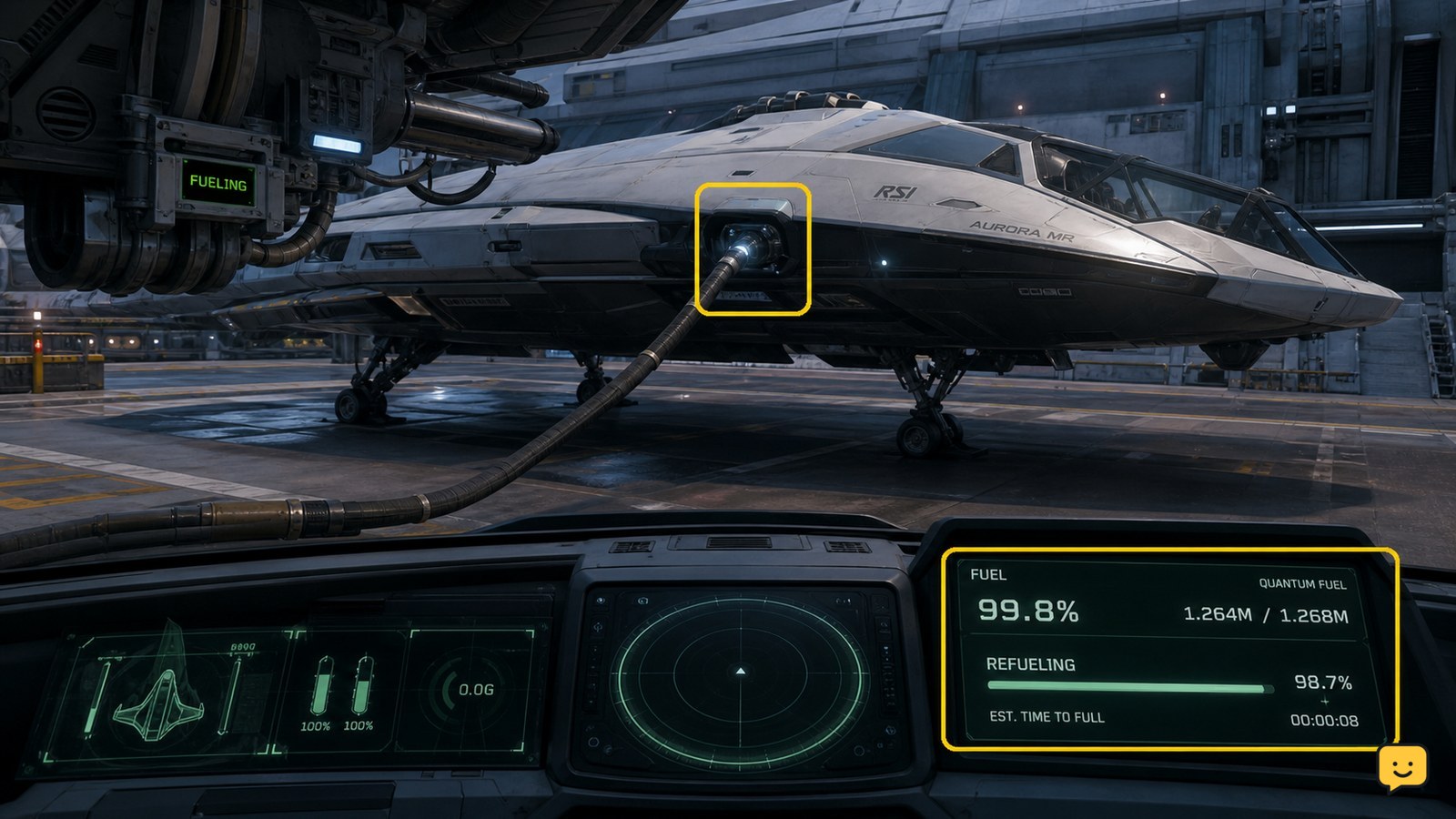
To refuel a ship in Star Citizen, use a station or landing-service location that offers Refuel, then start the service and wait for the fuel readout to rise. If you are stranded away from a service point, use a compatible ship-to-ship refueling interaction when another player can assist. Confirm the updated fuel level before departing.
Browse more Star Citizen guides
Check which refueling method applies to your ship
Star Citizen currently supports two practical refueling paths shown in the supplied LIVE-era gameplay references: station or landing-service refueling, and ship-to-ship fuel transfer with another compatible ship. Use station services when you can reach a service location safely. Use ship-to-ship support only when another player can provide the required refueling interaction.
The exact interface can change between LIVE updates. The current evidence describes the refueling system as having changed substantially, so rely on the interaction that is visible in your session rather than an older tutorial label.
Refuel at a station or landing-service location
Station refueling works when your ship is inside a landing or service area that exposes a working Refuel option.
- Travel to a spaceport, station, or other location where your ship can receive services.
- Request landing clearance when required, then enter the assigned area and settle the ship in a controlled state.
- Open the available ship-service interface and choose Refuel if it is listed.
- Start the service and keep the ship stationary while the transaction runs.
- Wait until the service finishes, then read the fuel display again.
Success means the fuel value or fuel bar is higher than it was before servicing. The supplied gameplay references group refueling with other landing services, but they do not establish one universal menu name for every location. If Refuel is absent, do not assume the ship is being serviced.
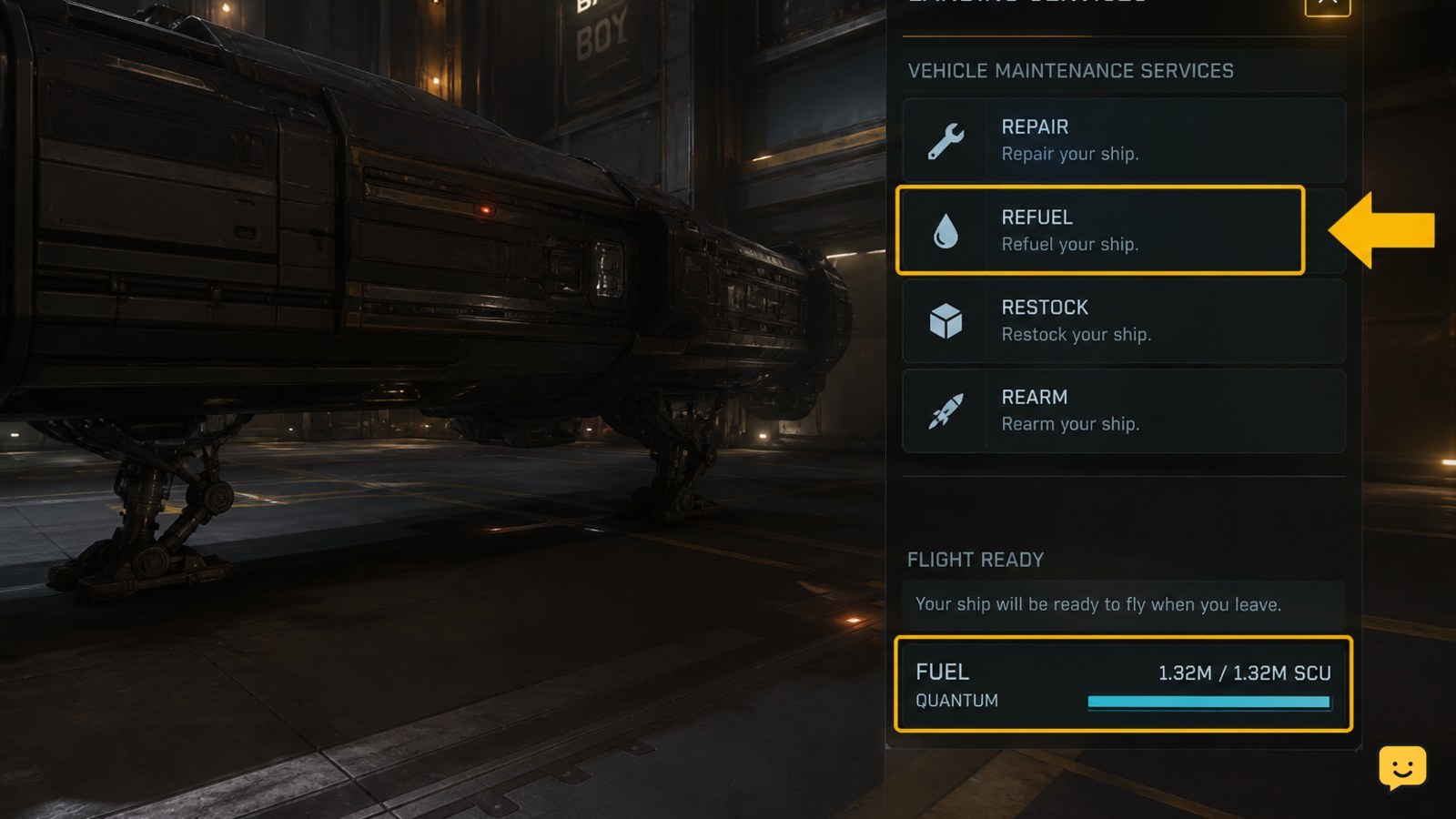
Verify the refill before leaving the service area
Fuel verification is the required checkpoint after any refueling attempt. Compare the cockpit fuel readout with the value you recorded before starting the service.
- Confirm that the fuel indicator has increased rather than merely showing a completed service message.
- Check that the ship can power its engines normally.
- If your planned route requires quantum travel, confirm that the ship is not still reporting an insufficient-fuel condition.
- Leave the landing area only after the ship responds normally and the service interaction has closed.
A completion message without a changed fuel reading is not proof of a successful refill. Treat that result as a failed service attempt and try the recovery path below.
Use ship-to-ship refueling when no station is reachable
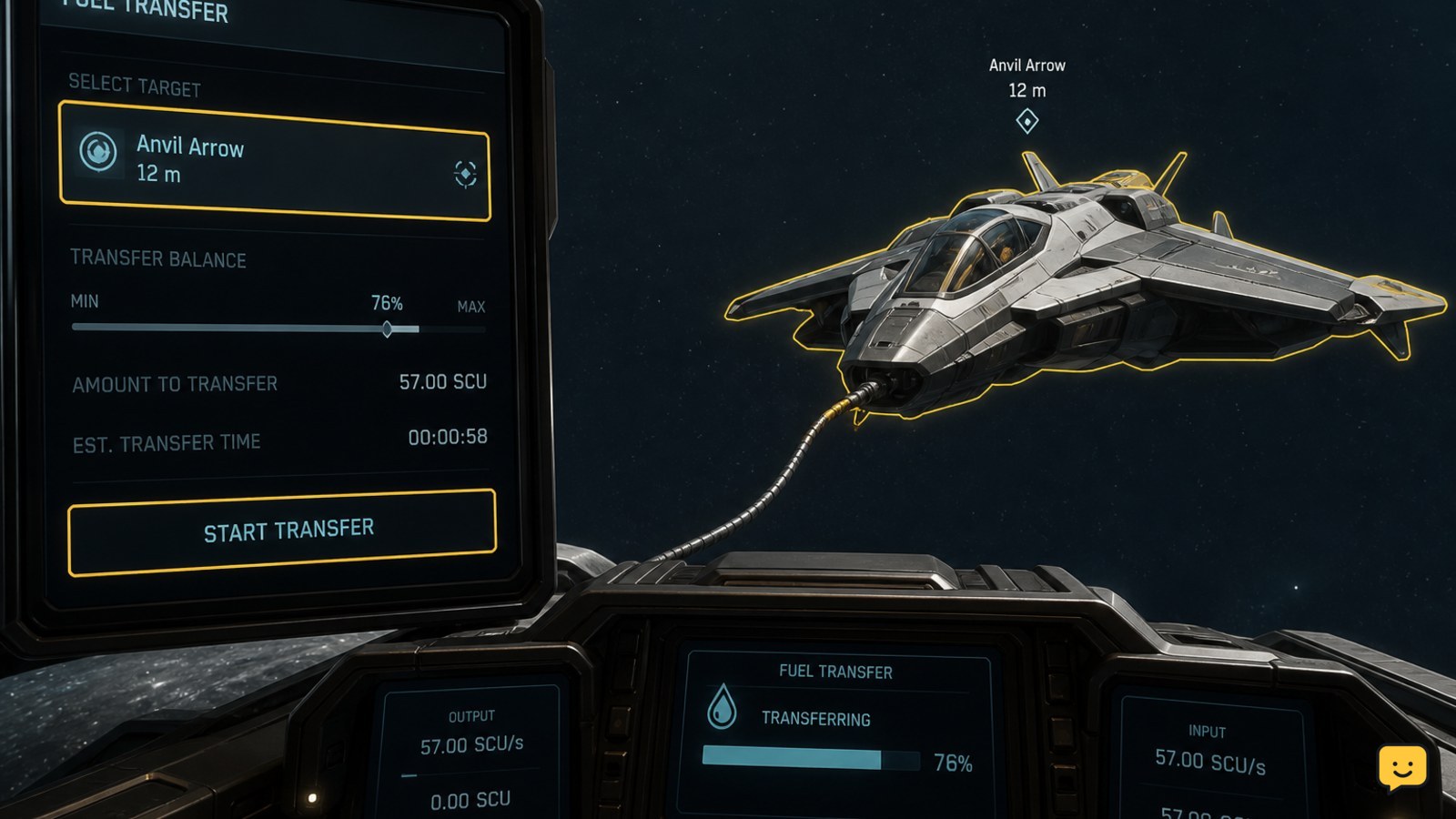
Ship-to-ship refueling requires a nearby assisting ship with a compatible refueling capability and a stable target interaction. Current community gameplay references describe selecting the target in the refueling interface and starting the transfer from the assisting ship.
- Move both ships to a clear area away from combat, stations, asteroids, and other traffic.
- Have the assisting pilot open the ship’s fuel-management or refueling interface.
- Select your ship as the transfer target when it appears.
- Start the transfer from the assisting ship and keep both ships steady.
- Monitor the receiving ship’s fuel display while the pump or transfer is active.
- End the transfer when the receiving ship has enough fuel for the next safe destination.
The target must appear in the refueling interface before the transfer begins. If it does not, move farther apart, reposition both ships, or end the attempt. Do not continue an unconfirmed transfer near a station or obstacle.
Fix a missing Refuel option or unchanged fuel level
A missing Refuel option usually means the ship is outside a supported service state, the location does not provide that service, or the current interface has failed to register the ship.
- No service option: confirm that the ship is inside the designated landing or service area, then leave and request the service again if necessary.
- Service starts but fuel does not rise: wait for the interaction to finish, recheck the fuel display, and stop if the value remains unchanged.
- Ship-to-ship target missing: move to open space, keep both ships under control, and check that the assisting ship actually supports refueling.
- Ship is stranded: use an available rescue or assistance route instead of repeatedly attempting a transfer that does not expose your ship as a target.
- Fuel changed but systems remain unavailable: check the ship’s power and engine state before attempting travel; refueling alone may not resolve separate damage or power problems.
If the interaction remains absent after repositioning and restarting the service state, stop and use a different service location or recover the ship. Do not rely on an old tutorial that shows controls no longer present in the LIVE client.
Frequently asked questions
Can you refuel a ship without landing in Star Citizen?
Yes, ship-to-ship refueling can be used when another player has a compatible refueling-capable ship and your ship appears as a valid transfer target. Both ships should remain stable in clear space. If your ship cannot be selected, stop the attempt and use a station or landing-service location instead.
Why is Refuel missing from the landing-service interface?
Refuel may be missing because the ship is outside the supported service area, the location does not offer that service, or the service state has not registered correctly. Reposition inside the designated area and request services again. If the option remains absent, use another service location.
How do you know the ship has finished refueling?
Check the cockpit fuel display after the service or transfer ends. The fuel value or bar should be higher than before. A completion message by itself is not enough; stop before departure if the readout has not changed or the ship still cannot power the systems needed for travel.
Can a damaged ship still be refueled?
It may be possible if the ship remains controllable and the service interaction is available, but refueling does not necessarily repair separate damage or power failures. If the ship cannot hold position, respond to controls, or expose the service option, recover it instead of continuing the refueling attempt.


