
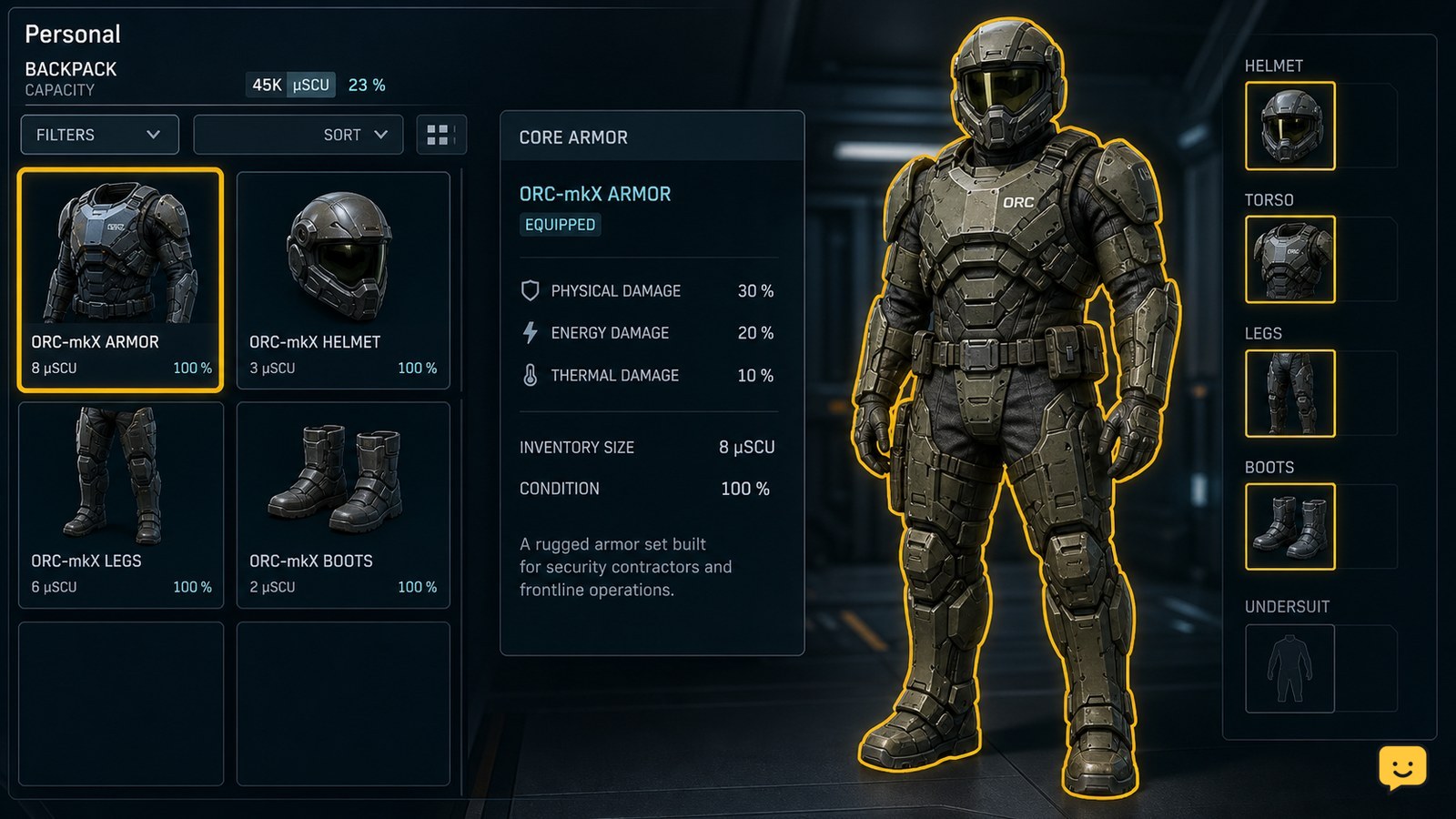
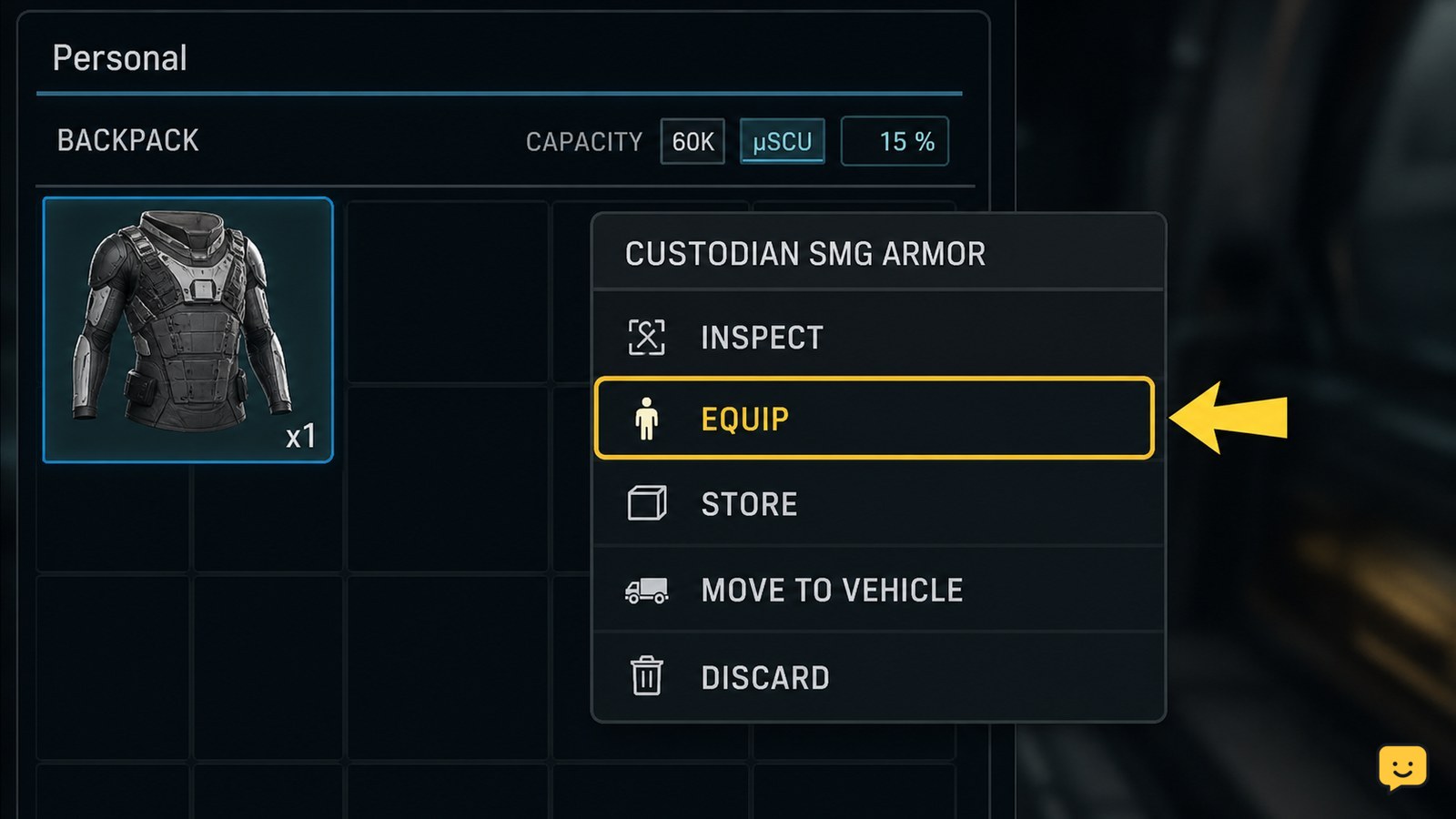
Open your character’s personal inventory, locate the armor item, then right-click it and choose Equip. You can also drag the item onto your character or its matching personal equipment location. Repeat for the armor pieces you need, then confirm the character preview shows them equipped before leaving for on-foot activities.
Browse more Star Citizen guides
Open the character’s personal inventory
Open the inventory screen while your character is in a safe location. Use the default inventory control if you have not changed your keybinds, or use the control assigned in your settings.
Stay on the character’s personal inventory view rather than a ship loadout or vehicle component screen. The goal is to dress the character for on-foot activity; changing this equipment does not require changing weapons, shields, power plants, or other ship components.
If the armor is stored elsewhere, first place it in an accessible personal inventory location. An item that remains in ship cargo, a vehicle inventory, or another inaccessible location may not appear as an equip-ready item.
Find the armor item and choose Equip
Locate the armor piece in the inventory grid. Right-click the item and select Equip when that action is available. The official Roberts Space Industries equipment guidance also supports dragging an item onto your character or into its appropriate personal inventory location.
Use the item’s category and appearance to distinguish armor from ordinary clothing, undersuits, helmets, backpacks, or other gear. Equip only the pieces you want to wear for the activity. If the interface shows a matching character location, drag the item there instead of dropping it into a general storage area.
Repeat the action for each available armor piece. If one item replaces another in the same location, check which piece remains in the inventory before moving on.
Prepare the complete on-foot loadout
After equipping the main armor piece, check the other personal equipment locations that your planned activity requires. Add compatible pieces such as a helmet, backpack, or other wearable gear only when those items are available and the inventory offers a valid Equip action.
Do not treat a backpack, weapon, or undersuit as proof that the armor itself is equipped. Each item must be placed in its own compatible personal location, and some equipment can replace another item occupying that location.
Keep spare gear in inventory until the complete setup is visible. This gives you a recovery option if the wrong item was equipped or a replacement was not intended.
Verify the armor appears on your character
Check the character preview or equipped-item locations before closing the inventory. The armor should appear on the character model, and the item should no longer be sitting only in the general inventory grid.
Close and reopen the inventory once if the screen is slow to update. Confirm that the same armor remains equipped after the refresh. This is the useful checkpoint: the item is shown as worn, not merely owned.
Only leave the safe area after the preview and the equipped locations agree with your intended on-foot loadout.
Fix a missing Equip option or unchanged character model
If Equip does not appear, first verify that you selected the actual armor item and not a container, clothing item, or inaccessible inventory entry. Check whether the item is in a personal inventory location that the character screen can use.
If dragging does nothing, try the context-menu Equip action instead. If the action appears but the model does not change, wait for the inventory to finish updating, then close and reopen the screen and check again.
If the item repeatedly returns to storage, the location may be incompatible, the item may not be wearable, or the current inventory session may have failed to save. Keep the character in a safe area, avoid assuming the armor is active, and stop if the result remains inconsistent after reopening the inventory.
Know when this method does not apply
This procedure equips personal armor on your character. It does not install ship components, alter a ship loadout, or move cargo between ship and local storage.
If your armor is aboard a ship or stored at another location, solve the inventory-location problem first. The armor cannot be equipped from a screen where the item is not available to the character.
Labels and layout can change in the LIVE client. When the current screen does not show the expected personal equipment location or Equip action, rely on the visible compatible slot and stop rather than forcing the item into an unrelated inventory area.
Frequently asked questions
Can I equip Star Citizen armor without changing my ship loadout?
Yes. Personal armor is equipped from the character’s personal inventory, not the ship component loadout. Open the character inventory, use Equip or drag the armor into its compatible personal location, then verify it appears on the character preview.
Why is Equip missing for my armor in Star Citizen?
The item may be in an inaccessible inventory, may not be wearable armor, or may have been selected from the wrong item type. Confirm that it is available in the character inventory and try the item context menu or its compatible personal location.
How do I know my armor is actually equipped?
Check the character preview and equipped-item locations. The armor should appear on the character model and remain equipped after you close and reopen the inventory. If it returns to the item grid, do not assume the change saved.
Can armor be equipped directly from ship cargo?
Not reliably from the character equipment screen. Make the item available in a personal inventory location first, then equip it from the character inventory. Stop if the item is not visible there or the interface provides no compatible Equip action.


