Star Citizen Guides
Star Citizen How to Manage Ship Power: Set Priorities
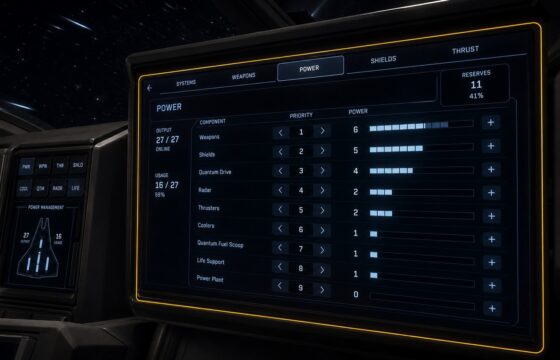
Manage ship power in Star Citizen from the cockpit: open the Power display, prioritize essential systems, confirm output, and fix an unresponsive panel.
Manage ship power in Star Citizen from the cockpit: open the Power display, prioritize essential systems, confirm output, and fix an unresponsive panel.
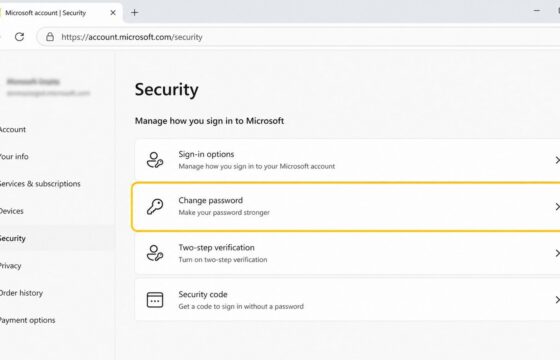
Change a known Microsoft account password from the Security page, choose a unique replacement, verify the new sign-in, and check protection settings safely.
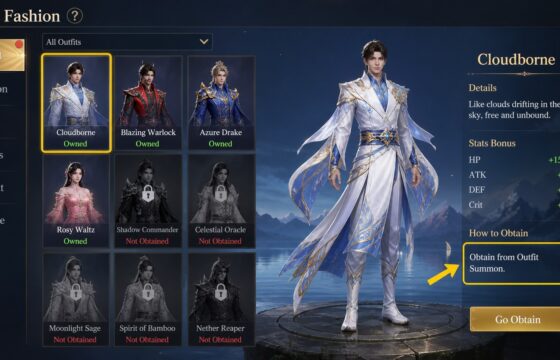
Learn how to find Dragon Sword Awakening costumes, claim free or exchange rewards, enhance fashion safely, and verify visual and stat changes in-game.
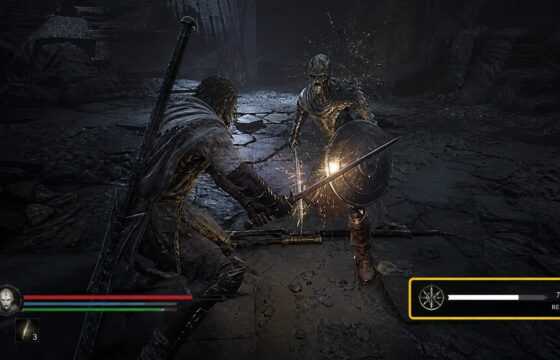
Learn how to earn Resolve in Mortal Shell II through the verified combat route, check the meter, avoid wasted farming, and recover when gains do not appear in.
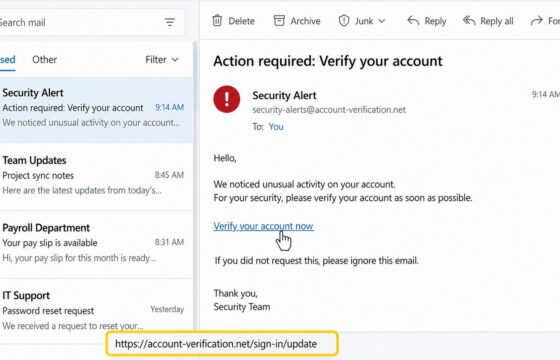
Learn how to inspect an email link without opening it, verify the real domain, use safe scanners, spot redirects, and report phishing safely before clicking.
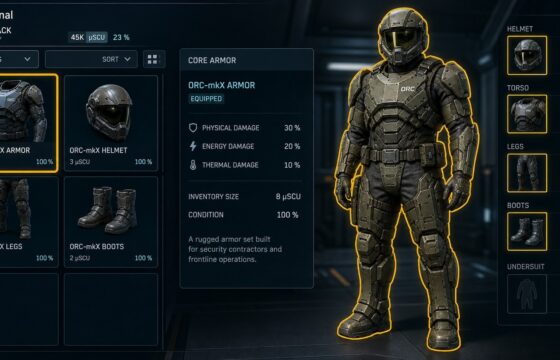
Equip personal armor in Star Citizen from your character inventory, confirm each piece is worn, and fix missing or unavailable Equip options safely.
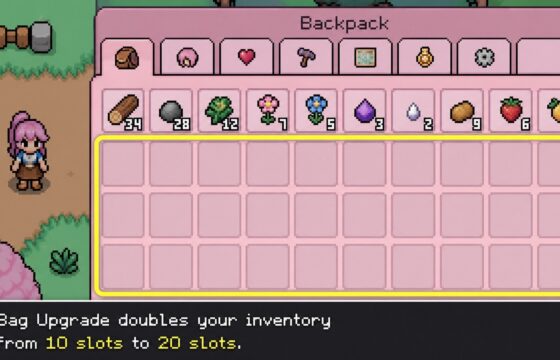
Increase Fields of Mistria carrying capacity by buying the Bag Upgrade at the General Store for 1,000 Tesserae, then verify your inventory grows from 10 to 20.
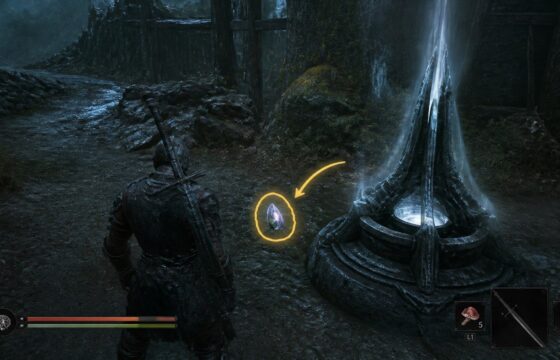
Find Glimpses near Cleansed Beacons, dungeons, and key locations in Mortal Shell II, then spend them on Shell upgrades, skills, map reveals, and NPC summons.
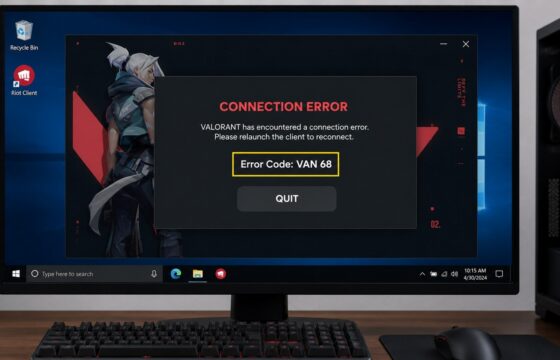
Valorant error or not opening? Identify the code or symptom, then use the right launch, Vanguard, connection, update or crash fix without guessing.
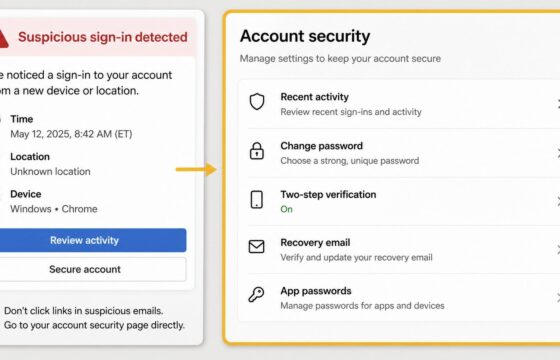
Secure an email account after suspicious activity by changing its password, ending unknown sessions, checking recovery settings, and turning on stronger.