
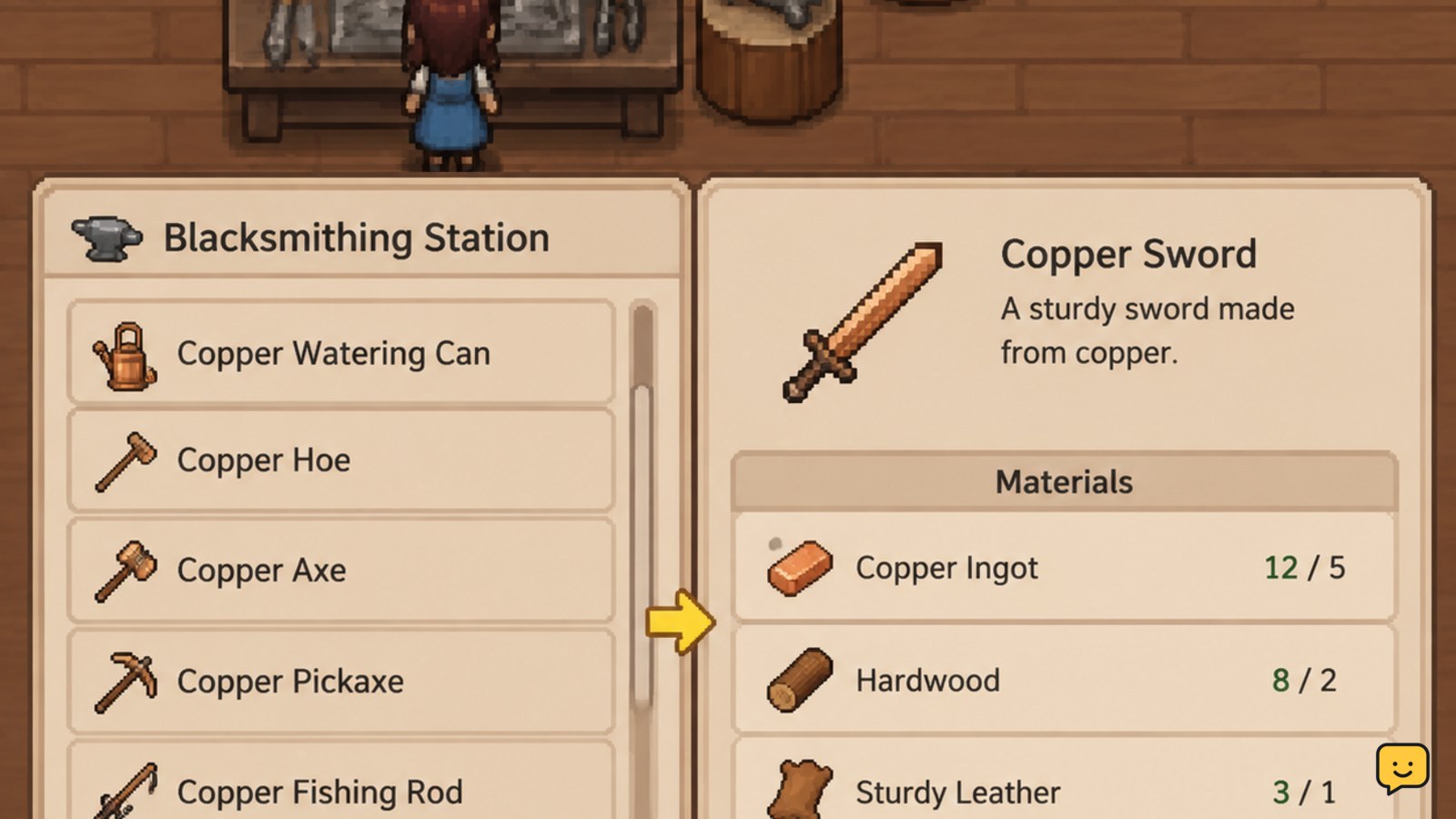
Approach a Crafting Station, interact with it, and select an available recipe. The station shows the required materials and whether you can make the item. Gather missing wood, ore, clay, gems, or other listed components, return to the same station, craft the item, and confirm it appears in your inventory. Recipe availability can depend on station type or progression.
Browse more Fields of Mistria guides
1. Find the correct Crafting Station before gathering
Crafting begins at a Crafting Station rather than directly from the inventory. Approach a station, interact with it, and inspect the recipes it offers. Different station types can have different recipe pools, so do not assume that a recipe missing from one bench is unavailable everywhere.
Before collecting materials, select the intended item and read its displayed requirements. This prevents a wasted trip when the recipe belongs to another station or requires a component you cannot currently make.
Verify success: the station opens a recipe list and selecting an item reveals its material requirements. If no crafting interface appears, stop and confirm that you are interacting with the station itself rather than a nearby building object or decoration.
2. Read the recipe panel and separate usable materials
Use the selected recipe as your shopping list. Gather only the named components and compare the quantities you have with the quantities shown by the station. Available crafting materials can include gathered wood, ore, clay, gems, and other resources, but the exact combination depends on the recipe.
Mining is one source of ore and gem materials. If you need those resources, plan the trip around the mine area and your stamina instead of spending a rare item without checking its other uses. Keep potential museum donations and quest items aside until you have verified the recipe.
Verify success: after returning to the station, the recipe should show enough of every required component. Having most of the materials is not enough if even one listed ingredient is short.
3. Craft the item and confirm the inventory result
With every requirement satisfied, select the craft action shown by the station. Wait for the crafting result, then open your inventory and confirm the item name and quantity. This check matters when several recipes use similar materials or when you are making more than one item.
Craft the smallest useful quantity first when a material is scarce. After the first item appears correctly, decide whether additional copies are worth the remaining resources. This preserves flexibility for tools, quests, gifts, museum donations, and later recipes.
Expected result: the required materials are deducted and the finished item appears in the inventory or another clearly indicated item destination. If the materials were deducted but no item appears, do not craft again; inspect the inventory, storage, and game save before taking further action.
4. Check station progression when a recipe is missing
A missing recipe does not automatically mean that crafting is broken. Available recipes can be tied to the station you are using, progression, or newly obtained blueprints. Community and guide references describe both stations with existing recipes and additional recipes becoming available over time, so the in-game list is the safest current checkpoint.
Try this order:
- Reopen the station and scroll through its complete recipe list.
- Check another relevant Crafting Station if the item category suggests a different bench.
- Review recent progression, blueprint, quest, or reward notifications.
- Leave and interact with the station again if the list appears incomplete.
Stop condition: if the recipe remains absent after checking the correct station and current progression, do not substitute a different material or follow an unverified recipe list. The available evidence does not establish one universal unlock schedule for every current game version.
5. Recover when crafting does not produce the expected item
Use the symptom to choose the next action:
- The craft action is unavailable: reread the recipe panel and identify the exact component or quantity that is short.
- The recipe is not listed: check the station type and progression before gathering more materials.
- The wrong item was made: compare the selected recipe name with the inventory result and avoid repeating the craft until the mismatch is understood.
- Materials changed but the result is missing: check inventory capacity, storage, and any result notification. If the result still cannot be found, stop and avoid spending more materials.
Reloading or restarting may not restore resources, so treat an unexplained deduction as a save-state issue rather than a reason to retry repeatedly. Record the recipe, station, materials spent, and visible result before seeking a version-specific fix.
Frequently asked questions
Can you craft directly from the inventory in Fields of Mistria?
No. Crafting is performed through a Crafting Station. Use the station interface to select a recipe, inspect its requirements, and start the craft. If an inventory menu does not show a craft option, return to the appropriate station rather than moving materials between slots repeatedly.
Why is a crafting recipe missing in Fields of Mistria?
The recipe may belong to another station, require progression or a blueprint, or be unavailable in the game version you are playing. Reopen the full station list, check another relevant station, and review recent quest or reward notifications. Do not treat an old online recipe list as definitive.
What materials should you save before crafting?
Save rare items until you check their other uses. Ore, gems, clay, and gathered materials may be needed for more than one purpose, including crafting, progression, quests, or museum donations. Craft one copy first when the material is difficult to replace, then reassess your remaining stock.
How do you know a crafted item was made successfully?
The required materials should be deducted, and the finished item should appear in your inventory or the destination shown by the station. Open the inventory immediately and verify the item name and quantity. If materials were spent but no result is visible, stop crafting and check storage, capacity, notifications, and the save state.


