
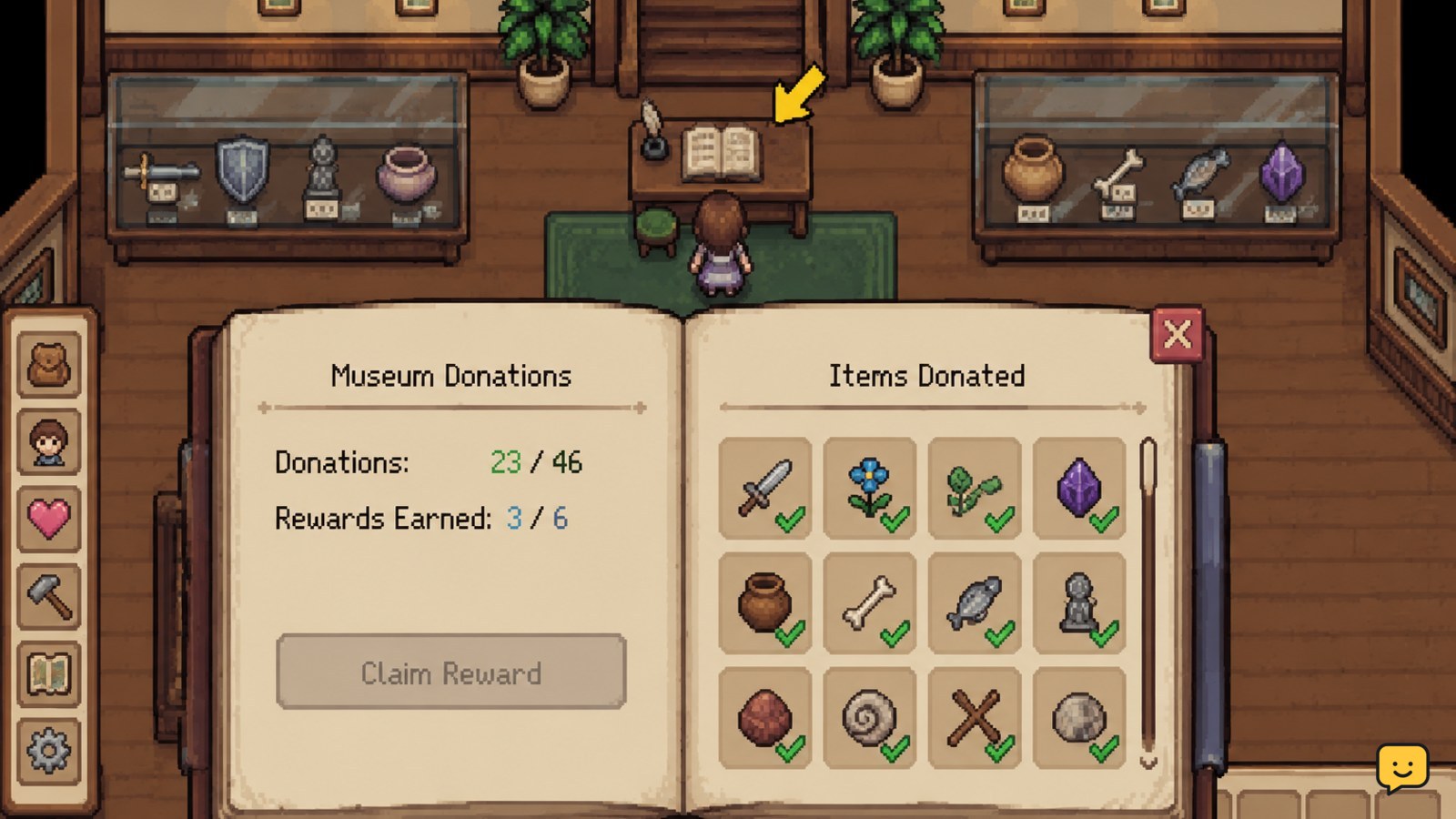
To make museum donations in Fields of Mistria, enter the Museum in The Narrows and interact with the ledger or desk. Choose the donation option, review the available collection categories, select an eligible item, and confirm it. Keep one copy of rare, quest, recipe, or upgrade materials until the ledger shows the donation and the collection progress updates.
Browse more Fields of Mistria guides
How museum donations work in Fields of Mistria
The Museum tracks collections through a ledger rather than through a separate donation chest. Eligible finds are grouped into the categories or wings shown by the current interface. The exact list can change as Fields of Mistria develops, so the in-game ledger is the most dependable checklist for your save.
Donation items can come from ordinary exploration, fishing, catching insects, farming, gathering, and mining. The available community guides specifically identify archaeology materials, artifacts, treasures, and perfect mine drops as museum targets, while other guides describe the Museum as having multiple collection wings.
1. Find the Museum donation desk
- Travel to The Narrows.
- Enter the Museum and look for the ledger or desk on the table.
- Interact with it and choose the option that opens the donation interface.
If no donation option appears, make sure you are interacting with the ledger or desk rather than a display object. The Museum’s displays are not a substitute for the donation interface.
2. Use the ledger to identify donation items
- Open each visible collection category or wing.
- Read the open entries and compare them with the item names in your inventory.
- Use the ledger’s missing-entry view as your shopping list for future trips.
This is safer than relying on an online master list. A checklist can be incomplete, tied to an older Early Access version, or use a different grouping from your build. If the ledger does not recognize an item, treat it as unconfirmed rather than guessing.
For archaeology progress, pay particular attention to materials, artifacts, treasures, and high-quality mine drops. For other categories, use the name and icon displayed by the ledger to confirm that a fish, insect, crop, flower, or gathered item belongs in the collection.
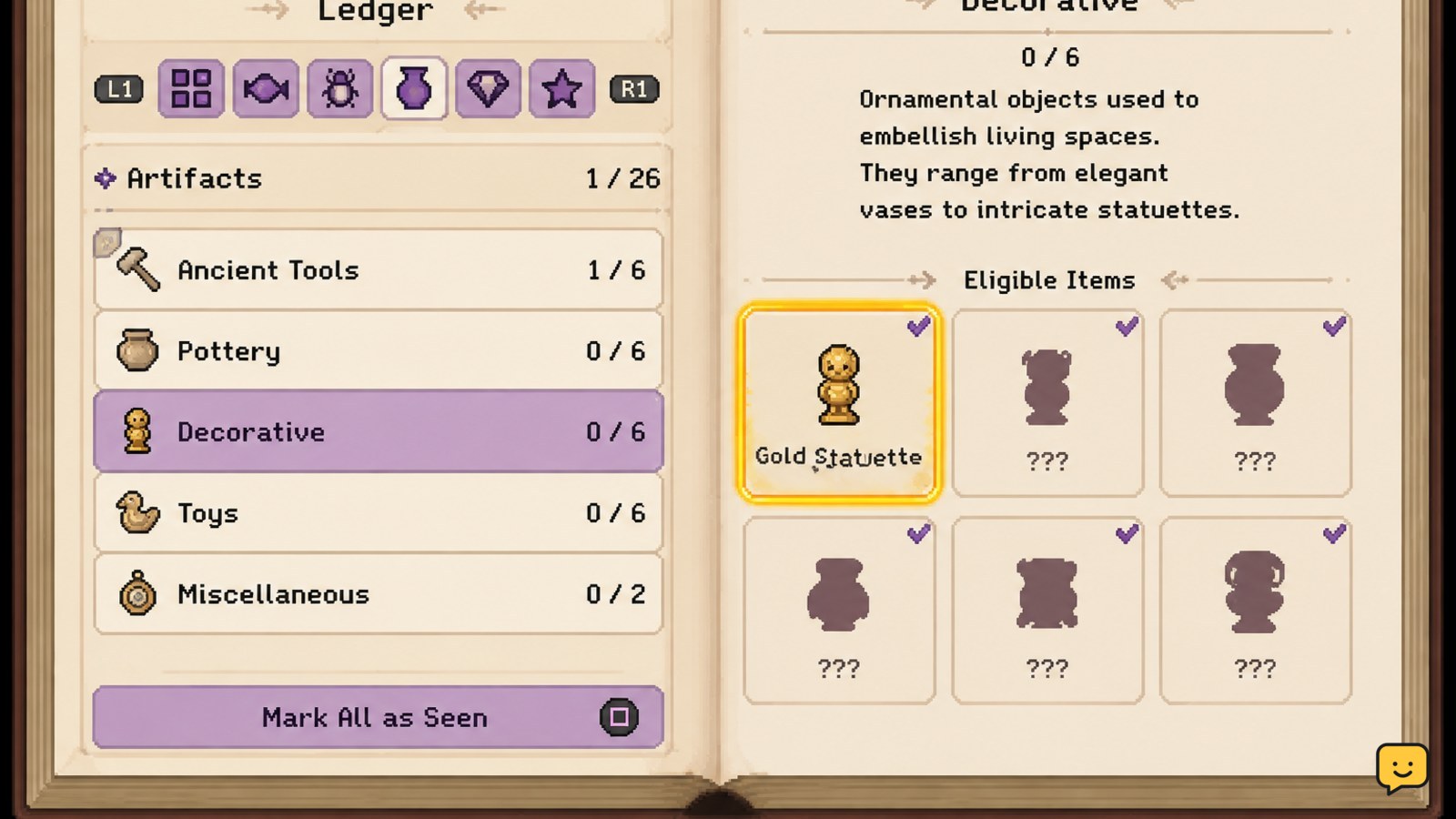
3. Confirm a donation without wasting a rare item
- Select an item that the ledger marks as an available donation.
- Before confirming, check whether you have another copy for a quest, recipe, upgrade, or personal use.
- Confirm the donation only when you are comfortable spending that copy.
Do not assume that a high-value item should be sold first or that a rare-looking item is automatically a museum entry. The donation screen is the decisive check. When an item is especially difficult to replace, bank a spare before submitting it.
4. Check collection rewards and milestones
After confirming a donation, remain on the ledger long enough to check the entry and the category progress. Collection rewards and milestone rewards are tied to museum progress, but their exact requirements can change between game versions. Claim a reward only when the interface presents it as available.
Use a simple routine: donate what is safely replaceable, inspect the updated total, then review every category for newly completed milestones. This prevents a reward from being overlooked and gives you a durable record of what remains.
Best routine for completing every collection
- Check the ledger at the start of each season or after unlocking a new area.
- Carry common fish, insects, crops, flowers, and gathered materials to the Museum when convenient.
- Keep rare finds in storage until you can verify their donation status and replacement source.
- Visit the mines with collection progress in mind, especially when searching for archaeology materials, artifacts, treasures, or special drops.
- After each donation session, recheck the total and the remaining entries.
Donating during normal routes is usually better than selling everything immediately. It reduces duplicate travel and preserves the long-term value of collection milestones. Your inventory and storage should still take priority when a material has a known short-term use.
If a donation is missing or does not count
- Reopen the same ledger category and search for the exact item name.
- Confirm that you selected the donation action rather than only viewing the collection.
- Check your inventory and storage to see whether the item was consumed.
- Leave and re-enter the Museum, then inspect the collection total again.
- If the item was consumed without progress, stop spending additional copies and make a separate save backup if your platform supports one.
Do not conclude that an item is missing solely because it is not in the category you expected. The Museum may place it in another wing, or the item may be a similar-looking variant that the ledger treats separately. If the interface still fails after a recheck, compare your game version with the source list and report the behavior through the game’s official support or bug-report channel.
How to verify a complete museum collection
- Open every category or wing in the ledger.
- Look for completed totals, filled entries, or any remaining unfilled slots.
- Check for unclaimed milestone rewards.
- Close and reopen the ledger to confirm the progress persists.
The collection is not verified until the ledger shows the updated entry or total and any available reward is visible. A full inventory, a sold item, or a completed quest does not prove that the Museum recorded the donation.
Frequently asked questions
Where do you donate items in Fields of Mistria?
Donate items at the Museum in The Narrows. Interact with the ledger or desk on the table, choose the donation option, and select an item recognized by one of the collection categories. Displays and decorative objects are not the donation interface.
How do I know whether an item belongs in the museum?
Open the Museum ledger and check the current collection categories and entries. If the item appears as an available donation, the ledger is confirming it for your save. If it does not appear, keep it until you verify another category or a later game update.
Should I sell rare items before donating them?
No. Keep the only copy of a rare item until you check for quest, recipe, upgrade, or seasonal uses and confirm its donation entry. If it is eligible and not needed immediately, donate it; otherwise store it and find a replacement first.
Why did my museum donation not count?
First reopen the ledger and check every category, then confirm that you used the donation action and inspect your inventory and storage. Leave and re-enter the Museum before trying again. If the item was consumed without progress, stop using more copies and compare your game version with the checklist you used.


