After completing the scheduled service, use either the trip/odometer button sequence or the steering-wheel display menu. Older Corollas usually reset from Trip A with the ignition cycled on while the button is held. Newer display-equipped models reset through the maintenance settings menu. Confirm the reminder stays off after restarting; resetting it does not perform or replace service.
Choose the procedure that matches your Corolla
Toyota Corolla reset methods depend mainly on the instrument cluster. Cars with a physical trip or odometer button normally use an ignition-and-button sequence. Cars with a configurable multi-information display usually place the reset command inside a settings menu operated from the steering wheel.
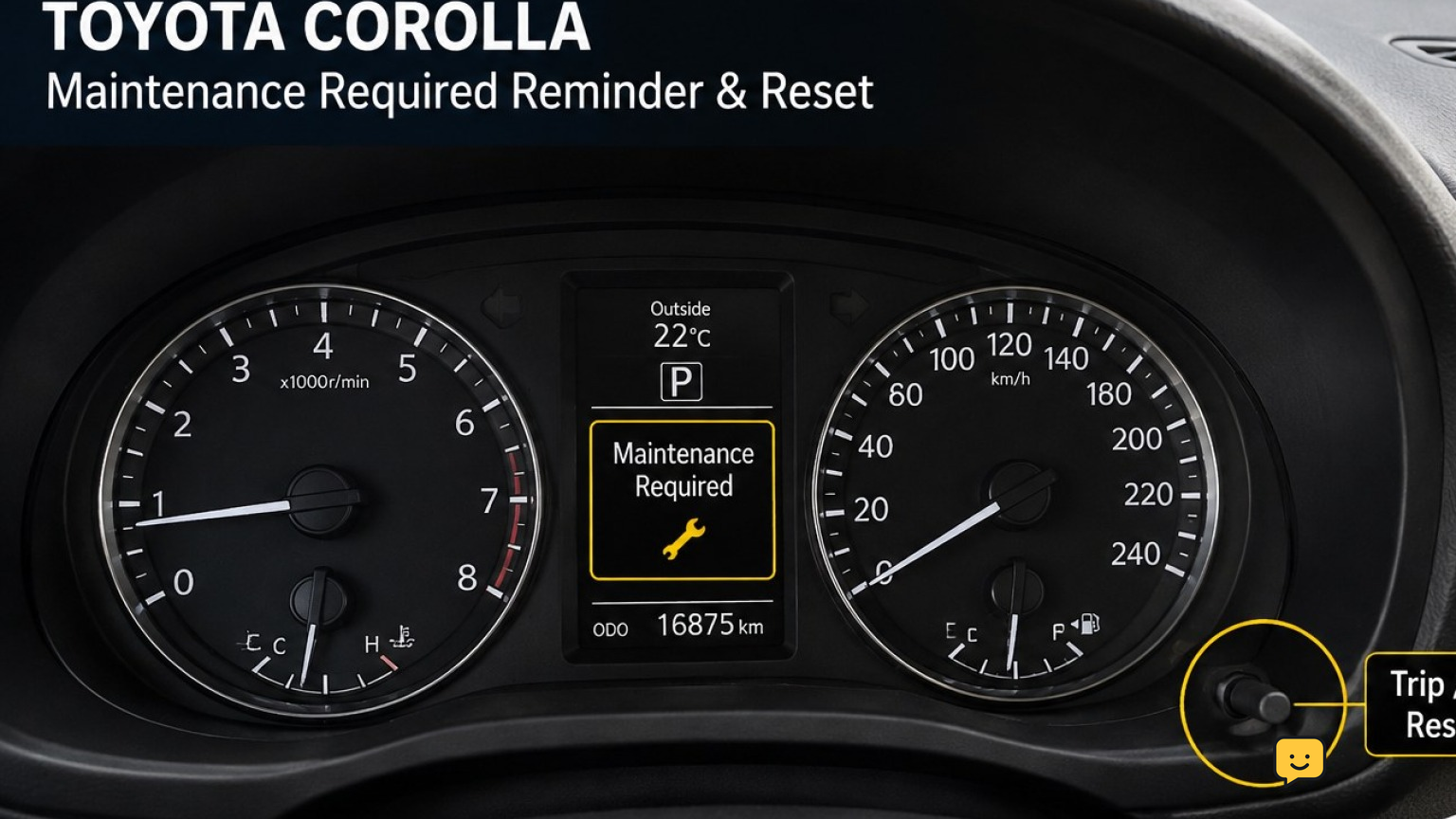
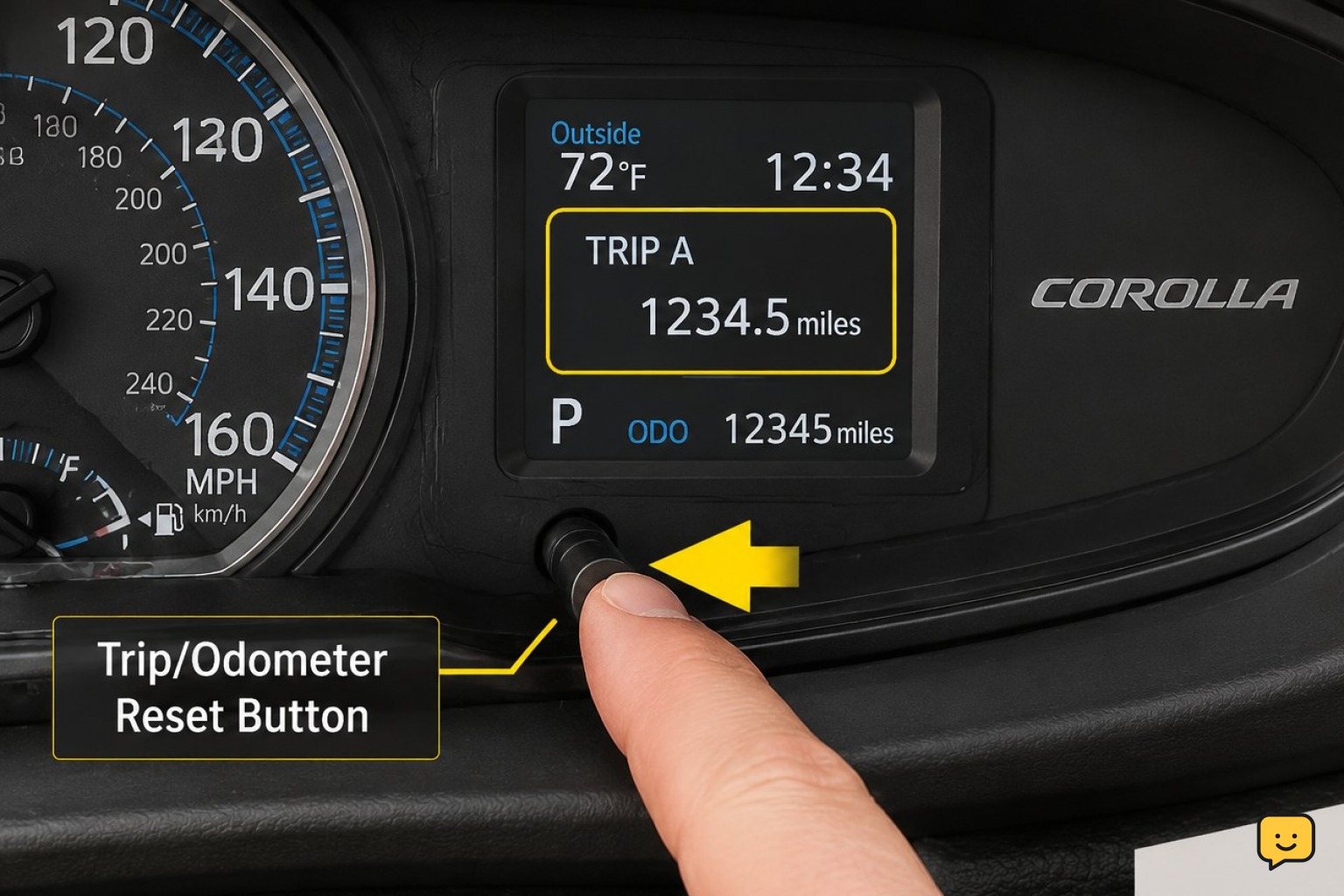
Look beside the instrument cluster for a small trip-reset button or stalk. If there is no suitable button and the center display has a gear-shaped settings page, use the steering-wheel procedure instead.
The wording can vary between Maintenance Required, Scheduled Maintenance, and similar service messages. Reset only the maintenance reminder that corresponds to the work just completed.
Method 1: Reset it with the trip or odometer button
This procedure applies to many Corolla models with a physical trip-reset button. The engine must remain off during the reset.
- Switch the ignition on. With a key, turn it to the On position without starting the engine. With a push-button start, press the button without pressing the brake until the instrument panel is on.
- Select Trip A. Press the trip button until Trip A appears. Toyota dealer instructions commonly specify this display for the reset sequence.
- Switch the ignition off. Wait for the instrument cluster to go dark.
- Press and hold the trip button. Keep it fully depressed during the next step.
- Switch the ignition back on without starting. Continue holding the button while the display counts down, shows dashes or zeros, or otherwise indicates that the reset is completing.
- Release the button. Release it only after the countdown finishes or the maintenance reminder disappears.
If nothing changes, switch the ignition off and repeat the sequence. Confirm that Trip A was selected before turning the ignition off and that the engine did not start during the process.
Method 2: Reset it through the steering-wheel display
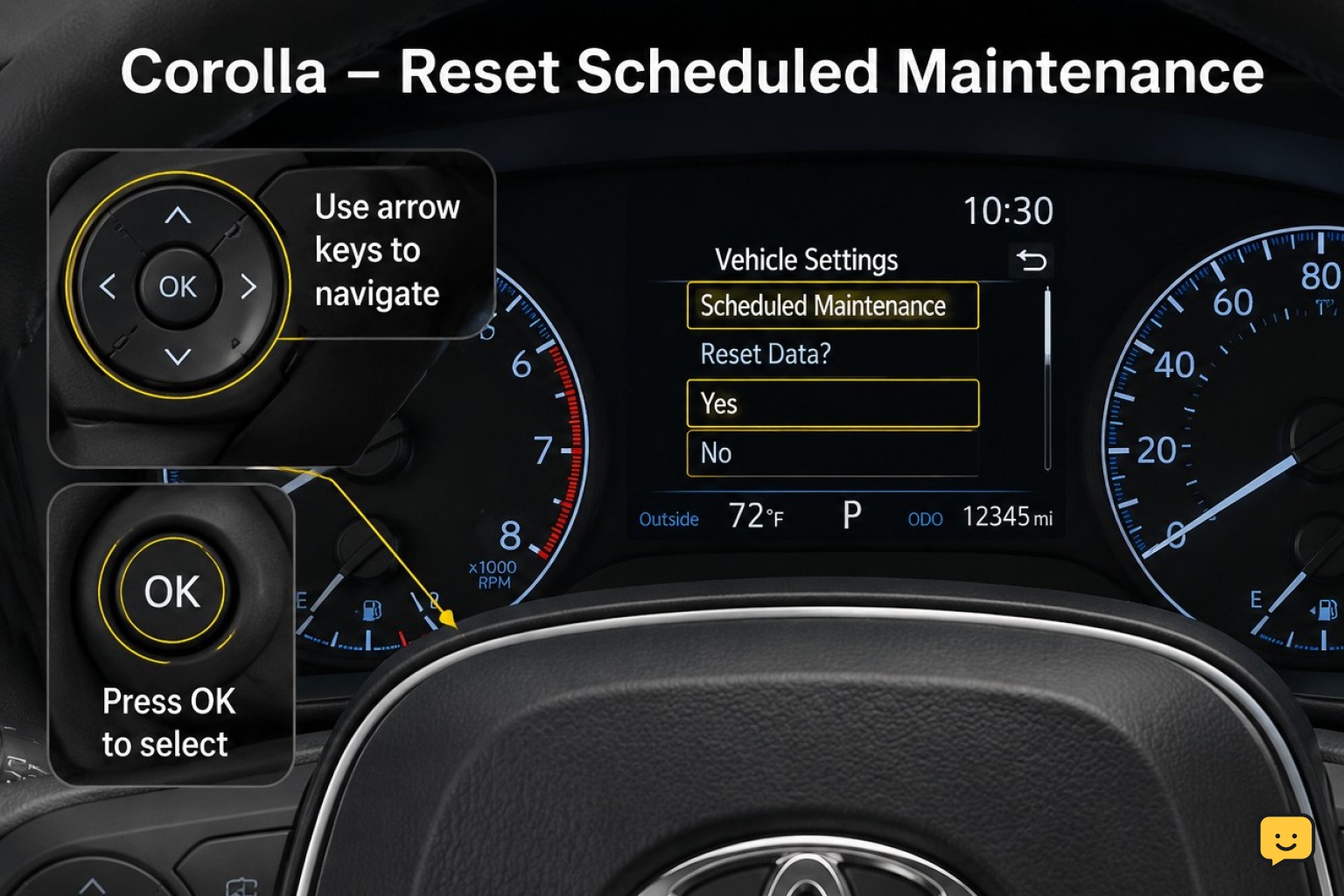
Use this method when the Corolla has steering-wheel arrow buttons and a configurable multi-information display. Exact menu labels vary, so follow the maintenance-related wording shown in the vehicle.
- Switch the ignition on without starting the engine. The instrument panel and multi-information display must be active.
- Open the settings page. Use the steering-wheel arrows to highlight the gear-shaped settings icon.
- Enter the vehicle settings. Select the vehicle or maintenance settings entry. Some systems require the OK button to be held rather than tapped.
- Find the maintenance reset option. Look for Scheduled Maintenance, Maintenance System, or the equivalent service-reminder entry.
- Select the reset command. Choose Yes when the display asks for confirmation.
- Wait for confirmation. Do not switch the ignition off until the display reports that the reset is complete or returns to the settings menu.
If both oil-maintenance and scheduled-maintenance choices are present, reset only the reminder associated with the service performed. Do not change unrelated driver-assistance or vehicle settings.
Verify that the reminder was cleared
- Switch the ignition completely off.
- Wait several seconds so the instrument cluster shuts down.
- Start the engine normally.
- Allow the startup checks and messages to finish.
- Confirm that the maintenance reminder does not return.
A successful reset clears the reminder during the next normal startup. It does not prove that the oil, filter, tires, fluids, or other scheduled items were serviced correctly. Keep the service receipt or record the date and mileage separately.
What to do if the reset does not work
Most failed resets come from using the wrong display, starting the engine, releasing the button too soon, or choosing a menu item that controls a different reminder.
- Check the display selection. For the physical-button method, return to Trip A before switching the ignition off.
- Use ignition-on mode only. Do not press the brake or clutch when activating a push-button ignition.
- Hold the button throughout the countdown. Releasing it early can cancel the attempt.
- Review the display menus carefully. Newer clusters may place the reset below a vehicle-settings submenu.
- Restart and verify. A confirmation message alone is not enough; check the result after a normal restart.
If the reminder remains after two careful attempts, stop. Consult the maintenance section of the owner’s manual for the exact model year and instrument cluster, or ask a Toyota service department to identify the correct menu or sequence.
Do not confuse the reminder with a fault warning
The maintenance-required reminder is a service interval notice, not a repair diagnosis. This reset procedure should not be used to address a different warning symbol or an active vehicle fault.
If the display names another problem, leave that warning intact and follow the relevant diagnostic or safety guidance. Clearing a maintenance counter will not repair a malfunction or correct skipped service.
Frequently asked questions
Can I reset the Toyota Corolla maintenance light without changing the oil?
You may be able to clear the reminder, but you should not reset it before the scheduled work is completed. The light is intended to help track maintenance intervals. Clearing it early can make the service history harder to follow and may cause the next reminder to appear later than it should.
Why did the maintenance required light come back after I reset it?
The reset may not have completed, or a different maintenance reminder may still be active. Repeat the correct procedure with the engine off, verify that Trip A is selected on button-equipped cars, and wait for the confirmation on display-equipped cars. Then switch the ignition off and perform a normal restart.
Should the odometer show Trip A or the total mileage?
Trip A is the setting specified by the cited Toyota dealer procedures for many Corolla models. Select it before switching the ignition off and beginning the button-hold sequence. If your model-year owner’s manual specifies a different display, follow the manual because instrument clusters and reset routines can vary.
Does resetting the maintenance light erase the odometer or Trip A mileage?
The maintenance reset should clear the service reminder rather than the vehicle’s total odometer. Follow the sequence carefully and keep holding the trip button until the maintenance countdown finishes. Avoid separately pressing and holding the button while Trip A is displayed outside the reset sequence, because that control can reset the trip reading.
Is the maintenance required light the same as the check engine light?
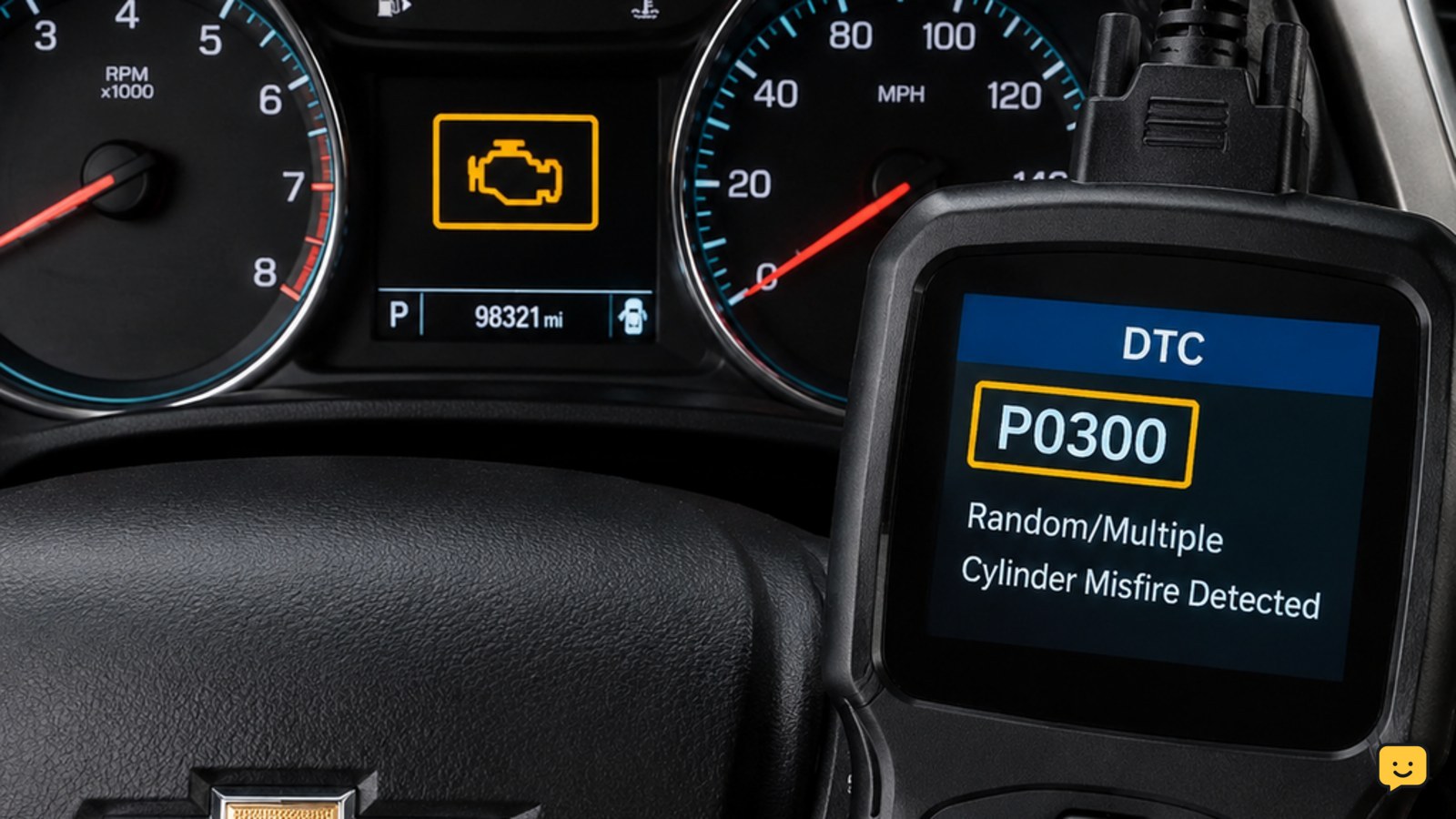
No. A maintenance-required message is a scheduled-service reminder, while the check engine light indicates that the vehicle has detected a fault. The procedures in this guide are only for the maintenance reminder. Do not use them as a substitute for diagnosing another warning light.
Browse more Maintenance & Repair guides for help with this topic.