When all recovery options are lost, complete the official account recovery form with precise historical details. Use familiar devices and networks. If verification fails after multiple attempts with accurate information, recovery may not be possible. Never share credentials – legitimate services never request them.
Why Standard Recovery Fails Without Options
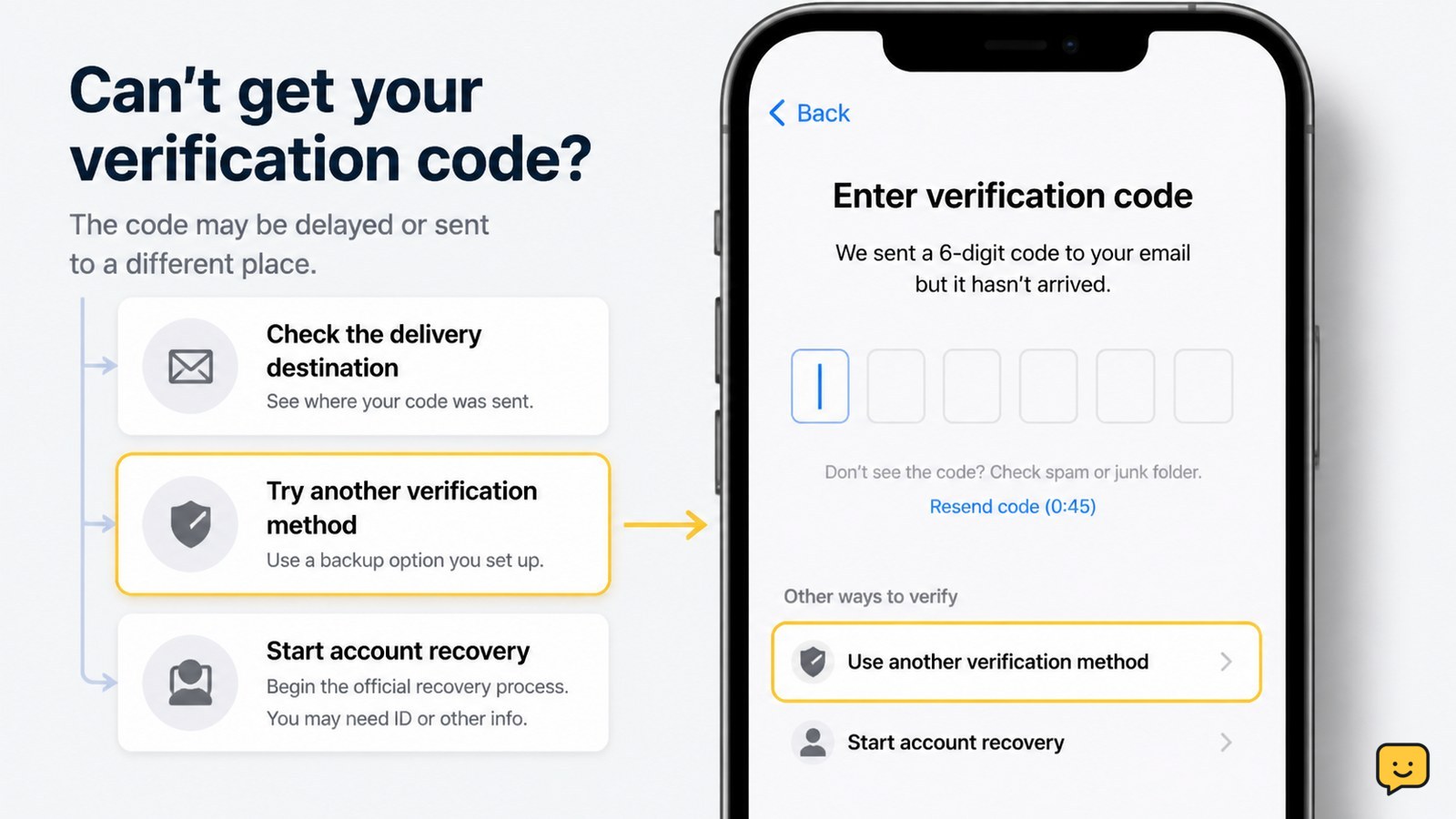
When all recovery methods are inaccessible, automated systems cannot verify your identity. Major platforms like Google, Apple, and Microsoft require at least one working recovery option for standard processes. Without these, you must rely on manual identity verification through historical account details instead of temporary codes or links.
This situation typically occurs when:
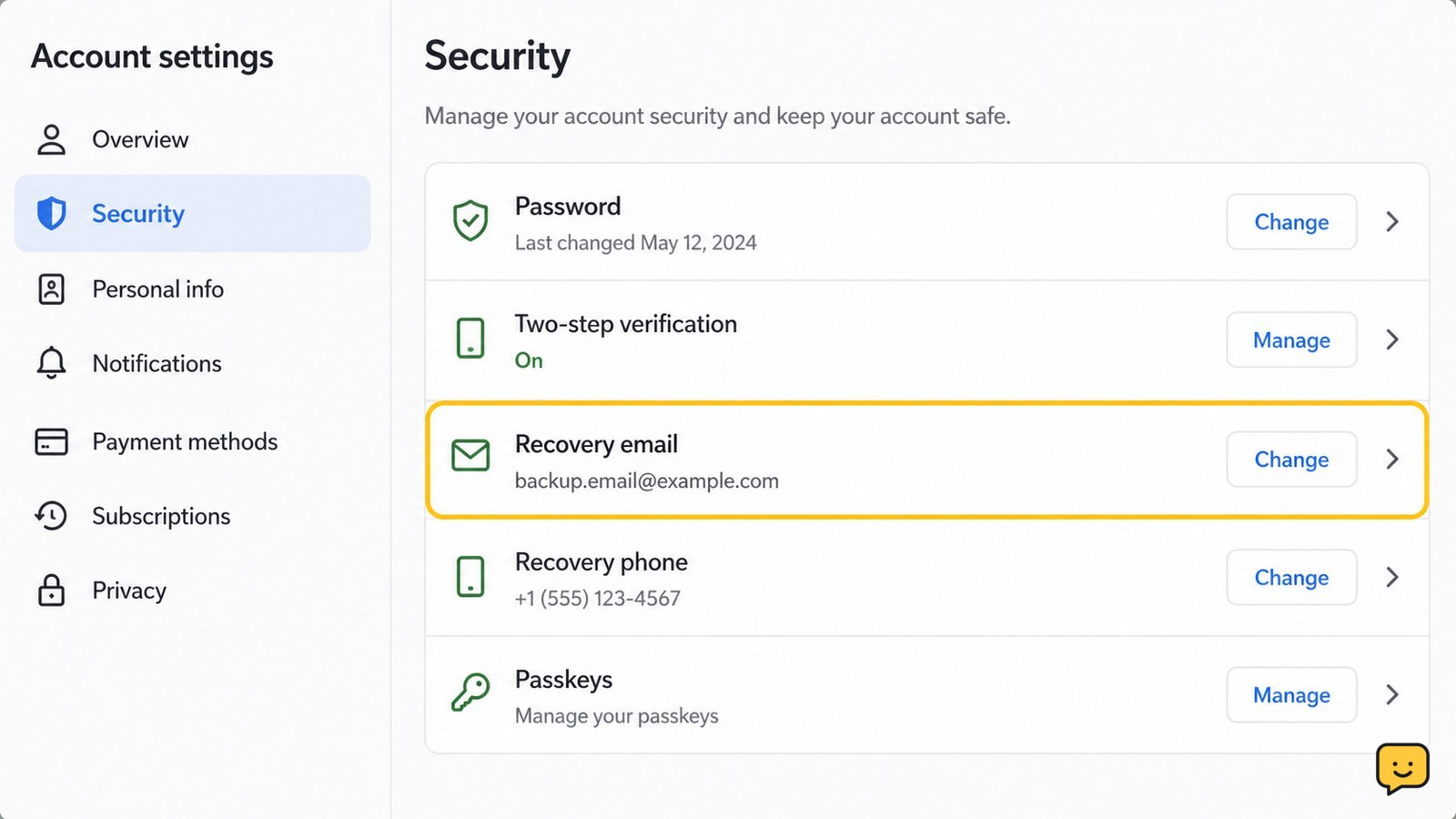
- Your recovery phone number was disconnected
- Recovery email accounts were deleted
- Two-factor authenticator was reset without backup
- Device used for recovery was lost or factory reset
Applicability: This guide works only for official account recovery forms from major platforms. It won’t help with compromised accounts where someone changed recovery options.
Preparing for Identity Verification
Before starting recovery, gather critical historical information. Platforms verify identity through account history patterns, not just current knowledge.
- Account creation details: Approximate creation date (month/year), initial recovery email/phone if remembered
- Recent activity: Last successful login date, recent emails sent, purchases made
- Security details: Previous passwords (not current), security questions answered
- Device history: Types of devices used (iPhone model, Android brand), browser types
Verification tip: Be precise with dates. “Early 2023” is better than “a couple years ago.” Inconsistencies will fail verification. Use a familiar device and network – recovery attempts from new locations reduce success rates.
Completing the Recovery Form Accurately
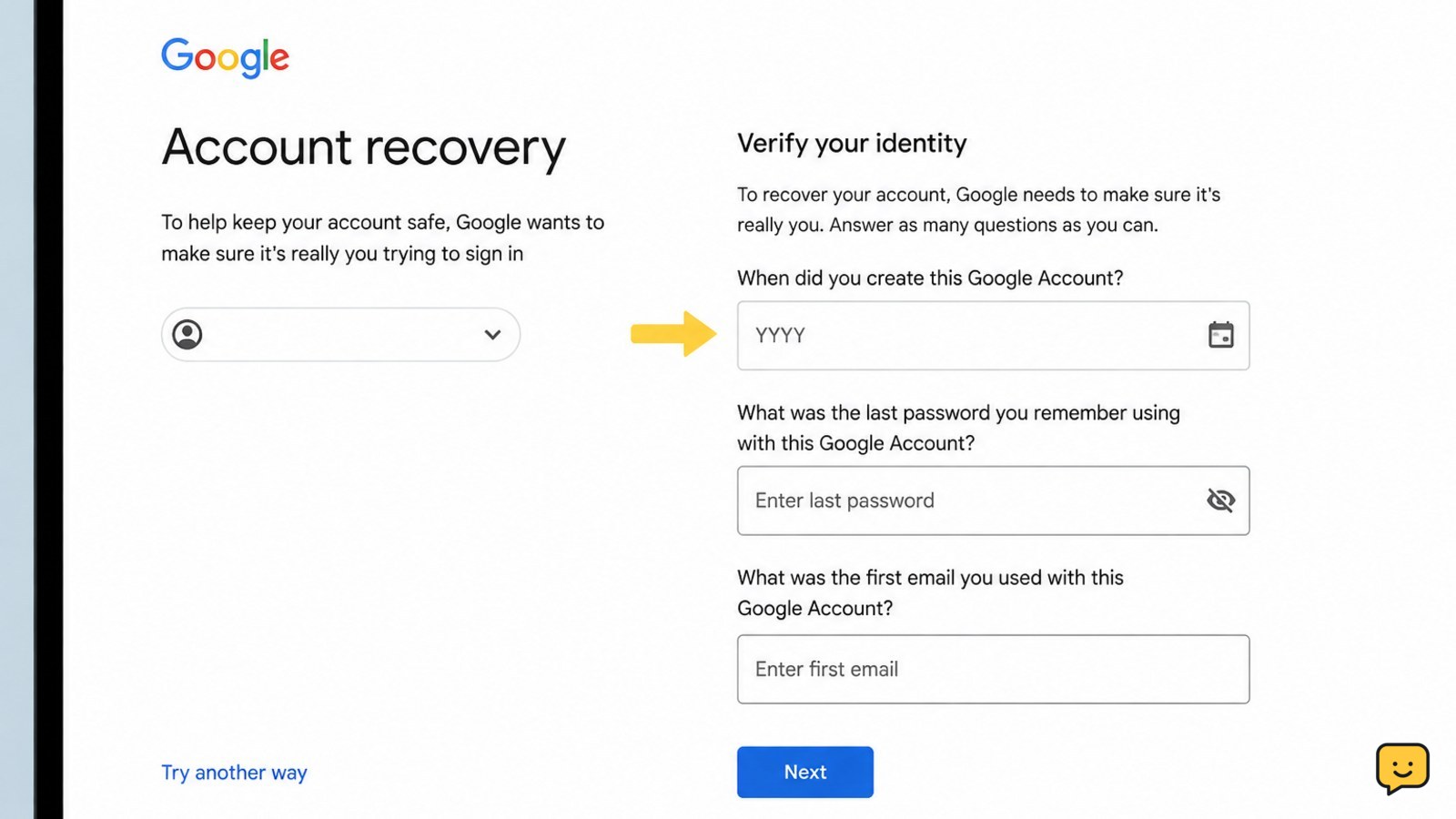
Access the official recovery form through the sign-in page, not third-party sites. For Google: accounts.google.com/signin/recovery. For Apple: iforgot.apple.com.
- Enter the account email/username exactly as created
- Select “Try another way” when standard options fail
- Provide the most recent password you remember (not current)
- Enter historical details from your preparation step
- Submit only when all information is verified for accuracy
Failure path: If you enter inconsistent information (e.g., wrong creation month), the system may lock further attempts for 24-48 hours. Wait the full period before retrying with corrected details. Never guess – one wrong answer reduces success probability significantly.
Alternative Verification Methods to Try
If the standard form fails, explore platform-specific alternatives:
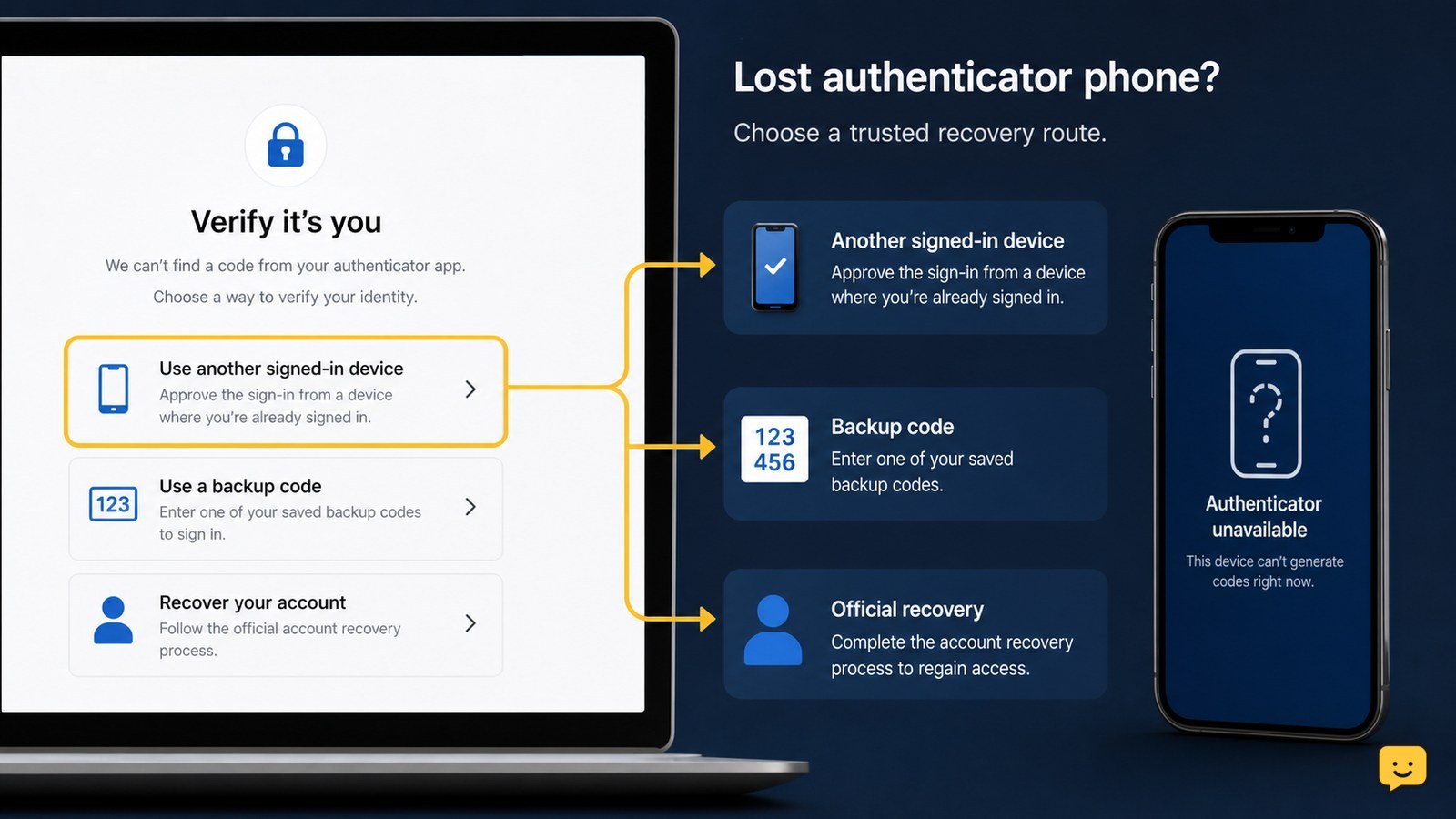
- Trusted contacts (Apple only): If previously set up, a trusted contact can generate recovery codes
- Recovery key: Check physical copies of backup codes saved during 2FA setup
- Account recovery email: Some services send special links to the account’s primary email
- Browser history: Recover saved passwords from previously used browsers
Verification: For Apple accounts, use a trusted device instead of recovery contacts. For Google, check if you have passkeys set up on other devices. These methods require prior setup but work when standard recovery fails. Never attempt SMS or call forwarding to intercept codes – this violates terms of service.
When Recovery Isn’t Possible
After 3-5 accurate recovery attempts with consistent historical data, if verification still fails, the account likely cannot be recovered. Platforms have strict security to prevent unauthorized access.
Next steps:
- Create a new account with updated recovery options
- Notify contacts about the new account address
- Check if critical services (banking, work) used this account
- For financial accounts, contact the service directly with ID verification
Stop condition: If the recovery form states “We couldn’t verify this account belongs to you” multiple times with accurate information, further attempts won’t succeed. Legitimate recovery never requires payment – services like Google and Apple don’t charge for account recovery.
Frequently asked questions
What happens if Google can’t verify my identity during recovery?
If verification fails repeatedly with accurate information, Google will state recovery isn’t possible. This security measure prevents unauthorized access. You’ll need to create a new account. Never pay third parties claiming they can bypass this – these are scams. Google doesn’t offer manual recovery for accounts that fail automated verification.
Can I recover my account without phone or email access?
Yes, but only through official identity verification using historical account details. You must provide accurate information about account creation, recent activity, and security history. Success depends on how consistently you can verify your identity through these details. Without any working recovery options, the process becomes significantly harder and may not succeed.
How long does the account recovery process take?
Immediate verification takes minutes if recovery options work. Without them, identity verification typically requires 24-72 hours for manual review after submitting accurate information. Some platforms show "We’ll notify you" with no specific timeline. Never pay for ‘expedited’ services – legitimate recovery doesn’t have rush options or fees.
Browse more Access & Recovery guides for help with this topic.