
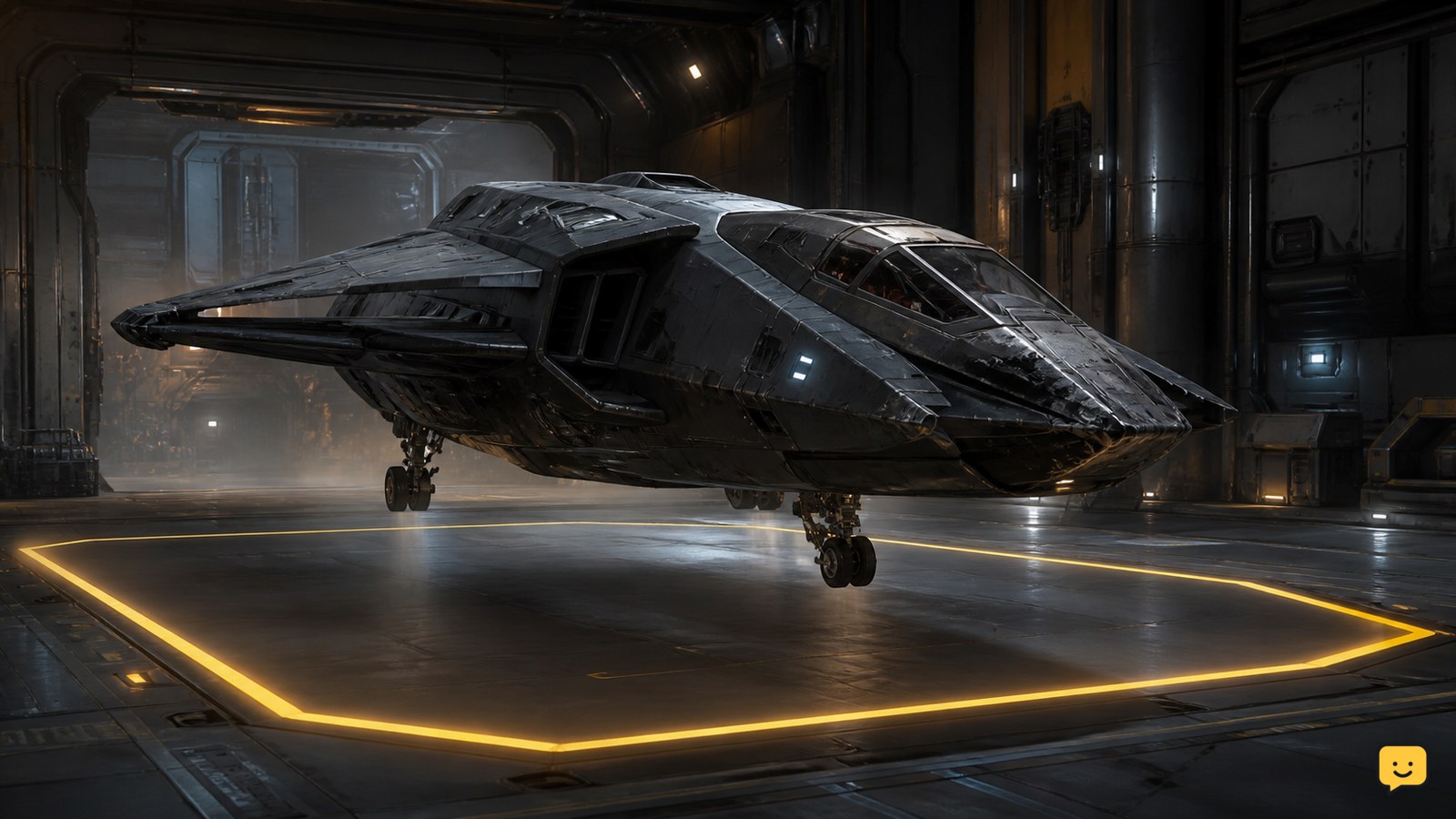
Land at a facility that offers vehicle services, keep the damaged ship spawned, and buy Repair through the mobiGlas Vehicle Maintenance Services app. If your current LIVE client shows a repair mode for the Cambio-Lite SRT attachment, you can patch reachable hull damage with RMC. Claim the ship only when it is destroyed or cannot be recovered.
Browse more Star Citizen guides
Choose the repair path from the ship’s condition
Use facility repair whenever the ship can still reach a serviced landing area. This is the broadest repair option and is intended to restore ordinary hull and vehicle damage without replacing the ship.
- Ship still flies: travel carefully to a station, city, or landing facility with vehicle services.
- Ship is stranded but intact: attempt limited manual hull repair only if the current tool interface offers repair mode. Ask another player for transport or assistance if the ship still cannot move.
- Ship is destroyed or unrecoverable: use an ASOP terminal to file an insurance claim for a replacement.
A claim is not a repair. It creates a replacement vessel, so cargo and loose items left in the old ship should be treated as at risk.
Repair at a landing facility
The dependable repair route on LIVE is the vehicle-service system at a supported landing area. The ship must remain spawned and sit inside the facility’s service zone.
- Contact air traffic control and request permission to land.
- Place the entire ship on the assigned pad or hangar floor. Lower the landing gear and bring the vessel to a complete stop.
- Turn off the engines to prevent accidental movement. Keep the ship spawned rather than storing it.
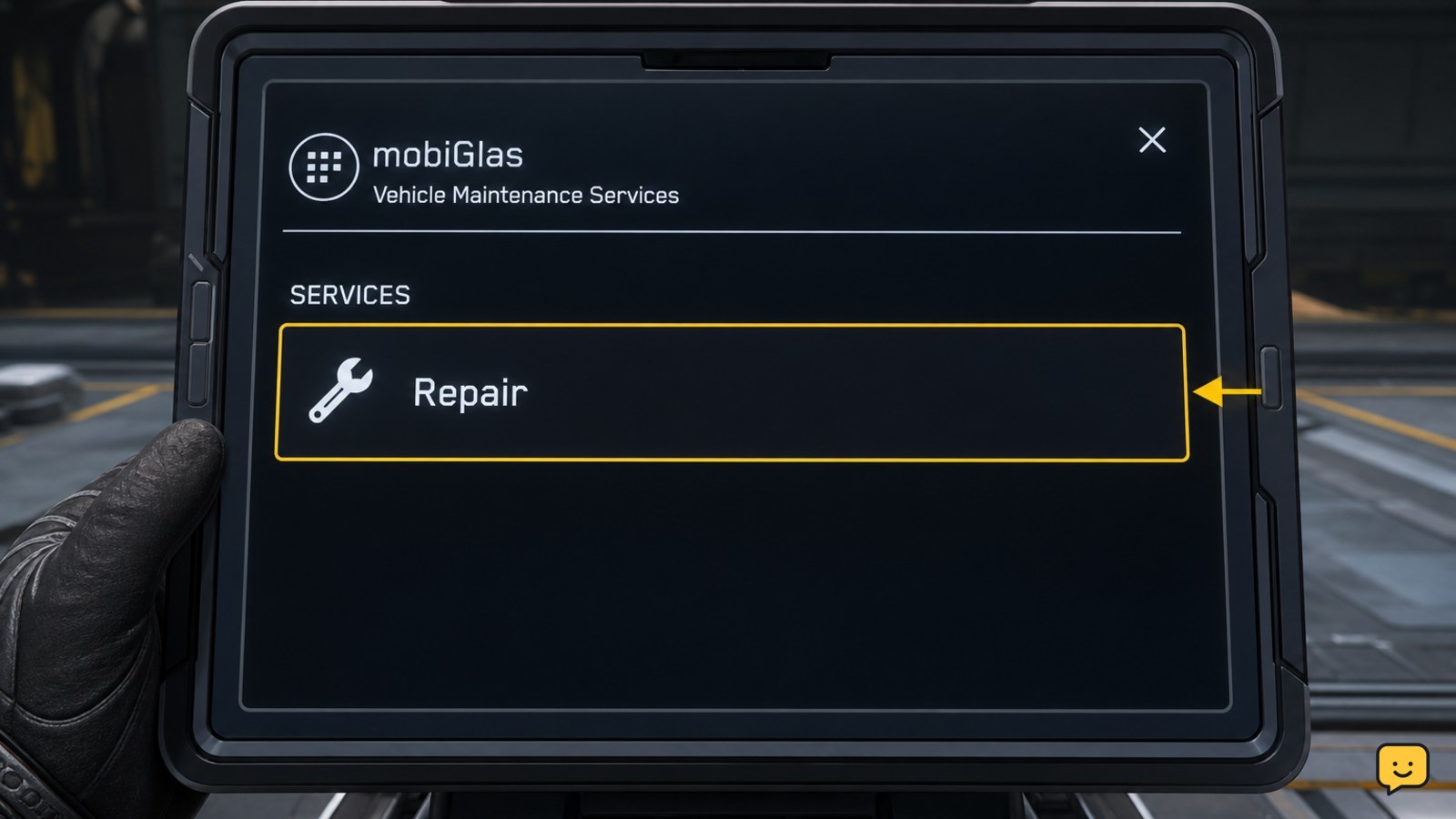
- Open mobiGlas and select Vehicle Maintenance Services.
- Confirm that the damaged ship appears as the selected vehicle.
- Choose Repair, review the displayed charge, and confirm the service.
- Wait for the transaction and service status to complete before taking off.
Repair, refuel, and restock are separate service selections. Buying Repair alone should not be assumed to refill hydrogen, quantum fuel, countermeasures, ammunition, or missiles.
Verify the ship before leaving the hangar
Do not rely only on the payment confirmation. Check the vessel itself before returning to space.
- Inspect the ship status display for remaining damaged sections or disabled systems.
- Look outside for persistent holes, missing sections, sparks, smoke, or detached equipment.
- Power the ship on and confirm that the power plant, coolers, shields, thrusters, and flight controls respond.
- Lift only a short distance inside the permitted area and check for unexpected roll, yaw, or weak thrust.
- Land again immediately if the ship pulls strongly to one side or a required system remains offline.
The repair succeeded when the visible damage is gone, essential systems remain powered, and the ship can hover or maneuver normally. A refreshed damage display by itself is not enough if the flight behavior remains unstable.
Patch reachable hull damage with a multi-tool
Manual repair is more limited than facility service. Older community demonstrations show the Cambio-Lite SRT attachment applying recycled material to damaged hull surfaces. Because that evidence predates the current LIVE build, use the presence of an active repair mode in your own tool interface as the applicability check.
- Park in a safe area and shut down the engines. Lower or disable the shields if they prevent the tool from interacting with the hull.
- Equip the Pyro RYT Multi-Tool with the Cambio-Lite SRT attachment and a canister containing RMC.
- Approach a reachable damaged hull surface without standing near active thrusters, weapons, or moving doors.
- Use the tool’s interaction controls to select repair mode. Stop if the current interface does not provide one.
- Aim at the damaged surface and apply material steadily. Watch for visible surface restoration and RMC consumption.
- Return to the cockpit and test the affected system or flight axis.
This method is best treated as a field patch for accessible hull damage. It should not be relied upon to replace destroyed components, rebuild a missing wing, reconnect a detached engine, or guarantee full structural restoration.
Handle missing components separately
A repaired hull does not guarantee that every ship component is present and functional. Weapons, coolers, shield generators, power plants, quantum drives, and other removable equipment may require replacement rather than surface repair.
- Store the ship only after facility repair is finished and you no longer need the spawned vessel for service detection.
- Open the mobiGlas Vehicle Loadout Manager.
- Check whether the affected hardpoint or component slot is empty.
- Install a compatible owned component and save the loadout.
- Retrieve the ship and verify that the component appears and powers on.
If a component remains installed but will not power up, check the ship’s power distribution before purchasing a replacement. A disabled or unpowered component can resemble permanent damage.
Claim a replacement when the ship cannot be recovered
Use insurance claiming after destruction, abandonment, or damage that prevents safe recovery. Avoid claiming merely because facility repair is temporarily unavailable.
- Travel to an ASOP vehicle terminal without the damaged ship.
- Find the vessel in your vehicle list and select the available claim action.
- Confirm the claim and wait for the displayed replacement timer.
- Retrieve the replacement after the terminal marks it as available.
- Inspect its loadout before departure, particularly if you previously installed custom components.
Claiming generally does not transfer cargo, personal equipment, or loose objects from the old vessel. If the damaged ship remains accessible and carries valuable material, attempt repair or unloading before filing the claim.
Fix an unavailable or incomplete repair service
If Repair is missing, unavailable, or does not restore the vessel, identify whether the facility, ship position, or session is causing the failure.
- Check the location: not every landing area provides repair services. Move to a major station, city, or another facility known to offer vehicle maintenance.
- Check the service zone: reposition the ship so its hull is fully inside the assigned pad or hangar.
- Check vehicle detection: close and reopen Vehicle Maintenance Services, then confirm that it identifies the correct ship.
- Check funds: verify that you can cover the displayed repair charge.
- Reland once: request clearance again and settle the ship completely before reopening the app.
- Try another facility: use this before storing, retrieving, or claiming a cargo-laden vessel.
- Change sessions last: use a fresh game session if multiple supported facilities fail to detect the ship.
If payment is taken but major damage remains, power-cycle the vessel and inspect it again. When missing geometry or critical thrust does not return, stop flying it and choose component replacement, another repair facility, or an insurance claim.
Frequently asked questions
Can I repair a Star Citizen ship in space?
Limited hull patching may work in space if your current LIVE client provides repair mode for the Cambio-Lite SRT attachment and you have RMC. Secure the area and stop the ship first. Full facility service requires landing inside a supported service zone, and manual work cannot be trusted to restore missing structural sections.
Does repairing a ship also refill fuel and ammunition?
No. Repair, refuel, and restock are separate vehicle-maintenance purchases. Check each required service before leaving the pad, then verify fuel levels, countermeasures, ballistic ammunition, and missiles from the cockpit.
Should I store the ship before using Vehicle Maintenance Services?
No. Keep the ship spawned and properly landed while purchasing facility repair. The maintenance app needs to detect the active vehicle in the service zone. Store it afterward if you need to change removable components through the Vehicle Loadout Manager.
Will an insurance claim save the cargo inside my ship?
No. Treat cargo, personal equipment, and loose objects aboard the old ship as lost or left behind when you claim a replacement. Unload valuable items or recover the existing vessel first when conditions allow.
Why does my ship still handle badly after paying for repairs?
A thruster, power component, or structural section may still be missing, disabled, or unpowered. Land again, inspect the ship status display, check component power, and look for visible missing geometry. Do not continue flying if the ship has severe directional pull or repeated power loss.


